

Description
WP Post Views counts the views of your built-in post types (Posts, Pages) and Custom Post Types. It provides multiple ways to display these counts, including a modern Gutenberg block, shortcodes, and PHP functions.
Features And Options:
- Simple & Easy: Designed to be simple and easy to understand for everyone.
- Gutenberg Block: A dedicated “Post Views” block for easy placement in your layouts.
- IP Filtering: Option to filter views by IP address to ensure accurate counts.
- Post Type Support: Choose which post types to track in the settings.
- Admin Column: View counts directly in your post/page lists in the admin dashboard.
- Performance: Optimized queries and transient caching for total view counts.
How to Display Post Views:
1. Gutenberg Block
Search for the “Post Views” block in the editor.
2. Shortcodes
– [WPPV-TOTAL-VIEWS]: Display the view count for the current post.
– [WPPV-TOTAL-VIEWS-PER-POST-TYPE post_type="post"]: Display total views for a specific post type.
3. PHP Function
Tutorial
Development
- Development happening on GitHub :- WP Post Views Github
- Create issue on the GitHub OR Pull request for new feature when new tag added it will automatically deployed.
Screenshots
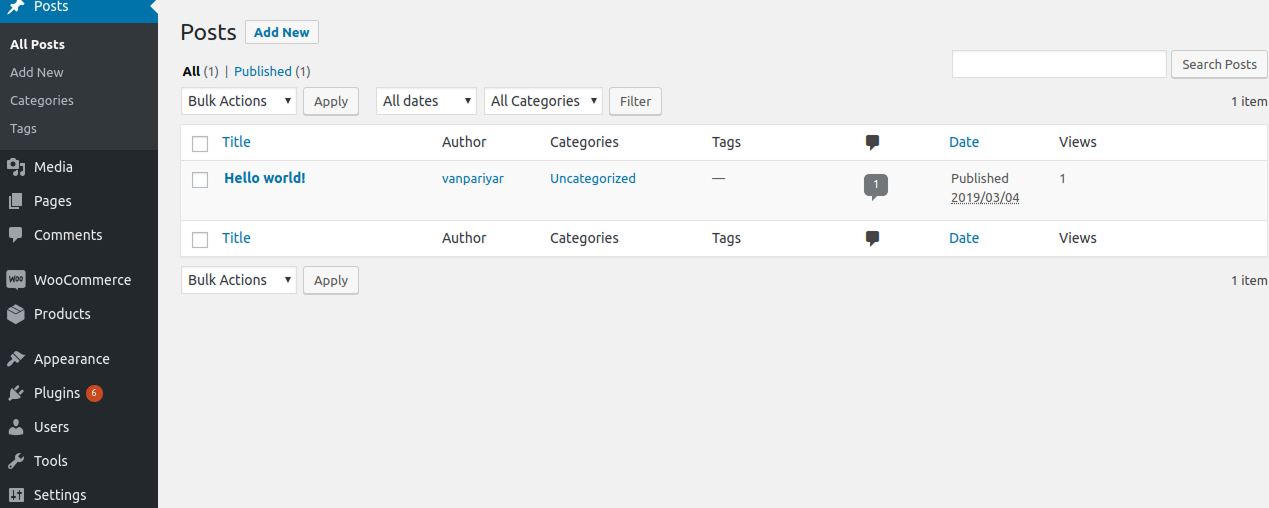
Post Views column in the WordPress admin post list. 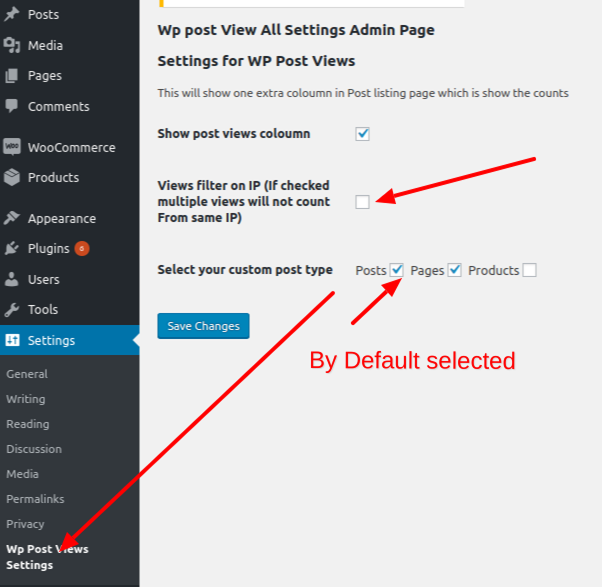
Main plugin settings page showing post type selection and IP filtering. 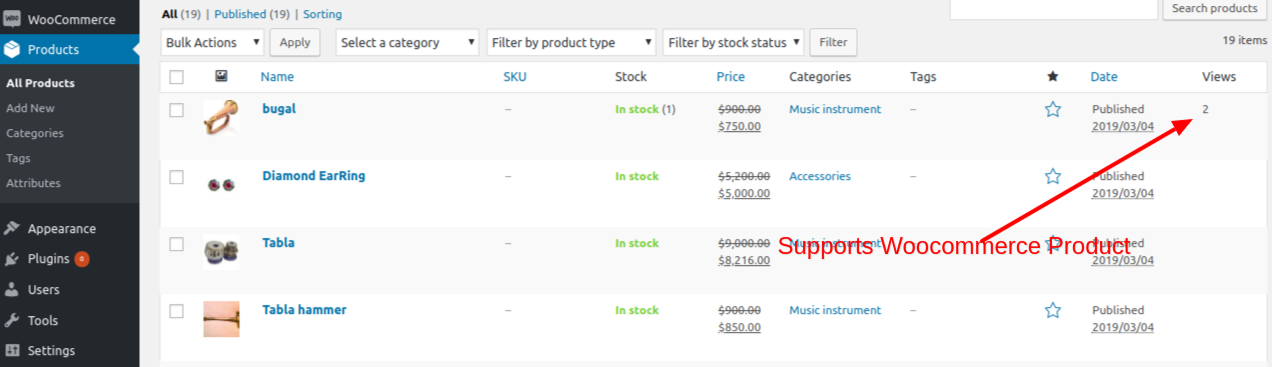
The “Post Views” Gutenberg block in the block inserter. 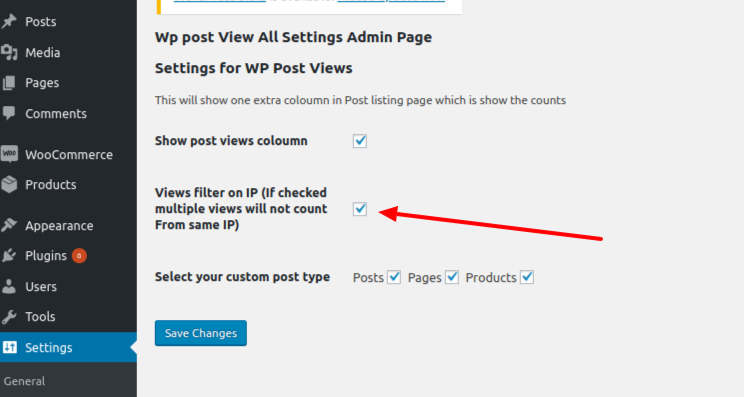
Customizing the Post Views block in the editor sidebar. 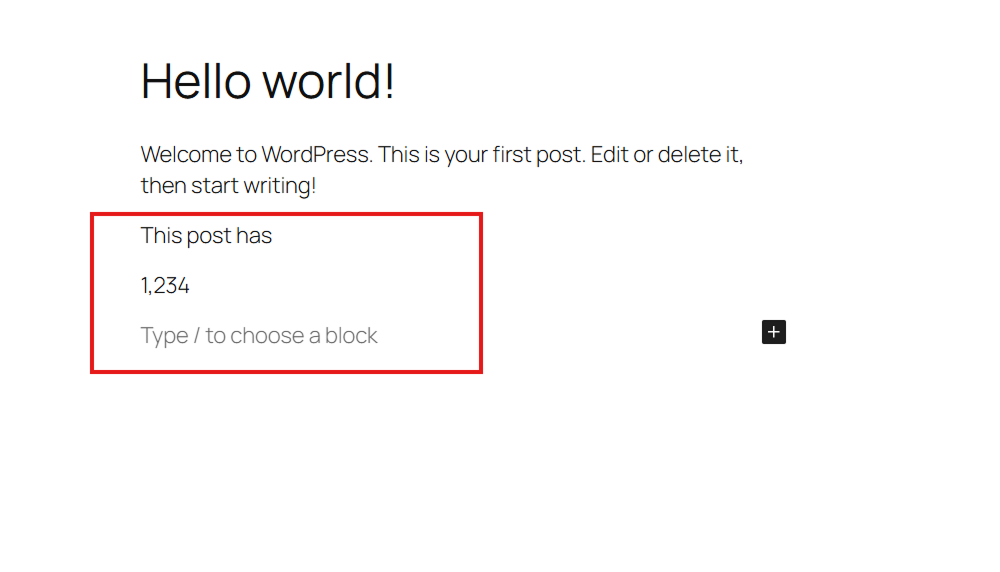
Frontend display of post views on a single blog post. 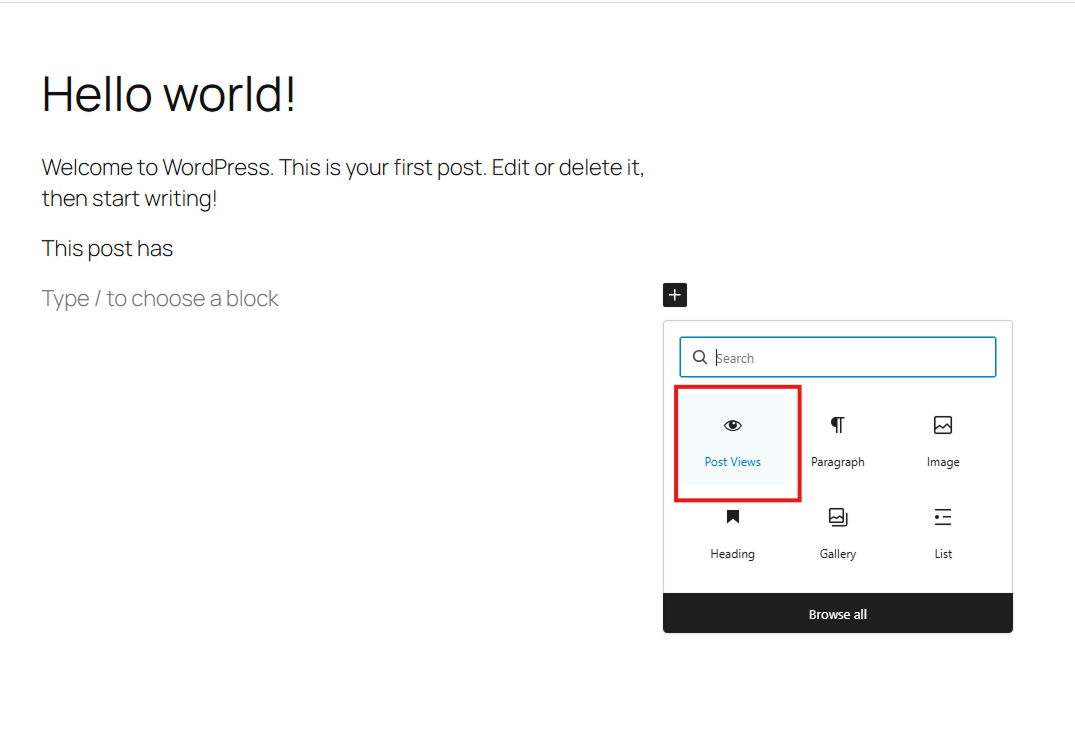
Using the shortcode to display total views per post type. 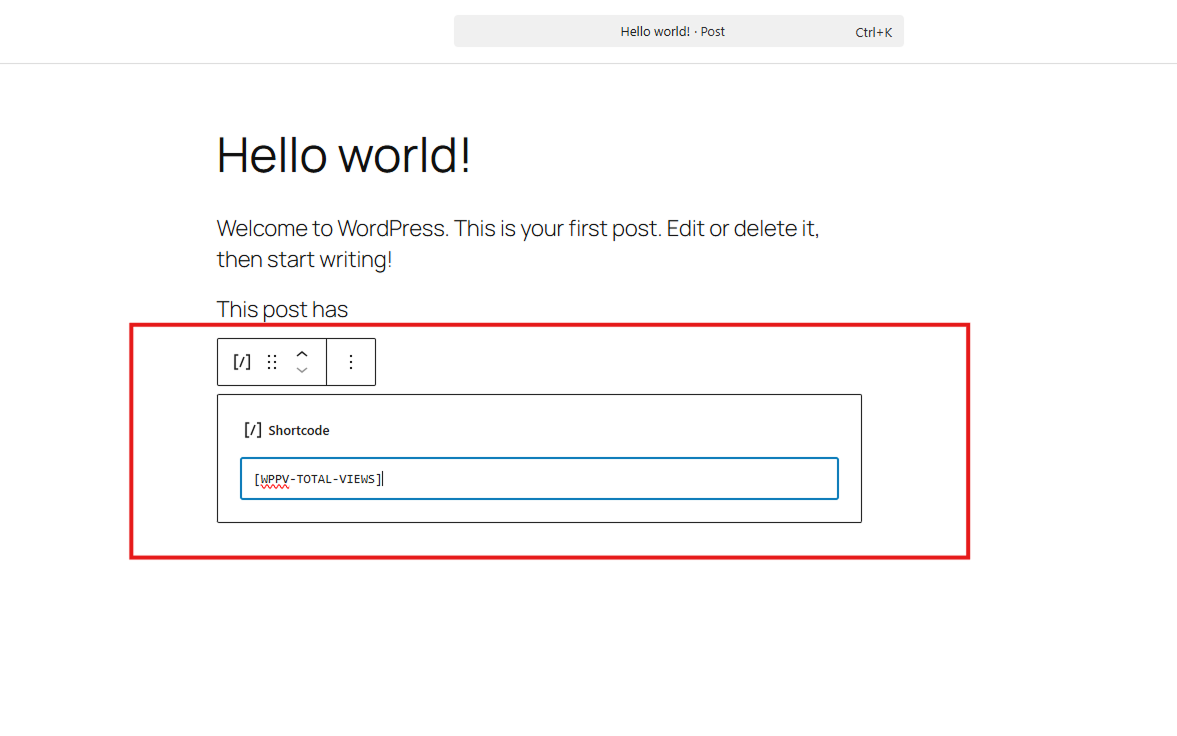
Tracking views across different custom post types.
Blocks
This plugin provides 1 block.
- Post Views Display the number of views for the current post.
Installation
- Install the plugin via the ww.wp.xz.cn plugin directory or by uploading the files to
/wp-content/plugins/. - Activate the plugin through the ‘Plugins’ menu.
- Configure settings at Settings > WP Post Views.
FAQ
-
Does it work with caching plugins?
-
Yes. WP Post Views uses a lightweight JavaScript-based tracking method to ensure views are counted even when your site is served via a caching plugin (like WP Rocket, W3 Total Cache, etc.).
-
Can I track views for custom post types?
-
Absolutely. You can select which post types to track in the plugin settings page.
-
How can I exclude my own views?
-
The plugin includes an IP filtering feature. You can enter your IP address in the settings to prevent your own visits from being counted.
-
How do I display the view count?
-
You have three options:
1. Use the “Post Views” Gutenberg block.
2. Use the[WPPV-TOTAL-VIEWS]shortcode.
3. Use theget_post_view()PHP function in your theme templates. -
Is it lightweight?
-
Yes, it’s designed with performance in mind. It uses efficient database queries and transient caching for aggregate counts to minimize server load.
Reviews


Contributors & Developers
“Wp Post Views – WordPress Post views counter” is open source software. The following people have contributed to this plugin.
Contributors


“Wp Post Views – WordPress Post views counter” has been translated into 1 locale. Thank you to the translators for their contributions.
Translate “Wp Post Views – WordPress Post views counter” into your language.
Interested in development?
Browse the code, check out the SVN repository, or subscribe to the development log by RSS.
Changelog
1.23.1 – 20/05/2026
- New Feature: Added a modern Gutenberg block to display post views.
- Documentation: Launched new documentation site using VitePress.
- Workflow: Updated GitHub Actions for automated building and ww.wp.xz.cn asset deployment.
- Assets: Added dedicated assets for the ww.wp.xz.cn plugin page.
- Testing: Expanded PHPUnit test suite to include Gutenberg block rendering.
1.22.0 – 15/12/2025
- Added PHPUnit testing framework, Composer dependencies, and GitHub Actions for CI.
1.21.0 – 26/09/2025
- Version updates
1.18.0 – 16/12/2024
- Removed Home page checks from Ajax.
- Now home page views will be counted
1.17.0 – 30/11/2024
- Complete architecture Changed on How we count views.
- we are using simple Js insted of AJAX.