
Description
Payment Page is the easiest way to accept Stripe payments on WordPress. Pick a template, connect Stripe, start collecting payments in 60 seconds. Free to start — only pay when you earn.
🎯 BUILT FOR
- Freelancers invoicing clients and collecting retainer deposits
- Coaches & Consultants taking deposits and selling session packages
- Yoga, Fitness & Wellness studios selling memberships and class packs
- Nonprofits accepting one-time and recurring donations
- Agencies invoicing monthly maintenance and managing client billing
- Creators & Educators selling courses, gated content, and subscriptions
⚡ KEY FEATURES
- One-page Stripe checkout — Apple Pay, Google Pay, SEPA, ACH (Stripe Financial Connections), recurring, one-time
- 22 fully-styled starter templates — 10 bundled in-plugin (work offline) + 12 remote from paymentpageplugin.com; all fully customizable, mobile-first
- Connect Stripe in 60 seconds — Stripe Connect onboarding handled for you
- Recurring subscriptions — any frequency, any currency Stripe supports
- Custom payment amounts — let customers choose donation or invoice amounts
- Custom form fields — capture any data, stored in Stripe metadata
- Prefill form fields — via query strings or for logged-in WordPress users
- Elementor compatible — native widget for placing forms anywhere
- HTTP webhooks — automate with Zapier, FluentForms, custom endpoints
- PayPal Standard Checkout — alternative gateway, no platform fee
💰 PRICING — FREE TO START, ONLY PAY WHEN YOU EARN
The free version includes the full feature set. We charge a small 2% platform fee on Stripe transactions to keep the plugin sustainable and improving — only when you actually collect money. No subscriptions to pay, no hidden costs, no surprises.
Upgrade to Pro at $99/year (was $149) to:
- Remove the 2% platform fee — keep 100% of your Stripe revenue
- Priority support with a 24-hour first response
14-day money-back guarantee on Pro. Cancel anytime.
🔌 INTEGRATES WITH
- Stripe — Stripe Connect platform integration (cards, SEPA, Apple Pay, Google Pay, ACH via Stripe Financial Connections)
- PayPal — Standard Checkout
- Elementor — native widget for placing forms anywhere
- WooCommerce — HPOS-compatible (complements WooCommerce for deposits, donations, retainers, single-product checkout)
- Zapier — webhook integration via HTTP Requests
🔒 SECURITY POSTURE
Payment Page takes security seriously. Our ongoing posture:
- Plugin Check runs on every release in our CI pipeline
- PHPUnit coverage across PHP 7.4, 8.0, 8.1, 8.2, 8.3
- In-house security audit every 6 months (OWASP Top 10 + WP hardening + Stripe Connect best practices)
- Wordfence Threat Intelligence verified (Feb 2026)
- All payment data flows through Stripe Elements — card numbers never touch your WordPress site
Read about our transparent security posture and CVE history at paymentpageplugin.com/security.
🆚 WHY CHOOSE PAYMENT PAGE
Other Stripe form plugins focus on one-off payments. Payment Page is built on Stripe Connect from the ground up — the same architecture that powers Substack, Lyft, and Shopify. That means:
- One-click onboarding via Stripe’s official OAuth flow (no API keys to copy-paste)
- No PCI burden — Stripe handles everything sensitive
- Idempotent webhook processing — duplicate Stripe deliveries never re-charge or re-email
- ACH async settlement properly tracked (processing succeeded over 2-4 business days)
100+ businesses processed 7,103+ payments through Payment Page. 5.0★ on ww.wp.xz.cn (23 reviews). 6 years in business.
Screenshots
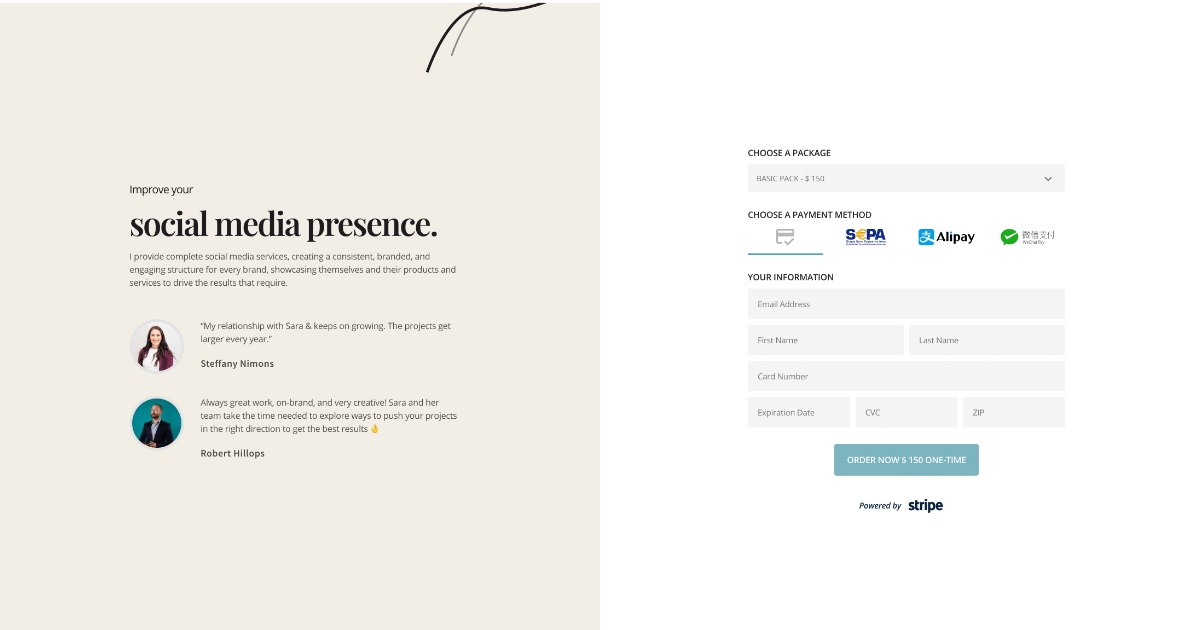
Template gallery — pick from 22 designs in seconds (10 bundled in-plugin + 12 remote). 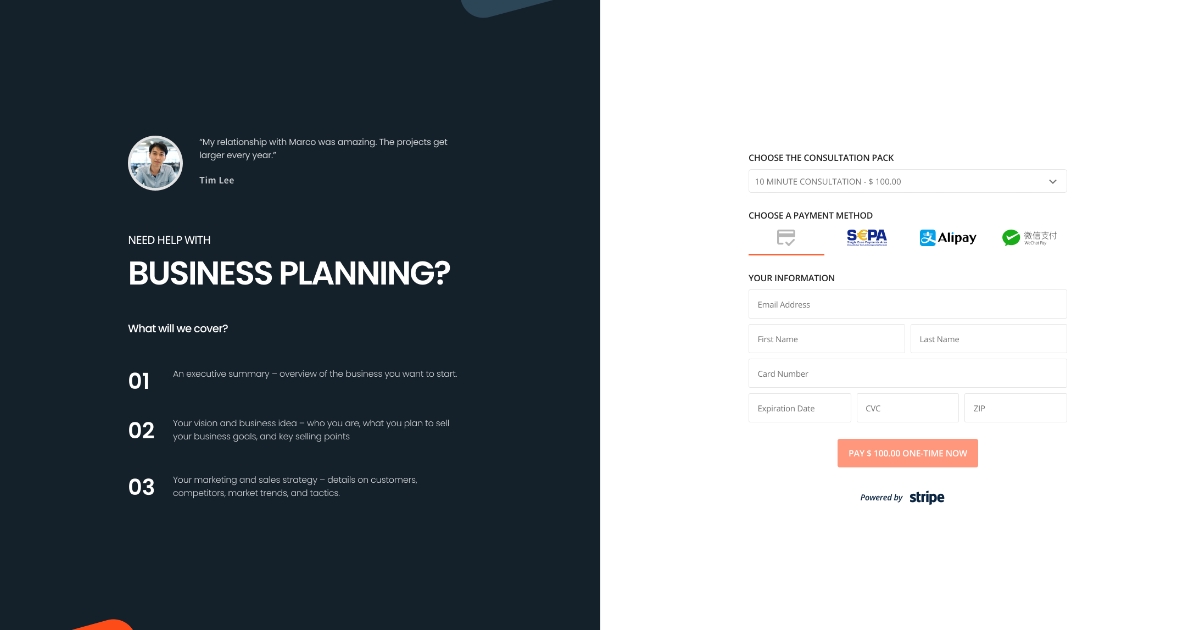
Form builder admin UI — design every detail of your payment form. 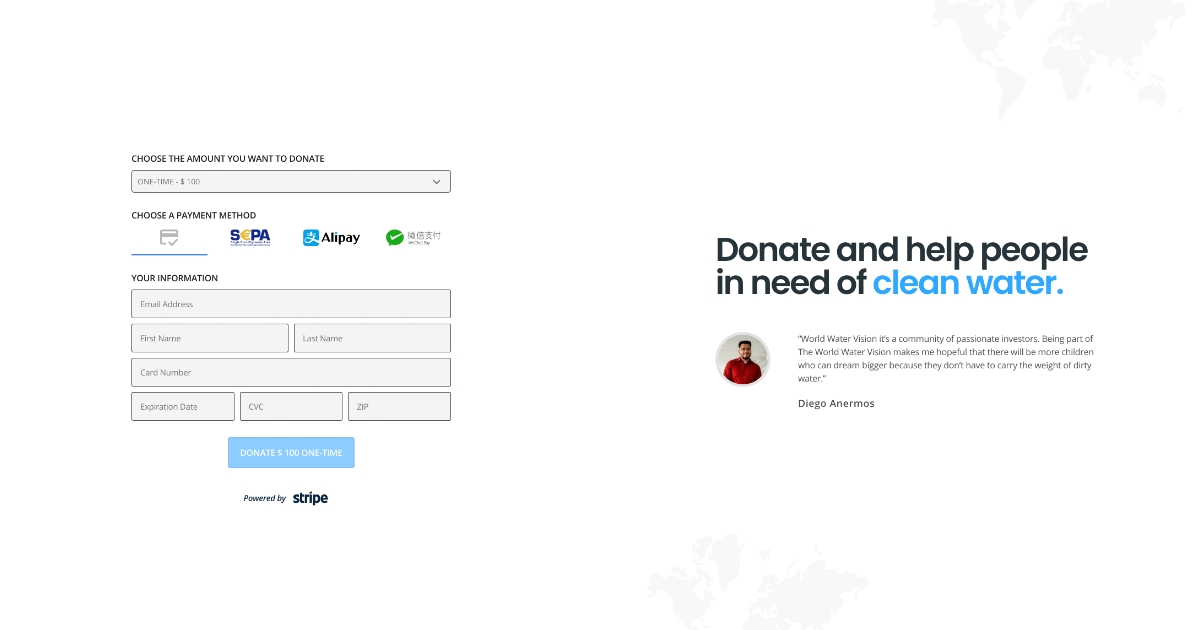
Apple Pay and Google Pay live on a published payment page. 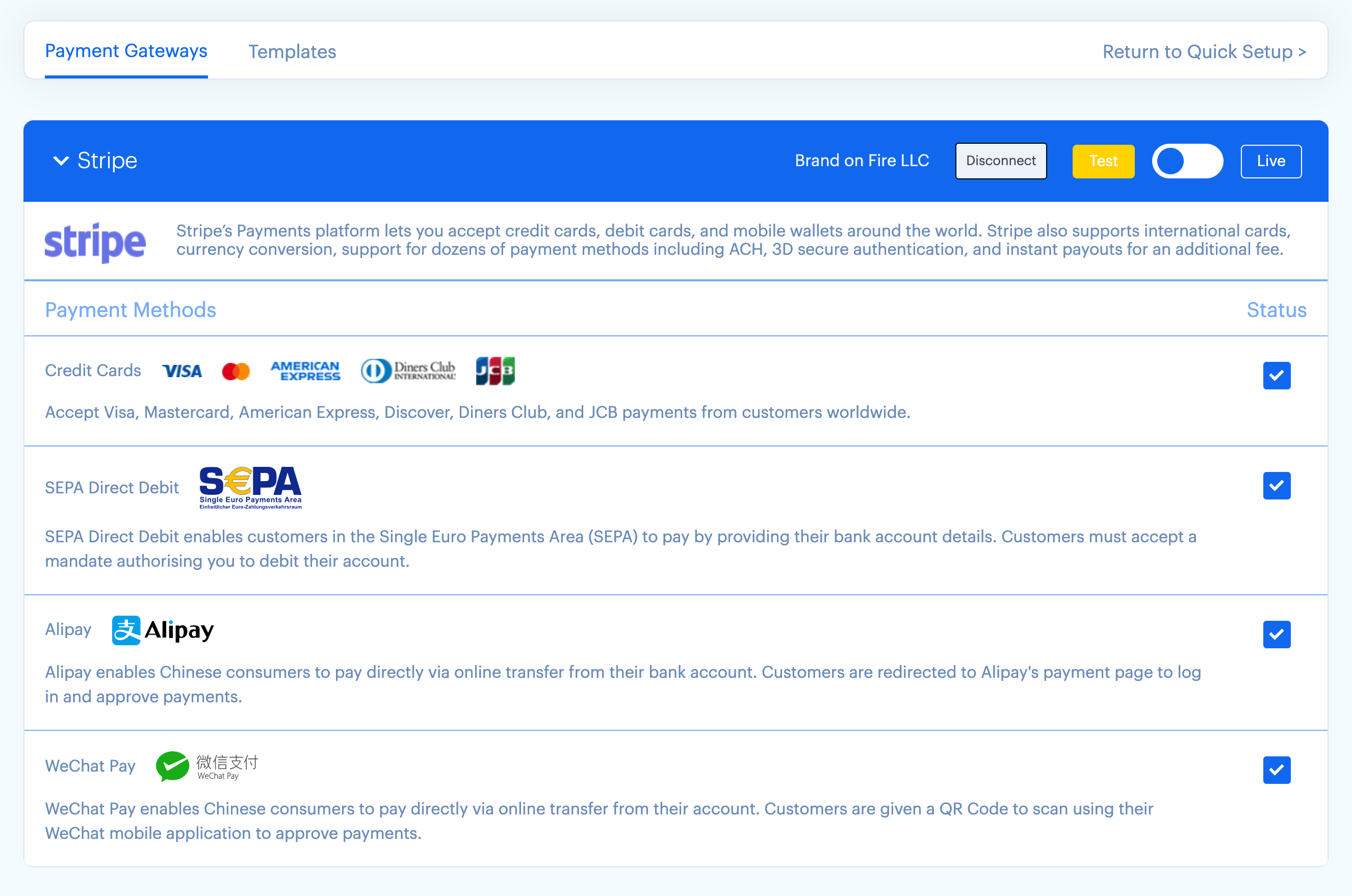
Stripe Connect onboarding flow — one-click via Stripe OAuth. 
Live-rendered confirmation page across desktop, tablet, and mobile viewports.
Installation
Minimum Requirements
- WordPress 6.4 or greater
- PHP version 7.4 or greater
- MySQL 5.6+ or MariaDB 10+
- cURL (required for Stripe API)
- SSL certificate (required for payments)
5-Step Setup
- Install the plugin from the ww.wp.xz.cn plugin directory or upload the .zip via Plugins Add New.
- Activate the plugin.
- Connect Stripe — click the “Connect Stripe” button on the welcome screen; complete Stripe’s onboarding flow. (Takes ~60 seconds for existing Stripe customers.)
- Choose a template — pick from 22 designs in the gallery (10 bundled + 12 remote) and customize.
- Add the form to any page via shortcode
[payment-page-payment-form id=N]or via the Elementor widget.
You’re now accepting payments. The Stripe payments dashboard reflects all transactions in real time.
FAQ
-
Is Payment Page free?
-
Yes. The full feature set is free. We charge a 2% platform fee on Stripe transactions only — when you actually collect money. No subscriptions, no hidden costs. Upgrade to Pro at $99/year to remove the fee.
-
How does the 2% platform fee work?
-
When a customer pays through your Stripe Connect account, Stripe routes 2% to Payment Page automatically as the platform application fee. You receive 98% of the transaction (minus standard Stripe processing). The fee is visible in your Stripe dashboard. It applies to Stripe payments only — PayPal payments have no platform fee.
-
How do I remove the 2% fee?
-
Upgrade to Pro at $99/year. The fee is removed instantly for all future transactions. Pro also includes priority support with a 24-hour first response.
-
What payment gateways and methods are supported?
-
Stripe (free + Pro): Credit & Debit Cards, SEPA Direct Debit, Apple Pay, Google Pay, ACH (via Stripe Financial Connections), Alipay, WeChat Pay, recurring subscriptions.
PayPal (free + Pro): PayPal Standard Checkout.
-
Does Payment Page work with Elementor?
-
Yes. Payment Page includes a native Elementor widget. Drop the widget into any Elementor section, point it at a form, and the form renders inline.
-
Does Payment Page work with WooCommerce?
-
Yes. Payment Page is HPOS-compatible (High-Performance Order Storage). It does not replace WooCommerce — it complements it for use cases where a full storefront is overkill (deposits, donations, retainers, single-product checkout).
-
Are recurring subscriptions supported?
-
Yes, on both free and Pro tiers. Choose any frequency (daily, weekly, monthly, annual, custom) and any currency Stripe supports.
-
Can I accept custom donation or invoice amounts?
-
Yes. Leave the price field empty on any plan and a “custom amount” input appears for the customer. Works for one-time payments and recurring donations.
-
Does Payment Page support Apple Pay and Google Pay?
-
Yes — both are free-tier features. Apple Pay requires a one-time domain verification step in Stripe (the plugin walks you through it). Google Pay works automatically on Chrome and Android.
-
How does ACH work in 1.5.0?
-
Payment Page 1.5.0 uses Stripe Financial Connections for ACH Direct Debit (Stripe deprecated the legacy Plaid + Charges API path on 2026-05-15). Customers link their bank in-browser through Stripe’s hosted UI; PaymentIntents settle asynchronously over 2-4 business days, and Payment Page records the
processingsucceededlifecycle correctly. No Plaid configuration required — the plugin handles everything via Stripe Connect.If you had ACH active before 1.5.0, see the ACH migration runbook for Stripe’s Dashboard mandate-backfill instructions.
-
Is Payment Page Stripe Connect or single-account Stripe?
-
Stripe Connect. You connect your own Stripe account via Stripe’s official OAuth flow — Payment Page never sees your Stripe API keys. This means: one-click onboarding, no PCI burden, and full ownership of your customer data.
-
What about security?
-
Card data never touches your WordPress site — Stripe Elements collects payment details directly. Plugin Check runs on every release in our CI pipeline. We run an in-house security audit every 6 months covering OWASP Top 10 + WordPress hardening + Stripe Connect best practices. Read more at paymentpageplugin.com/security.
-
Where can I see your roadmap?
-
Public roadmap at roadmap.paymentpageplugin.com. Vote for features you want next.
-
Where can I get support?
-
Docs: docs.paymentpageplugin.com. Free-tier support via the ww.wp.xz.cn plugin forum. Pro-tier priority support with 24-hour first response via paymentpageplugin.com/support.
-
Where can I see your Privacy Policy and Terms?
Reviews


Contributors & Developers
“Payment Page | Payment Form for Stripe | Stripe & PayPal Subscriptions” is open source software. The following people have contributed to this plugin.
Contributors


“Payment Page | Payment Form for Stripe | Stripe & PayPal Subscriptions” has been translated into 12 locales. Thank you to the translators for their contributions.
Interested in development?
Browse the code, check out the SVN repository, or subscribe to the development log by RSS.
Changelog
1.5.0
- ACH Direct Debit migration to Stripe Financial Connections (Shortcut #7177). Stripe deprecated the legacy ACH stack (Charges API + Tokens API + Plaid Link) on 2026-05-15; ACH attempts on the prior path were failing live for every merchant. Payment Page 1.5.0 replaces it end-to-end with the supported Financial Connections + PaymentIntent +
us_bank_accountflow. Existing ACH merchants should run Stripe’s Dashboard mandate-backfill tool — see docs.paymentpageplugin.com for the migration runbook. Plaid settings panel removed; no merchant configuration needed. - Stripe PHP SDK bumped 15.7.0 20.1.0, API version pinned to
2026-04-22.dahlia. Required for Financial Connections + new ACH flow; brings ~2 years of upstream bug fixes. - 10 new bundled form templates — Personal Trainer, Restaurant Catering, Online Course, Membership Site, Photography Booking, Event Tickets, Crowdfunding, Subscription Box, Therapy / Coaching, Digital Product / Ebook. Each ships with full category-themed styling (colors, fonts, button styling, container, payment-method theming) so the form looks polished from the first import — no manual styling required. Templates work offline; the gallery shows them alongside the 12 remote templates from paymentpageplugin.com.
- Reliability: webhook signature catch + idempotency. Stripe webhook now catches
SignatureVerificationExceptionexplicitly (returns 400, not 500 — Stripe stops retrying instead of filling debug.log with retried events). Duplicate webhook deliveries no longer re-send customer/admin emails or re-fire submit-action HTTP webhooks; 7-day transient dedupe by event id plus belt-and-suspendersis_paidshort-circuit. (Audit S1 + S2) - Reliability: failed-payment + processing events recorded.
payment_intent.payment_failednow logged viaPP_Model_Log;payment_intent.processingmarks payments as pending. Critical for ACH which settles asynchronously over 2-4 business days. (Audit S5) - Reliability: subscription setup-fee race fixed. Replaced the legacy
subscriptions.create sleep(1) subscriptions.updatedance with Stripe’s canonicaladd_invoice_itemsshape — single atomic call, no PHP-FPM worker blocked for 1 second, no race window against Stripe eventual consistency. (Shortcut #7141 / Audit S10 / Perf P7) - Reliability: PayPal webhook errors now logged instead of silently swallowed. Failed signature verifications, malformed payloads, unrecognized order descriptions, and capture errors all land in
PP_Model_Logwith explanatory context. Guards undefined array index on malformed PayPal payloads (PHP 8 warning fatal underfailOnWarningPHPUnit). (Audit S14) - Reliability: money-math hardening.
payment_page_format_price_as_non_decimal_int()now trims + uppercases the currency code (whitespace input no longer 100x overcharges zero-decimal currencies like JPY) and usesround(half-up)instead ofintval()(IEEE-754 float drift on prices like $0.99 no longer truncates a cent). Locked by Tier-A property-based tests. (Audit M-1, M-2) - Reliability: rewrite-rules auto-flush on upgrade. Version-gated
flush_rewrite_rules()oninitensures thepayment-form/{slug}/permalink works immediately after upgrade — fixes a 404 on freshly-imported forms when the activation hook’s flush was hijacked by Freemius opt-in redirect. - Security: Stripe Connect callback now requires admin capability and a single-use state token. The previous endpoint was
permission_callback = __return_true— an attacker who obtained an encrypted credentials blob could trick an admin into silently overwriting the site’s Stripe account credentials via a drive-by<img src="...">. 1.5.0: callback requirescurrent_user_can( payment_page_settings )AND a server-stored, single-use, 10-minute state token bound to the admin who started the connect flow. (Shortcut #7142 / Audit F001) - Security: template import no longer runs PHP
unserialize()on remote data. The previous path calledmaybe_unserialize()on metadata fetched from the company API server — a textbook PHP Object Injection / RCE-class vector if the API server were compromised. 1.5.0: pattern-rejects PHP-serialized strings; scalars and arrays pass through;add_post_meta()handles serialization safely. (Shortcut #7144 / Audit F003) - Security: hardening bundle. Settings::update() now recursively sanitizes nested arrays via wp_kses_post (was top-level only — admin nested-XSS surface). Payment::sync_details now uses HMAC-SHA-256 +
wp_salt('auth')instead ofmd5(NONCE_SALT.$id); the literal-salt fallback for misconfigured sites is removed (fail-closed). Migration AJAX handler nonce-protected. force-db-table-integrity action nonce-protected (Site Health link emits the matching nonce).data:protocol dropped from admin-notice wp_kses() allow-list.$_GET['page']reads now sanitize_text_field( wp_unslash() ). Skeleton ORMlistWhere/listByIdsnow use column allow-lists derived from each model’s$fieldsmap. Per-IP rate limit on the unauthenticated/payment/sync-detailsendpoint (12 req/min). Identity fields (name, email) sanitize-on-write. (Audit F004 + F005 + F006 + F008 + F010 + F011 + F012 + S11 + S12 + S13) - Performance: conditional frontend enqueue — Payment Page’s CSS+JS+inline localized blob no longer loads on every page of your site. Detection runs at
template_redirect; assets enqueue only when a[payment-page-payment-form]shortcode, an Elementor payment-form widget, or app_payment_formsingular is present. Single biggest LCP/TBT improvement in this release. Useadd_filter('payment_page_force_universal_interface', '__return_true')for popup-form mounts that detection can’t reach. (Audit P1) - Performance: option no longer autoloaded.
payment_page_settingsis nowautoload=no— removes per-request memory cost on every WP request. One-time idempotent migration flips the autoload flag on upgrade. (Audit P3) - Performance: admin + Elementor function files lazy-loaded. Frontend requests no longer parse admin or Elementor function files unless Elementor is actually active. (Audit P4)
- Performance: jQuery UI base theme bundled locally instead of loaded from
code.jquery.com. Removes a render-blocking third-party request from the Elementor editor. (Audit P8) - Performance: distributed plugin zip slimmed. New
.distignorestrips dev artifacts (tests/, composer.json/lock, CodeKit project files, source maps, .git, .github, README.md, changelog.txt) from the wp.org and Freemius release zips. (Audit P11) - Admin UX: WP notices now position above the Payment Page admin chrome. Plugin notices from other plugins (Wordfence, WooCommerce, etc.) no longer sandwich between Payment Page’s nav and form content. Fixes a long-standing layout bug on PP admin pages running alongside multi-plugin stacks.
- Confirmation Email Builder GA v2 (Shortcut #6932). Strategy A read-time fallback ships the GA email builder out of BETA; backcompat for legacy
email_from/email_toschema; per-recipient subject editing; HTML body with auto-generated plaintext AltBody; merge tags ({name},{email},{amount}, etc.); “Send test emails” button in the form editor. - Stripe Connect webhook auto-provision v2 (Shortcut #5904). Idempotent webhook endpoint creation on the connected account during Connect OAuth; reconnect dedupe; signing secret persisted automatically. Merchants no longer have to paste webhook secrets manually.
- WP-CLI
wp payment-pagenamespace —verify-integrity(cross-table DB invariant check),retry-stuck-pi --id=N(recover ACH PaymentIntents stuck inprocessingstate),dump-payments(operational JSON dump for support triage). Loaded only under WP-CLI; zero overhead on regular requests. Full output contract documented atdocs/wp-cli-contract.mdso third-party tooling can depend on stable JSON shapes. - Hygiene: strict-mode-blocking uninstall. New
uninstall.php+ 4-guardUninstallercleanly drops all 5 PP tables + ~40 wp_options + every CPT post + transients when a merchant deletes the plugin — BUT only if they opt in viaSettings Advanced Uninstall behavior: destroy. Default ispreserveso existing merchants are unaffected. Plus a guard against accidental deletion when payment activity exists in the last 90 days. Fixes the wp.org Plugin Check “Plugin should cleanly uninstall” finding. - Observability hooks at 5 critical paths via
do_action('pts_increment_counter', ...)— webhook idempotency (hit/miss), webhook payment success, ACH FC session creation, money conversion, rate-limit drops. Production: zero listeners zero overhead. Test environments + monitoring scripts can attach counters without changing source semantics. - Quality gate: PHPStan level 5 with the szepeviktor/phpstan-wordpress preset now runs in CI on every PR. Baseline freezes existing warnings; gate-fails on any NEW warning matching the 7 known-bug patterns (see
docs/wp-cli-contract.mdfor triage notes). - Test suite expansion: 230 PHPUnit Tier-A/B/C unit tests (685 assertions, 0.6s runtime) covering money correctness, webhook idempotency, AJAX security matrix, cron lifecycle, DB integrity, uninstall strict-mode, observability emission, WP-CLI contract, conditional-enqueue regression-lock, subscription-lifecycle gap (fixture-driven). Plus payments-grade Playwright suite at
qa-harness/playwright/specs/payments-grade/(mastermind) covering webhook replay, concurrent webhook race, dispute lifecycle, ACH stuck-PI, migration chain, refund semantics, PayPal sig timestamp, rate-limit, performance budgets, visual regression, license-tier gating. - Compat: Stripe SDK bump (above) requires PHP 7.4+ (already our minimum); WP 7.0 tested.
- Docs: new ACH migration runbook + admin notice pointing merchants to Stripe’s Dashboard mandate-backfill tool. Removes the previous Plaid configuration walkthrough.
1.4.10
- Compat: WP 7.0 readiness — bump
Requires PHPto 7.4 (matches WP 7.0’s runtime floor) andTested up toto 7.0. No functional changes.
1.4.9
- Fix: admin “Connect Stripe” button spun forever for fresh installs; the dashboard JS was reading the payment-gateway map from
configuration.payment_gateway(always undefined) instead ofdata.payment_gateway. Shortcut #6953. - Fix: “Cookie check failed” no longer blocks the payment form on desktop browsers that restrict third-party cookies (Safari ITP, Firefox Enhanced Tracking Protection, ad-blockers). Stripe.js is now initialized with
advancedFraudSignals: falseby default; sites that want the full Radar advanced-signals fingerprinting back can opt in via the newpayment_page_stripe_advanced_fraud_signalsfilter. Shortcut #6937. - Fix: Elementor’s widget editor (including the built-in Form widget) no longer breaks when Payment Page is active. Our Elementor control scripts called the deprecated
jQuery(window).load(fn), removed in jQuery 3.0; switched tojQuery(window).on('load', fn)across all six bundled control scripts. Shortcut #3807. - Fix: “Show Payment Details” toggle now hides the post-payment details template on forms built with the Elementor widget. The previous check only matched
'no'(our custom builder’s off-value) and missed''(Elementor’s SWITCHER off-value). Shortcut #3993. - Fix: WP Rocket (and other page-cache plugins) no longer cache pages containing a payment form. The form HTML carries per-request data (uniqid, browser-detected wallet flag, Stripe publishable_key) that was being served stale to subsequent visitors and showing as “This wallet is not compatible in your browser”. The form now sets
DONOTCACHEPAGEon render and excludes its inline localized config from WP Rocket’s JS combine / minify / delay passes. Shortcut #3731.
1.4.8
- Bug fixes.
- Payment form layout fixes.
See our full changelog at docs.paymentpageplugin.com/changelog.