

Description
Staatic turns WordPress into a practical static site generator. Keep editing posts, pages, menus, media, and settings in WordPress, then publish a static copy made of HTML, images, CSS, JavaScript, and other assets.
The public site can be served without WordPress, PHP, or a database in the visitor request path. That can improve performance, reduce origin load, and shrink the public attack surface while preserving the familiar WordPress editing workflow.
This is especially useful for a private-origin, public-static setup: WordPress remains available for editors and publication work, while visitors receive prebuilt files from your chosen hosting target.
Staatic includes the publication workflow and deployment methods needed to run a self-hosted static WordPress site.
Features of Staatic include:
- Crawls your WordPress site and builds a static publication from the pages and assets it discovers.
- Publishes from WordPress Admin, with publication status, logs, resource details, and downloadable output.
- Deploys to Local Directory, Amazon S3 or S3-compatible storage, GitHub, Netlify, SFTP, or a zip archive.
- Supports redirects, custom 404 pages, additional URLs and paths, exclude rules, and HTTP headers.
- Includes a WP-CLI command for command-line publication workflows.
- Works with WordPress Multisite, WPML, and HTTP Basic Auth protected WordPress origins.
- Helps separate the public site from WordPress admin, plugin runtime, and database-backed page generation.
- Provides integration hooks and compatibility improvements for common WordPress setups.
Staatic Premium and Staatic Cloud add features such as forms integration, search integration, scheduled publications, change-based publications, and managed static WordPress hosting. The Community edition remains suitable when you want to generate and deploy a static version of a WordPress site yourself.
Staatic Premium
Staatic Premium supports ongoing development and adds functionality for teams that need more than the Community edition.
Premium features include forms integration, search integration, scheduled publications, change-based publications, additional automation, and Staatic Cloud deployment options.
For more information, visit Staatic.
Screenshots
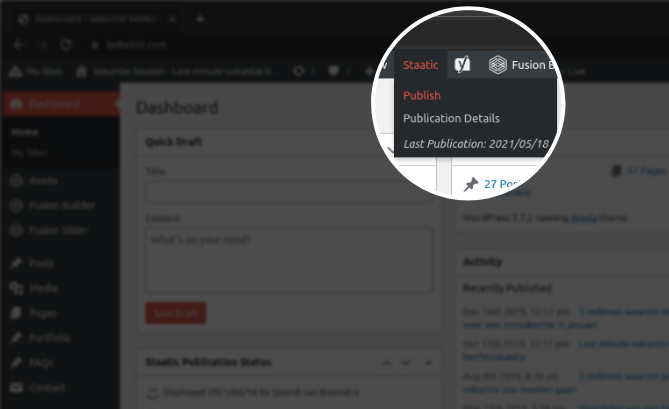
Use WordPress as your authoring environment, then publish a static version of the site when you are ready. 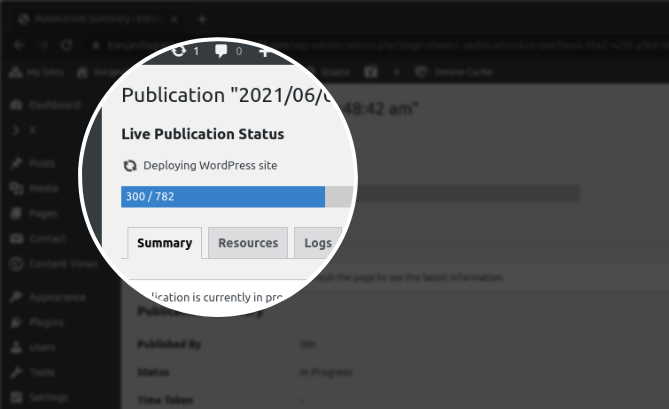
Monitor running publications and review past publication details, resources, and logs. 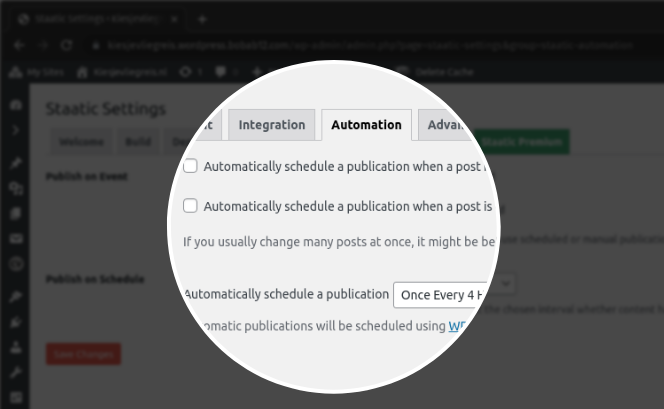
Configure build, deployment, and advanced publication settings for your site.
Installation
Installing Staatic is simple!
Install from within WordPress
- Visit the plugins page within your WordPress Admin dashboard and select ‘Add New’;
- Search for ‘Staatic’;
- Activate ‘Staatic’ from your Plugins page;
- Go to ‘After activation’ below.
Install manually
- Upload the ‘staatic’ folder to the
/wp-content/plugins/directory; - Activate the ‘Staatic’ plugin through the ‘Plugins’ menu in WordPress;
- Go to ‘After activation’ below.
After activation
- Click on the ‘Staatic’ menu item on the left side navigation menu;
- On the settings page, provide the relevant Build & Deployment settings;
- Start publishing to your static site!
FAQ
-
How will Staatic improve the performance of my site?
-
Staatic crawls your WordPress site like a visitor, starting from the site’s front page or configured Custom Origin URL, plus any additional URLs or paths you provide. It captures the generated HTML and related assets, then stores them as a static publication.
When that publication is deployed, visitors receive prebuilt files instead of waiting for WordPress, PHP, plugins, and the database to build each page on demand. This usually improves time to first byte, reduces server load, and gives you a simpler public delivery path.
-
Why not use a caching plugin?
-
Caching plugins can be useful, but the public request still usually reaches WordPress infrastructure. Cache misses, cache purges, plugin behavior, and origin capacity can still affect visitors.
Staatic changes the architecture: the public site is a deployed set of static files. You can host those files on your own server, object storage, a static hosting provider, or a CDN-backed setup, depending on the deployment method you choose.
-
Will the appearance of my site change?
-
No, it should not. Staatic publishes the output that WordPress already renders for visitors.
If the static version differs, the cause is usually frontend behavior that depends on server-side requests, invalid HTML, blocked assets, authentication, or plugin/theme output that behaves differently while being crawled. The publication resources and logs can help identify what was captured and what failed.
-
How will Staatic improve the security of my site?
-
Static delivery reduces the amount of WordPress infrastructure exposed to public visitors. Your public site can be served as files, while WordPress remains the authoring environment behind the publication workflow.
In a private-origin, public-static setup, visitors do not hit
wp-login.php, plugin PHP code, or database-backed page generation on the public site. This reduces the blast radius of many common WordPress risks, including plugin runtime vulnerabilities, automated login probing, and server-side behavior that only exists while WordPress is serving each request.You still need to maintain your WordPress origin, themes, plugins, accounts, and deployment credentials. The main security benefit is architectural: fewer dynamic systems are involved in serving anonymous public traffic.
-
Is Staatic compatible with all plugins?
-
Not entirely. Static sites do not run WordPress, PHP, or database queries for each visitor request. Plugins that depend on server-side processing on the public site may need changes or alternatives.
Common examples include native comments, some search implementations, forms that post back to WordPress, eCommerce flows, membership areas, and plugins that fetch personalized server-side data.
For forms and search, Staatic Premium provides ready-made integrations. For other dynamic features, use a static-compatible service, client-side integration, or a hybrid architecture where needed.
-
Staatic is designed to work on typical WordPress hosting, including many shared hosting environments. The server must be able to write to the configured work directory and make HTTP requests to the WordPress site being published.
Large sites, slow origins, strict firewalls, disabled loopback requests, or very limited PHP execution time can require tuning. The Site Health checks, publication logs, and advanced settings are the best starting points if a publication does not start or takes too long.
-
Where can I get help?
-
If you have any questions or issues, please start with the documentation and FAQ.
If you cannot find an answer there, feel free to open a topic on our Support Forums.
For commercial support, Staatic Premium, or Staatic Cloud questions, you can also contact us.
Reviews


Contributors & Developers
“Staatic – Static Site Generator for WordPress” is open source software. The following people have contributed to this plugin.
Contributors
“Staatic – Static Site Generator for WordPress” has been translated into 2 locales. Thank you to the translators for their contributions.
Translate “Staatic – Static Site Generator for WordPress” into your language.
Interested in development?
Browse the code, check out the SVN repository, or subscribe to the development log by RSS.
Changelog
1.12.4
Release date: May 26th, 2026.
Bug Fixes
- Fixes the publication resources Download button failing with an expired link error.
1.12.3
Release date: May 26th, 2026.
Bug Fixes
- Fixes partial publications incorrectly deleting canonical page output when slash and non-slash URL variants are merged.
- Fixes SFTP deployments ignoring the configured port and always using the default port.
- Fixes compatibility issues on fresh installations where unset default settings could trigger errors.
- Fixes security hardening for admin actions and exports.
- Fixes protocol-relative external URLs being rewritten to HTTP.
1.12.2
Release date: April 14th, 2026.
Bug Fixes
- Fixes fatal errors in capability migrations when expected WordPress roles are unavailable.
1.12.1
Release date: January 12th, 2026.
Bug Fixes
- Fixes debug mode issue in API factory.
1.12.0
Release date: September 12th, 2025.
Features
- Adds
staatic_should_transform_urlfilter for independent URL transformation control.
Bug Fixes
- Fixes SVG data URL fragment references being incorrectly extracted.
- Fixes Html5DomParser compatibility with extended URL context.
- Fixes URL extraction overlap bug when extended URL context is enabled.
- Fixes malformed URL rewriting when extended context captures partial protocols.
Earlier releases
For the changelog of earlier releases, please refer to the changelog on staatic.com.