
Description
🚀 Pro Version | 🔵 Facebook | 🐦 X | 👥 LinkedIn
WordPress image management is a mess. And most site owners don’t even know it.
Here’s what’s quietly happening on your site right now:
- Each upload creates 7+ thumbnails. Themes and plugins add more. Most stay unused and waste storage.
- Many images are still JPG or PNG. They’re heavier, slow down pages, and hurt Core Web Vitals and rankings.
- Unused, duplicate, and oversized images keep piling up. Updating them across pages takes extra time.
None of this is dramatic. It’s just the slow, invisible damage that builds up on every WordPress site without a proper image management system.
ThumbPress fixes it all with a single plugin.
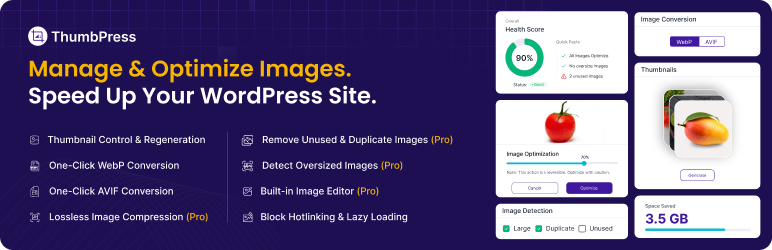
ThumbPress is a complete WordPress image optimization and media management plugin built for site owners, developers, and agencies who want full control over their media library. Compress images, convert to WebP or AVIF, regenerate thumbnails, find duplicate images, detect unused files, and much more — all from your WordPress dashboard.
Version 6.0 is here – with a redesigned interface, AVIF image conversion, and duplicate image detection.
👉 All ThumbPress Features
Free Modules
- 💥 Disable Thumbnails
- 💥 Regenerate Thumbnails
- 💥 Set Image Upload Limit
- 💥 Convert Images to WebP
- 💥 Convert Images to AVIF (Bulk conversion is Pro)
- 💥 Set Social Media Thumbnails
- 💥 Lazy Load Images
- 💥 Hotlink Protection
- 💥 Disable Right Click on Images
Pro Modules
- 🔥 Find Unused Images
- 🔥 Detect Large Images
- 🔥 Compress Images
- 🔥 Replace Image with New Version
- 🔥 Image Editor
- 🔥 Detect Duplicate Images (New in 6.0)
- 🔥 Bulk AVIF Conversion (New in 6.0)
- 🔥 Trash Images (Not a module, but lets you recover deleted images)
🚀 Free Features – In Detail
Disable Thumbnails – Stop Wasting Server Storage
Every image upload triggers WordPress to create multiple resized copies – Thumbnail, Medium, Medium-Large, Large, Scaled — plus whatever your theme and plugins add on top. Most of these copies are never used anywhere on your site.
The Disable Thumbnails module lets you choose exactly which image sizes to block. Stop the copies before they’re created, save server storage from day one, and keep your WordPress media library clean and manageable.
Regenerate Thumbnails – Fix Broken Image Sizes Instantly
Switched themes? Changed your image size settings? Installed a new page builder? Your existing images now have the wrong dimensions – and broken layouts are the result.
The Regenerate Thumbnails module rebuilds all your image sizes on demand. Select specific sizes or regenerate everything at once. No manual work, no missing thumbnails. Your site stays consistent without touching a single image file.
Convert Images to WebP – Boost Site Speed and SEO Rankings
WebP images are 25–35% smaller than JPG and PNG without any visible quality loss. Google recommends WebP. Core Web Vitals reward it. Page speed tools flag JPG and PNG as a performance issue.
ThumbPress converts your existing WordPress images to WebP in bulk or one by one, right from your dashboard. No FTP, no separate tools. Just faster images and better SEO rankings.
Convert Images to AVIF – Next-Generation Image Format
AVIF is the successor to WebP. It compresses images even further while preserving quality, and browser support is now mainstream across Chrome, Firefox, and Safari.
ThumbPress lets you convert individual images to AVIF for free. Need to convert your entire media library at once? That’s a Pro feature available in the new 6.0 release.
Image Upload Limit – Protect Site Performance at the Source
One oversized image upload can slow down a page significantly. Without limits, editors and contributors regularly upload images straight from their phones or cameras – files that are 5MB, 10MB, sometimes larger.
Set a maximum file size and resolution for every image upload. Any file that exceeds your rules gets blocked before it ever hits the server. Clean media library, faster site – automatically enforced.
Social Media Thumbnails – Look Intentional Everywhere You’re Shared
When you share a page on Facebook, Twitter, or LinkedIn, each platform crops the image differently. Without customization, your carefully chosen image ends up poorly framed or cut off entirely.
ThumbPress lets you set distinct thumbnails for each social media platform. Upload one version for Facebook, another for Twitter, another for LinkedIn. Your content always looks deliberate when shared.
Lazy Load Images – Faster Pages Without Changing a Single Image
By default, WordPress loads every image on a page at once – including images that are way below the fold and won’t be seen until the user scrolls down. That’s wasted bandwidth, slower initial load times, and a worse experience for users on mobile or slower connections.
Lazy loading changes this. Images only load as users scroll toward them. The result is a noticeably faster page on first load, lower bandwidth usage, and a real improvement in Core Web Vitals scores – all without touching your images or content.
Hotlink Protection – Stop Other Sites From Stealing Your Bandwidth
Hotlinking happens when another website embeds your images directly using your image URLs. Your server serves the image, your bandwidth takes the hit – and you get nothing in return.
ThumbPress blocks external sites from loading images directly from your server. Your images stay on your site, your bandwidth stays yours, and your hosting costs don’t quietly inflate because someone else decided to use your media library as their CDN.
Disable Right Click – Protect Your Images from Theft
Right-click protection disables the ability to save, copy, or drag images directly from your site. It’s a practical barrier that stops casual image theft – especially useful for photographers, portfolio sites, and ecommerce stores.
Enable it globally or for specific pages. No code needed.
🔥 Pro Features — In Detail
Find and Delete Unused Images — Reclaim Your Server Space
As websites evolve, images get left behind. Old blog post headers, replaced product photos, outdated banners — they all stay in your media library indefinitely, taking up space and adding noise.
The Find Unused Images module scans your entire site and surfaces every image that isn’t linked to any post, page, or content. Review the list, then delete in bulk. Reclaim storage and clean up years of media clutter in minutes.
Detect Large Images — Find What’s Slowing Your Site Down
Large images are one of the top causes of slow WordPress page load times. And slow pages hurt conversions and search rankings alike.
ThumbPress scans your media library for oversized images and flags them for action. Then compress them directly from the dashboard — no image editing software, no re-uploading. A faster WordPress site without sacrificing visual quality.
Image Compression — Smaller Files, Same Visual Quality
ThumbPress includes a built-in WordPress image compression tool that reduces file size while keeping your images sharp. Compress in bulk across your entire media library or optimize new uploads automatically.
Smaller images mean faster pages, better Core Web Vitals scores, and stronger SEO — across your entire site.
Replace Image with New Version — Update Without Breaking Links
Need to update a product image, fix a low-quality photo, or refresh a visual after a rebrand? Normally, replacing an image in WordPress means deleting the old file and updating every page where it appears manually.
ThumbPress lets you replace an image with a newer version while keeping the same URL. Every page, post, or widget that uses that image updates automatically. No broken links. No manual edits.
Detect Duplicate Images — New in 6.0 🆕
Duplicate images waste storage and create confusion in your media library. The same file uploaded twice, variations of the same photo, slightly different crops of one original — they all add up over time.
The new Duplicate Image Detection module identifies redundant files in your media library and helps you remove them safely. One of the most-requested features we’ve ever received — now available in ThumbPress 6.0.
Image Editor — Edit Images Without Leaving WordPress
Sometimes an uploaded image just needs a small adjustment — a crop, a rotation, a brightness tweak. The ThumbPress Image Editor lets you make those changes without ever leaving your WordPress dashboard.
No Photoshop. No re-uploading. Edit, save, and publish right from your media library.
🆕 What’s New in ThumbPress 6.0
- Redesigned interface — cleaner, faster, and easier to navigate
- AVIF Image Converter — next-gen format support, with bulk conversion via Pro
- Duplicate Image Detection — find and remove redundant files from your media library
- Improved performance across all existing modules
👉 Why ThumbPress Instead of Multiple Separate Plugins?
Most WordPress sites end up using 4–6 different plugins just to manage images:
- One for thumbnail control
- One for compression
- One for WebP conversion
- One for social media previews
- One for image cleanup
Each plugin adds overhead. Each one adds potential conflicts. And none of them talks to each other.
ThumbPress is one plugin that does everything. Thumbnail management, image compression, WebP and AVIF conversion, media library cleanup, duplicate detection, image protection — all in a single, unified interface. Install once, manage everything.
Screenshots
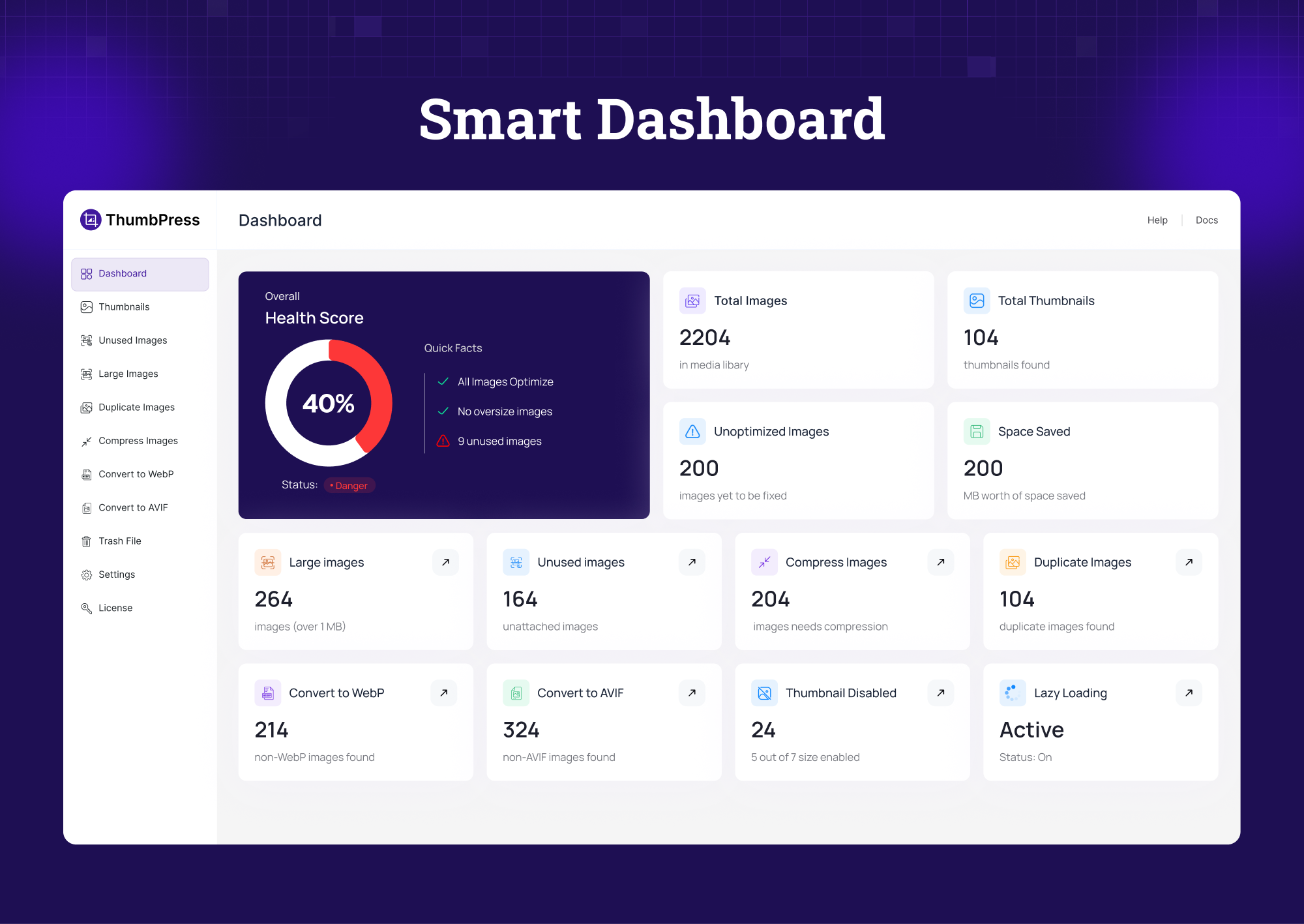
Dashboard – Quick overview of key media factors 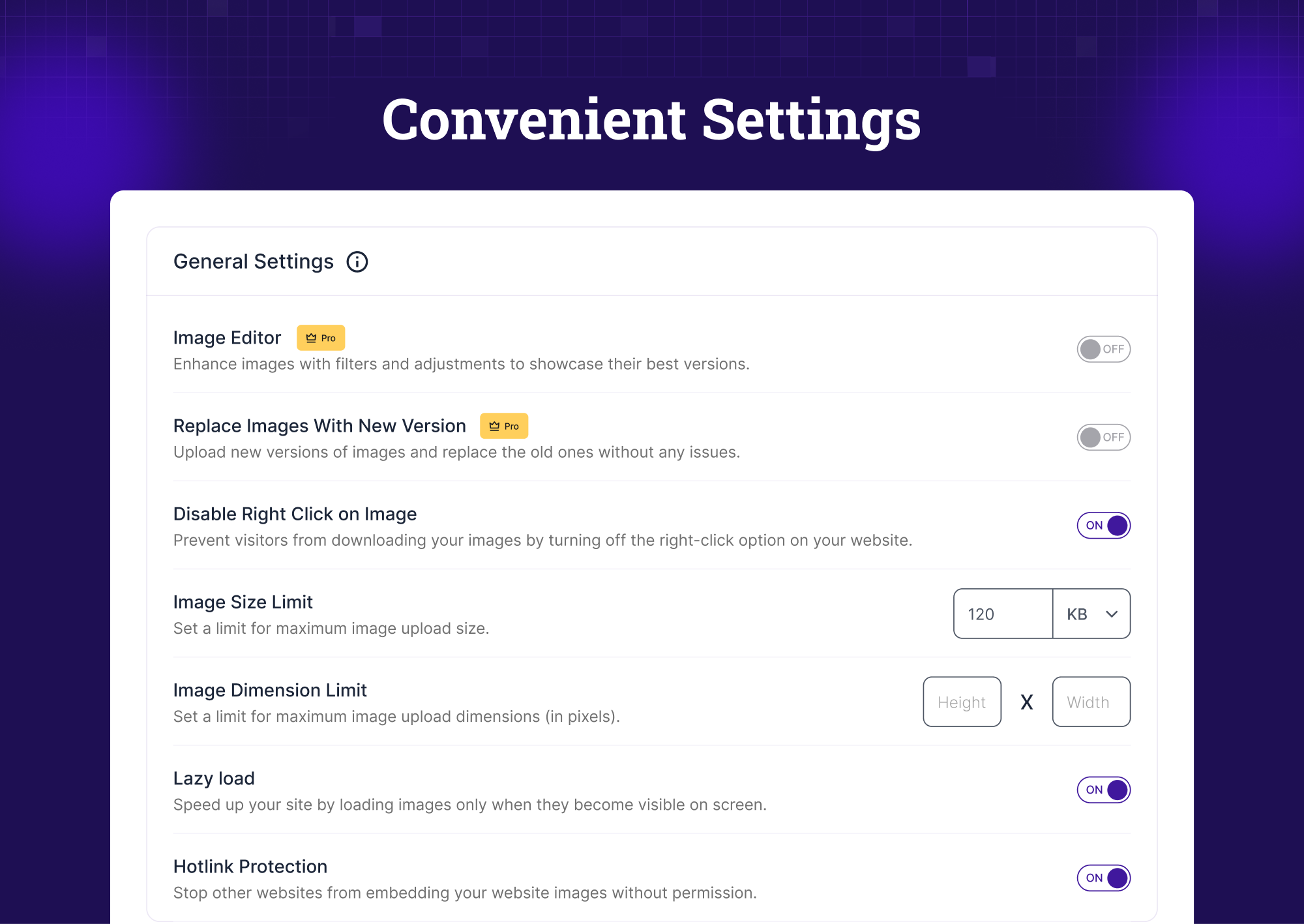
General Settings – Control essential image parameters globally 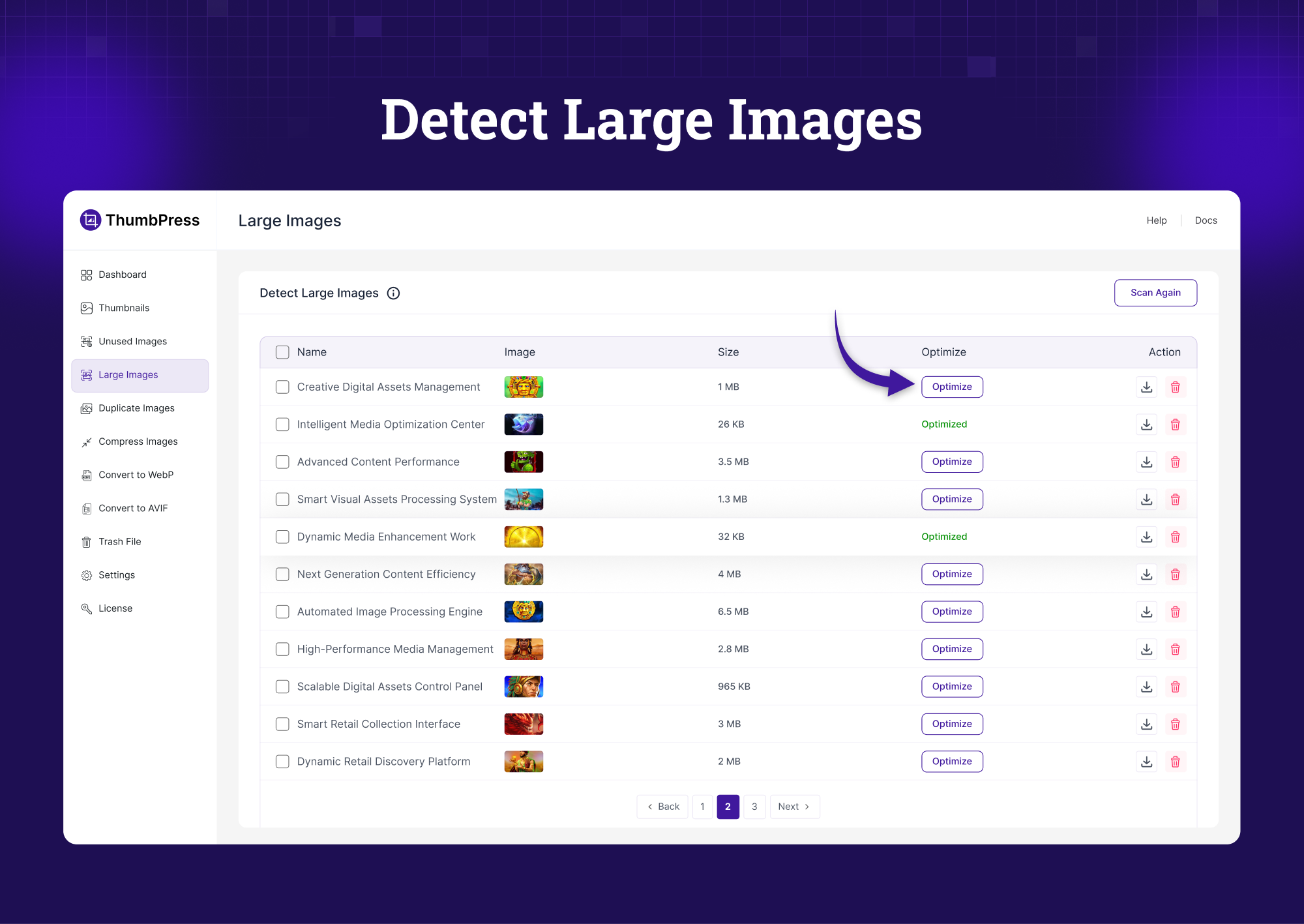
Detect Large Images – Identify oversized images slowing performance 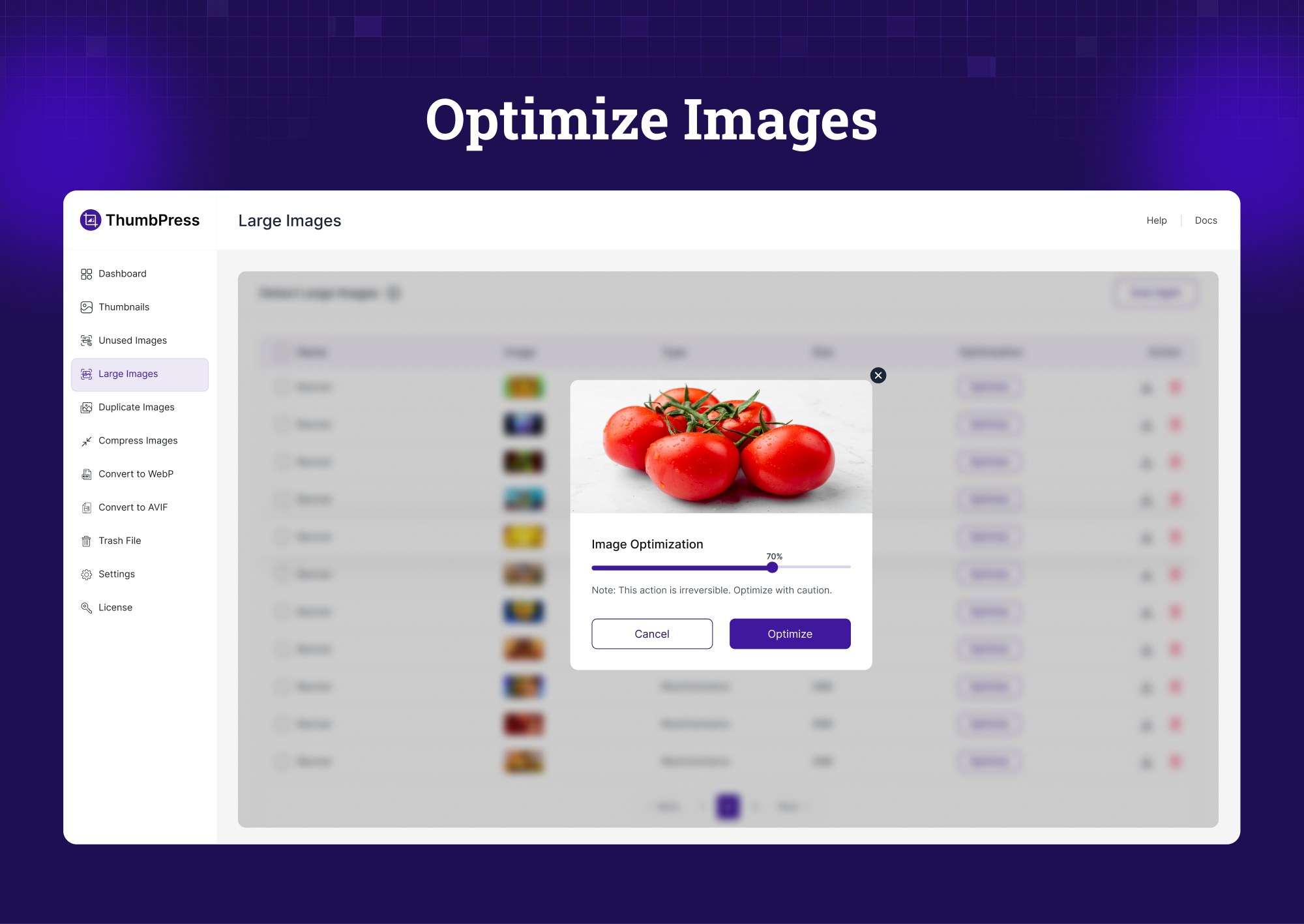
Optimize Images – Optimize images while keeping visual quality intact 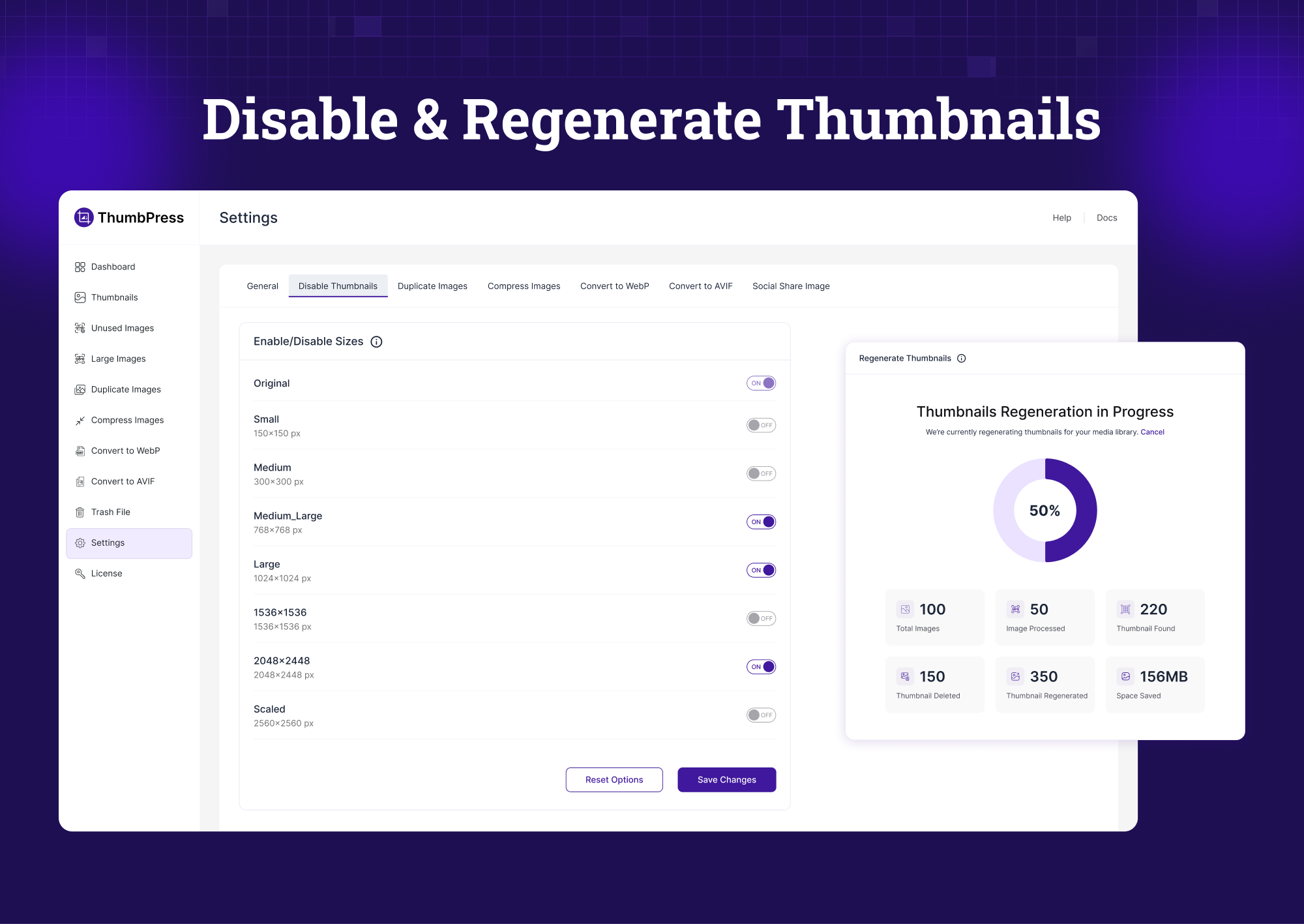
Disable & Regenerate Thumbnails – Block unwanted thumbnails and regenerate the ones you need. 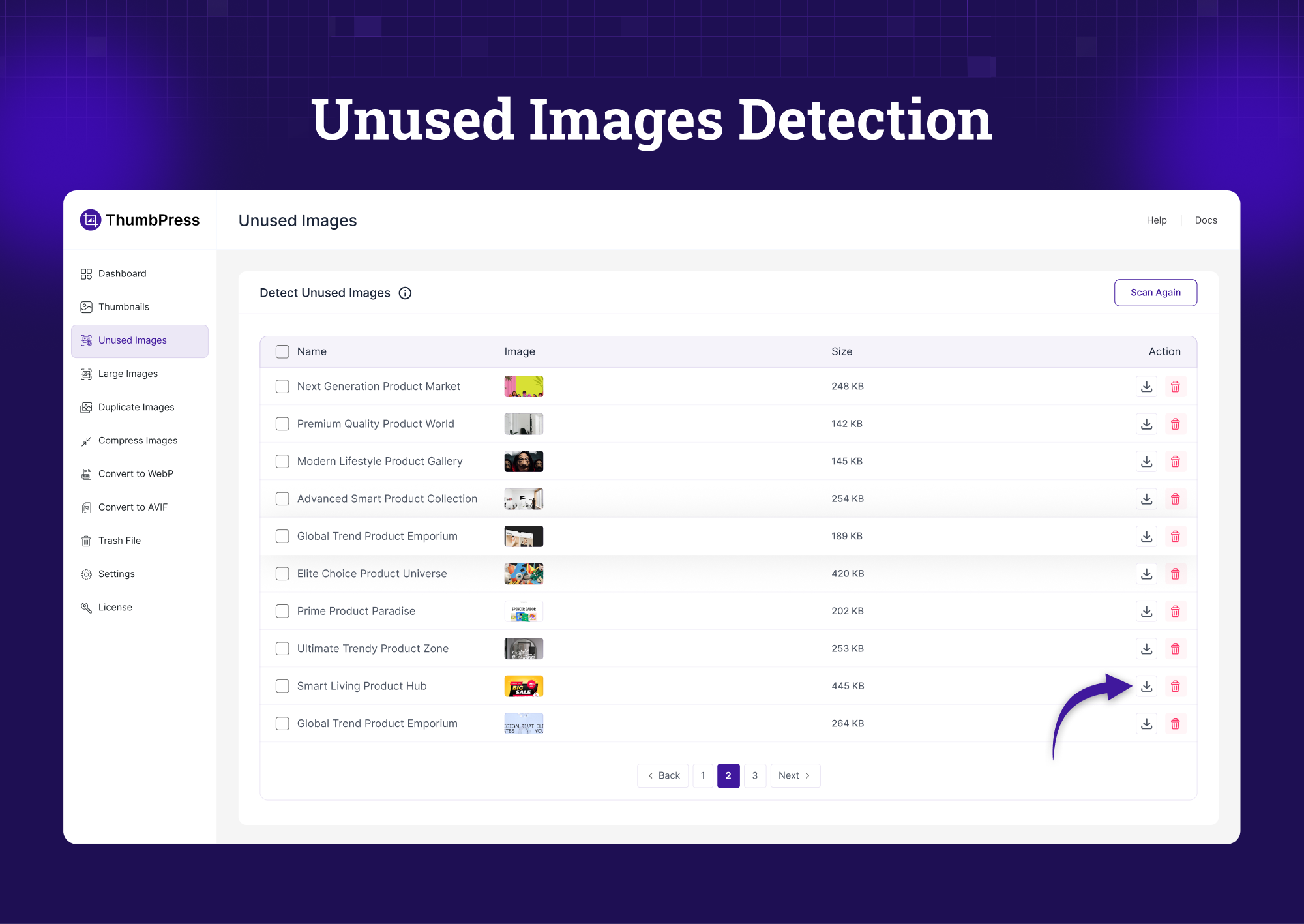
Unused Image Detection – Find and remove unused media files 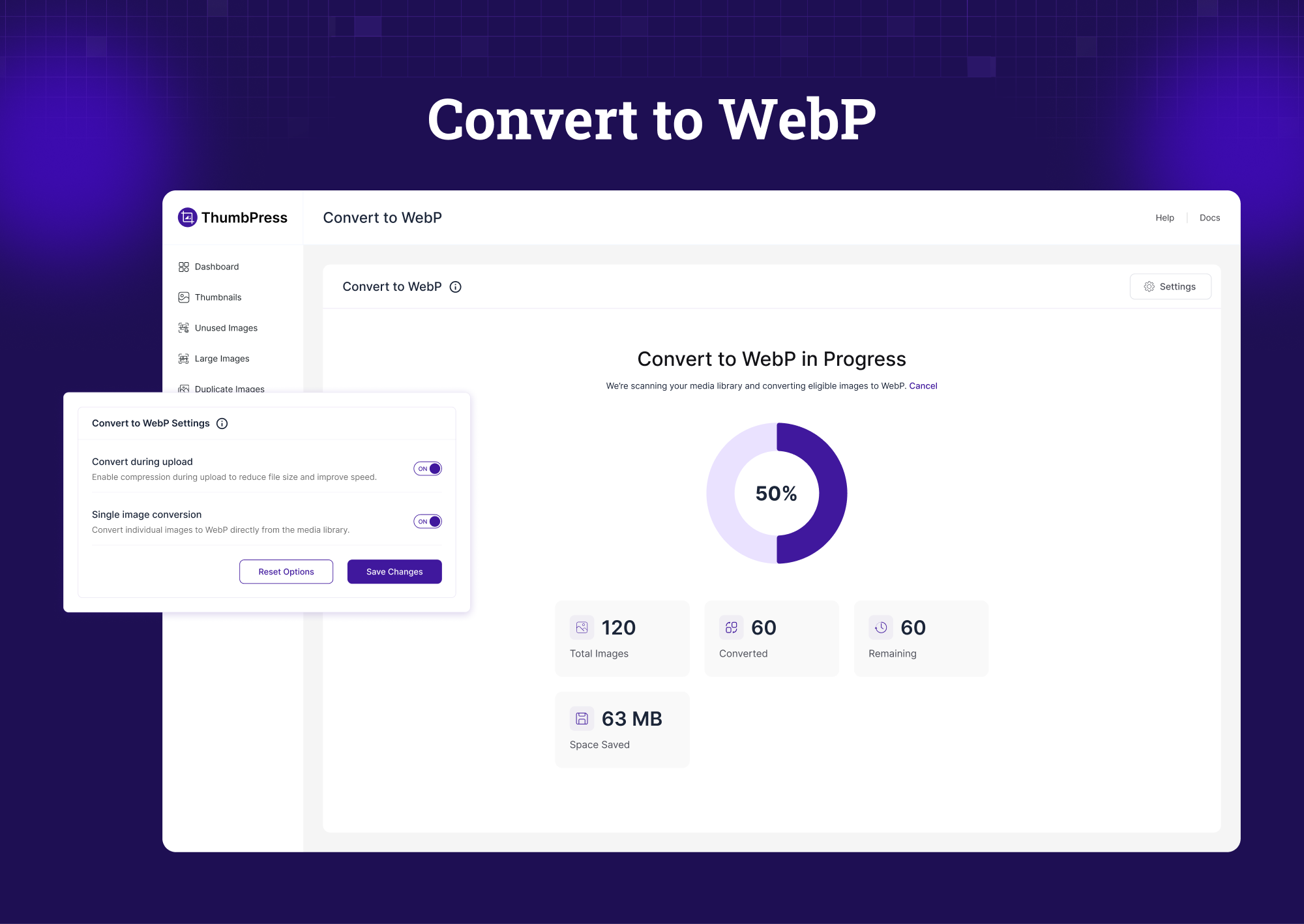
Convert to WebP – Bulk convert images to WebP format 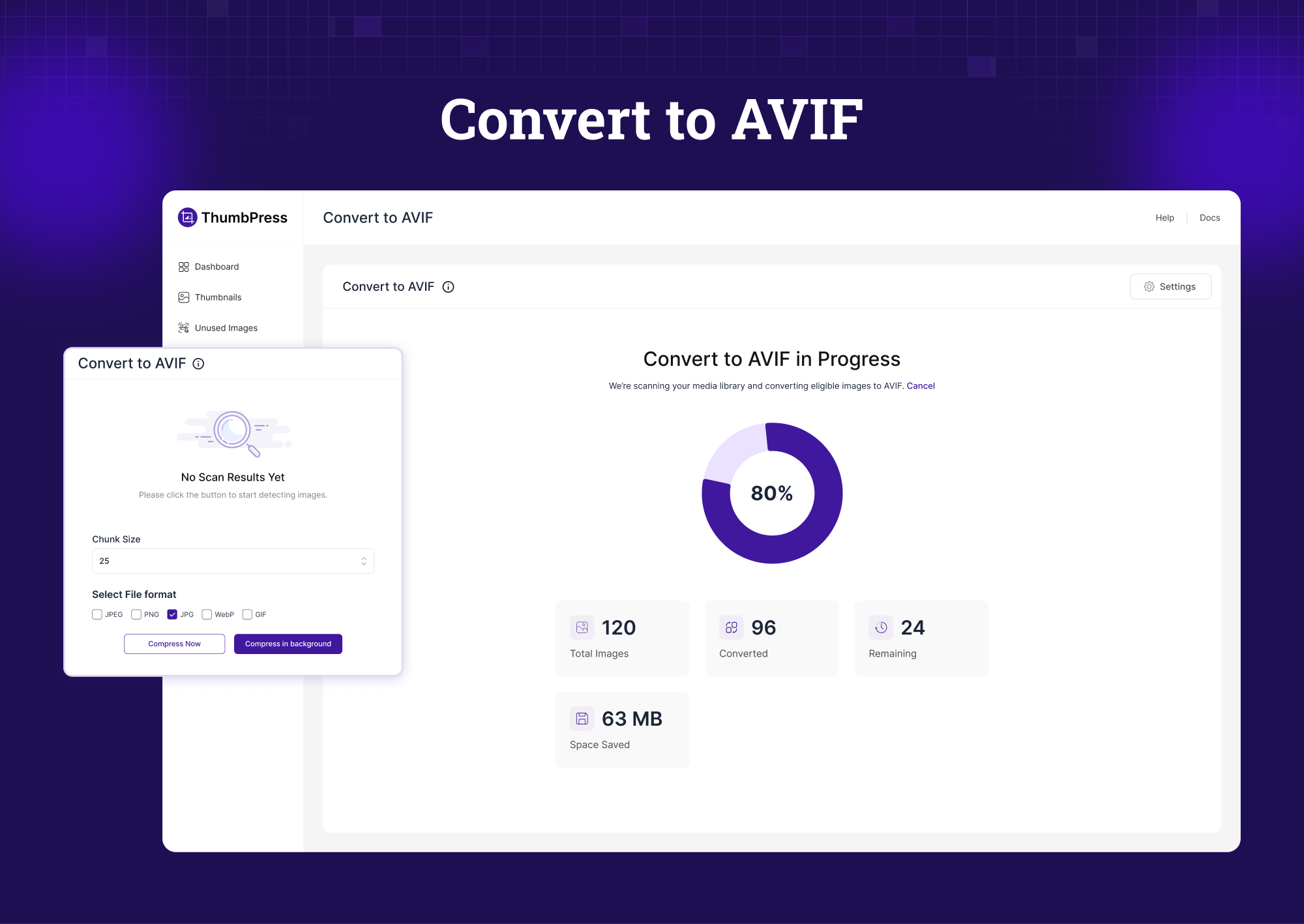
Convert to AVIF – Convert images to modern AVIF format 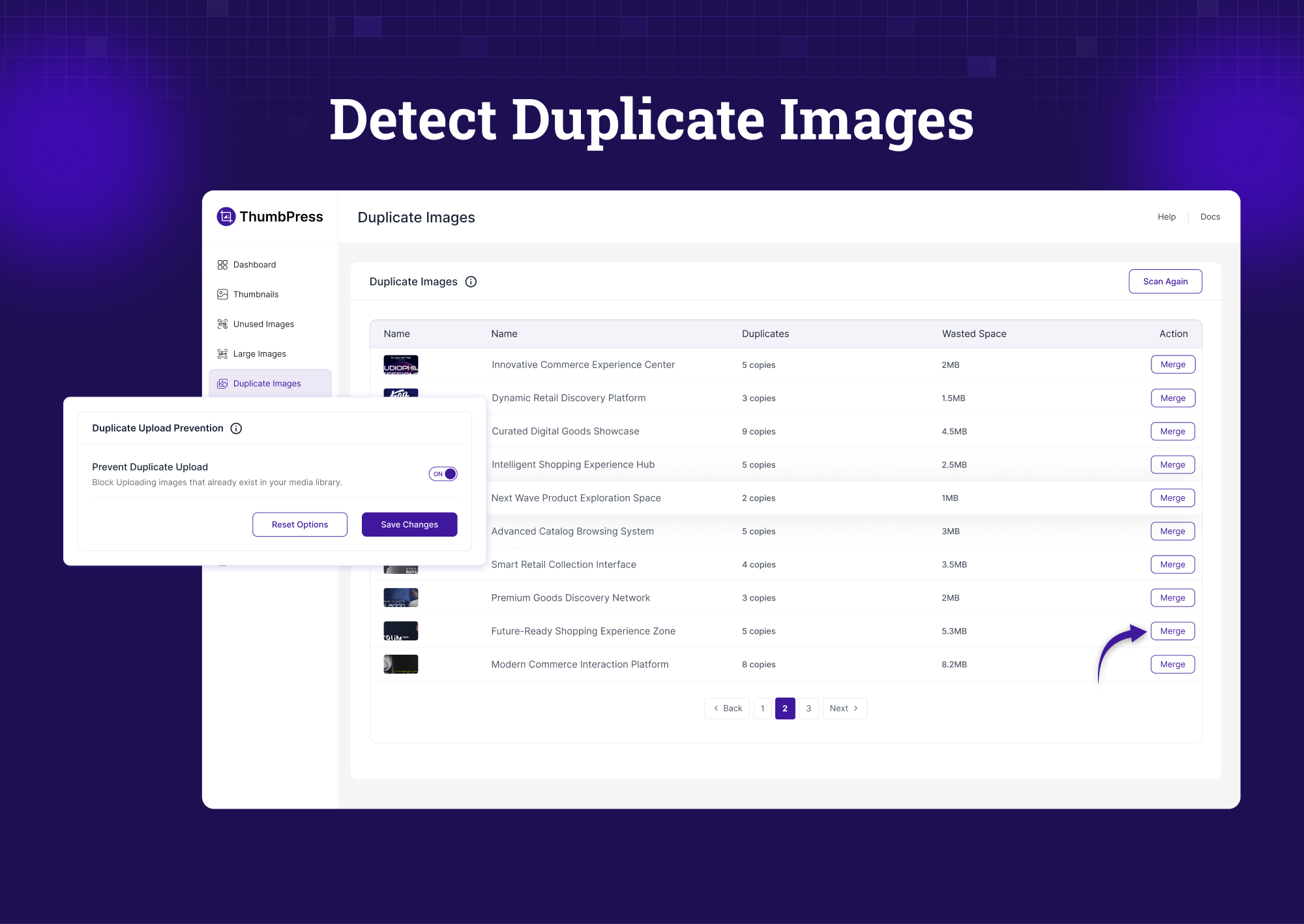
Detect Duplicate Images – Find images uploaded more than once 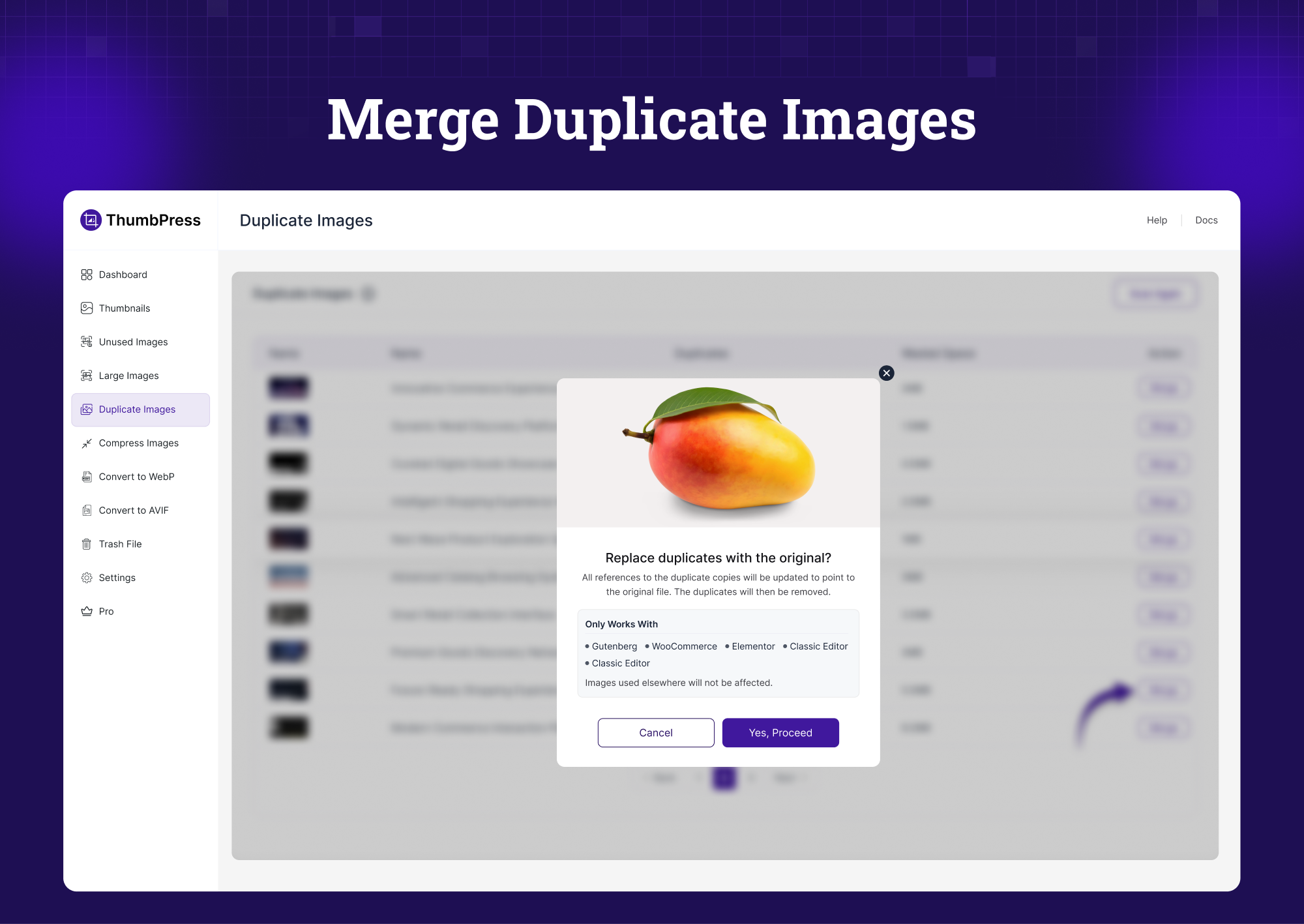
Merge Duplicate Images – Replace duplicate images with the original and remove the copies 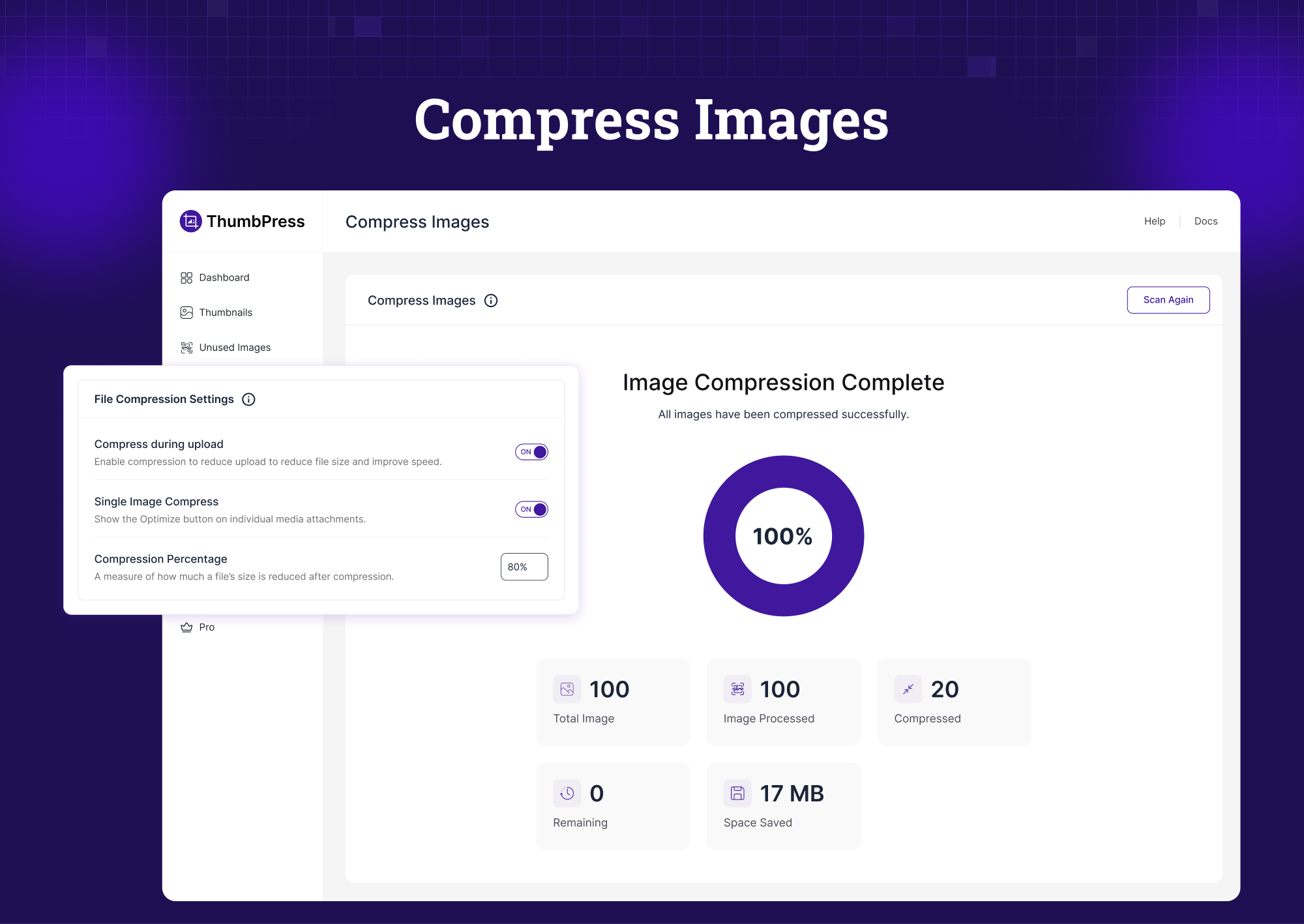
Compress Images – Reduce size without visible quality loss 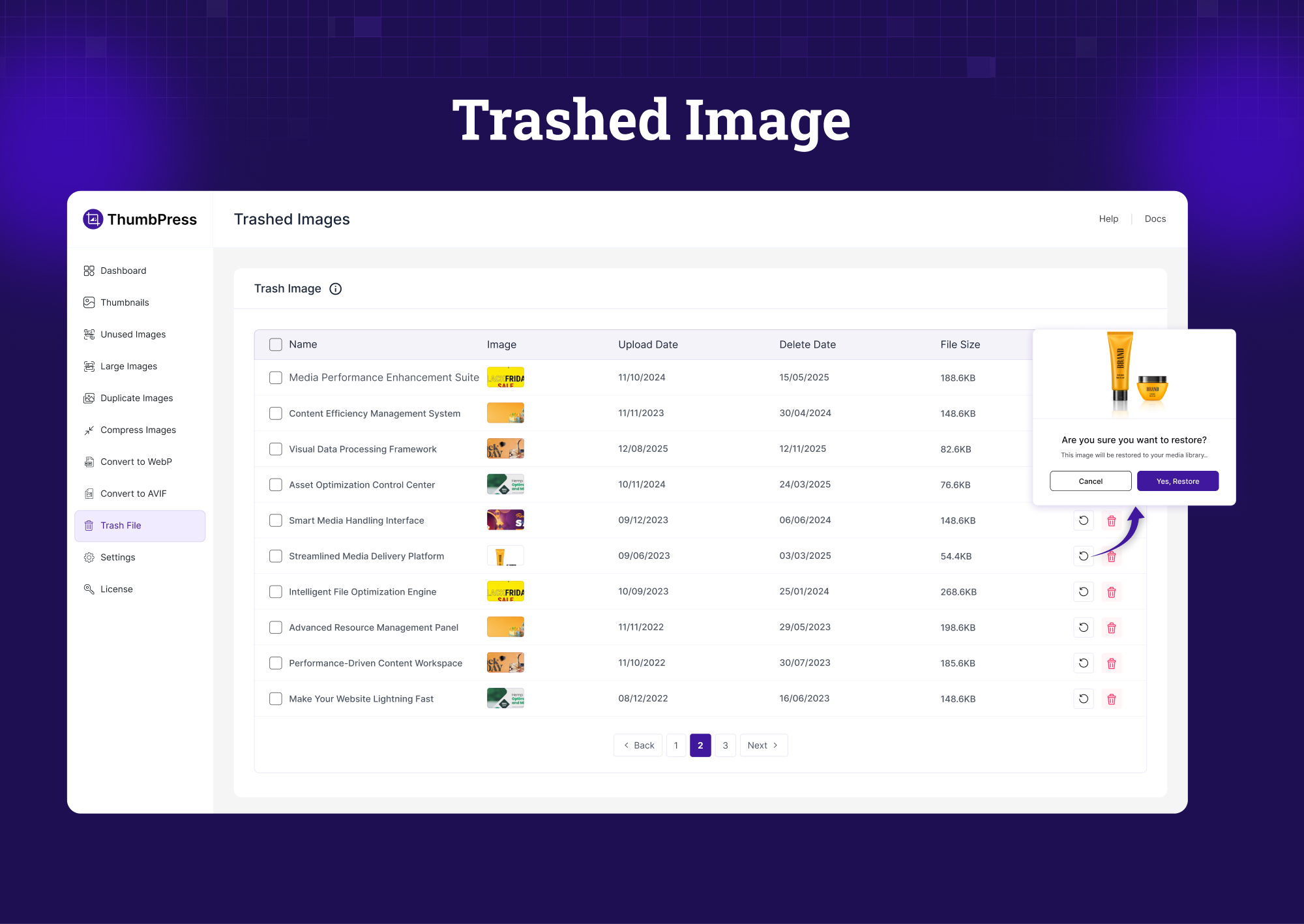
Trashed Images – Restore deleted images or remove them permanently 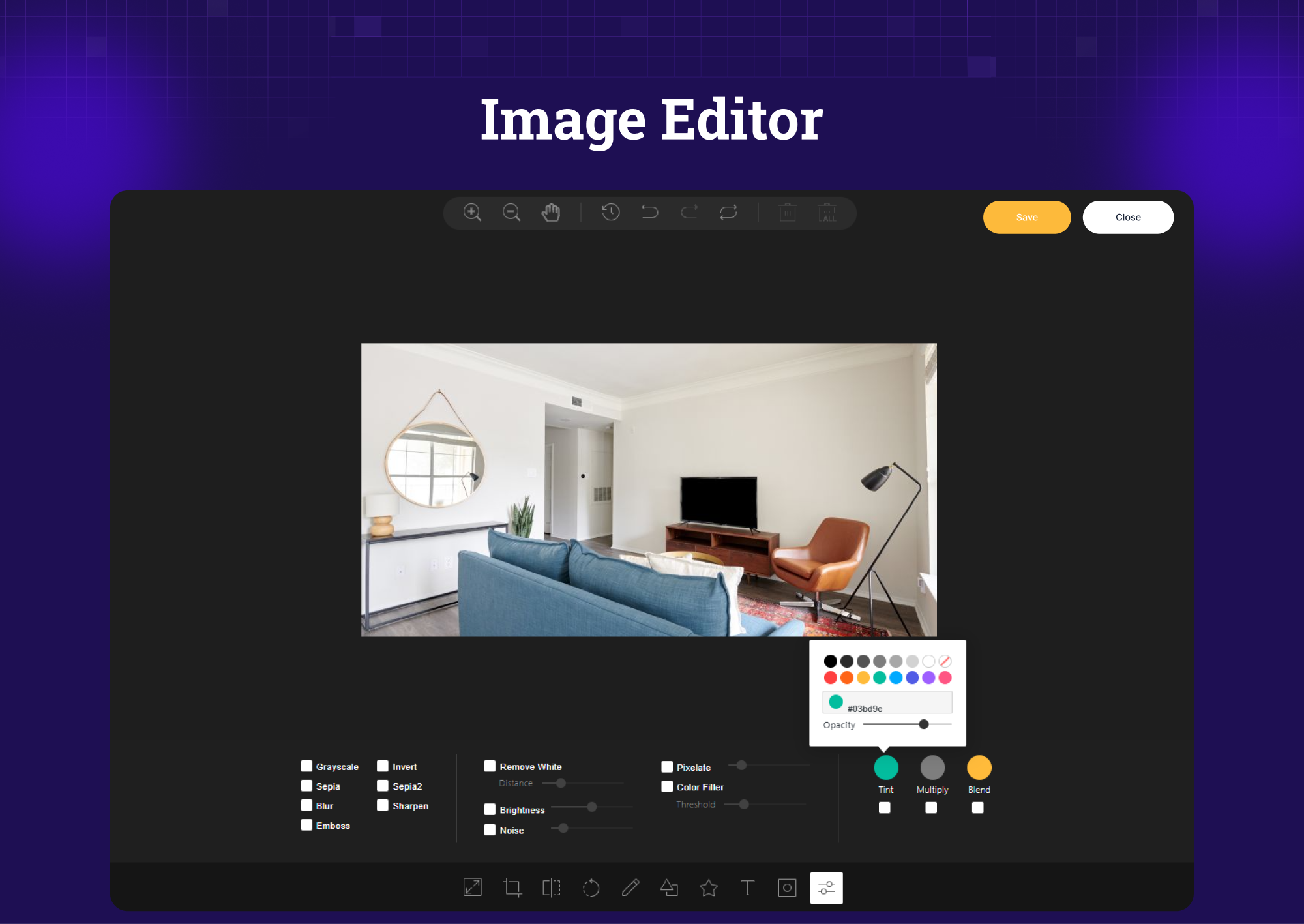
Image Editor – Edit images directly inside WordPress 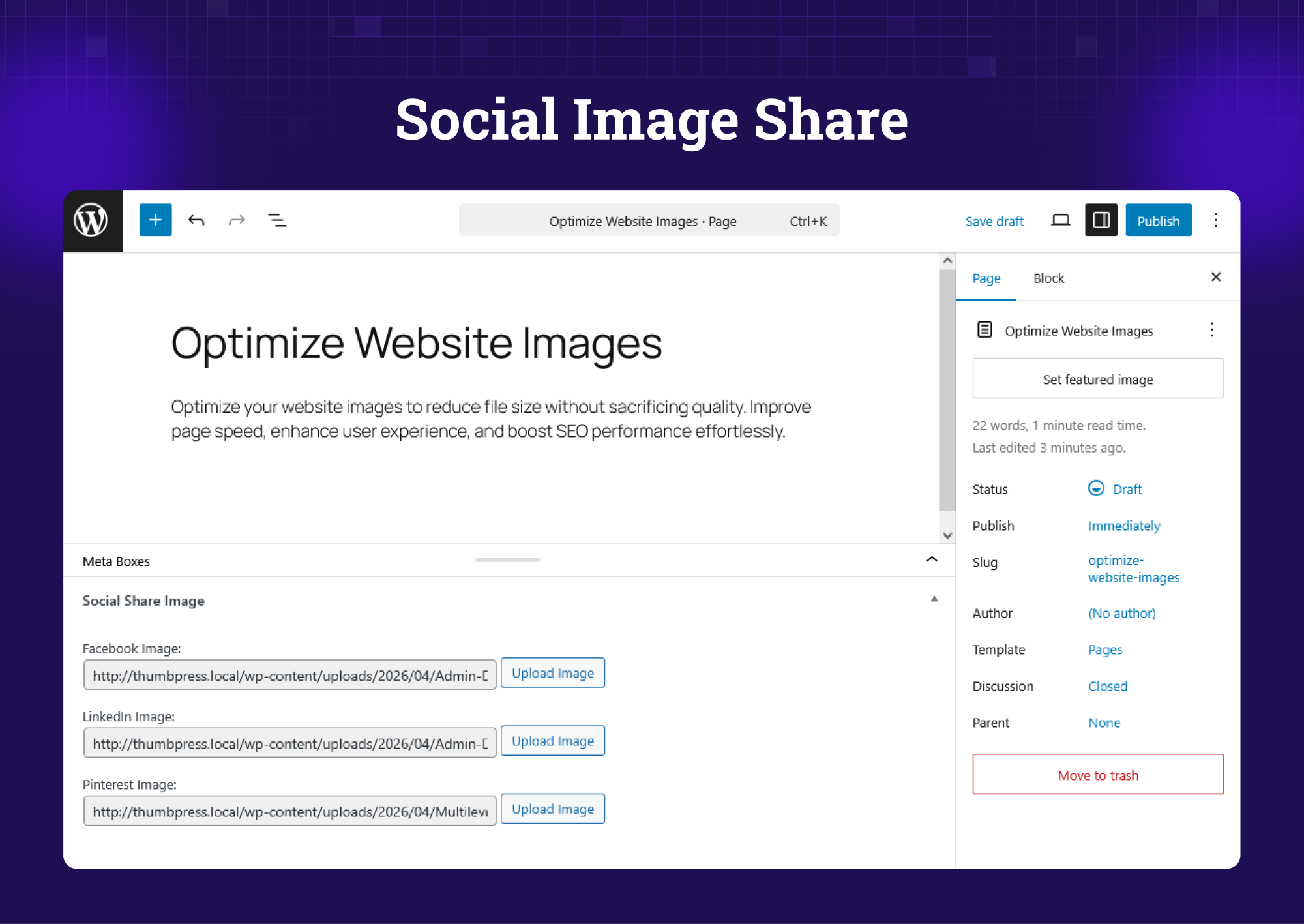
Social Media Share – Set custom thumbnails for each platform
Installation
- Upload the
thumbpressfolder to the/wp-content/plugins/directory, or install directly through the WordPress plugin screen. - Activate the plugin through the Plugins screen in WordPress.
- Go to ThumbPress in your WordPress admin menu to get started.
FAQ
-
Will ThumbPress delete my existing thumbnails when I disable image sizes?
-
No. The Disable Thumbnails module only prevents new thumbnails from being generated on future uploads. Your existing files stay untouched unless you manually delete them. You can regenerate thumbnails based on the sizes you have picked.
-
Is WebP conversion reversible?
-
It’s a one-way process. You reduce image size without losing quality, and there’s rarely a need to switch back to heavier formats from WebP.
-
Can I use ThumbPress on multiple sites?
-
Yes, both Professional and Agency plans let you use it on multiple sites. Visit the Pricing page to view multi-site license options.
-
Is ThumbPress compatible with WooCommerce?
-
Yes. ThumbPress works with WooCommerce, Elementor, Divi, and most major WordPress themes and plugins.
-
Will image compression affect my image quality?
-
No, ThumbPress uses lossless compression, so there’s no visible quality loss in your WordPress site images.
-
What’s the difference between WebP and AVIF?
-
WebP is a widely supported modern image format that reduces file sizes compared to JPG and PNG. AVIF is the next generation — it compresses even further with equal or better quality. Both are supported by major browsers and recommended for WordPress performance.
-
Can I bulk-convert images to AVIF for free?
-
No, you can convert individual images to AVIF in the free version. Bulk conversion across your entire media library requires ThumbPress Pro.
-
How does Duplicate Image Detection work?
-
ThumbPress scans your media library and compares image files using unique hashes to find exact duplicates. This method is highly accurate since identical files share the same hash. You review the matches and decide if a fix is required – nothing is deleted automatically.
Reviews


Contributors & Developers
“ThumbPress – Compress Images, Manage Thumbnails, Detect Image Issues, WebP/AVIF, Lazy Loading, Hotlinking & More” is open source software. The following people have contributed to this plugin.
Contributors


“ThumbPress – Compress Images, Manage Thumbnails, Detect Image Issues, WebP/AVIF, Lazy Loading, Hotlinking & More” has been translated into 9 locales. Thank you to the translators for their contributions.
Interested in development?
Browse the code, check out the SVN repository, or subscribe to the development log by RSS.
Changelog
6.1.1 – 2026-05-09
- [imp] Set stats cache expiry to 1 hour
6.1 – 2026-05-09
- [fix] Fixed heavy
_thumbpress_file_hashqueries after opening dashboard - [add] Added number of images in the debug dataset
6.0.2 – 2026-05-07
- [add] Added a Debug tab under Settings with system info (WordPress, PHP, MySQL, server software, memory limits), active plugins list, active theme, WP_DEBUG flags, and ThumbPress-specific settings
- [add] Added one-click Copy as JSON button in the Debug tab header for easy support sharing
- [imp] Moved ThumbPress admin menu item down in the WordPress sidebar
6.0.1 – 2026-05-07
- [imp] Minor improvements and stability fixes
6.0.0 – 2026-05-07
New Features
* Launched a completely redesigned React SPA admin interface with a persistent sidebar, page-level headers, and smooth client-side navigation — replacing the legacy PHP admin
* Added a new Dashboard with a weighted health score gauge, stat cards (Total Images, Total Thumbnails, Unoptimized Images, Space Saved), and a Quick Facts panel sorted by health impact
* Added Convert to AVIF as a free feature — includes auto-convert on upload and single-image conversion from the media library; bulk conversion requires Pro
* Added duplicate image detection in the free plugin using file-hash fingerprinting of original images
* Added Hotlink Protection via .htaccess RewriteRules to block external referrers from embedding site images
* Added JavaScript-based Lazy Load via IntersectionObserver as a configurable option
* Added a unified, tabbed Settings page covering all features: General, Thumbnails, Convert to WebP, Convert to AVIF, Social Share, Compress Images (Pro), and Duplicate Images (Pro)
* Added Cancel button for background WebP conversion and thumbnail regeneration jobs — immediately unschedules queued tasks
* Added single-image Convert to WebP and Convert to AVIF buttons directly on the media attachment edit page
* Added a Regenerate Thumbnails button on the media attachment edit page for per-image regeneration
* Added a Space Saved stat card to the regeneration progress view — tracks cumulative storage recovered across all operations
* Added a welcome notice for new installations that auto-dismisses when visiting the ThumbPress dashboard
* Added an admin notice when an outdated ThumbPress Pro (below 6.0) is detected, prompting an upgrade
* Added a version router so new users receive the new interface automatically while existing users retain their experience until they opt in; a “Turn on legacy mode” link is available in Settings for those who prefer the classic UI
Improvements
* Moved Convert to WebP from Pro-only to the free plugin, with dynamic file format selection (JPEG, PNG, GIF, etc.) and configurable batch size
* Redesigned the Regenerate Thumbnails page with six progress stat cards: Total Images, Total Thumbnails, Images Processed, Images Deleted, Images Created, and Space Saved
* Added a toggle-all switch to the Thumbnails page card header for quickly enabling or disabling all thumbnail sizes at once
* Redesigned the Convert to WebP page with initial/progress states, immediate progress display on button click, and a settings shortcut link
* Replaced the third-party rosell-dk/webp-convert library with WordPress’s native wp_get_image_editor() for WebP and AVIF conversion
* Added skeleton loading animations to the Dashboard, Convert to WebP, and Regenerate Thumbnails pages to prevent layout flash during data fetch
* Added toast notifications on all Settings tabs for save confirmation and error feedback
* Added URL-based tab navigation in Settings so individual tabs are deep-linkable and survive page reload
* Added Pro badge indicators to pro-gated sidebar navigation items and settings rows
* Added an “Upgrade to Pro” button to the page header when the pro plugin is not active
* Added a dedicated Pro page with hero section, feature comparison, pricing plans, accordion FAQ, and testimonials
* Automatically redirected to the ThumbPress dashboard after plugin activation or upgrade
* Automatically migrated legacy option data to the new format when switching from the legacy UI to the new version
* Automatically cleared relevant stat caches when thumbnail sizes are saved, plugins are activated/deactivated, or media is added/deleted
* Pre-warmed stat caches on first activation via Action Scheduler so the Dashboard loads with real data immediately
* Rebuilt stat caches automatically after each media upload or deletion to keep dashboard numbers current without a manual refresh
* Tracked space saved cumulatively across all operations (WebP conversion, AVIF conversion, compression, regeneration) in a single unified option
* Added file-hash and file-size meta backfill for all existing images on activation to enable duplicate detection without a full rescan
Bug Fixes
* Fixed division by zero error in the health score calculation when no images are present
* Fixed WebP and AVIF conversion leaving the original file on disk after a successful swap
* Fixed filename collisions when two source files (e.g. foo.jpg and foo.png) both targeted the same output — the second file now receives a unique name (e.g. foo-1.webp)
* Fixed memory exhaustion on very large image uploads during WebP conversion by pre-flighting available memory before calling the image editor
* Fixed large image detection incorrectly measuring the -scaled derivative instead of the original uploaded file
* Fixed hotlink protection .htaccess rules not working correctly on Apache and Nginx
* Fixed stale progress data disabling action buttons after a completed job
* Fixed foreground WebP conversion not accumulating space-saved totals correctly across multiple chunks
* Fixed a TypeError in Convert to WebP caused by the loop variable being overwritten during iteration
* Fixed migration ordering bug that caused legacy settings to be overwritten by plugin defaults during the version switch
* Fixed WordPress admin submenu active state not syncing with the SPA sidebar when navigating from other admin pages
* Fixed Tailwind CSS leaking styles into the WordPress sidebar and other admin pages by scoping all rules to the plugin container
* Fixed the legacy PHP admin showing a blank screen when switching back from the SPA version
* Fixed AVIF conversion being silently skipped due to an overly strict server support check
* Fixed the Convert to WebP card header not appearing until data finished loading, causing a visible flash
* Fixed Quick Facts showing incorrect WebP/AVIF counts — each format now uses its own independent count
* Fixed the health score incorrectly penalising sites for having thumbnail sizes disabled (disabled sizes save storage and should improve the score)
* Fixed General and Thumbnails settings tabs not saving changes
* Fixed missing file-existence checks before WebP/AVIF conversion that could cause fatal errors on missing source files
* Fixed trashed and missing-file attachments being included in image queries, skewing counts
* Fixed the progress screen flashing briefly when retrying after no images were found
v5.8.37 – 2026-01-13
- [remove] Removed the notice for the Year End sale campaign.
v5.8.36 – 2025-12-23
- [added] Added a new notice for the Year End sale campaign.
v5.8.35 – 2025-12-08
- [fix] Fixed regenerate thumbnails, detect unused & large Images not working issue.
v5.8.34 – 2025-11-25
- [fix] Fixed Free/Pro tab switching (clicks were being ignored)
v5.8.33 – 2025-11-09
- [added] Added a new notice for the upcoming BFCM campaign.
v5.8.32 – 2025-10-08
- [imp] Version compatibility tested with 6.8.3
v5.8.31 – 2025-06-22
- [imp] Version compatibility tested
v5.8.30 – 2025-06-02
- [fix] Plugin search issue fixed
2025-05-26 – v5.8.28
- [imp] Security issue fixed
2025-05-23 – v5.8.27
- [imp] CSS issues fixed
2025-05-14 – v5.8.26
- [imp] Security issue fixed
2025-05-14 – v5.8.25
- [imp] Change in upgrade to pro text and link.
2025-05-13 – v5.8.25
- [imp] Code improved
2025-05-11 – v5.8.24
- [imp] Compatibility tested with WordPress v6.8.1
2025-05-08 – v5.8.23
- [fix] Security issues fixed
2025-05-07 – v5.8.22
- [fix] Fixed issue where images with the same name but different extensions were incorrectly converted to the same image.
2025-04-29 – v5.8.21
- [fix] Notice issue updated
- [fix] Code improved
2025-04-20 – v5.8.20
- [fix] Fix Menu disappeared issue
2025-04-20 – v5.8.19
- [fix] Plugin search result issue fixed
2025-04-17 – v5.8.18
- [imp] Code improved
2025-04-17 – v5.8.17
- [imp] Code improved
2025-04-09 – v5.8.16
- [imp] Compatibility tested with WordPress v6.8
2025-03-10 – v5.8.15
- [misc] Compatibility tested with WP v6.7.2
- [misc] Version number conflict fixed
2025-03-10 – v5.8.12
- [fix] Fixed the bug related to the convert to WebP feature reached more than 100%
- [add] Code improved
2025-02-23 – v5.8.11
- [add] Code improved
2025-01-17 – v5.8.10
- [add] Compatibility tested
2025-01-02 – v5.8.9
- [add] New Year Notice added
2024-12-12 – v5.8.8
- [fix] Error related to
_load_textdomain_just_in_timefixed
2024-11-25 – v5.8.7
- [remove] removed promotional button from dashboard
- [imp] update promotional link & text from plugin menu
2024-11-25 – v5.8.6
- [imp] compatibility tested with WordPress 6.7.1
2024-11-20 – v5.8.5
- [imp] compatibility tested with WordPress 6.7
2024-11-12 – v5.8.4
- [imp] routine maintenance
2024-11-03 – v5.8.3
- [imp] routine maintenance
2024-10-27 – v5.8.2
- [imp] routine maintenance
2024-10-16 – v5.8.1
- [add] added escaping functions for output
- [imp] corrected escaping attribute format
2024-10-08 – v5.8
- [fix] fixed ninja forms conflict issue
- [imp] enabled necessary modules upon install
2024-10-02 – v5.7.5
- [add] added escaping functions for output
2024-09-26 – v5.7.4
- [add] added escaping functions for output
- [imp] corrected escaping attribute format
- [fix] fixed string and translation issue
2024-09-19 – v5.7.3
- [add] added escaping functions for output
2024-09-12 – v5.7.2
- [imp] code formatted
- [imp] compatibility tested with WordPress 6.6.2
2024-09-04 – v5.7.1
- [add] added escaping functions for output
- [imp] corrected escaping attribute format
- [fix] solved string and translation issue
2024-08-21 – v5.7
- [add] added escaping functions for output
- [imp] corrected escaping attribute format
- [fix] solved string and translation issue
- [rem] removed unnecessary DS_Store files
2024-08-11 – v5.6.1
- [fix] fixed thumbpress constant issue
- [fix] fixed font-awesome enqueue issue
- [imp] updated text-domain
- [imp] updated css classes
2024-08-08 – v5.6
- [fix] fixed background actions for modules
- [fix] fixed offset count issue
- [add] new progress messages added
- [imp] improved progress bar design
- [imp] updated settings for modules
- [imp] restricted double click on action buttons
- [imp] optimized javascript code
2024-07-30 – v5.5.1
- [fix] convert images action scheduler issue fixed
- [fix] regenerate thumbnails real time ajax issue fixed
2024-07-30 – v5.5
- [fix] convert images offset fixed
- [imp] progress completion system improved
- [imp] javascript code optimized
- [imp] improved regenerate thumbnails progress
- [imp] plugin activation time condition updated
- [imp] code structure updated for compress images
- [add] new css class added for buttons
- [add] not found message added in multiple modules
- [add] real time actions added using ajax in multiple modules
2024-07-15 – v5.4
- [imp] integrated Action Scheduler into convert to WebP module
- [imp] integrated Action Scheduler into some other modules
- [imp] improved background process of regenerate thumbnails module
- [imp] improved design issues of some modules
2024-06-09 – v5.3
- [fix] fixed disable thumbnails drag-n-drop not working issue
- [fix] fixed module interconnecting links not working issue
- [imp] moved overview page contents to advanced features page
2024-05-31 – v5.2.4
- [imp] Removed unnecessary
wporg-assetsfolder
2024-05-29 – v5.2.3
- [imp] optimized code and reduced plugin file size
- [imp] improved style of disable thumbnails module
- [imp] added links for interconnecting two modules
2024-05-21 – v5.2.2
- [fix] Fixed the issue of stopping generating thumbnails
2024-05-21 – v5.2.1
- [imp] removed pointer notice
2024-05-21 – v5.2
- [fix] solved regenerate thumbnails issue
- [imp] optimized javascript code
2024-05-20 – v5.1.2
- [imp] removed admin notice from dashboard
- [mod] changed leave a review button url
2024-05-15 – v5.1.1
- [fix]
Add New Pluginpage refersh button onclick issue fixed
2024-05-09 – v5.1.0.2
- [imp] code structure improved
- [fix] sub-menu text changed
- [fix] replace images issue fixed
- [fix] convert all images issue fixed
- [fix] convert images scaled issue fixed
- [fix] delete original image after conversion issue fixed
- [add] get image from attached file with scaled name function added
- [imp] code cleaned and image mime type updated
- [fix] action scheduler table issue fixed
- [imp] check action scheduler table function updated
- [add] create action scheduler tables if missing
- [imp] check action table before activation and delete option table data
- [imp] plugin settings slug changed
- [fix] dashboard pointer issue solved
- [imp] dashboard banner logic updated
- [add] social share image single post check added
- [add] social share image extra check added to avoid warning
- [fix] scaled image regenerate issue fixed
- [fix] scaled image thumbnail regenerate in background issue fixed
2024-05-01 – v5.0.2
- [fix] fixed pinterest thumbnail in social share images module
- [fix] fixed typographic issues in sereral modules
- [fix] fixed Setup Wizard skip button URL
- [fix] fixed some minor issues in Setup Wizard
- [add] Pinterest pin support added for woocommerce product in social share images module
- [add] fallback image meta tag added for Twitter card in social share images module
- [imp] Pinterest pin meta tag updated in social share images module
- [imp] improved some styles
2024-04-29 – v5.0.1
- [fix] JS and CSS minified
- [fix] Compat tested with WordPress 6.5.2
2024-04-29 – v5.0
- [new] #### 🚀 Introduced modules-
- Detect Unused Images
- Set Image Upload Limit
- Detect Large Images
- Compress Images
- Replace Image with New Version
- Set Social Media Thumbnails
- Image Editor
- Convert Images into WebP
- Disable Right Click on Image
View detailed Changelog from 👉 here.