

Description
Comments are heavy. A long thread can pull in dozens of avatars, gravatar lookups and reply scripts — all of which the browser downloads before the visitor has even reached them. Lazy Load for Comments defers all of that until the visitor either scrolls to the comments area or clicks a button.
The result: fewer HTTP requests, faster Largest Contentful Paint and a happier Lighthouse score, without changing how your comment template looks.
Version 2.0 is a complete rewrite. It uses the WordPress REST API to fetch the rendered comments on demand and works with both classic themes (comments_template()) and block themes (the core Comments block) out of the box.
Features
- Lazy-load comments on scroll, on button click, or turn the plugin off without deactivating it.
- Works with classic themes and block themes (the core Comments block).
- Loads comments inline for search engine crawlers, so indexing and SEO are not affected.
- Per-post cache of the rendered Comments block — REST renders stay fast.
- Minimum-comment-count threshold so short threads still render inline.
- Customisable load-button text, style and extra CSS classes.
- Clean React settings page under Comments Lazy Load.
- No jQuery dependency. Front-end script is vanilla JS and intentionally small.
- Translation-ready. Hooks and filters available for further customisation.
Useful links
Screenshots
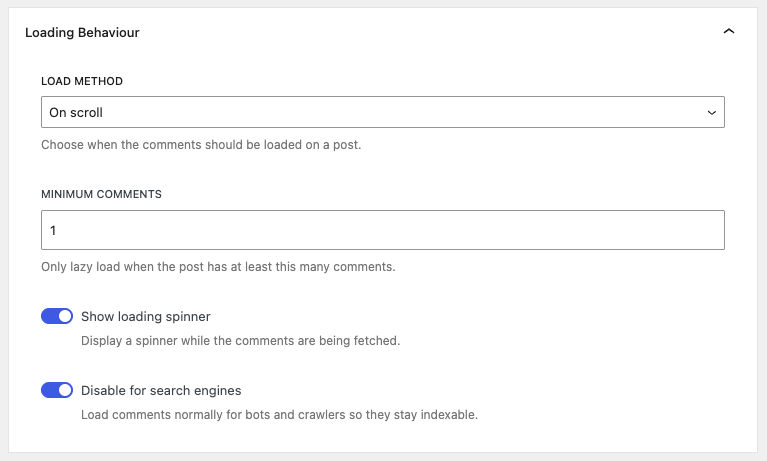
Loading behaviour settings. 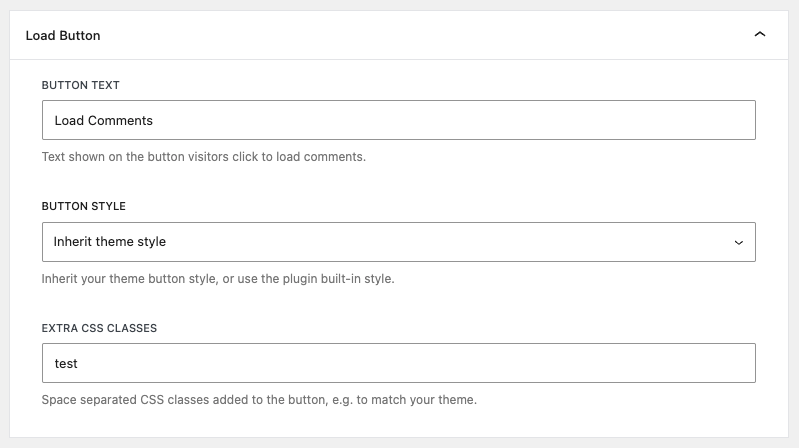
Load button settings. 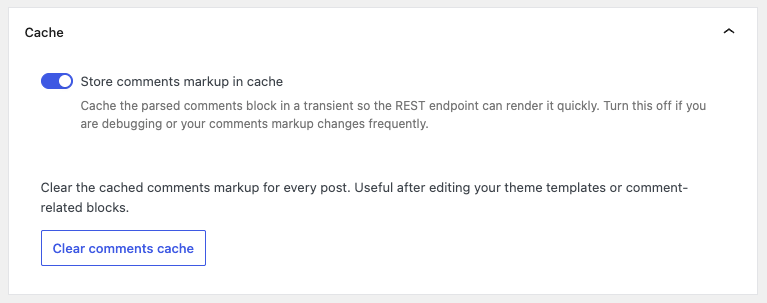
Cache management.
Installation
From the WordPress admin (recommended)
- Go to Plugins Add New, search for Lazy Load for Comments and click Install now.
- Activate the plugin.
- Open Comments Lazy Load and pick the load method that suits you.
Manual install
- Upload the
lazy-load-for-commentsfolder to/wp-content/plugins/. - Activate the plugin from the Plugins screen.
- Open Comments Lazy Load to configure the settings.
For the full configuration guide, see the official documentation.
FAQ
-
Does it work with block themes?
-
Yes. The plugin detects whether the active theme is a block theme and either swaps the classic
comments_template()output or replaces the renderedcore/commentsblock, whichever applies. -
Will it work with my caching plugin?
-
Yes. The placeholder rendered server-side is plain HTML, so full-page caches can cache it safely. The actual comments are fetched from a public REST endpoint, which is also cache-friendly.
-
How do I change the load method?
-
Open Comments Lazy Load and pick one of On scroll, On button click or Disabled on the Settings tab.
-
The button text, the style (inherit your theme’s style or use the plugin’s built-in style) and extra CSS classes can all be set under Load Button on the Settings tab.
-
Does it support comment plugins like Disqus or Jetpack Comments?
-
No — this plugin only handles the default WordPress comments. Third-party comment systems (Disqus, Jetpack Comments, etc.) replace the comment area entirely, so there is nothing for this plugin to lazy-load.
-
How do I disable lazy loading for a specific post or page?
-
Use the
lazy_load_for_comments_can_lazy_loadfilter:add_filter( 'lazy_load_for_comments_can_lazy_load', function ( $can ) { if ( is_page( 'contact' ) ) { return false; } return $can; } ); -
Are comments still indexed by Google?
-
Yes. By default the plugin detects search-engine crawlers from the User-Agent and serves them the original (inline) comments markup, so indexing is not affected. You can turn this behaviour off on the Settings tab if you’d rather always lazy-load.
-
Where can I get help?
-
The official documentation covers most setups. For everything else, the free ww.wp.xz.cn support forum is the best place to start.
Reviews


Contributors & Developers
“Lazy Load for Comments” is open source software. The following people have contributed to this plugin.
Contributors

“Lazy Load for Comments” has been translated into 6 locales. Thank you to the translators for their contributions.
Translate “Lazy Load for Comments” into your language.
Interested in development?
Browse the code, check out the SVN repository, or subscribe to the development log by RSS.
Changelog
2.0.0
- Complete rewrite using React and the WordPress REST API.
- Added support for block themes (the core Comments block).
- New React settings page under Comments Lazy Load.
- Settings for load method, minimum comment count, button text, button style and loader visibility.
- Per-post cache of the rendered comments block, with a “Clear comments cache” action in the settings.
- Crawlers receive the inline comments by default so SEO is preserved.
- Removed the dependency on jQuery.
- Existing v1.x load-method setting is migrated automatically on upgrade.
1.0.10
- Added compatibility for the Divi theme builder.