Title: WebToffee WooCommerce Product Feeds – Google Shopping, Pinterest, TikTok Ads, & More
Author: WebToffee
Published: November 17, 2020
Last modified: March 5, 2026
---
Search plugins
# WebToffee WooCommerce Product Feeds – Google Shopping, Pinterest, TikTok Ads, & More
By [WebToffee](https://profiles.wordpress.org/webtoffee/)
[Download](https://downloads.wordpress.org/plugin/webtoffee-product-feed.2.3.7.zip)
* [Details](https://wordpress.org/plugins/webtoffee-product-feed/#description)
* [Reviews](https://wordpress.org/plugins/webtoffee-product-feed/#reviews)
* [Installation](https://wordpress.org/plugins/webtoffee-product-feed/#installation)
* [Development](https://wordpress.org/plugins/webtoffee-product-feed/#developers)
[Support](https://wordpress.org/support/plugin/webtoffee-product-feed/)
## Description
**Top-rated WooCommerce product feed plugin to generate accurate and high-performing
WooCommerce product feeds for popular marketplaces.**
Promote and get more eyeballs on your WooCommerce products on Google Merchant Center,
Facebook, Instagram, TikTok Ads, Pinterest, Snapchat, Bing, Idealo, Pricespy, Skroutz,
Shopzilla, and more.
This product feed WooCommerce plugin will help you generate optimized WooCommerce
product feeds in XML, CSV, XLSX, TXT formats and integrate them with popular sales
channels.
Turn your Facebook page or Instagram account into a perfect sales channel for your
WooCommerce products.
Get free listings and ads on Google Shopping for WooCommerce products and Pinterest,
Snapchat, and Bing shop.
With the Facebook product catalog sync option, you will be able to automatically
sync your WooCommerce product catalog with Facebook shops.
For Google Shopping, this WooCommerce Google shopping feed plugin lets you connect
your WooCommerce store with the Merchant Center using WooCommerce Google Product
feeds. This way you can make your WooCommerce products more visible to millions
of users, which attracts potential buyers, increase sales, drive conversions and
traffic to your store.
### Product Feed for WooCommerce – WooCommerce Google Shopping Product Feed, Pinterest Feed, TikTok Ads & More (Basic)
### Key Features of Product Feed WooCommerce Plugin
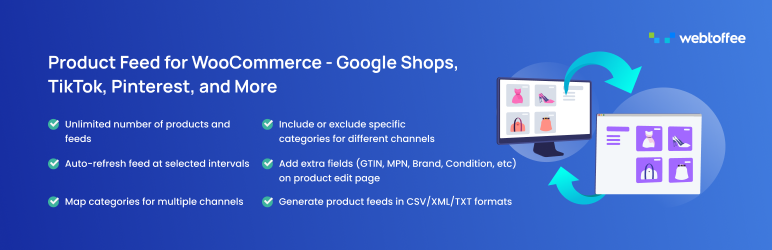
🔸 **Sales Channels** – Supports 25+ eCommerce channels to expand your reach. Easily
create and customize product feeds for multiple platforms. Ensure free listings
and clear product visibility to drive more sales.
🔸 **Unlimited Products** – No product count restrictions. List your entire WooCommerce
product catalog without worrying about limitations. Maximize visibility and reach
more shoppers across multiple sales channels effortlessly.
🔸 **Unlimited Product Feeds** – Create unlimited product data feeds. Easily generate
and manage multiple products data feeds for different sales channels. Ensure your
products reach the right audience and amplify visibility.
🔸 **Easy Setup** – Easily connect your WooCommerce store to Google Shopping, Facebook,
and Instagram, TikTok, Snapchat, Bing and more using its simple interface. ** Takes
only a few minutes to [ set up. ](https://www.webtoffee.com/webtoffee-product-feed-sync-setup-guide/)**
🔸 **Facebook Sync** – Sync your WooCommerce products with your Facebook shop catalog
by connecting your store to Facebook Business Catalog Manager to boost visibility
and reach. With the help of our WooCommerce Facebook product feed plugin, you can
easily set up a Facebook product catalog and generate a WooCommerce Facebook product
feed catalog to showcase your products seamlessly. Use dynamic ads to engage potential
customers and drive more sales with automatic, regular updates.
🔸 **Connect with Google Shopping** – Effortlessly connect your WooCommerce store
to Google Merchant Center using the Google product feed for WooCommerce plugin.
Promote your products across Google Shopping, Local Inventory Ads, Merchant Promotions,
and Buy on Google. With an easy-to-manage Google shopping product feed setup, you
can enhance product visibility, reach a wider audience, and drive more sales.
🔸 **Add Static Values to WooCommerce Feed** – Add static values to your product
feeds for better customization. Set fixed attributes like brand, condition, or availability
without manual updates. Ensure accurate and consistent product data across all sales
channels.
🔸 **Smart Filtering** – Use smart filtering to control which products appear in
your product data feeds. Easily include or exclude specific categories to optimize
your listings. Ensure only the right products are showcased across different sales
channels.
🔸 **Batch Sync** – Sync thousands of WooCommerce products with Facebook shop catalog,
Google shopping, or Instagram shops by enabling batch sync. This will reduce the
server load and timeout to ensure successful WooCommerce product sync.
🔸 **Category Mapping** – Quickly match your store categories with the respective
channel categories for accurate listings. Save the mapping for future use to save
time and simplify management. Ensure your products appear in the right categories
to improve visibility.
🔸 **WooCommerce Product Sync Log** – Track and review failed product syncs with
a detailed log for easy troubleshooting. Quickly identify issues and fix them to
ensure smooth product updates. Keep your store’s listings accurate and up to date.
🔸 **Manage Generated Product Feeds** – Easily view and manage all your generated
product data feeds in one place. Keep your products data feed accurate and up to
date across all sales channels. Make quick updates and ensure smooth product feed
performance.
🔸 **Product Feed Refresh Status** – Keep track of the real-time status of your
product feed updates, ensuring that your product listings always reflect the latest
changes. Know when your product feeds was last updated and check whether they are
running as scheduled.
✅ Tested OK with WooCommerce 10.5.3
### Why Choose WooCommerce Product Feed Plugin?
Our WooCommerce Product Feed Plugin is built to make your life easier! No technical
skills? No problem. With just a few clicks, you can generate a product feed that
works perfectly for Google Shopping, Facebook, and other marketplaces/sales channels.
We keep things simple – no confusing settings, just an intuitive interface that
gets the job done fast. Plus, we offer full support and regular updates to ensure
everything runs smoothly. If you want a hassle-free way to get your products in
front of more customers, this is the product feed plugin for you!
**Hear It From Our Users**
> **kupiter (@kupiter)** ⭐⭐⭐⭐⭐
> This is another great plug-in from Webtoffee.“
> Server cron” is a unique feature to solve issues of running refresh for big websites
> with multi-currency feeds in designated time, which is very important to us. I
> am happy to suggest features such as feed duplication (for easier new feed creation),
> and keep attributes (fields) during feed modification. The support team is fantastic
> to provide the feature in days.
> **coolboy0010 (@coolboy0010)** ⭐⭐⭐⭐⭐
> Great Product Data feed plugin. I used
> this to upload my feed to Google Shopping. Support is great as well
> **dragoev10 (@dragoev10)** ⭐⭐⭐⭐⭐
> Definitely the best plugin you can use.
> Its free version has things that no other plugin offers, like category selection
> for example. Also their support is unique. I had a question that was answered
> after a few hours.
### WOOCOMMERCE PRODUCT FEED PLUGIN (Pro)
The premium version of the Product Feed for WooCommerce plugin gives you advanced
features and filtering options. Plus, it offers support for additional sales channels
to expand your reach.
#### Product Feed for WooCommerce – Premium Version Features
🟢 **Dynamic Price & Product Feed Update**
Keep your product feed accurate and up to date without any extra effort! Whenever
you change prices, stock levels, or product details in your WooCommerce store, the
product data feeds updates automatically. This means your listings on Google Shopping,
Facebook catalog, and other platforms always show the latest information—no need
for manual updates.
With real-time syncing, you reduce errors, avoid discrepancies, and ensure customers
see the correct prices and product details every time. Just set it up once, and
let the WooCommerce product feed plugin do the work for you!
🟢 **Advanced Product Filtering Options for Generating Product Data Feeds**
Take full control of your product feed with advanced filters and conditions! Easily
include or exclude products based on specific criteria like category, price range,
stock status, attributes, and more. Configure different rules for different product
fields to ensure only the right products are included in your WooCommerce product
feeds.
Whether you want to exclude a certain category, include only products within a specific
price range, or filter by attributes, our WooCommerce Product Feed Manager Plugin
makes it simple. No unnecessary listings—just clean, optimized product feeds tailored
to your needs!
🟢 **Supports WooCommerce Multilingual & Multicurrency for WPML**
Expand your reach and sell to customers worldwide! Our WooCommerce product catalog
plugin works seamlessly with WPML to create multilingual product feeds, ensuring
your store products are displayed in the user’s preferred language. No language
barriers—just a smooth shopping experience.
It also supports WCML, allowing you to show product prices in different currencies
based on the visitor’s location. This means shoppers see prices in their local currency,
making purchases easier and more convenient. The following are the other supported
multi-language plugins:
* [WPML](https://wpml.org/)
* [Translatepress](https://translatepress.com/)
🟢 **Create Custom Product Feeds** –
Beyond standard sales channels, you can also generate custom product data feeds
files tailored to any platform. This gives you endless flexibility to format your
product data exactly as needed, making it easy to list your products on regional
marketplaces, or other sales channels that require a specific WooCommerce product
feeds structure.
🟢 **Exclude Out-of-Stock Products**
Keep your product feed clean and accurate by automatically removing out-of-stock
items. No more disappointing customers with unavailable products. Your WooCommerce
product feed will only show items that are in stock and ready to buy.
This ensures a better shopping experience, reduces wasted ad spend, and improves
conversion rates by displaying only what’s actually available. Set it once, and
let the plugin handle the rest!
🟢 **Server Cron for Managed Hosting**
Ensure your product feed stays updated without any manual work! With Server Cron,
you can schedule automatic product feed updates, even if you’re using managed hosting,
have a large number of products, or run a less active site.
This means your product feeds will always reflect the latest prices, stock levels,
and product details—seamlessly and reliably. No need to worry about missed updates
or delays—just set it up and let it run in the background!
🟢 **Auto-Catalog Sync for Facebook Catalog**
Effortlessly keep your Facebook product catalog up to date with automatic syncing!
Simply connect your WooCommerce store to Facebook Business Manager, and the plugin
takes care of the rest—syncing your products and updating their details in real-
time through a reliable Facebook product feed.
Any changes to prices, stock, or product information in your WooCommerce store are
instantly reflected in your Facebook product catalog. No manual updates required—
ensuring your Facebook ads and shop always display the most accurate and current
product data.
🟢 **Customize Product Variations in Your Product Feed**
Select which product variations to include in the products data feeds: all variations,
the default variation, or the lowest priced variation. This flexibility helps you
optimize your WooCommerce product feeds by displaying only the most relevant variations
based on your strategy. Whether you want to showcase budget-friendly options, highlight
default selections, or list all available choices, you can configure it easily.
No unnecessary listings—just a clean, optimized product feed that suits your business
needs!
🟢 **Compatible with Perfect Brands & WooCommerce Brands Plugins**
Easily integrate your product feed with [Perfect Brands](https://wordpress.org/plugins/perfect-woocommerce-brands/)
and [WooCommerce Brands plugins](https://woocommerce.com/retired/)! Our WooCommerce
Product Feed Plugin fully supports these third-party brand management tools, ensuring
your brand information is accurately included in your product feed.
This means you can showcase branded products more effectively across different marketing
channels, helping customers find their favorite brands with ease.
🟢 **Multi-Vendor Support for Dokan & WC Vendors**
Easily manage WooCommerce product feeds for multi-vendor stores! Our WooCommerce
Product Feed Plugin is fully compatible with the Dokan Multivendor and WC Vendors
plugins, allowing you to generate product feeds that include products from single
or multiple vendors.
This flexibility ensures that you can customize your product data feeds based on
specific vendor selections, making it easier to manage large marketplaces with multiple
sellers. Whether you want to create vendor-specific product feeds or complete store-
wide shopping feeds, our WooCommerce product feed manager plugin makes it simple
and efficient!
[WC Vendors](https://www.wcvendors.com/)
[Dokan](https://dokan.co/wordpress/)
🟢 **Multi-currency Compatibility**
Our product feed WooCommerce plugin is fully compatible with popular currency switcher
plugins like Aelia Currency Switcher, Fox Currency Switcher, and Curcy Currency
Switcher. It seamlessly adapts to different currencies, allowing you to display
product prices based on the visitor’s location. This ensures a smooth shopping experience
for international customers, helping you attract more visitors and boost global
sales.
[WCML](https://wpml.org/documentation/related-projects/woocommerce-multilingual/)
[Aelia Currency Switcher](https://aelia.co/shop/currency-switcher-woocommerce/)
[Fox Currency Switcher](https://currency-switcher.com/) [Curcy Currency Switcher](https://villatheme.com/extensions/woo-multi-currency/)
🟢 **Discount Rules for WooCommerce and YITH WooCommerce Dynamic Pricing & Discounts**
Enhance your WooCommerce store’s sales potential by seamlessly integrating with
Discount Rules for WooCommerce and YITH WooCommerce Dynamic Pricing & Discounts.
With this seamless compatibility, you can easily set up custom discounts, promotions,
and upsell strategies to attract more customers and increase conversions. Whether
it’s bulk discounts, BOGO deals, or personalized offers, this integration helps
you sell more while keeping shoppers happy!
### 👉 Create Product Feeds for 25+ Sales Channels. Power your Multi-Channel Strategy
* Google Product Feeds
* Meta feed for Facebook/Instagram
* Google Local Product Inventory
* Google Local Inventory Ads
* Google Merchant Promotions
* Buy on Google
* TikTok Ads
* Pinterest Product Feed
* Pinterest RSS feed
* Snapchat Feed
* Idealo Product Feed
* Bing Shopping Feed(Microsoft Ads)
* PriceSpy Feed (Prisjakt)
* PriceRunner Feed
* Skroutz Data Feed
* Shopzilla Feed
* Bizrate Product Feed
* Become Shop Feed
* Price grabber Feed
* LeGuide Feed
* Google Product Reviews
* Heureka
* Fruugo
* Vivino
* OnBuy
* Yandex
* X(Twitter)
* Rakuten
* Shopmania
* Google Manufacturer Center(Premium)
* Custom Feed(Premium)
Please visit [WooCommerce Product Feed Plugin ](https://www.webtoffee.com/product/woocommerce-product-feed/?utm_source=free_plugin_readme&utm_medium=product_feed&utm_campaign=WooCommerce_Product_Feed)
for more details.
Check out the overview video to see the WooCommerce Product Feed Plugin (Pro) in
action.
### Connection to feedback.webtoffee.com
This plugin connects to [feedback.webtoffee.com](https://feedback.webtoffee.com)
for collecting feedback when the plugin is deactivated.
See our [Privacy Policy](https://www.webtoffee.com/privacy-policy/)
and [Terms & Conditions](https://www.webtoffee.com/terms-conditions/) for details
on data collection and usage.
### OTHER PLUGINS FROM WEBTOFFEE
🔸 [GDPR Cookie Consent](https://www.webtoffee.com/product/gdpr-cookie-consent/?utm_source=free_plugin_readme&utm_medium=product_feed&utm_campaign=GDPR):
This plugin helps websites comply with GDPR, CCPA, and other privacy regulations
by displaying a customizable cookie consent banner. Manage cookie categories, log
consents, and implement prior consent for cookies.
🔸 [WooCommerce Product Import Export Plugin](https://wordpress.org/plugins/product-import-export-for-woo/):
Easily import and export products to/from your WooCommerce store using a CSV file.
🔸 [Order/Coupon Import-Export for WooCommerce](https://wordpress.org/plugins/order-import-export-for-woocommerce/):
Import and export orders and/or coupons from your WooCommerce store using CSV with
the plugin. 🔸 [Import Export WordPress Users](https://wordpress.org/plugins/users-customers-import-export-for-wp-woocommerce/):
Import and export the users in your WordPress store using a CSV file with the help
of this plugin. 🔸 [WordPress Backup & Migration](https://wordpress.org/plugins/wp-migration-duplicator/):
Quickly migrate and backup entire WordPress site or selected files from one location
to another. Backup to FTP, Google Drive, Amazon S3, or local storage and easily
restore them back.
### Installation and Setup
You can visit this [ setup guide ](https://www.webtoffee.com/webtoffee-product-feed-user-guide/)
to learn how to install and setup the plugin, generate WooCommerce product feeds
and configure Facebook catalog sync.
### Support
If you experience any issue with the plugin you can reach the [support](https://wordpress.org/support/plugin/webtoffee-product-feed/)
to get quick help and resolve your issues as soon as possible.
## Screenshots
* [[
* Create new feed – Facebook / Instagram Shop.
* [[
* Attribute mapping – Facebook / Instagram Shop.
* [[
* Category mapping – Facebook / Instagram Shop.
* [[
* Generate feed – Facebook / Instagram Shop.
* [[
* Create new feed – Google Shop.
* [[
* Attribute mapping – Google Shop.
* [[
* Category mapping – Google Shop.
* [[
* Generate feed – Google Shop.
* [[
* Manage Feeds.
* [[
* Menu navigation.
* [[
* Connect to FB catalog
* [[
* Facebook login.
* [[
* Verification before connect.
* [[
* Permission verification before connect.
* [[
* Facebook permissions.
* [[
* Manage connection.
* [[
* Category mapping.
* [[
* Product sync progress window.
* [[
* FB catalog manager.
* [[
* Logs
## Installation
#### Minimum Requirements
* PHP Version: 5.6 or later
* WooCommerce version: 3.0.1 or later
* WordPress version: 4.0 or later
#### Steps to Install the Plugin
To install the plugin, follow the below steps:
Step 1: Log in to your WordPress dashboard.
Step 2: Navigate to **Plugins** and
select **Add New**. Step 3: From the search box, type “WooCommerce Product feeds”
or “Facebook shop catalog” and click Search Plugins. Step 4: Once you find the Product
Feed for WooCommerce plugin, click on **Install Now**. Step 5: After installation,
click **Activate** to activate the plugin.
You can also install the plugin by downloading the zip file from the plugin page
on WordPress.org. Then upload the file directly from your WordPress dashboard, or
using an FTP application.
#### Plugin Updates
For every update of the plugin, you will be notified on the installed plugins page.
You can directly update the plugin from your dashboard. We recommend that you keep
the latest version of the plugin so that you can avail yourself of the new functionalities
and security features.
## FAQ
### Do I need a business manager account to set up the store in Facebook?
Yes, you need a business manager account to connect your WooCommerce product catalog
to Facebook.
### Does this have any additional costs?
No, Product Feed for WooCommerce is a free plugin that allows you to set up your
store on Facebook, Instagram, and Google Merchant Center using WooCommerce product
feeds and sync.
### Is Server Cron available for refreshing product feed?
Server Cron is not available in the free version, but you can upgrade to the premium
version to use Server Cron for refreshing product feed.
### Can I send product feed to Google shop directly from my WooCommerce store?
No. The Product Feed for WooCommerce plugin lets you generate Google feed and you
will have to upload it in the Google merchant center yourself.
### How can I exclude specific products when using FB catalog sync?
You can use below code snippet on your active theme functions.php file. If you want
the built-in feature you will have to upgrade to the premium version.
```
add_filter( 'wt_facebook_sync_products', 'modify_wt_facebook_sync_products', 10, 1 );
function modify_wt_facebook_sync_products( $products ) {
$exclude_products = array( 2432, 2433, 2434 ); // Enter product IDs to be excluded
$sync_products = array_diff( $products, $exclude_products );
return $sync_products;
}
```
### Does the plugin support Facebook dynamic ads?
Yes. You can sync WooCommerce products to Facebook catalog to run dynamic ads.
### How can I set the product long description as default when uploading to Facebook catalog?
You can use below code snippet on your active theme functions.php file.
```
add_filter( 'wt_facebook_product_description_mode', 'wt_modify_product_description_mode', 10, 1 );
function wt_modify_product_description_mode( $mode ) {
return 'long'; // Valid values are 'long' and 'short'
}
```
## Reviews

### [Great but the several latest versions have a problem](https://wordpress.org/support/topic/great-but-the-several-latest-versions-have-a-problem/)
[9skies](https://profiles.wordpress.org/9skies/) January 9, 2026 2 replies
Critical bug in version 2.3.4: The Google and Facebook category mapping dropdowns
are blank on the Category Edit screen. Root Cause: The plugin is rendering the category
list as raw text inside the