• Resolved mitchelldesigns

    (@mitchelldesigns)


    Hello,

    I wanted to know how I can add an additional field to the plugin:

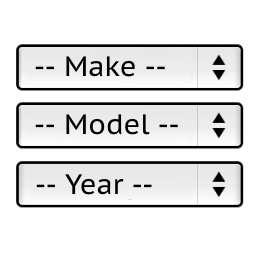
    For example, the plugin is set to: Year, Make, Model.

    How can we organize it so its: Make, Model, Year, Drivetrain (Or Trim Style)

    Thank you!

Viewing 3 replies - 1 through 3 (of 3 total)
  • Thread Starter mitchelldesigns

    (@mitchelldesigns)

    Also, Is there a way to add a garage feature with a shortcode, or something so I can place that in the menu, or wherever I’d like?

    Similar to BagRiders.com?

    Plugin Author Pektsekye

    (@pektsekye)

    Hello,

    You can use the “Make Model Year Engine” version:
    http://hottons.com/ymm_modifications

    Then rename “Engine” to “Drivetrain” in the two files:
    wp-content/plugins/ymm-search/etc/config.php
    wp-content/plugins/ymm-search/view/frontend/templates/product/view/tabs/restriction.php

    >Is there a way to add a garage feature with a shortcode
    This plugin does not have this feature now.

    But it is possible to create a custom template mytemplate.php
    Then upload it to:
    wp-content/plugins/ymm-search/view/frontend/templates/mytemplate.php

    And then call it with a shortcode like this:

    
    [ymm_selector template="mytemplate.php"]
    

    Stanislav

    Thread Starter mitchelldesigns

    (@mitchelldesigns)

    Awesome, Thanks!!

Viewing 3 replies - 1 through 3 (of 3 total)

The topic ‘Adding Additional Fields To Year Make Model (& Drive Train – or Trim)’ is closed to new replies.