Hi @ricsca2,
There are several ways to add custom fields in the PDF documents, e.g. if you have the PDF Invoices and Packing Slips Plus Bundle, you can use a custom block within the customizer, like this:
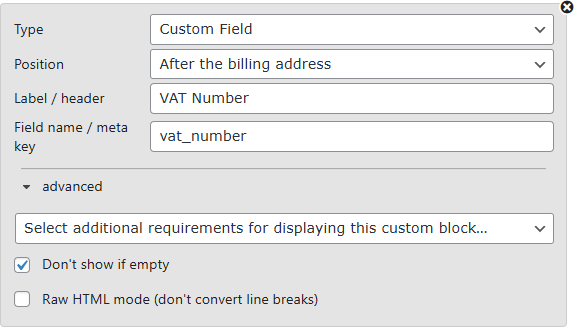
You can also use a custom PDF template for that, but if you are only using our main free plugin, I recommend using the PDF template action hooks instead, like this:
/**
 * PDF Invoices & Packing Slips for WooCommerce:
 * Display the VAT Number after the billing address (if not empty)
 */
add_action( 'wpo_wcpdf_after_billing_address', function( $document_type, $order ){
	if ( $vat_number = $order->get_meta( 'vat_number' ) ) {
		echo "<div>VAT Number: {$vat_number}</div>";
	}
}, 10, 2);
If you haven’t worked with code snippets (actions/filters) or functions.php before, read this guide: How to use code snippets.
We also have a blog post here that you may find helpful about adding custom code to your site.


