• I have been using CFF for more than a year now, and after all this time I learned how to do some cool stuff with it. I haven’t found another plugin that matches what CFF does. It is great.
    If you want to learn how to master this plugin, you really have to go thru it’s documentation and learn. I have created my own formulas for a couple sites, with awesome results, and people seems to love it.
    Updating my review from 4 stars to 5.

    • This topic was modified 5 years, 4 months ago by dfreirel.
Viewing 1 replies (of 1 total)
  • Plugin Author codepeople

    (@codepeople)

    Hello @dfreirel,

    Thank you very much for the review.

    The plugin gives the users total control over the form’s appearance. Could you let me know what do you want modify, please?

    For example, assuming you want to vary the appearance of the calculate field, with the label in bold, and the input tag with rounded corners (it is a hypothetical case).

    First, assign a custom class name to the calculated field, for example: my-field

    The class names are assigned to the fields through their attributes: “Add CSS Layout Keywords”

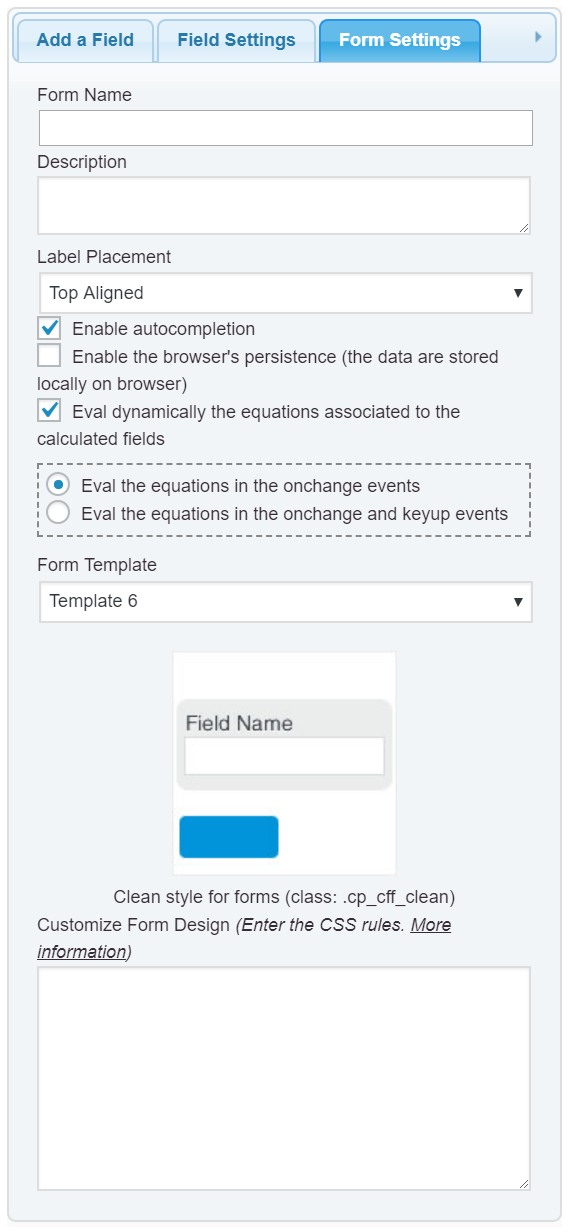
    Second, enter the new class definition into the “Customize Form Design” attribute in the “Form Settings” tab (https://cff.dwbooster.com/images/documentation/form-settings-tab.png)

    
    #fbuilder .my-field label{font-weight:bold !important;}
    #fbuilder .my-field input{border-radius:10px !important;}
    

    The list of the styles applied to the form’s fields is available in the following link:

    https://cff.dwbooster.com/faq#q82

    Best regards.

Viewing 1 replies (of 1 total)

The topic ‘Awesome Plugin’ is closed to new replies.