• Resolved ntimler

    (@ntimler)


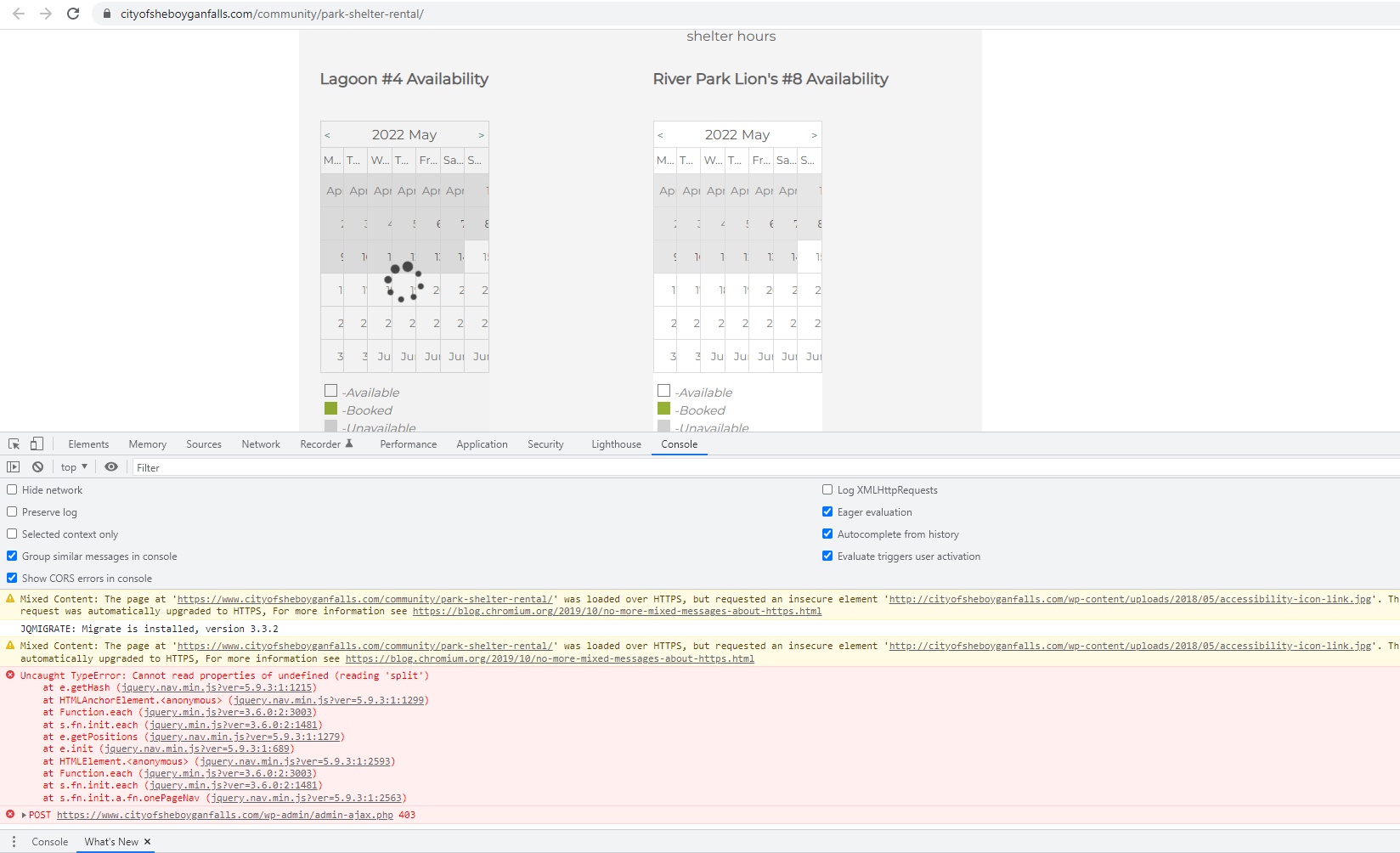
    A client of mine has two calendars on the page I have provided. Plugin is on the most recent version at 3.2.0. Both calendars are not showing fully and appear smushed. Tried uninstalling other plugins to see if it was a conflict and it does not appear to be.

    Any ideas? Thanks so much!

    The page I need help with: [log in to see the link]

Viewing 3 replies - 1 through 3 (of 3 total)
  • Plugin Author wpdevart

    (@wpdevart)

    Dear @ntimler.

    Did you try to change the theme?

    Maybe there is a conflict with the theme?

    We need to know more details to solve the problem.

    Thanks.

    Thread Starter ntimler

    (@ntimler)

    Hello, thanks for the response. I did try to change the theme as well, and no luck. I apologize, forgot to put that in my initial message.

    Plugin Author wpdevart

    (@wpdevart)

    Hi @ntimler.

    There are a lot of JS errors that come from your theme. You can check this screenshot – https://wpdevart.com/wp-content/uploads/2022/05/screenshot-JS-errors.jpg.

    About the CSS, navigate to the Booking calendar Themes page, General Settings tab, and enable the “Enable Custom CSS” option. After that add these styles to that field

    .booking_calendar_main_container {
        display: inherit!important;
    }
    .booking_calendar_container {
        width: 100%!important;
    }
    .wpdevart-booking-form-container {
        width: 100%!important;
    }

    this should help.

    Thanks.

Viewing 3 replies - 1 through 3 (of 3 total)

The topic ‘Calendars Appear Smushed’ is closed to new replies.