Hi @dzire2dzine,
At this moment, there is no straightforward solution available. However, eventually I am going to release CSV Import/Export tool either as a downloadable addon or integrate it with the plugin’s codebase.
There are two workarounds possible:
#1
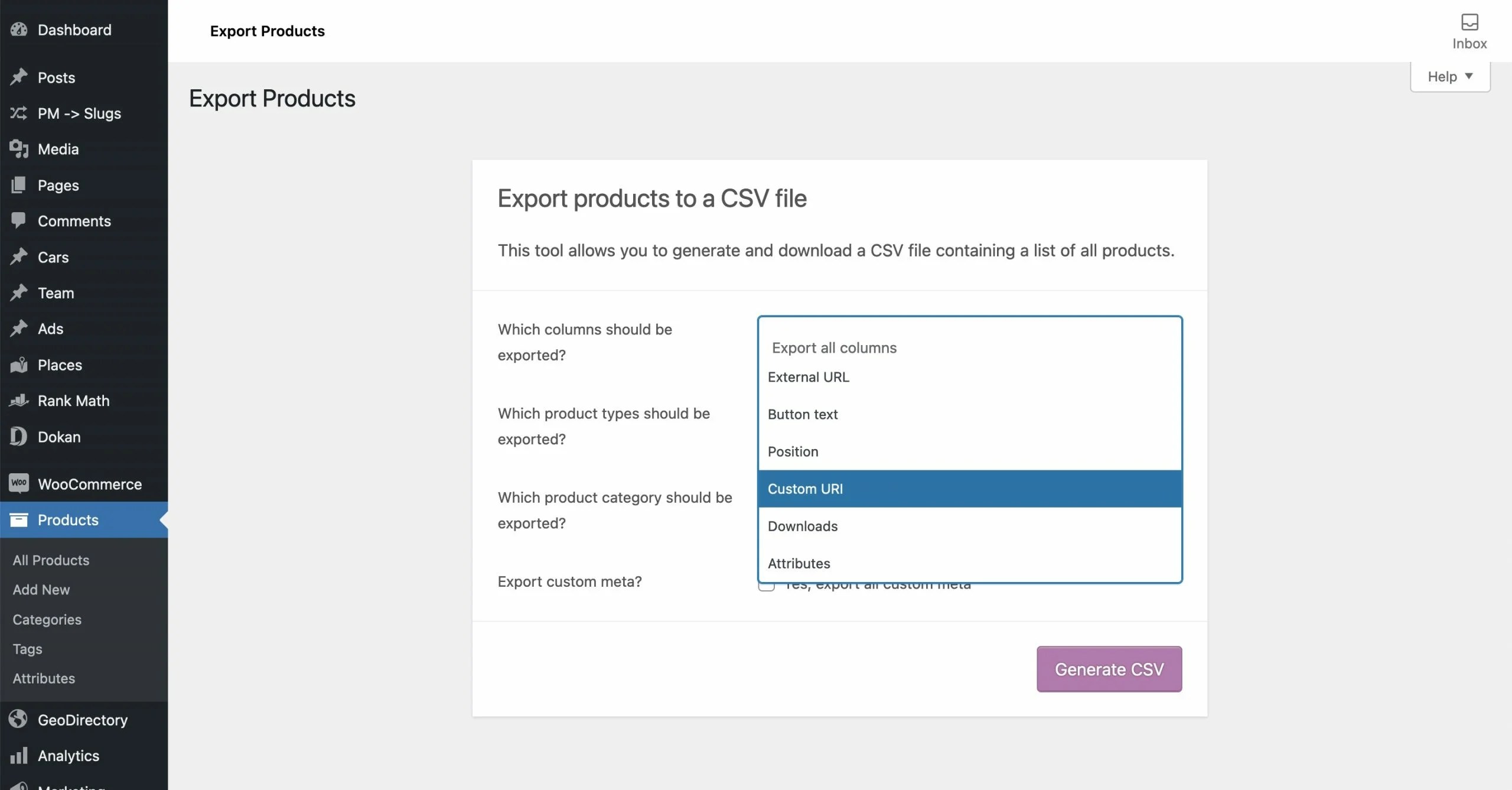
The easiest way would be to export the original custom permalinks using the tool included in WooCommerce. This way you can easily change the URIs and then import them again.
#2
You can also try to use the below mini-plugin:
https://gist.github.com/maciejbis/8fc2861b3c0a8cdc1da8d602bde22d25
The code is still under development so I cannot guarantee that it will work in your particular case.
To use it simply download it from Github and upload to wp-content/plugins directory. Then activate it from admin dashboard (“Plugins”) and go to “Tools -> Permalink Manager -> Tools -> CSV Import” section.
Hi @mbis
Thank you for reply.
I tried #1 but I didn’t see Custom URL, only External URL. I have your plugin installed.
And I am not sure if I am ready to try #2 on my running site.
Hi @dzire2dzine,
The “Custom URI” option should be displayed a few options below “External URL”.
Best regards,
Maciej
I even typed URL to filter out but it wasn’t there
Hi @dzire2dzine,
The option name is “Custom URI“, not “Custom URL” (see the last letter).
If this still does not help, could you check if both Permalink Manager & WooCommerce are updated to the most recent version?


