Category banner
-
Hi,
How can we add a horizontal image representing the category at the top of the category page?
Thank you

-
Hi @cihatcetintr,
To add a Category banner you will need to edit the WooCommerce Product Category page template (taxonomy-product-cat.php).
More on templates and where to find them/how to work with them is found at this link.
If you have further questions on this let us know.
Can I find a sample snippet on this topic?
Hello @cihatcetintr,
You can use the snippet here to display the category image on the category archive page:
https://woocommerce.com/document/woocommerce-display-category-image-on-category-archive/
Hope this is helpful to you.
Thank you so much.This snippet worked fine.
Finally, which section should I change for different images on different category pages?
Ex: ring category banner, bracelet category banner, ..
Hello @cihatcetintr,
You can change the category image by navigating to Dashboard > Products > Category and adding/changing an image for a category.
Hope this helps.
I can’t see how to add a category page banner in Woocommerce. That’s why I wanted a snipped. The topic I’m talking about is how the banners on the category page change in each category. Can this be changed with Snipped?
Hello @cihatcetintr
If the category image is not showing up on individual category pages with the provided snippet, then that’s likely in the realm of customization. We can’t really offer any guidance on modifying the provided snippets.
Hope this helps. Good luck.
The same banner appears on all category pages. There must be different images for each category.Is this possible?
You should be able to upload different images for each category.
Just to clarify, the image upload section is missing in Products > Categories > [Your Category]?
 Link to image: https://snipboard.io/NVJWB2.jpg
I want to add custom banner on each category page with snippet..
Hey @cihatcetintr,
The snippet we mentioned earlier is designed to pull the featured image for that product category and use it.
https://woocommerce.com/document/woocommerce-display-category-image-on-category-archive/
It should match what you see by going to Products > Categories and clicking on the category you’re working on. That gives you a spot in the user interface to add the images to display. Does that make sense?
If that snippet isn’t working for you, I would suggest getting in touch with the theme author to see if they can help you customize this for your theme. Or you could hire a freelance developer at Codeable who could do this for you.
https://woocommerce.com/codeable/
Take care
Hi,
Which function should I change for different images on different category pages in this snippet?
Ex: ring category banner, bracelet category banner, ..vSnippet:
add_action( 'woocommerce_archive_description', 'woocommerce_category_image', 2 ); function woocommerce_category_image() { if ( is_product_category() ){ global $wp_query; $cat = $wp_query->get_queried_object(); $thumbnail_id = get_term_meta( $cat->term_id, 'thumbnail_id', true ); $image = wp_get_attachment_url( $thumbnail_id ); if ( $image ) { echo '<img src="' . $image . '" alt="' . $cat->name . '" />'; } } }Which function should I change for different images on different category pages in this snippet?
No need to change the code. You can try applying the snippet using the Code Snippets plugin.
Once applied, go to Products > Categories, and add different images for each category.
Different categories have the same pictures.I’m sharing it as an image.
category-1
category-2
What do I need to change in the snippet for each category specific image?
Snippet:
add_action( 'woocommerce_archive_description', 'woocommerce_category_image', 2 ); function woocommerce_category_image() { if ( is_product_category() ){ global $wp_query; $cat = $wp_query->get_queried_object(); $thumbnail_id = get_term_meta( $cat->term_id, 'thumbnail_id', true ); $image = wp_get_attachment_url( $thumbnail_id ); if ( $image ) { echo '<img src="' . $image . '" alt="' . $cat->name . '" />'; } } }What do I need to change in the snippet for each category specific image?
Your snippet should do this. This line pulls the thumbnail for the current category.
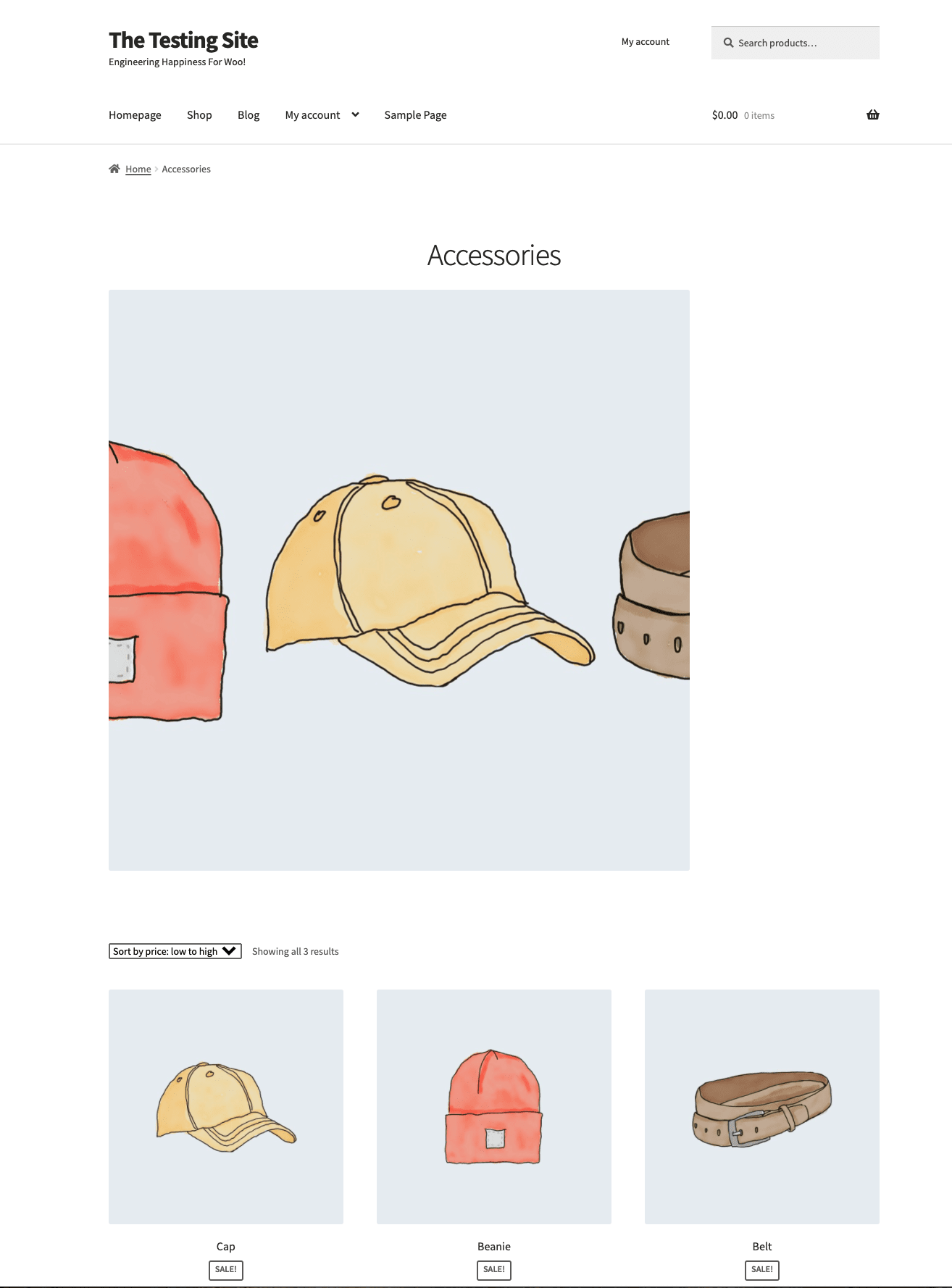
$thumbnail_id = get_term_meta( $cat->term_id, 'thumbnail_id', true );Then the code below that converts it into a URL for this image and displays it in an image tag. Here’s an example of how this looks with the Storefront theme:
Are you saying this snippet doesn’t work for you? If so, you’ll need to hire a developer to help you use it on your site. There are freelance developers at Codeable who would be happy to assist.


The topic ‘Category banner’ is closed to new replies.

