Hi team, I am impressed with this plugin. However, I cannot figure out how to change the vertical spacing between fields on a form. I need them tight against each other and the default has a lot of spacing or padding between fields. Is it possible to adjust that? I cannot find a form or field setting and the CSS layout and rules don’t seem to change that. Thank you
The page I need help with: [log in to see the link]
Thank you for choosing our plugin. I visited your URL, but the website is currently in a “coming soon” state.
In websites, the styles loaded by the WordPress theme affect every tag on the page, and the spaces between fields could be caused by margins or paddings assigned by styles defined in the theme.
For example, if you want to control the margins between fields on your form, you can enter the style block below through the “Customize Form Design” attribute in the “Form Settings > Advanced Settings” tab:
Note the use of !important with the CSS rules to ensure their precedence over the theme’s active styles.
If the previous styles do not yield the desired results, please deactivate the “coming soon” mode on your website and provide the link to the page containing the form so we can check its appearance.
That worked great! nice to be able to layout a tight form. now that we have form spacing set, another question: using a SECTION field, what would be the css rule and value in order to pad the section top and bottom so that it is more spaced from the previous fields? i tried margin-top and margin-bottom
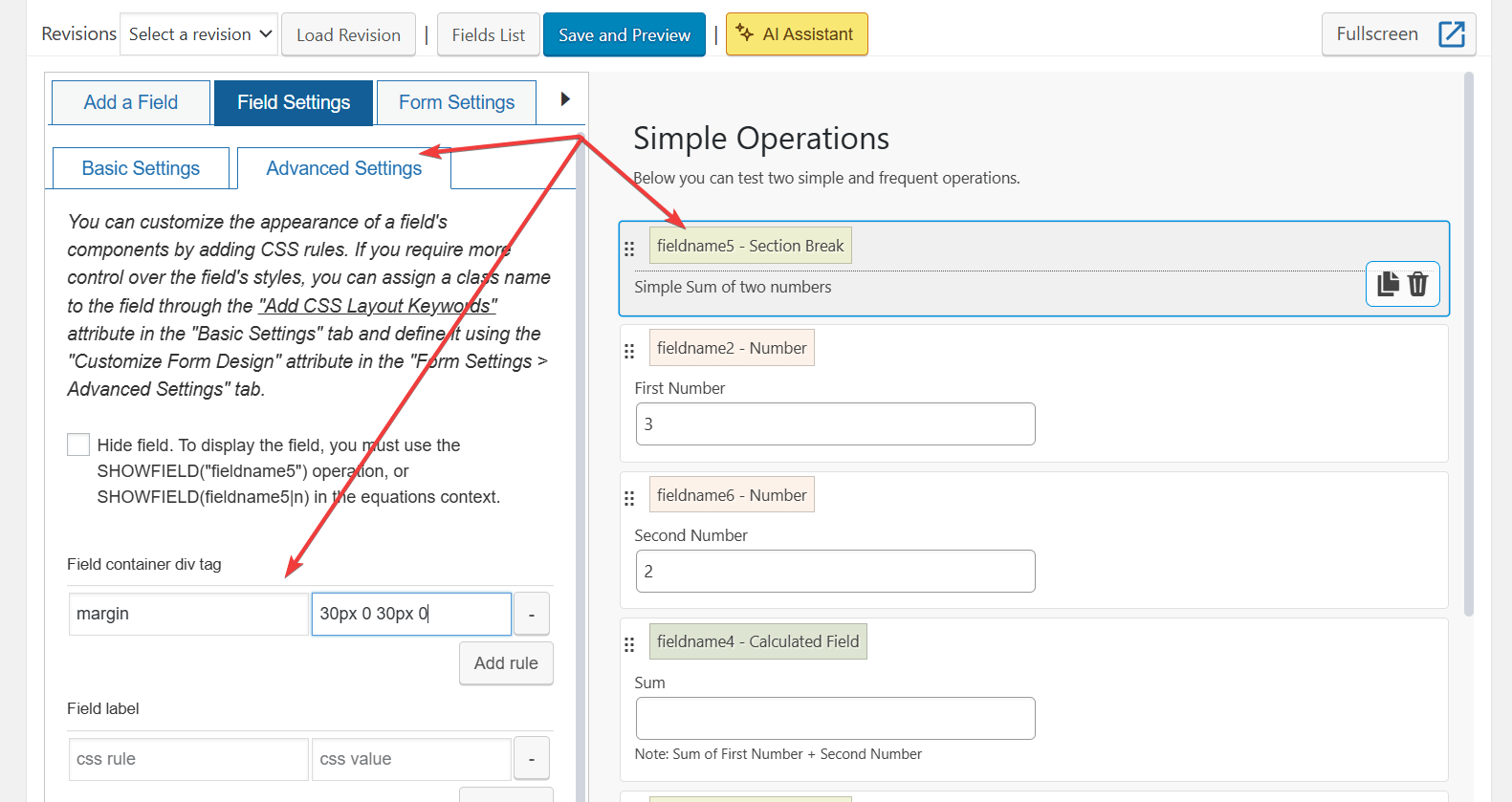
You can simply select the field, click on the “Advanced Settings” tab in its settings, and in the section for the field container, you can select the margin option for the CSS rule, and enter the value: 30px 0 30px 0
Best regards.
Viewing 3 replies - 1 through 3 (of 3 total)
The topic ‘Change Field Height’ is closed to new replies.