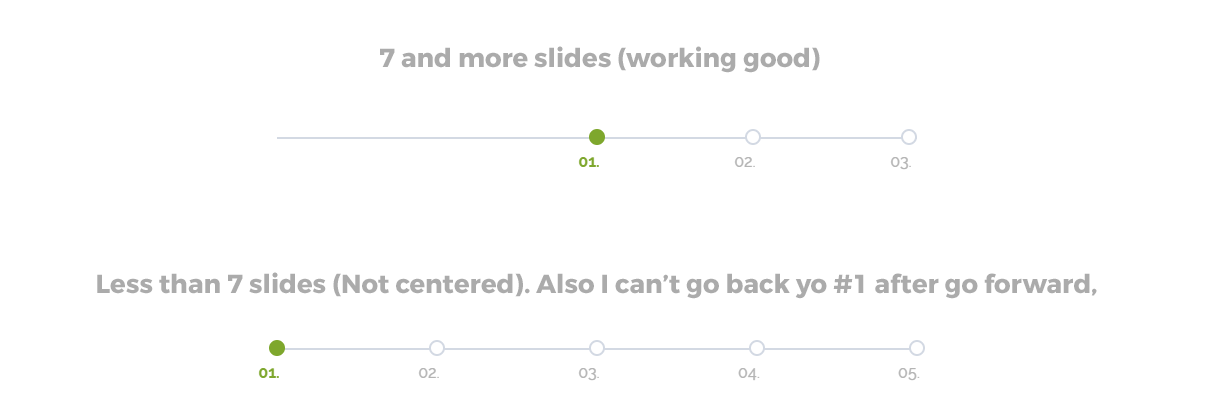
Hello @trde,
Thanks for reaching here
In the free version, there is no templating override feature so you can not override and if you change in plugin file then it will be a loss your change when plugin update.
Thanks
Thread Starter
 trde
trde
(@trde)
OK, so there are few solutions:
1. CRON on server to replace this file on my own every hour or day 😛
2. disable plugin updates
3. some other way to replace this file on my own using some WP functions (but here I have to search codex)
Hello @trde,
Just go to plugin folder and edit this file timeline-and-history-slider/timeline-and-history-slider.php
Go to line no 3 and change plugin name so plugin update will not come
Thanks
Thread Starter
trde
(@trde)
OK I think it will help me but still have a small problem with timelines that has less than 6 slides. The problem is I can’t move timeline horizontal. How to change your code to get the same functionality when I have 2 slides and same if there is for example 10 slides. Is there any if/else function to solve this problem?
I made it this way but I don’t think it’s professional 😛 But working 😛
.my-timeline [data-slick-index="4"], [data-slick-index="5"], [data-slick-index="6"] {
    opacity: 0 !important;
    pointer-events: none !important;
    display: none !important;
}
-
This reply was modified 7 years, 5 months ago by
 trde.
trde.
Hello,
Sorry for the inconvenience but it will show in the center if greater then 7 or equal and number of the slide should be an odd number
Thanks
Thread Starter
trde
(@trde)
I see. My CSS code working but I need to remember to add more empty slides. Where in plugin files I could find settings that rules this? Is it JS or PHP settings/which file?
Hello
Sorry for the inconvenience
Actually, there is no such functionality in the plugin but you can customize as per your need if you can
Following file related to this
timeline-and-history-slider/assets/js/wpostahs-public-js.js
timeline-and-history-slider/shortcode/wpsisac-template.php
Thanks