Viewing 6 replies - 1 through 6 (of 6 total)
  • Plugin Support Riaan K.

    (@riaanknoetze)

    Hi there,

    Just to make sure: Have you already tried regenerating the thumbnails using the tool found at **WooCommerce > Status > Tools > Regenerate shop thumbnails > Click – Regenerate (Button on right)**?

    Thread Starter duboi

    (@duboi)

    yes, i tried
    it’s the same think.
    the problem disappears when i put a second product.
    Is it the responsive css of my theme?

    Plugin Support Riaan K.

    (@riaanknoetze)

    Ooooh, that’s a good find and it might very well be the case. What happens when you do a “live preview” of a different theme like Storefront?

    Thread Starter duboi

    (@duboi)

    thanks for the advice
    i tried on a test website, i haven’t got this problem

    The problem, i’m not a developper.
    i tried a news update of my theme, the website has crashed

    Thread Starter duboi

    (@duboi)

    have you got a idea to resolve this problem ?

    Hi @duboi,

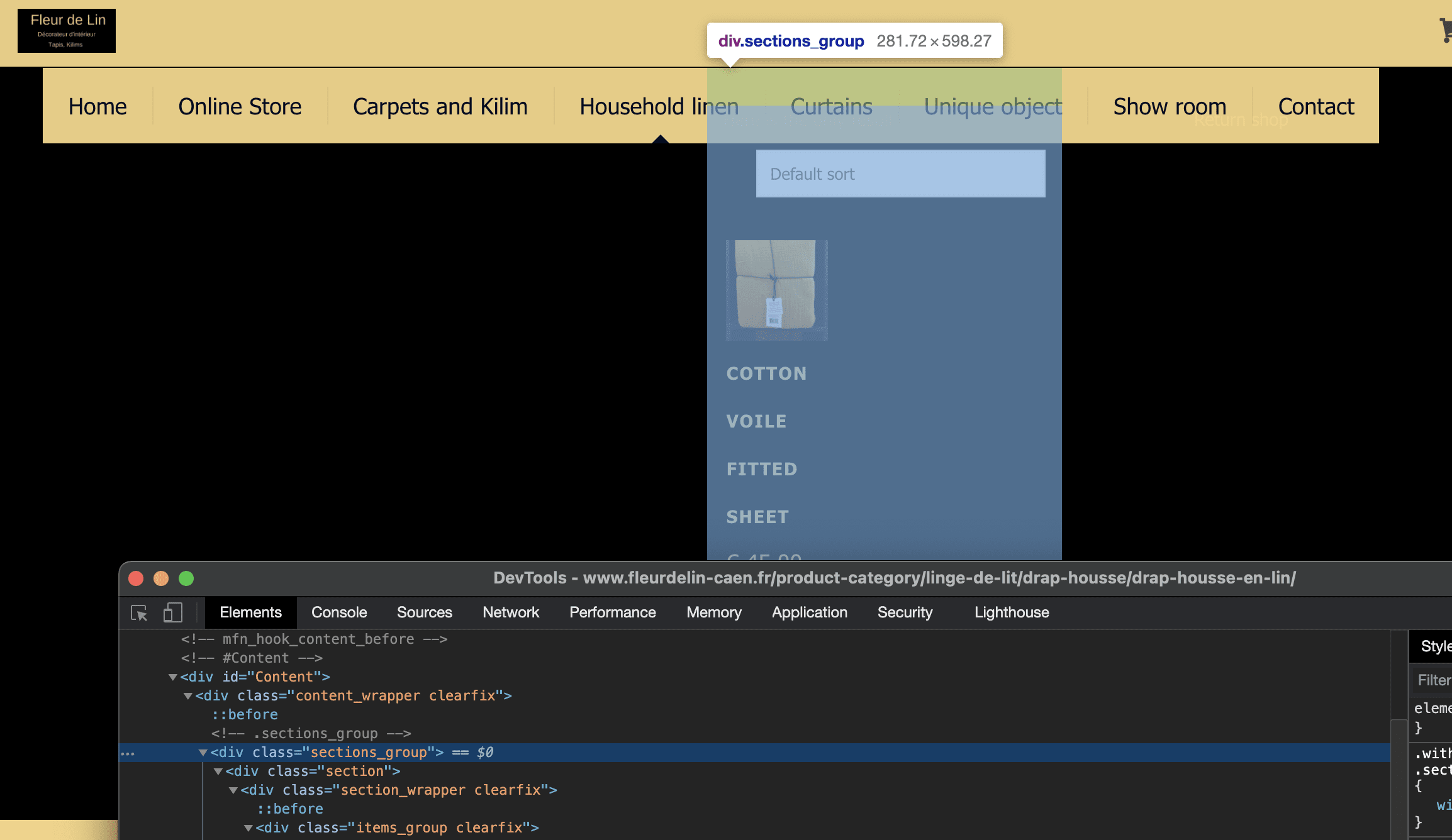
    It looks like to me that the issue is with the “container” that’s holding the product list is too narrow on desktops. Here’s a screenshot to show you what I mean.

    narrow columns

    I don’t know how the theme is structured, but I would suggest looking to see if there is a different place you can insert the list of products. See if there are options to have the content be full width. That might help out here too.

    Otherwise, you could reach out to the theme author and see if they have any options to make this area larger or switch themes.

    Let us know if you have any questions.

    Cheers

Viewing 6 replies - 1 through 6 (of 6 total)

The topic ‘display problem thumbmails’ is closed to new replies.