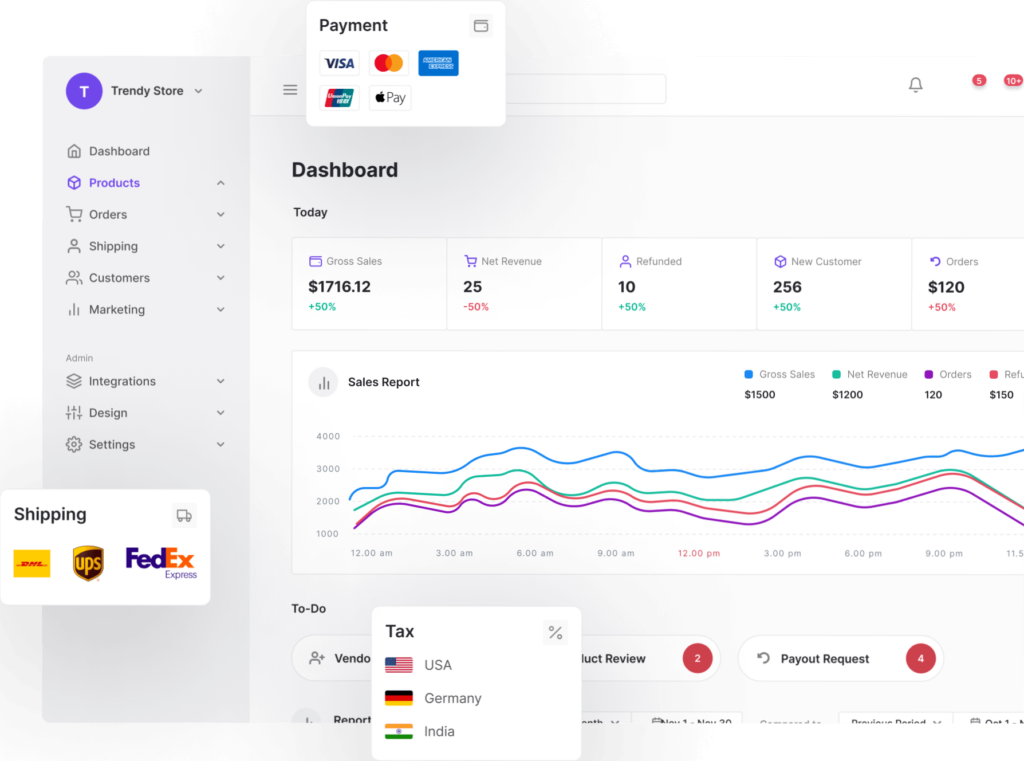
• This company focus on their Cloud version

    https://dokan.co/app/uploads/2024/10/simplifying-the-ecommerce-journey-for-all-1024×761.png

    Investing this plugin will be greatest mistake I think. Just comparing their vendor dashkbaords explains everything.

    Dokan Multi Vendor Plugin: Vendor Panel Design Is Stuck in the Past
    As someone who’s worked extensively with WordPress and WooCommerce ecosystems, I’ve had my fair share of experience with multi-vendor solutions. Dokan, despite its popularity and long-standing presence, continues to disappoint in one glaring area: the vendor panel design.
    🎨 A UI That Time Forgot
    The vendor dashboard feels like it was designed in 2000 and then left to gather dust. It’s clunky, visually uninspired, and lacks the intuitive UX that modern vendors expect. Even basic layout decisions—like navigation hierarchy, spacing, and responsiveness—feel like afterthoughts. For a plugin that positions itself as a premium multi-vendor solution, this is unacceptable.

    • No design evolution: Year after year, the vendor panel remains virtually unchanged.
    • Poor UX decisions: Important actions are buried, while trivial stats are front and center.
    • Lack of customization: Vendors have little control over layout or branding, which is a missed opportunity for marketplaces trying to differentiate.
      ⚙️ A Sign of Deeper Issues?
      While Dokan has made strides in performance and compatibility with newer tech stacks, the stagnant vendor panel design raises a red flag. If the team isn’t investing in the most visible part of the vendor experience, what does that say about their long-term priorities?
    • Is design a low priority? It seems so, given the years of neglect.
    • Is vendor experience undervalued? Possibly—especially when admin features get more attention.
    • Is the plugin bloated with features but thin on polish? That’s the impression.
      🧪 Final Thoughts
      Dokan’s vendor panel is not just outdated—it’s a liability. It undermines the credibility of marketplaces built on it and frustrates vendors who expect a modern, efficient interface. If you’re evaluating multi-vendor plugins, this design stagnation should be a serious consideration. A plugin that ignores UI/UX for years may be signaling deeper complacency.
    • This topic was modified 7 months, 4 weeks ago by ksaltik.
    • This topic was modified 7 months, 3 weeks ago by ksaltik.
Viewing 2 replies - 1 through 2 (of 2 total)
  • Thread Starter ksaltik

    (@ksaltik)


    https://ibb.co/9mXynGHs

    Dokan Vendor Dashboard: A Demo That Reveals Too Much
    After years of development, you’d expect Dokan’s vendor dashboard to reflect modern design standards and usability. But even a quick glance at their own demo site tells a different story — one that’s hard to ignore if you care about vendor experience, frontend polish, or future-proof architecture.
    🖼️ The Dashboard Design: A Static Relic
    The vendor panel showcased on Dokan’s official demo feels like it was frozen in time. It’s not just visually outdated — it’s structurally rigid, unintuitive, and lacking in responsiveness. The UI is cluttered with legacy design choices, and the overall layout feels more like a patched-up admin screen than a purpose-built vendor interface.

    • No visual hierarchy: Important actions like product management or order tracking are buried under generic tabs.
    • Minimal interactivity: There’s no dynamic UI scripting, no live previews, and no contextual guidance.
    • Poor mobile experience: The dashboard struggles with responsiveness, making mobile vendor management frustrating.
      🎭 Theme Compatibility: A Misleading Promise
      Dokan claims compatibility with a range of themes, but in practice, many of these themes no longer actively support Dokan — or never did in a meaningful way. What you get is superficial styling at best, with no deep integration or UX alignment.
    • Themes listed as “compatible” often lack real support: No custom templates, no optimized layouts, no vendor-specific styling.
    • No fallback design system: If the theme doesn’t support Dokan well, the dashboard defaults to its outdated native look — which is a poor experience.
      🧱 Gutenberg: Still Treated Like an Afterthought
      In 2025, it’s baffling that Dokan still doesn’t offer native block support for Gutenberg. Vendors can’t use blocks to customize their storefronts, product pages, or dashboards. This omission makes Dokan feel increasingly out of step with WordPress’s evolution.
    • No vendor-facing blocks: Vendors are stuck with rigid forms and shortcodes.
    • No block-based customization: Admins can’t build vendor dashboards or storefronts using blocks.
    • No roadmap transparency: There’s little indication that block support is even on the horizon.
      🚨 What This All Signals
      The vendor dashboard isn’t just a UI flaw — it’s a symptom of deeper stagnation. While Dokan continues to add backend features and integrations, the frontend experience for vendors remains neglected. That’s a dangerous imbalance for any marketplace plugin.
    • Design inertia: Years of ignoring UI/UX updates suggest a lack of product vision.
    • Vendor experience undervalued: The people who power your marketplace get the weakest tools.
    • Gutenberg avoidance: Signals technical debt or reluctance to modernize.

    If you’re building a serious marketplace, this should give you pause. A plugin that can’t evolve its most visible interface — even on its own demo site — may not be ready for the demands of modern vendors.

    Last word it is funny that they say if your theme is not support Bootstrap 🙂 .

    One more thing: Checkout their own demo setups for the themes that claimed supports Dokan.

    Thread Starter ksaltik

    (@ksaltik)

    Their own websites are outdated. Their plugin version is 4.x but their even chnagelog still shows an outdated version 3 🙂

Viewing 2 replies - 1 through 2 (of 2 total)

The topic ‘Dokan Multi Vendor Plugin: Vendor Panel Design Is Stuck in the Past’ is closed to new replies.