Hey there Chekki,
How are you doing today?
I’ve quickly checked the theme and date format displayed on posts is being taken from the WP settings so you can change the format displayed there to display it how ever you wish.
Go to Settings -> General and use “Custom” Date Format to change it to what ever you wish, see screenshot http://screencast.com/t/rEsJV6rez8w.
Hope this helps 🙂
Best regards,
Bojan
Thread Starter
 Chekki
(@chekki)
Hi Bojan,
thanks for your reply. I am fine, what about you?
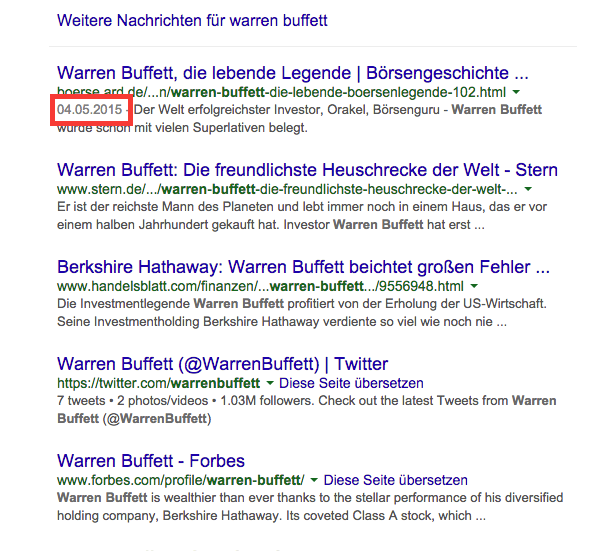
I did not express myself but I would like that post date will never be shown in the google search results.
Check this picture:
Picture of SERP’s
The red marked date should not be shown.
Any idea?
Best regards,
Chekki
Hey there Chekki,
Thanks for the clarification, I’ve done some searching on the topic and I’ve found the following blog post with a potential solution, you can check it out here:
http://www.shoutmeloud.com/how-to-remove-date-from-google-search-results.html
Please let me know if this helps 🙂
Cheers,
Bojan
So just to be clear because I may be confused.. you would like to remove the date from your posts? You can do this by using a child theme and editing the template in the theme.
the templates is in the templates folder and it’s “entry-meta-subhead.php”
You would want to all of remove line 5.
On a side note if your using a SEO plugin like Yoast then it’s very likely that the date is also being added in the meta as well.
Kadence Themes