How to get comments data prior plugin installation?
-
Hi @anneyu,
I installed the plugin and it doesn’t fetch anything from prior installation.
WPP does use the existing comments data so it’s probably a configuration issue on your side.
If you’re using the widget, please take a screenshot of the settings you’re using with it and share it here so I can have a look.
Hi @hcabrera,
Sorry for that! I was able to fix the settings now.
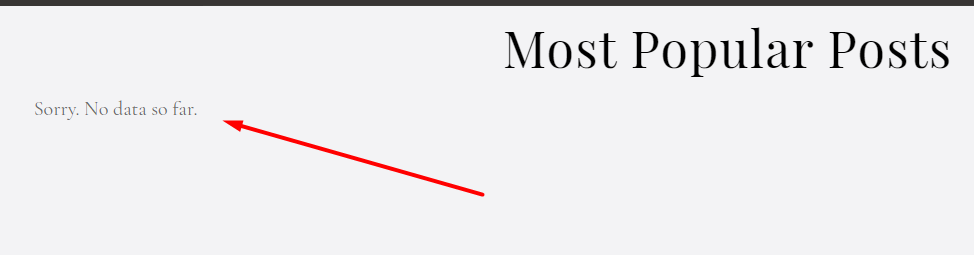
However, whenever I put post_html parameter, it suddenly says, “Sorry, No data so far.”
But without the post_html parameter, the data shows up fine.Is there something wrong with my shortcode?
[wpp range="all" order_by="comments" stats_comments="1" post_type="photoset,scratching,issue" stats_views="0" stats_author="1" post_html="<li>{thumb} <a href="{url}">{text_title}</a></li>"]I haven’t experimented on the post_html parameters. I just tried the example given to see if it works, however whenever I put the said post_html parameter, the page says, “Sorry, No data so far.”
Thank you! 🙂
Hi @anneyu,
The only thing I see that needs fixing is this bit:
post_html="<li>{thumb} <a href="{url}">{text_title}</a></li>"Notice how you’re using double quotes inside double quotes? ->
<a href="{url}">. Please change that to:post_html='<li>{thumb} <a href="{url}">{text_title}</a></li>'and it should work (see how I replaced the outer double quotes with single quotes?)
Your shortcode should look like this now:
[wpp range="all" order_by="comments" stats_comments="1" post_type="photoset,scratching,issue" stats_views="0" stats_author="1" post_html='<li>{thumb} <a href="{url}">{text_title}</a></li>']Hi @hcabrera,
That didn’t do the trick, unfortunately 🙁
Here’s the shortcode I’ve put:
https://i.ibb.co/9YXCLxm/Annotation-2020-04-30-215907.jpgHere’s the result:
https://i.ibb.co/cgpxFyy/Screenshot-14.pngAnd yet again, once I remove the post_html parameter, the code works.
Any ideas? Where did I go wrong this time?
It seems that the Gutenberg editor is having issues parsing the
post_htmlparameter because it has HTML tags in it.Try using the shortcode block instead, it seems to me you’re pasting the shortcode directly into the editor in a paragraph block and that’s probably why it doesn’t work.
Hello @hcabrera,
Thanks for the swift replies!
Here, I’ve tried using the shortcode block and HTML block:
https://i.ibb.co/BjYBvtf/Annotation-2020-04-30-222354.jpgThese are the results:
https://i.ibb.co/XYqDszR/Annotation-2020-04-30-222519.jpgI’ve also attempted to omit the double quotation marks and followed your parameters page accordingly.
Using both shortcode block and HTML block:
https://i.ibb.co/WDmhGYD/Annotation-2020-04-30-222705.jpgI get the same result as before:
https://i.ibb.co/cgXq4S4/Annotation-2020-04-30-222758.jpgWhere could I be going wrong?
So according to this screenshot the shortcode is working as intended now. Good, one thing sorted out.
The other thing that’s missing from your popular posts list is the thumbnail. From the documentation:
Available Content Tags:
{thumb} (returns thumbnail linked to post/page, requires thumbnail_width & thumbnail_height)
Which means you need to set the thumbnail’s width & height as well so the shortcode knows how to display it. So:
[wpp range="all" order_by="comments" stats_comments="1" post_type="photoset,scratching,issue" stats_views="0" stats_author="1" post_html='<li>{thumb} <a href="{url}">{text_title}</a></li>' thumbnail_width=75 thumbnail_height=75](Change
thumbnail_widthandthumbnail_heightto your desired width & height.)


The topic ‘How to get comments data prior plugin installation?’ is closed to new replies.




(@anneyu)
6 years, 1 month ago
Hi,
My goal is to display my most popular posts of all time by number of comments.
I installed the plugin and it doesn’t fetch anything from prior installation.
For example, I have a post with 30+ comments, which is one of my most commented posts as of writing. However the plugin does not fetch this.
Is it possible to fetch all comment data prior plugin installation?
I’m using the native WP comments btw!
Thanks so much!