.) * I cut and paste into Gutenberg (6.1.1), using the “paste as plain text” option.
Typically, the result looks like this.
* 
* (The example above is a screenshot. Don’t expect the player to work.)
* Here’s my problem.
* It’s been several months since I wrote a new post. Today, when I tried my usual
process, some of the examples (title, player, image) appeared correctly. But
other examples—which are formatted EXACTLY THE SAME WAY—put the player on a separate
line, like this:
* 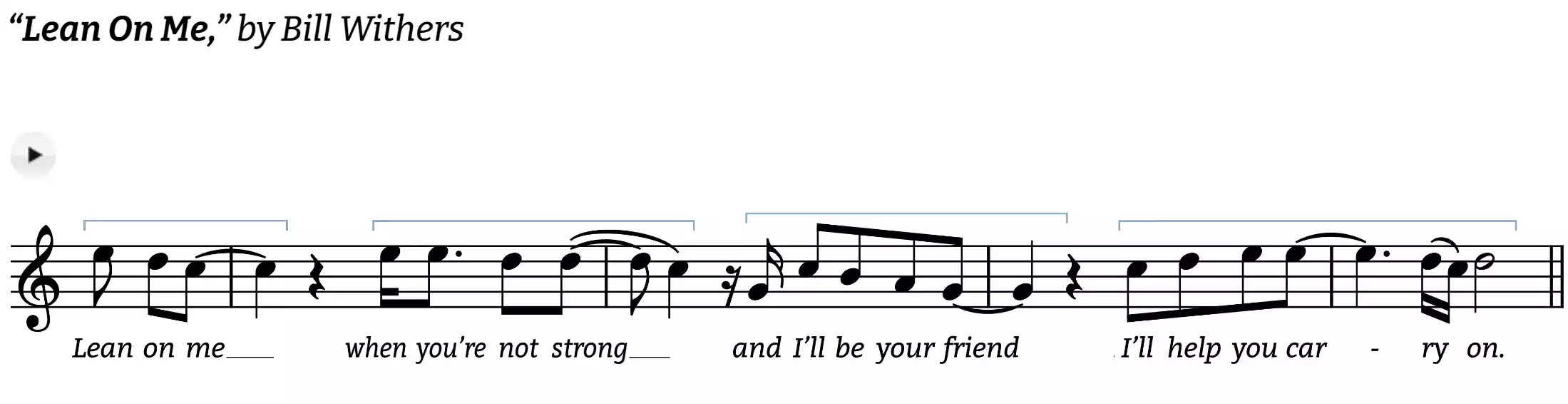
* Several odd things at work here. I’ve spent all day trying to figure out why
some examples format correctly and others do not. I hope someone has the key
to free me from my agony!
* I think the best way to troubleshoot the possible issues will be to list some
of the things I’ve tried and noticed, along with some facts, in no particular
order.
- The Bill Withers example was originally the only example that formatted correctly.
Then as I messed with the order of examples, I couldn’t get it to put the
player icon in the proper place. Very odd, because this example (it’s text/
code) was one I brought in from a post that has worked perfectly for quite
awhile. [https://figuringoutmelody.com/what-is-a-melodic-figure/](https://figuringoutmelody.com/what-is-a-melodic-figure/)
- I’ve tried entering the cut-and-pasted text from Word in every way I can think
of using Gutenberg’s options. As custom html, preformatted, and in the code
editor. Weirdness lingers in all options.
- I’ve copied the formatting from examples that work and pasted in different
names for audio and images. That did nothing.
- Once, when I re-ordered the examples, instances that were properly formatted
suddenly didn’t work correctly, while other instances that did not appear
correctly corrected themselves. I haven’t been able to reproduce that since
early this afernoon.
* Any ideas, anyone? Thanks in advance for taking time to look into this!
* The page I need help with: _[[log in](https://login.wordpress.org/?redirect_to=https%3A%2F%2Fwordpress.org%2Fsupport%2Ftopic%2Finconsistent-html-results%2F%3Foutput_format%3Dmd&locale=en_US)
to see the link]_
Viewing 3 replies - 1 through 3 (of 3 total)
* Moderator [bcworkz](https://wordpress.org/support/users/bcworkz/)
* (@bcworkz)
* [3 years, 5 months ago](https://wordpress.org/support/topic/inconsistent-html-results/#post-16349257)
* It looks like you’ve repaired the content of the page you linked to because the
play icons all appear on the same line as the title/artist. Either that or the
problem is within your browser.
* This used to be a problem in the old tinyMCE editor due to `wpautop()`. I’m not
sure if it is still in use with Gutenberg or not. You can find examples of how
to remove wpautop() with a little searching. The usual remove_filter() solution
may not work with Gutenberg, if this is even a thing still.
* In theory, exporting Word HTML into a custom HTML block should work correctly,
but I’ve never had good luck importing HTML from Word. It’s really preferable
to compose directly in Gutenberg. Even if the HTML comes through unaltered, your
theme could alter behavior in unexpected ways. If the editor did not insert extra`
* I cut and paste into Gutenberg (6.1.1), using the “paste as plain text” option.
Typically, the result looks like this.
* 
* (The example above is a screenshot. Don’t expect the player to work.)
* Here’s my problem.
* It’s been several months since I wrote a new post. Today, when I tried my usual
process, some of the examples (title, player, image) appeared correctly. But
other examples—which are formatted EXACTLY THE SAME WAY—put the player on a separate
line, like this:
* 
* Several odd things at work here. I’ve spent all day trying to figure out why
some examples format correctly and others do not. I hope someone has the key
to free me from my agony!
* I think the best way to troubleshoot the possible issues will be to list some
of the things I’ve tried and noticed, along with some facts, in no particular
order.
- The Bill Withers example was originally the only example that formatted correctly.
Then as I messed with the order of examples, I couldn’t get it to put the
player icon in the proper place. Very odd, because this example (it’s text/
code) was one I brought in from a post that has worked perfectly for quite
awhile. [https://figuringoutmelody.com/what-is-a-melodic-figure/](https://figuringoutmelody.com/what-is-a-melodic-figure/)
- I’ve tried entering the cut-and-pasted text from Word in every way I can think
of using Gutenberg’s options. As custom html, preformatted, and in the code
editor. Weirdness lingers in all options.
- I’ve copied the formatting from examples that work and pasted in different
names for audio and images. That did nothing.
- Once, when I re-ordered the examples, instances that were properly formatted
suddenly didn’t work correctly, while other instances that did not appear
correctly corrected themselves. I haven’t been able to reproduce that since
early this afernoon.
* Any ideas, anyone? Thanks in advance for taking time to look into this!
* The page I need help with: _[[log in](https://login.wordpress.org/?redirect_to=https%3A%2F%2Fwordpress.org%2Fsupport%2Ftopic%2Finconsistent-html-results%2F%3Foutput_format%3Dmd&locale=en_US)
to see the link]_
Viewing 3 replies - 1 through 3 (of 3 total)
* Moderator [bcworkz](https://wordpress.org/support/users/bcworkz/)
* (@bcworkz)
* [3 years, 5 months ago](https://wordpress.org/support/topic/inconsistent-html-results/#post-16349257)
* It looks like you’ve repaired the content of the page you linked to because the
play icons all appear on the same line as the title/artist. Either that or the
problem is within your browser.
* This used to be a problem in the old tinyMCE editor due to `wpautop()`. I’m not
sure if it is still in use with Gutenberg or not. You can find examples of how
to remove wpautop() with a little searching. The usual remove_filter() solution
may not work with Gutenberg, if this is even a thing still.
* In theory, exporting Word HTML into a custom HTML block should work correctly,
but I’ve never had good luck importing HTML from Word. It’s really preferable
to compose directly in Gutenberg. Even if the HTML comes through unaltered, your
theme could alter behavior in unexpected ways. If the editor did not insert extra`
` tags into your HTML, any undesired line feeds could be a result of your theme’s CSS. * Thread Starter [dfuentes](https://wordpress.org/support/users/dfuentes/) * (@dfuentes) * [3 years, 5 months ago](https://wordpress.org/support/topic/inconsistent-html-results/#post-16349321) * Thank you very much for this response! * Yes, the link I sent is an established blog post from many months ago. I didnt’ want to publish a test blog. But I just figured out how to keep it off my site and still let people on this forum see it. Here’s the link to the blog that isn’t working correctly: [https://figuringoutmelody.com/3ns-field-guide-tester/](https://figuringoutmelody.com/3ns-field-guide-tester/) * I put two versions of the “Lean On Me” example in this blog with the same code. To test that they were indeed the same, I copied that code from the WP editor and re-pasted it into Word with the paragraph and space marks visible. Here’s a screen shot: *  * As you’ll see from the actual blog post, the two examples display differently. * I am no html or WP expert. There may indeed be the sort of trouble with WP receiving my pasted “plain text.” For example, I noticed that the earlier version of this post, which had the same issues, replaced my paragraph breaks with line breaks. I went through and made them all true paragraph breaks, but as you see here, that did not solve the trouble. * Any further ideas? * Moderator [bcworkz](https://wordpress.org/support/users/bcworkz/) * (@bcworkz) * [3 years, 5 months ago](https://wordpress.org/support/topic/inconsistent-html-results/#post-16350900) * Word paragraph marks are not the same as HTML paragraph tags. When you paste in text with Word paragraph marks, it’s ambiguous how the editor would deal with them. It depends on the editor being used. * What is different between the two examples is in the undesired examples, the title/artist text is wrapped with HTML paragraph tags and the desired examples are not. I’m unclear how you achieved either example, other than that it came from Word. It looks like you are using the Elementor editor, which I’m unfamiliar with. Consider asking for help in their [dedicated support forum](https://wordpress.org/support/plugin/elementor/), where its devs and expert users are in a better position to help you. * You could try removing the wpautop() filter callback. I’m unsure if it’s a factor or not. If it is, removal will resolve your problem, but it could create problems elsewhere where content is dependent on it. Further guidance can be found at [https://njengah.com/remove-autop-wordpress/](https://njengah.com/remove-autop-wordpress/) Viewing 3 replies - 1 through 3 (of 3 total) The topic ‘inconsistent html results’ is closed to new replies. ## Tags * [html](https://wordpress.org/support/topic-tag/html/) * In: [Fixing WordPress](https://wordpress.org/support/forum/how-to-and-troubleshooting/) * 3 replies * 2 participants * Last reply from: [bcworkz](https://wordpress.org/support/users/bcworkz/) * Last activity: [3 years, 5 months ago](https://wordpress.org/support/topic/inconsistent-html-results/#post-16350900) * Status: not resolved ## Topics ### Topics with no replies ### Non-support topics ### Resolved topics ### Unresolved topics ### All topics