We can’t see inside your admin without logging in.
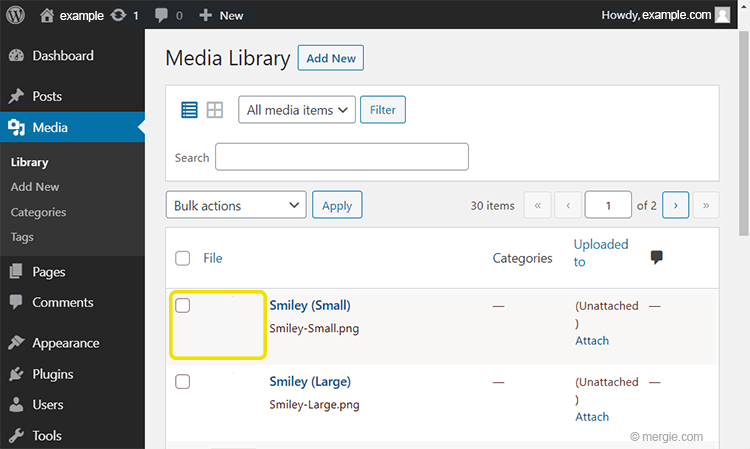
You can’t see any images when you look in your media folder? Are you displaying by list or image?
-
This reply was modified 3 years, 3 months ago by
 janet4now.
Yes, the media library doesn’t show the images I uploaded. I see the same thing as in this picture: https://mergie.com/wp-content/uploads/2020/12/Wordpress-Media-Library-Images-not-Showing.png
Can you help me solve the problem? Many thanks for considering my request.
If your Media Library is loading but not showing images, there are two primary causes: an incompatible plugin, and improper file permissions.
Disable all your plugins and see if you can see the images. If so, then enable each plugin one by one and checking the media folder each time after refreshing your browser.
If the plugins has no effect, then you can contact your host about fixing the file permissions or read the link below for instructions
https://www.wpbeginner.com/beginners-guide/how-to-fix-file-and-folder-permissions-error-in-wordpress/
-
This reply was modified 3 years, 3 months ago by janet4now.
“If your media library loads but doesn’t show images, there are two main reasons: an incompatible plugin and incorrect file permissions. Disable all your plugins and see if you can see images. If so, enable each plugin one by one and check the media folder every time you refresh your browser. If the plugins don’t work, you can contact your host about fixing file permissions or read the instructions on the link below. You can look at an example like this here https://top-casino.pt/ . An excellent site with gambling hobbies, which is very well made! “
Thanks for the good advice