plugin is broken with newest wordpress

-
Hi,
Thanks for letting me know. I pushed an update a few hours ago, but it doesn’t seem to be visible yet. Will check again in the morning.
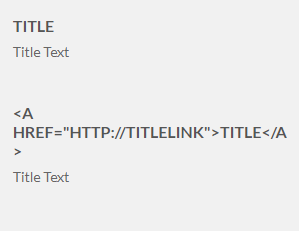
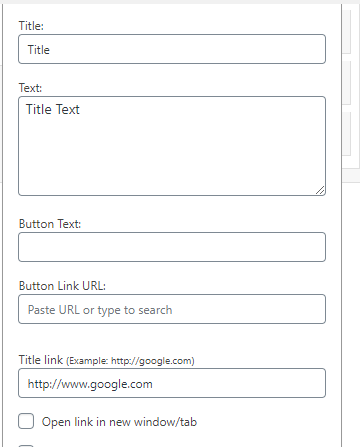
I checked make the entire title bar clickable and rel=”nofollow”, if you don’t put anything in the bottom title link and only put info in the title and text, the output is not linked its just plain text, if however you also put a value in the Title Link it then breaks the Title and outputs < A HREF=”http://TITLELINK”>TITLE > as the title and not the url I entered. I am using a Hero Text widget from the Stout Theme
-
This reply was modified 5 years, 6 months ago by
kfriesth.
-
This reply was modified 5 years, 6 months ago by
-
This reply was modified 5 years, 6 months ago by
-
This reply was modified 5 years, 6 months ago by
-
This reply was modified 5 years, 6 months ago by
-
This reply was modified 5 years, 6 months ago by
Hi,
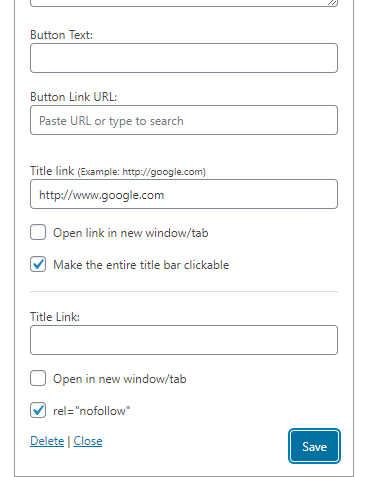
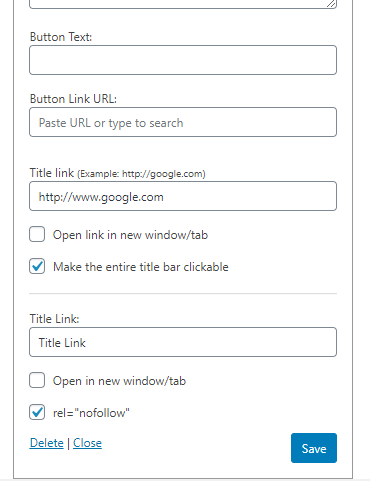
So the new version is up, but that’s not the defect I observed. From your screenshots there are two sets of link fields in the widget interface which suggests you have another plugin that makes a similar modification. This may be the cause of the conflict.
The first set of Title Link fields is not this plugin. The second set is.
You should check what other widget modification plugins are installed, and may need to uninstall Simple Widget Title Links if another is already providing that functionality. 🙂ugh yea I left another active. The above problem is still there though where the linked title actually prints the outputs as < A HREF=”http://WWW.GOOGLE.COM”>CR5-A ROBOT</ A> rather than the linked title
I can’t reproduce this, unfortunately. Have you tried it with the default theme?
thanks
If you mean the Primer theme by GoDaddy, I just installed this on a clean WP install and the title link works fine.
You might have to start debugging your other plugins to see if there’s something else applying modifications to the widget title. Perhaps there’s one that tries to prevent HTML from being returned for some reason.
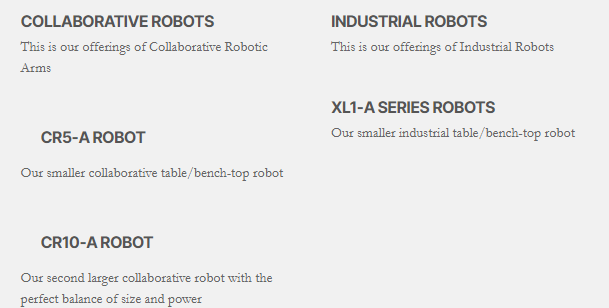
I did a fresh install and that cleared that issue up, the linked title is now indenting and adds padding so its spaced down when using a link for some strange reason, the second row has no links and is spaced and indented differently http://www.asgardrobotics.com/Text%20Output.png
I am using max mega menu plugin, if you uncheck open in new window/tab and nonfollow and save and close and then exit the area and reopen the to do an edit, flags for both get reset and are check marked when you go back in to the widget
I updated to the newest WordPress 5.6 and changed family of themes to the newly released twenty twenty one theme, the checked/unchecked don’t save they reset to both checked. The padding changes as does the font size and style but the indent issue is gone.
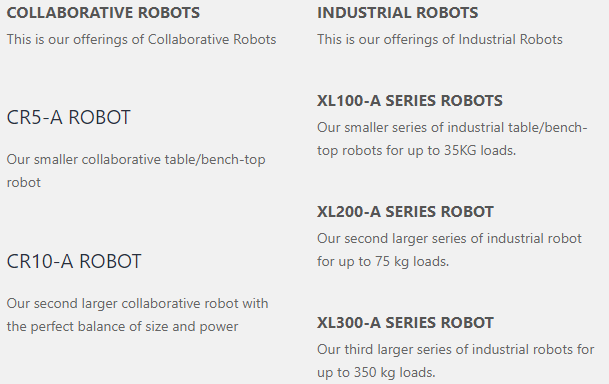
https://www.asgardrobotics.com/Text_Output_2.png
row 1 items have the link the second row does not for comparison
This plugin doesn’t do anything with styling, so the padding/indentation would have been from your theme or another plugin. All it does is add an anchor for the link.
Regarding the checkbox state, are you using the 1.0.1 version of the plugin or the 1.0.0 still?
I am using 1.01
I deactivated max mega menu to test, your plugin and max mega menu as does with a few other mega menu plugins conflict hmmm sort of at a loss
So the plugin works when max mega menu isn’t enabled?
-
This reply was modified 5 years, 6 months ago by

The topic ‘plugin is broken with newest wordpress’ is closed to new replies.