Yes, the problem is Polylang and WPML are using the same constant. I haven’t fixed it yet. My plugin assumes WPML is running and tries to call a WPML-function for the multilang-stuff. But this function does not exist and it crashes. I really should work on this.
I will check on this these days. Feel free to contact me via PM on CodeCanyon too (so I don’t forget 🙂 ).
Great! I guessed something more or less like that when I digged in the code and found WPML called.
I think this may be really good for your plugin. The core is really good, and tweaking it a bit makes it perfect (at least for me).
Easy way to filter without hassle…or experience :p
Thanks!
Hi,
thanks for the mail 🙂
Please try the recent development version which checks explicitly for WPML and let me know.
https://downloads.wp.xz.cn/plugin/filter-custom-fields-taxonomies-light.zip
Thank you very much for the follow up.
But the problem is still there, in a way.
Now I don’t seem to get a total error: only the result area crashes.
( ! ) Fatal error: Call to a member function get_current_language() on a non-object in C:\wamp\www\MYSITE\wp-content\plugins\filter-custom-fields-taxonomies-light\ajax.php on line 295
And if I try to select any option, the whole page turns “almost” blank (white, almost opaque veil over the content).
Same problem here. I also plan to buy it for a final project. But not works with Polylang active and this is essential for this project.
The can activate the Plugin, I can create search forms but when I try to open a page in the editor, then the WordPress Backend crash.
I’ve updated the recent development light version (not the premium version though). Please check out, if its working for you now: https://downloads.wp.xz.cn/plugin/filter-custom-fields-taxonomies-light.zip
Nice! It’s now working without problems, as far as I have tested.
Thank you for the help. Do you know when you will be adding this to the premium version? (just so I don’t install it now and break my main site. ^^”)
Have a nice weekend. 🙂
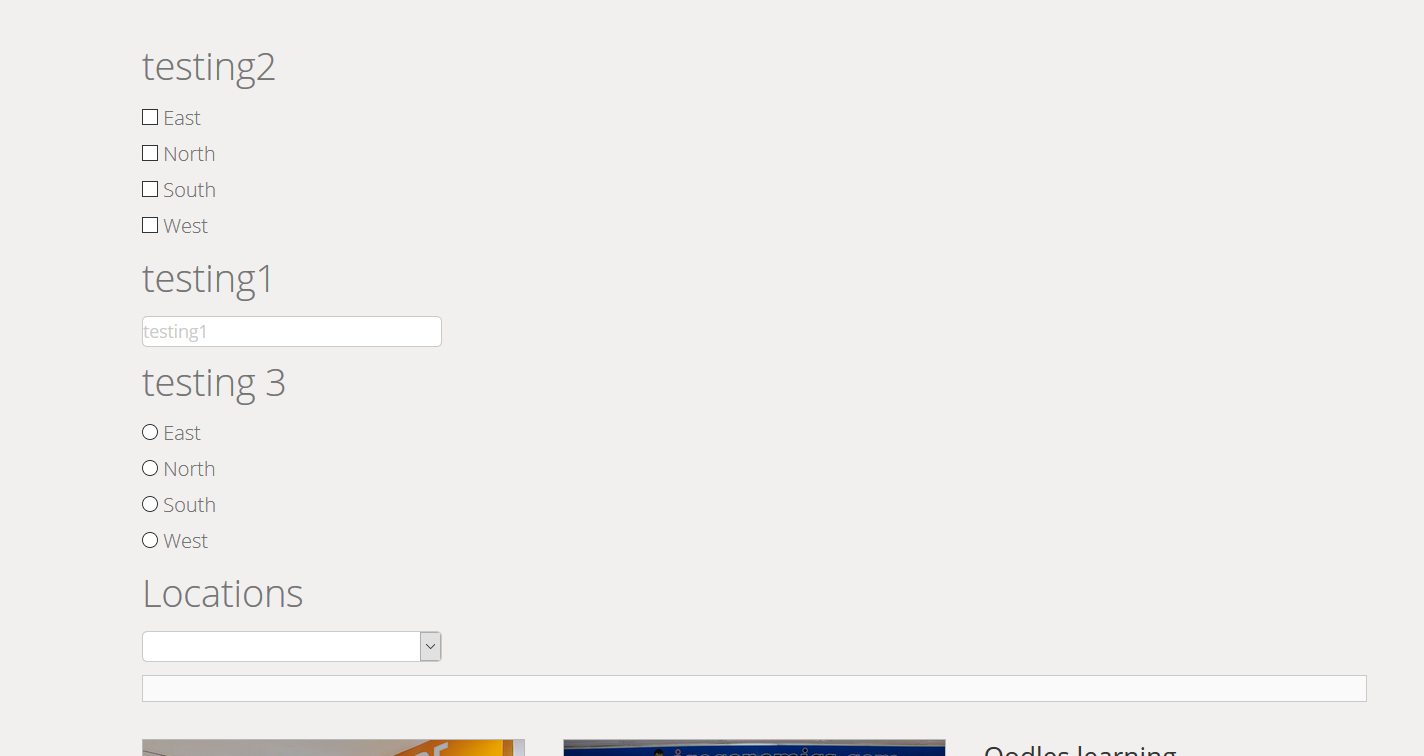
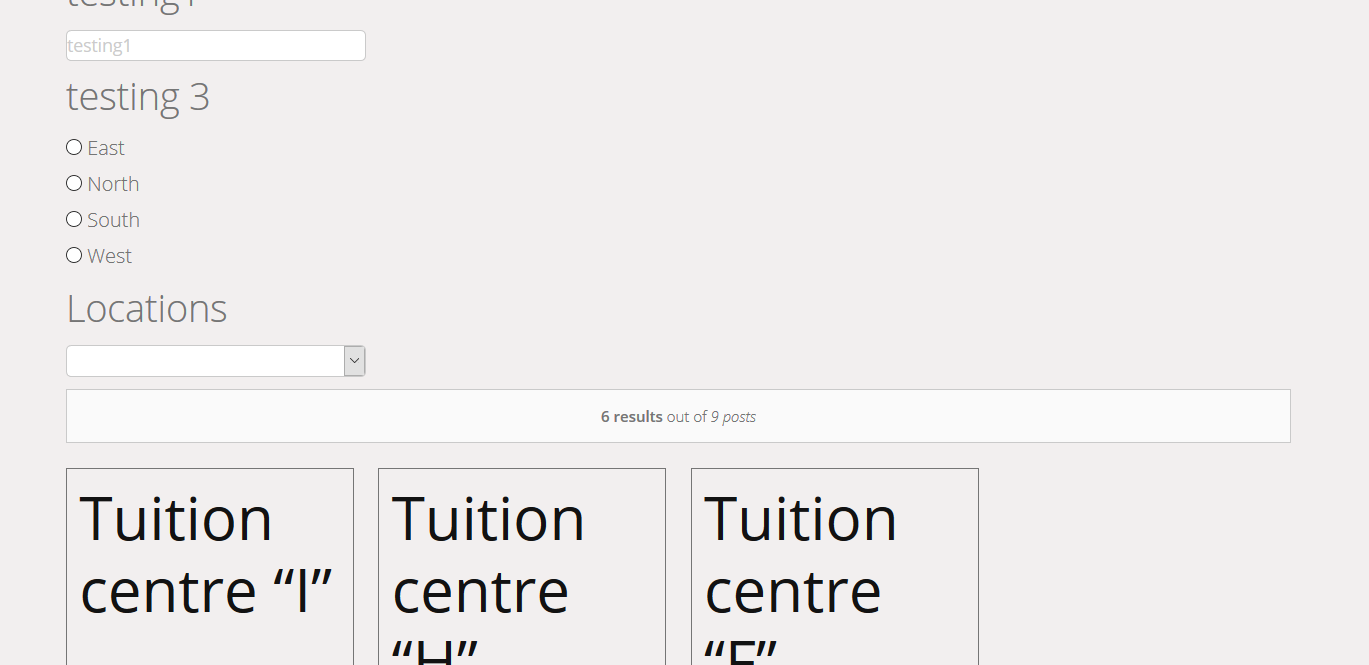
Have a look at the 2 images
https://ibin.co/2klVMFXYuWB9.png
https://ibin.co/2klVbEhXPvQO.png
As seen, the 4 filters are stacked on top of each other while for the search result, i selected 4 columns as the layout but only 3 columns are used.
He relync,
just for the next time, please open a new issue. Somehow, I think this is an interplay between your themes styles and the plugins styles. But I can’t evaluate this from the pictures to give you fitting CSS styles.
If you want, you can reach out on twitter (@websupporter) or email (find it here: http://www.websupporter.net) and share your link (if the site is online), so I can have a look into the stylesheets.