• Resolved chriscoastit

    (@chriscoastit)


    Hello,

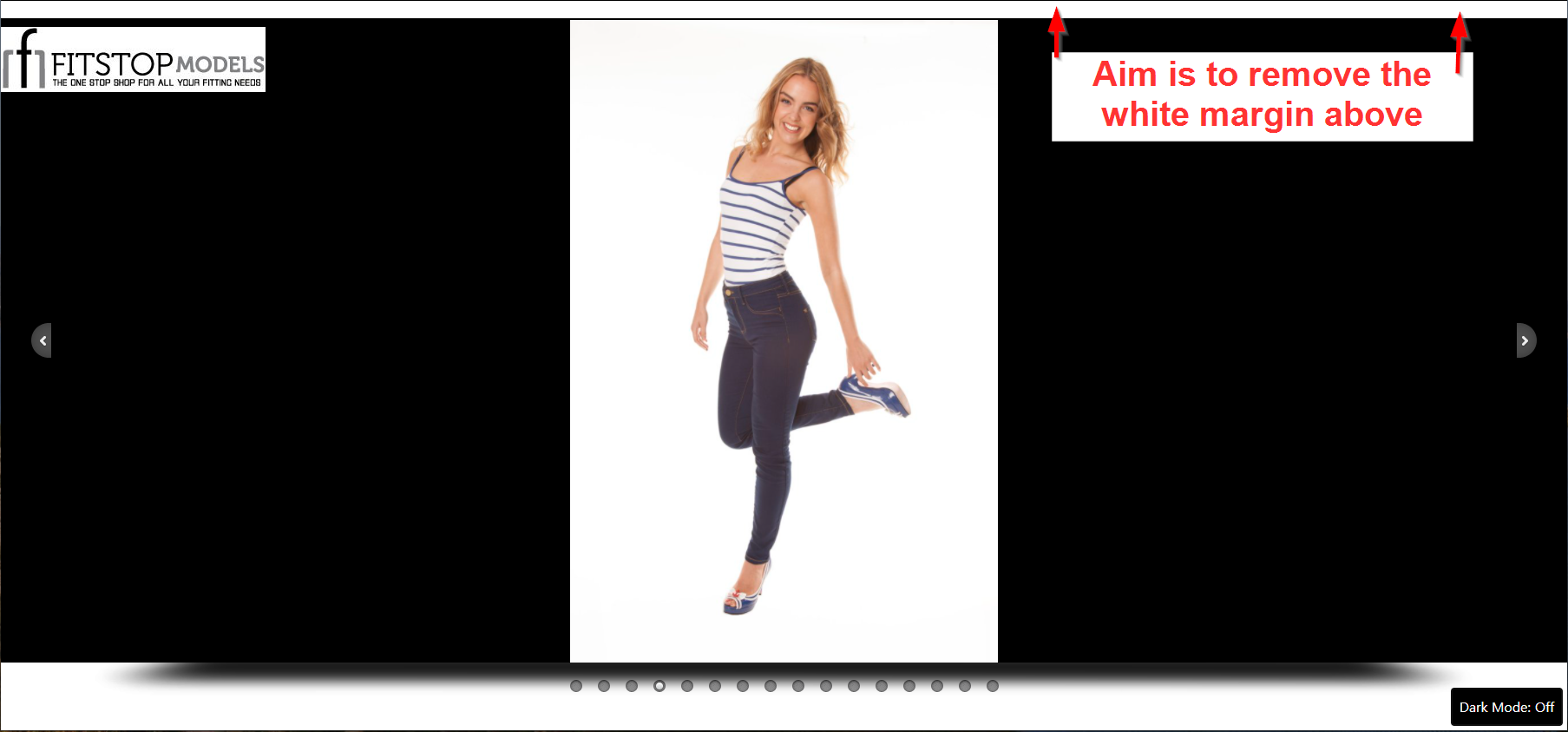
    I’m looking for some help removing the top margin from a “full screen gallery” page

    Weird thing is when inspecting the margin it’s part of the root HTML rather than an element on the page I can target with CSS

    I’ve tried the following custom CSS (with * to target all elements) with no luck so far:

    /* Remove top margin from model gallery */
    .post-51 * {
      margin: 0 !important;
      padding: 0;
    }

    The page I need help with: [log in to see the link]

Viewing 4 replies - 1 through 4 (of 4 total)
  • It’s not clear what you are referring to, and you’ll need to provide the live URL in order to provide concise support.
    Your page isn’t loading properly bc all the images are being reference on your local machine:
    https://ibb.co/q9Kmgg9

    Thread Starter chriscoastit

    (@chriscoastit)

    Thanks for the feedback, I’ve updated the image links so they now load correctly.

    See this screenshot which explains the margin I’d like to remove: https://snipboard.io/bf2caH.jpg

    The URL should be shared for all logged in users, for anyone else it’s http://box2406.temp.domains/~charlkg7/fitstop/model-gallery/

    Site is still in development so the URL isn’t fully “live” yet

    Thanks for your support 🙂

    Customizer –> Additional CSS :

    .wp-block-image {
        z-index: 10000;
        position: relative;
        display: none;
    }
    Thread Starter chriscoastit

    (@chriscoastit)

    Thanks Corinna – your CSS removed the logo from the page which I want to keep but you put me on the right track 🙂

    Final CSS is:

    .wp-block-image {
    z-index: 10000;
    position: relative;
    margin: 0px;
    }

    This retains the logo (overlaid on the gallery slider) but removes the annoying margin above the image.

    Thanks for your help!

Viewing 4 replies - 1 through 4 (of 4 total)
The topic ‘Remove top margin from full screen gallery’ is closed to new replies.