1. We use the GA code you already have. If thats Universal Analytics you can check a checkbox to use the Universal implementation.
2. you dont have to add anything to GF. You can use a fictional URL even. Like /step-2-form.
That URL doesnt have to exist in your site. It’s for funnel/goal/segmentation purpose only.
Thread Starter
 RA_NPL
(@ra_npl)
Hi,
thank you for your reply. On multi-page-forms GF adds a hashtag to the URL like
http://www.yourdomain.com/contact-form/#34
where hashtag + number represent the form ID.
My question: Do I have to add the hashtag to the URLs inside the funnel setup of GA like that:
/contact-form/#34/page2/
/contact-form/#34/page3/
/contact-form/#34/page4/
or like that?
/contact-form/page2/
/contact-form/page3/
/contact-form/page4/
Of course here “page 2”, “page 3” etc. are virtual URLs with I added with your plugin.
Thanks in advance. Nick
Thread Starter
RA_NPL
(@ra_npl)
Hi,
just a quick update: I tried the URL-format without hashtag + form ID and set up funnels for several multipage-forms on my website in GA, namely
http://www.ra-plutte.de/markenanmeldung-deutschland/
http://www.ra-plutte.de/markenanmeldung-europa/
http://www.ra-plutte.de/impressum-generator/
The first two forms end with a confirmation page, so they have a separate URL. The last form does not finish the regular way. Here the overview page is the last step as I am using the Better Pre Submission Plugin from Gravity Perk.
GA shows clicks for the first page of all these multipage-forms in the funnels and – if possible – conversion confirmations. But GA does not show any drop-outs in the process. Can you help me a bit with this? I.e. how do I have to set up the virtual URL with your plugin.
For example the multipage-form at http://www.ra-plutte.de/impressum-generator/ has 12 subpages. Here the second page would be http://www.ra-plutte.de/impressum-generator/daten/, so I used just the URL
/daten/
for page 2 inside your plugin. In GA i used
/impressum-generator/daten/
inside the funnel. Is this correct?
Nick
the plugin and GA need to have the same URL.
So if you set /contact-form/page-2/ for your virtual URL and this is your last step, you add that as your target page for your goal as wel the same way.
Thread Starter
RA_NPL
(@ra_npl)
Can you please explain what you mean with “the plugin and GA need to have the same URL.”?
/contact-form/page-2/ is not my last step as i am using multipage forms with up to 10 subpages. That’s the problem. Atm GA tracks the first page, but not the steps with the virtual URLs in between and also not the last page. This is what your plugin should do, or am I wrong?
Thread Starter
RA_NPL
(@ra_npl)
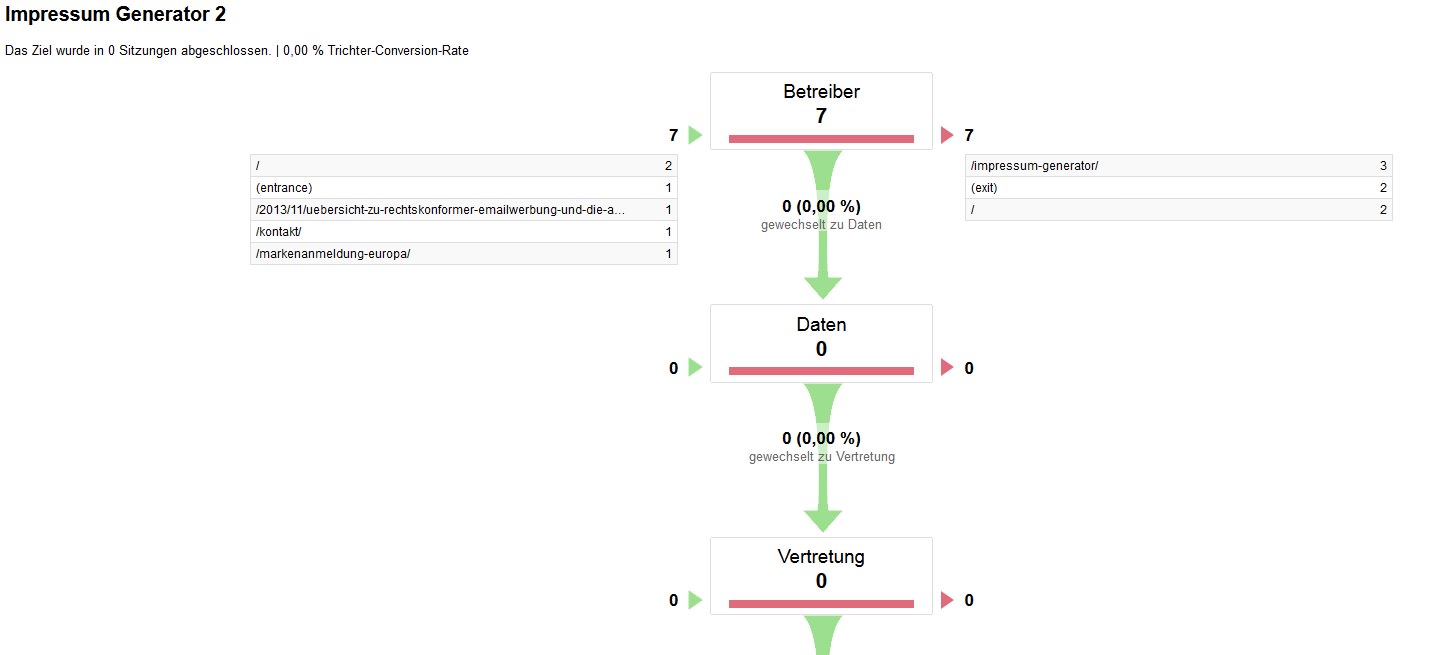
Here is a little Example. As you can see all clicks on page 1 of the form are tracked but counted as exits, even though some tests were done with exits on page 3, 4 and so on.
I mean that you decide what URL’s you use.
But if you setup a funnel in GA you (obviously) use those same URL’s for your goals. 🙂
We need to verify if the GFGA code is working the way it should.
You checked _gaq vs UA implementation?
We have a checkbox for that.
Is there a live version I can look at?
Thread Starter
RA_NPL
(@ra_npl)
Yes i checked the UA implementation checkbox. I also set funnels in GA according to the virtual URLs in your plugin. All forms are live, you can have a look at them here:
http://www.ra-plutte.de/markenanmeldung-deutschland/
http://www.ra-plutte.de/impressum-generator/
http://www.ra-plutte.de/widerrufsbelehrungs-generator-2014/
Thread Starter
RA_NPL
(@ra_npl)
No, it is a multi-page form with several steps. For example if you type in a word like “test” and click the green button “Weiter zur Klassenauswahl”, you will reach the second page.
I posted an update to 0.7.3.
Does this solve your issue Nick?
Love to hear if you problem still exists Nick so I can help you fix it.
Thanks.