Plugin Contributor
 Ewout
Ewout
(@pomegranate)
The thread you refer to has a link to an outdated version of the mpdf extension. 2.3.0 is currently the latest version and can be downloaded here:
woocommerce-pdf-ips-mpdf.2.3.0.zip
For an overview of all versions (including the ones with CJK = Chinese, Japanese & Korean support), you can go to the releases page: https://github.com/wpovernight/woocommerce-pdf-ips-mpdf/releases
Note that because this is a plugin that is not hosted on ww.wp.xz.cn, you will not automatically receive plugin updates, and we can only provide limited support.
That said, could you check to see if updating to the latest version resolves the issue with the squares?
The strings in the totals that are not translated are from WooCommerce directly (rather than from PDF Invoices). What’s your site language? Are these totals translated in the WooCommerce emails your site sends out?
Hello
Thanks for your help and support
i have update to the latest version of woocommerce-pdf-ips-mpdf.2.3.0
my website language is Arabic
the problem of the strings solved
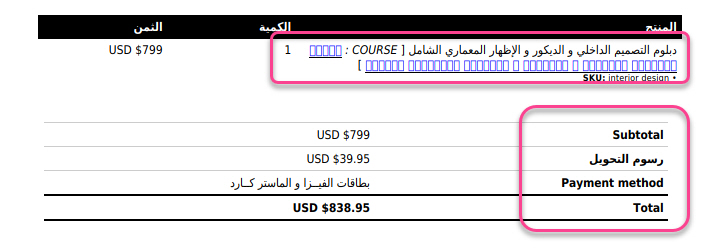
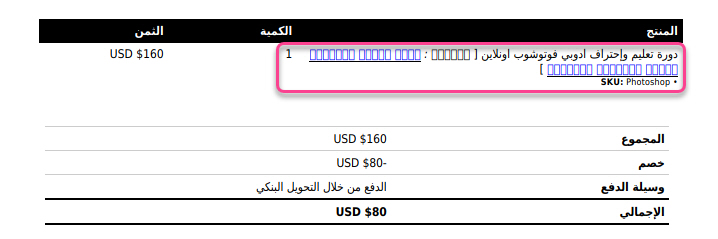
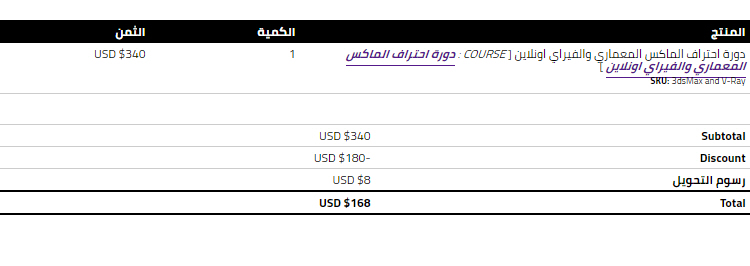
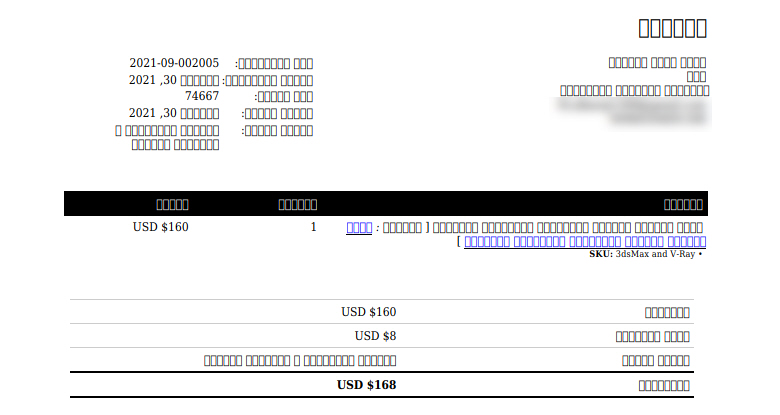
but the problem of the product name not solved
this after the update
https://i.postimg.cc/RhdY3m5c/2021-10-06-9-55-43.jpg
Plugin Contributor
Ewout
(@pomegranate)
What does that look like in HTML mode (adding &output=html to the URL of the PDF)? Are those Arabic characters? Is it possible that a different font is being applied to those links?
Yes it’s URL in Product Name
the problem in URL Text , it’s the same like product name
but in URL not success to capture the correct text
Plugin Contributor
Ewout
(@pomegranate)
Are you saying the words are the same – it’s just the product name repeated again as a link? There are more square characters (after “[“) that are not a link. Is it possible that a different font is applied to this? If you are a web developer you could go to HTML output, then do right click on the text that is not appearing correctly in the PDF to do “Inspect Element” and check the font that is assigned.
yes as you say correctly
it’s just the product name repeated again as a link? There are more square characters
i’m not a web developer
tell me how can i go to HTML output to inspect it ?
Plugin Contributor
Ewout
(@pomegranate)
HTML mode I described in my previous post.
For inspecting the element:
- add
&output=html to the URL of the PDF, reload the page
- Right click on the text that wasn’t working before (in HTML mode it will probably show fine)
- Click “Inspect” (make sure to click precisely on the text!)
- There will be an area with a tab “Styles” selected (or “Rules” in Firefox”), you could check if there’s a
font-family there, but it’s even better if you switch to the “Computed” tab, and then enter ‘font’ into the Filter search box.
Please share a screenshot of what you see there.
Plugin Contributor
Ewout
(@pomegranate)
Aha, that makes sense then. You can’t use Google fonts in mpdf, so it can’t find the font. If you remove the font declaration there, it will probably show correctly. Or add a custom font following instructions I posted in your other topic.
The documentation link you posted above is not applicable to mpdf.
no i host the google font in my server like your instructions