Hi @briz_dad, thanks for getting in touch.
The slider on your homepage is ID #2069, so stick to that one 🙂
In the past, did you upgrade to versions prior to v2.2.0.6? Such as v2.2, etc. We had a couple of hiccups causing duplicate sliders to be created, but it should all be resolved now.
Users encountering major issues were encouraged to select the option “Check this box if you would like Easing Slider to completely remove all of its data when the plugin is deleted.” in the “Sliders” » “Settings” panel, then reinstall the plugin. This cleared any corrupted settings and started the upgrade afresh. If you feel this may be applicable, give it a try.
Otherwise, you can delete the sliders other than ID #2069 in the “All Sliders” panel.
How many sliders are showing in the “Customize” panel that aren’t showing in the “All Sliders” panel?
Hello @matthewruddy,
I saw there was a new update waiting this morning – I did the update with an outside hope it would resolve things.
I’ve kept the plugin updated as releases are “flagged” in the admin – I tend to always update when they are waiting.
Until yesterday’s update, everything was smooth.
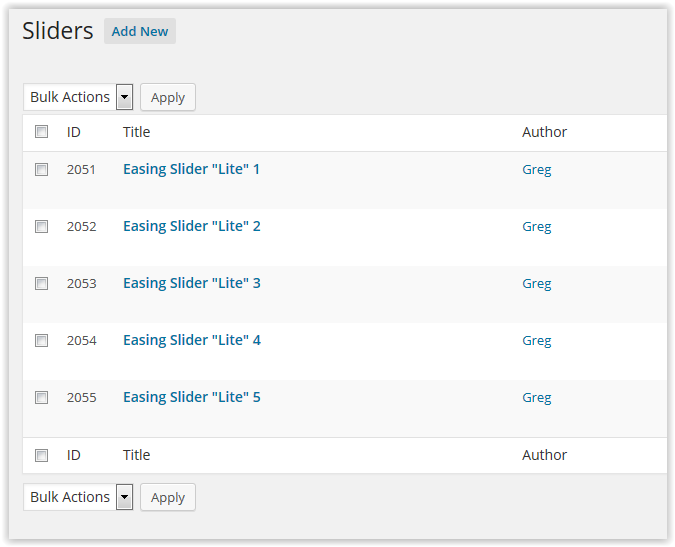
In the “All Sliders” panel, there are five sliders showing (I added the numbers in the “Title” so that I could start differentiating them).
screenshot link
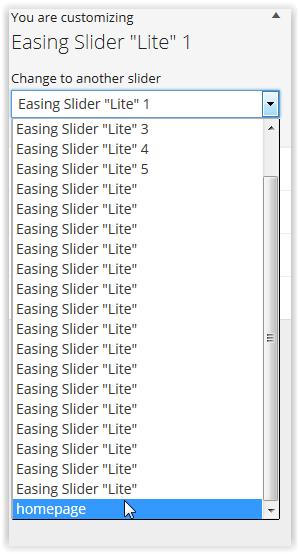
In the “Customize” panel, there are 22 sliders. Also, in the screenshot below, I created the homepage slider yesterday as part of my trouble-shooting. You notice it isn’t appearing in the “All Sliders” panel.
2nd screen shot
I haven’t removed anything yet in case it is needed to help trouble-shoot. I’m hoping I don’t have to uninstall/reinstall…
Standing by,
Greg
By the way, Slider ID #2069 isn’t in the “All Sliders” panel.
Ok, thanks for all of the information, has really helped clear it up! 🙂
Would it be possible to export your sliders in the “Export” WordPress admin panel? Then, send them to this email address and I’ll import them locally to see if I can replicate the issue.
OK – I am emailing you an xml file that was created from the export.
By the way, I just found the “Sliders per page” option in the “Screen Options” panel.
I set it to 25 and now see all the sliders.
I am going to see if I can edit #2069.
Lastly – there used to be an option for the slider link to open a new browser window. I currently don’t see that option.
(emailing now)
Hello MathewRuddy,
Is it possible to bring back the feature that gave the admin the choice of opening a new browser window?
I think everything else settled okay.
~ Greg
The “Open link in new window” option has been restored in v2.2.0.8 🙂
Marking this topic as resolved.
I noticed that – thank you!!
#veryhappy
~ Greg