atomicblocks

Forum Replies Created
-
Hi there,
I’m looking at the page you provided and everything looks good in my end! Which browser are you looking at this in? If you could, please send any other details about your setup that might be helpful. Thanks in advance!
Hi Bianca,
Thanks for the feedback. Unfortunately, the Additional CSS Class output is traditionally tied to the parent block (in this case the individual column) and the other settings, we can apply as needed to whatever div makes the most sense. We could potentially output that class on the
ab-block-layout-column-innerdiv, but then we wouldn’t have a custom class output on the parent div. By adding it to the parent div, all use cases can be covered and inner divs can be targeted with CSS. Hope this helps!Hi Doug,
Thanks for your question. I would recommend doing this with the new Advanced Columns block. You could also achieve it with the Container block, but the Advanced Columns is more powerful and has more options to customize.
First, add the Advanced Column block to your page and select the One Column layout. Then, add your your onTopic content to the One Column layout. Once the content is in there, you can edit the container background, inner width, background colors, etc. Check out this helpful wiki page and demo video to get the hang of how to work with the Advanced Column block. Once you figure it out, it’s a really powerful block and you can do all kind of nice layouts with it! Hope that helps!
Mike
- This reply was modified 7 years, 1 month ago by atomicblocks.
Forum: Plugins
In reply to: [Atomic Blocks - Gutenberg Blocks Collection] Post and Page Grid width?Hi there,
Thanks for the heads up! Looks like we’re only declaring support for wide and center, but I don’t think adding full width would be a problem. I’ll add this to the Github issues so we get this added soon. Thanks for the feedback!
Hey folks,
We just released another update to Atomic Blocks with some additional fixes for the grid in IE11. Thanks for your patience!
Hi Jack,
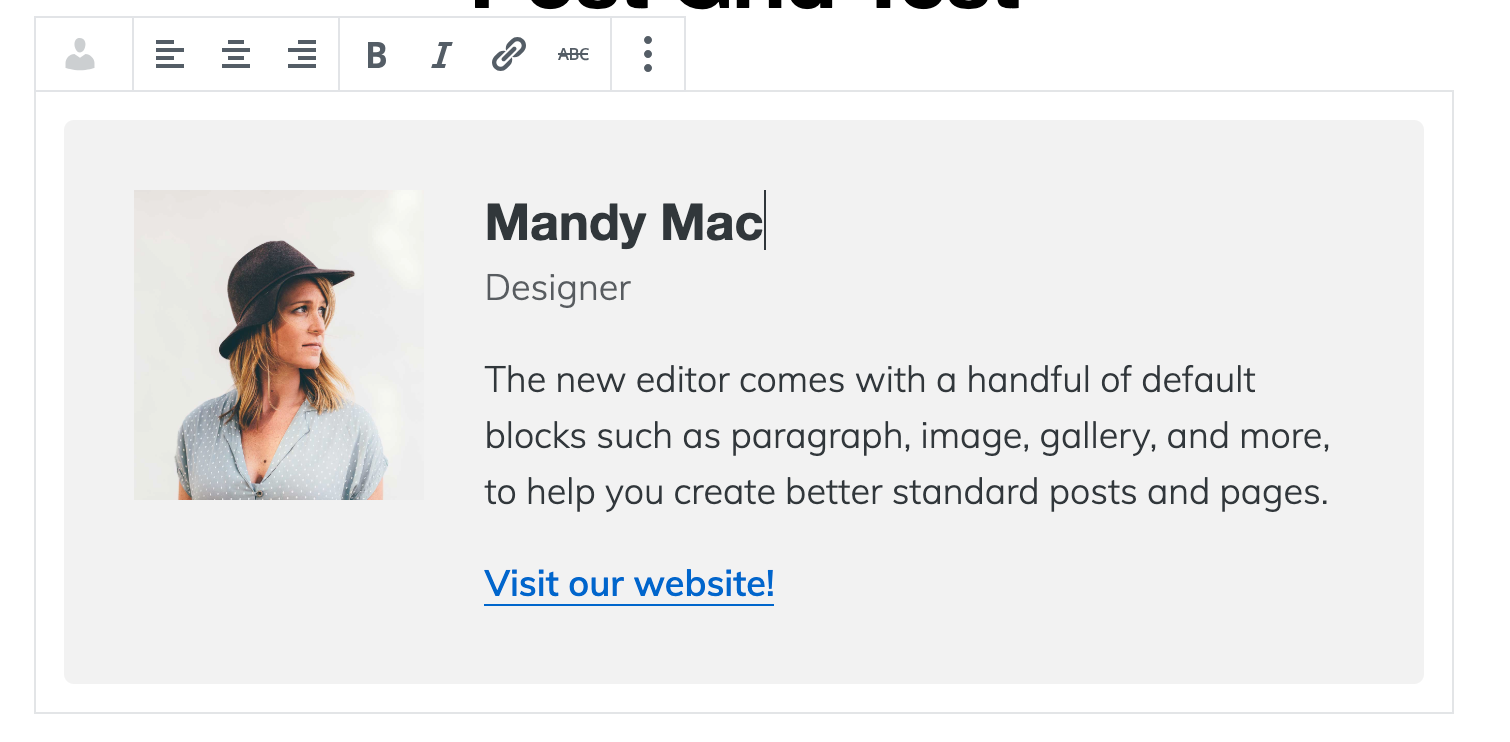
Thanks for writing in. Are you saying you’re trying to add a link to the image that is loaded on the left of the author profile box? If so, we don’t have a link available on that image at this time. The best you could do for now is to use the website link in the social icons.
You could also add a link into the profile text area, as you see here.
Hi Jack,
Thanks for the heads up! I’ll take a closer look at this. In the mean time, it looks like if you add new text (you can even add a blank space) it will remove the old text and you can add new text after you save.
Hi Nate,
Thanks for the feedback! We don’t have a filter available for this, but we’re considering adding the option to let users define a fallback image to be used instead of the actual post image. But that fallback would likely apply to all of the images in the grid, instead of per image.
Hooks and filters are a little different in the block world, so we’re still thinking about the best way to approach that and whether or not there’s a better way to handle it. I’ll toss this idea around and see what we can come up with!
Hi Paul,
Would it be possible to get an XML file with your site content that we could look at? Sounds like there was a block conflict in the update, but hard to determine what it could be with the info we have.
Yep, that’s correct. We added the necessary -ms prefixes to the grid to ensure it looks good in modern IE browsers.
Hi Marcus,
Microsoft doesn’t support anything lower than Internet Explorer 11, and we’ve tested for that with success. CSS Grid also has partial support for IE 10 for users who are still on that, but unfortunately we can’t support anything that Microsoft doesn’t support.
Hi Marcus,
Which IE are you looking at? This will help us test it further.
Forum: Plugins
In reply to: [Atomic Blocks - Gutenberg Blocks Collection] 2 Questions about Atomic BlocksHi there,
Thanks for checking out Atomic Blocks! Happy to answer these.
1. We do use classes instead of inline styles where we can. Some of the original blocks still use inline styles and will be updated in the future. Our latest blocks all use classes, aside from when a custom color is used.
This is another instance of some of the older blocks using a custom color palette. We have an open issue on Github to fix this up, so stay tuned for that! Once we remove our custom colors, you’ll see your color palette show up there instead.
Thanks for the feedback!
Howdy folks,
We just released version 1.6.1 which should address these issues. Thanks for reporting!
Forum: Plugins
In reply to: [Atomic Blocks - Gutenberg Blocks Collection] AB CSS Breaks Website CSSHi Victor,
Thanks for the heads up. I’ll take a closer look and see where this is being output. I know that Gutenberg outputs some generic options that need to be styled, and that could be the case here, but I’ll need to look closer. I’ll get a fix out asap if it’s needed!