CodePeople2

Forum Replies Created
-
Forum: Plugins
In reply to: [Calculated Fields Form] Mobile menu “checkboxes” edit?Hello @sensession
Have you had a chance to try out the modifications I recommended for the dropdown field settings?
Best regards.
Forum: Reviews
In reply to: [Calculated Fields Form] The tool if you want to create complex calculatorsForum: Plugins
In reply to: [Calculated Fields Form] Mobile menu “checkboxes” edit?Hello @sensession
Thank you so much for providing the URL. You are actually referring to dropdown fields and not checkbox groups. The behavior you describe is controlled by mobile browsers and not by our plugin or your website. It is not possible to force the browser to handle dropdown controls (SELECT tags) differently.
One alternative is to replace the dropdown field with a different control. For example, ticking the ‘Include a search box (experimental)‘ checkbox in the dropdown field settings will cause the plugin to apply the Select2 library to the dropdown field, replacing it with a custom control. In this case, the field’s behavior will be the same on both desktop and mobile devices.
Please tick the checkbox in the dropdown field settings.
Best regards.
Forum: Reviews
In reply to: [Calculated Fields Form] Calculated Field Forms is Amazing!!!Hello @twolsey
Thank you so much for your review! If you find the Calculated Fields Form plugin amazing, wait until you try its complementary plugins – they can take your projects to the next level.
For example, the Spreadsheet Calculated Fields Form Connector lets you perform all your calculations directly in Google Sheets. Your form can simply collect the required data and display the results, while all submitted information can then be automatically stored in your Google Sheet document.
Another powerful add-on is the Calculated Fields Form – Google Calendar Integration. It allows you to connect a Date/Timeslot field in your form with your Google Calendar to prevent scheduling conflicts. You can even create new calendar events based on the user’s selections and automatically send invitations to attendees.
Best regards.
Forum: Plugins
In reply to: [Calculated Fields Form] Mobile menu “checkboxes” edit?Hello @sensession
Thank you so much for using our plugin. Could you please provide the URL to the website containing the form?
Best regards.
Forum: Plugins
In reply to: [Calculated Fields Form] Checkbox position (right of label)Hello @ohtusabes
Thank you very much. If you would like to generate charts (pie, bar, line, and others) or PDF reports with the information collected by the form, please read the following posts and watch the video:
Best regards.
Forum: Plugins
In reply to: [Calculated Fields Form] Checkbox position (right of label)Hello @ohtusabes
I tested it in the browser’s console and worked fine. Please look at the screenshot:
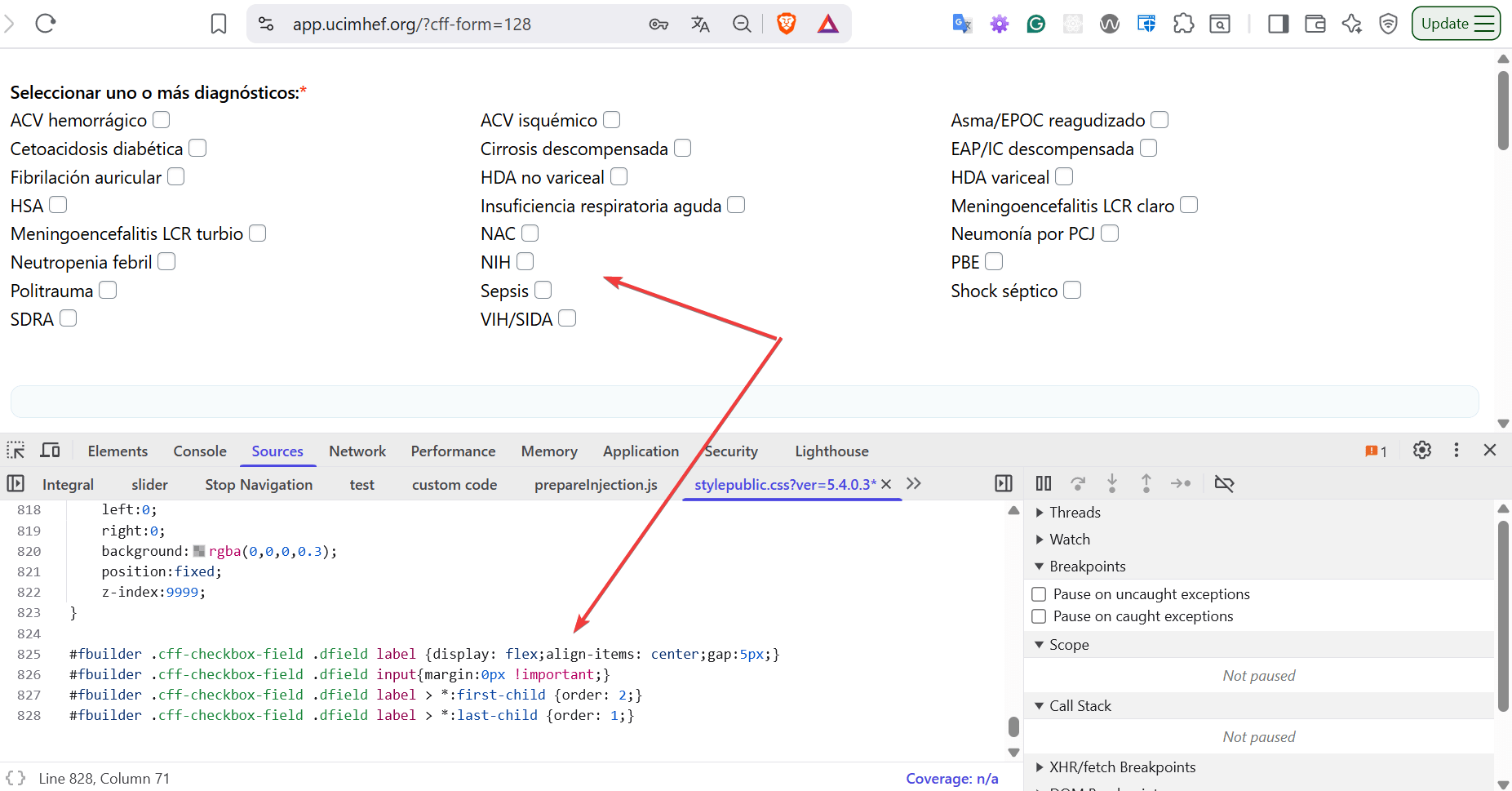
Please, try entering them with important modifier:
#fbuilder .cff-checkbox-field .dfield label {display: flex !important;align-items: center;gap:5px !important;}
#fbuilder .cff-checkbox-field .dfield input{margin:0px !important;}
#fbuilder .cff-checkbox-field .dfield label > *:first-child {order: 2 !important;}
#fbuilder .cff-checkbox-field .dfield label > *:last-child {order: 1 !important;}
Best regards.
Forum: Plugins
In reply to: [Calculated Fields Form] Checkbox position (right of label)Hello @ohtusabes
You can simply enter the style definition below through the “Customize Form Design” attribute in the “Form Settings > Advanced Settings” tab:
#fbuilder .cff-checkbox-field .dfield label {display: flex;align-items: center;gap:5px;}
#fbuilder .cff-checkbox-field .dfield input{margin:0px !important;}
#fbuilder .cff-checkbox-field .dfield label > *:first-child {order: 2;}
#fbuilder .cff-checkbox-field .dfield label > *:last-child {order: 1;}
Best regards.
Forum: Reviews
In reply to: [Search in Place] Worked great!Forum: Plugins
In reply to: [Calculated Fields Form] Auto scrollHello @ohtusabes
If you have been satisfied with both the plugin and our support, we would be immensely grateful if you could leave us a review on the plugin ( https://ww.wp.xz.cn/support/plugin/calculated-fields-form/reviews/ ). Your feedback will help us reach more users.
Best regards.
Forum: Plugins
In reply to: [Calculated Fields Form] Auto scrollHello @ohtusabes
Yes, of course, that’s possible. You can insert a calculated field in the form to be used as an auxiliary, and enter the following equation:
(function(){
    if(fieldname89) {
        getField(fieldname88|n).jQueryRef()[0].scrollIntoView({ behavior: 'smooth', block: 'start' });
    }
})()
As the calculated field is used as an auxiliary, you can hide it and exclude the file from submission by ticking a couple of checkboxes in its settings.
Best regards.
Forum: Plugins
In reply to: [Calculated Fields Form] Font awesome in formsHello @ohtusabes
You have the following style definition in the form:
[class*="fa"] {
    font-family: "Font Awesome 6 Free" !important;
    font-weight: 900 !important;
}
The correct would be:
#fbuilder [class*="fa"] {
    font-family: "Font Awesome 6 Free" !important;
    font-weight: 900 !important;
}
To affect only its use in the form context.
Best regards.
Forum: Plugins
In reply to: [Calculated Fields Form] Font awesome in formsHello @ohtusabes
I visited the recommended page, and Font Awesome is being loaded fine as well. Please watch the new screenshot:
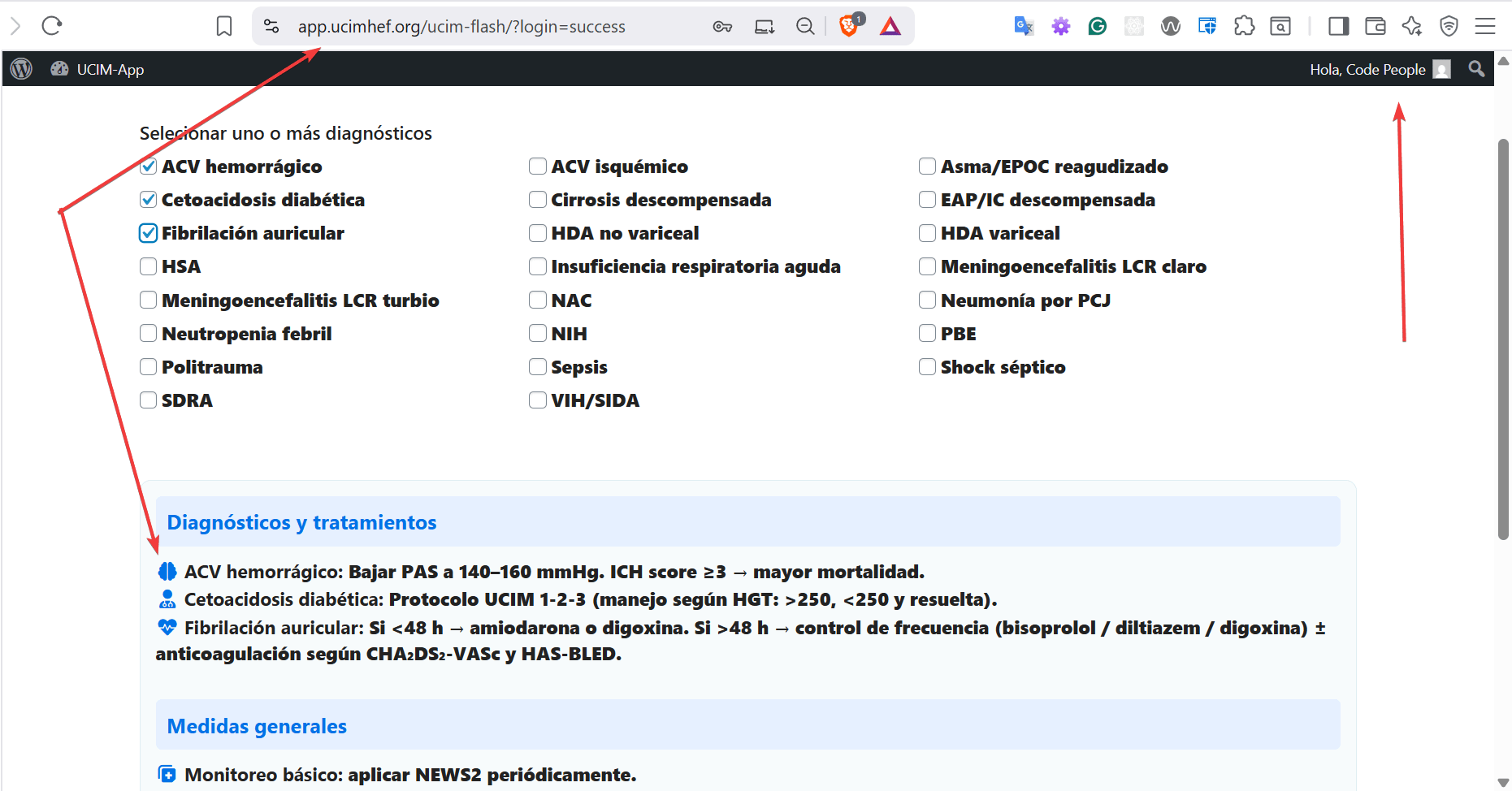
Have you purged your browser’s cache to ensure the issue is not related to it?
Best regards.
Forum: Plugins
In reply to: [Calculated Fields Form] Font awesome in formsHello @ohtusabes
I’m checking the provided URL, and it is loading Font Awesome correctly. Please look at the screenshot image below:
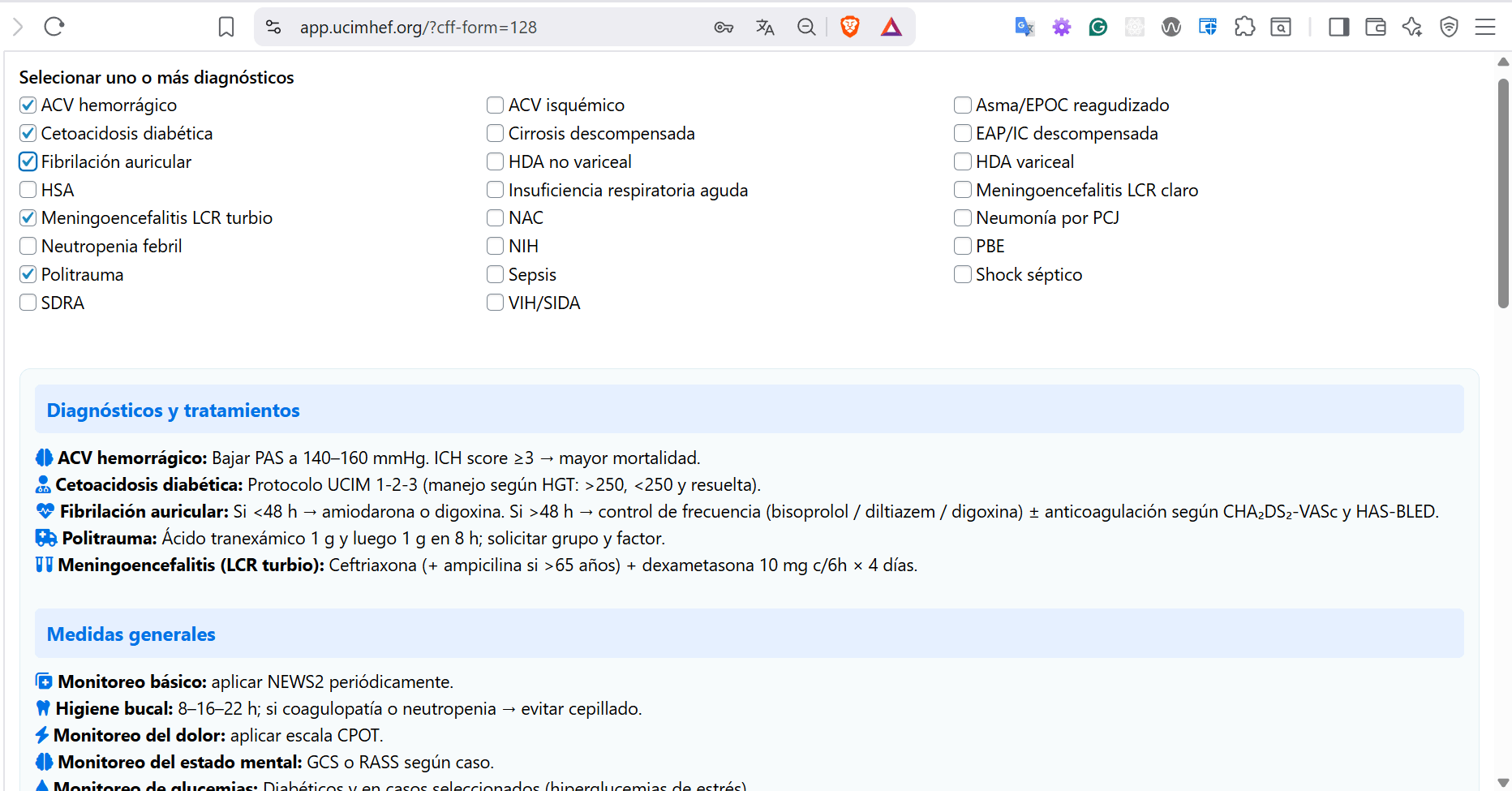
Best regards.
Forum: Reviews
In reply to: [Loading Page with Loading Screen] Very Good