CodePeople2

Forum Replies Created
-
Forum: Plugins
In reply to: [Loading Page with Loading Screen] GifsHello @atomicbong
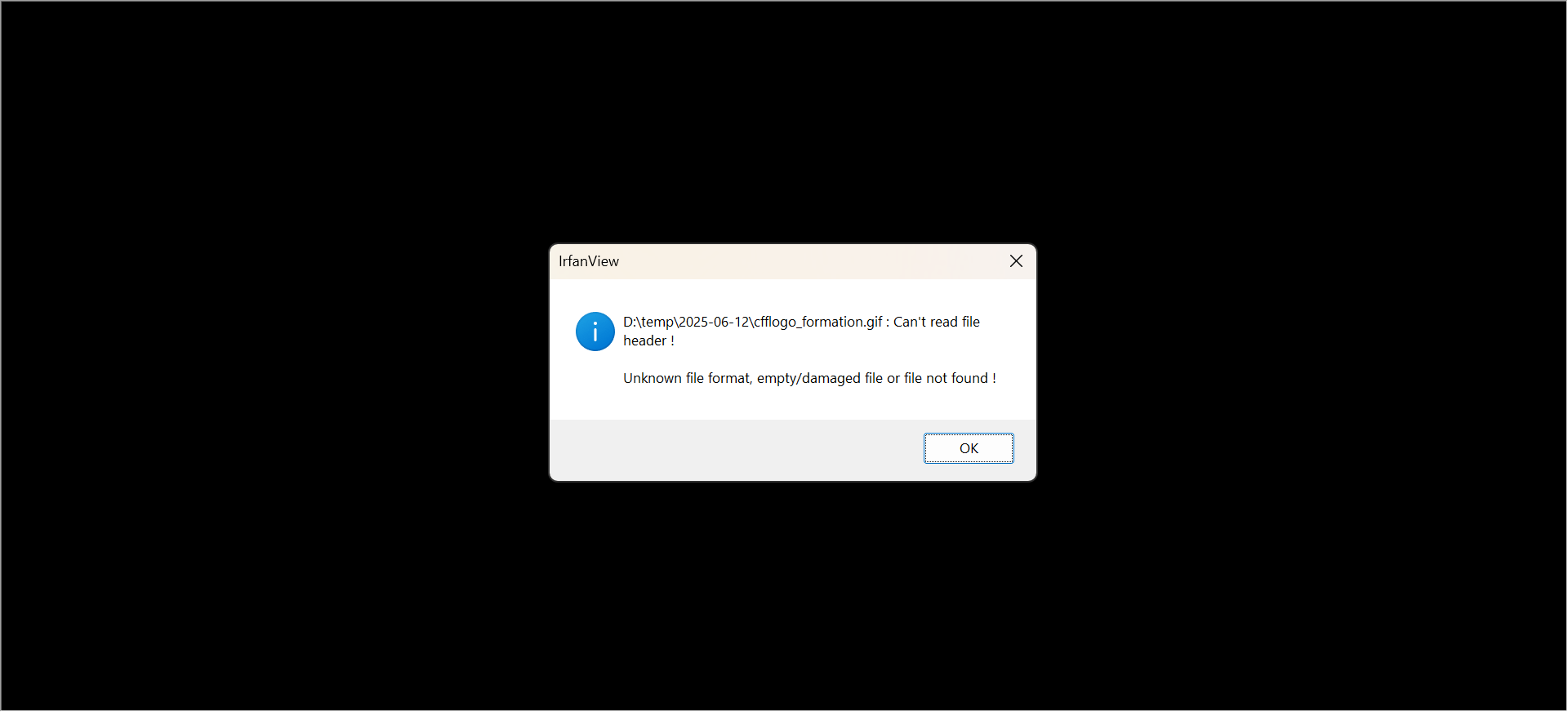
The GIF image appears to be corrupted. When I try to open it in my image viewer, I receive the following error message:
Best regards.
Forum: Plugins
In reply to: [Loading Page with Loading Screen] GifsHello @atomicbong
Could you please send me the image you’d like to use as the logo? I’ll test it with my local copy of the plugin.
Best regards.
Forum: Plugins
In reply to: [Loading Page with Loading Screen] GifsHello @atomicbong
Thank you so much for using our plugin. To use your image file as the logo. Please follow the instructions below:
Select the “Logo Screen” for the “Select the loading screen” attribute.
Press the “Select the logo image (or any other image)” button and upload or select the image you want to use as logo.
If you want to include a video in the loading page screen, enter the video tags in the text area dedicated to display ads (“Include an ad, or your own block of code”). Note that your website might load faster than the browser can load the video, and in this case, the loading screen will close first. An alternative would be to add more seconds to the loading screen through the “Additional seconds” attribute.
Best regards.
Forum: Reviews
In reply to: [Music Player for WooCommerce] unfortunateForum: Reviews
In reply to: [Calculated Fields Form] Easy to useForum: Plugins
In reply to: [Calculated Fields Form] Calculated field with radio buttonsHello @ohtusabes
I reviewed your form and noticed it does not include a calculated field with the equation described in your entry.
Please note that the operation to use is CONCATENATE, not CONCAT. Additionally, any unticked radio buttons will be interpreted as zero by the equations. This behavior is intentional to prevent parser errors when performing mathematical operations.
However, since you want to use these fields for concatenation purposes, you’ll need to exclude the fields with a zero value.
You can update the equation as follows:
[fieldname55,fieldname56,fieldname57,fieldname54,fieldname52,fieldname59,fieldname53,fieldname60,fieldname58].filter(n=>n!=0).join(' ');Best regards.
Forum: Plugins
In reply to: [Calculated Fields Form] Control spacing in between radio button optionsHello @saralanda
Thank you so much for using our plugin.
Please enter the style definition below through the “Customize Form Design” attribute in the “Form Settings > Advanced Settings” tab:
#fbuilder .cff-radiobutton-field .dfield .side_by_side{min-width: calc( 20% - 10px );}Best regards.
Forum: Plugins
In reply to: [Calculated Fields Form] Conditional in checkboxesHello @ohtusabes
Thank you very much for using our plugin.
The simplest solution would be using radio buttons instead of checkbox fields, which allow you to select one choice at a time.
An alternative would be to use a calculated field as an auxiliary with an equation that contains conditional statements to evaluate the IGNOREFIELD or ACTIVATEFIELD operations.
E.g., fieldname1 is the checkbox field. The |r modifier allows you to access the field raw values, and the |n tells the plugin you are referring to the field name instead of its value.
(function(){
if(IN('A', fielname1|r)) {
IGNOREFIELD(fieldname2|n);
IGNOREFIELD(fieldname3|n);
}
else{
ACTIVATEFIELD(fieldname2|n);
ACTIVATEFIELD(fieldname3|n);
}
})()
Forum: Reviews
In reply to: [Calculated Fields Form] Efficient and very easy to useForum: Plugins
In reply to: [Calculated Fields Form] Use cookie values in calculated fieldHello @saralanda
If you have been satisfied with both the plugin and our support, we would be immensely grateful if you could leave us a review on the plugin ( https://ww.wp.xz.cn/support/plugin/calculated-fields-form/reviews/ ). Your feedback will help us reach more users.
Best regards.
Forum: Plugins
In reply to: [Calculated Fields Form] Use cookie values in calculated fieldHello @saralanda
Thank you so much for using our plugin. Please insert a calculated field in the form, and enter the following piece of code as its equation:
CFFGETCOOKIE('cookie_a');Best regards.
Forum: Plugins
In reply to: [Calculated Fields Form] Direct interaction HTML canvasForum: Plugins
In reply to: [Calculated Fields Form] Direct interaction HTML canvasHello @ra2or
To run your code whenever a field’s value changes, you should call it from your equations and pass the relevant fields as parameters to your custom methods implemented in the “HTML Content” field.
If you need personalized technical support, we can provide a basic example that you can extend with your project’s code. Please contact us directly through the plugin website for assistance.
https://cff.dwbooster.com/contact-us
Best regards.
Forum: Plugins
In reply to: [Calculated Fields Form] Direct interaction HTML canvasHello @ra2or
If you would like to draw a canvas directly using the “HTML Content” field, ensure that the support for scripts is enabled by ticking the corresponding checkbox in the field’s settings. Then, include the style and script tags within the content attribute of the field. For further instructions, please watch the video at the following link:
https://resources.developers4web.com/cff/tmp/2025/06/01/video_o.mp4
Best regards.
Forum: Plugins
In reply to: [Calculated Fields Form] How to make the slider right to left?