Glen Don Mongaya

Forum Replies Created
-
That hooks should remove the auto delete features.
Maybe there other plugin involve, can you send me a screenshot of your current upload directory?
I tried this and it works.
remove_action('template_redirect','dnd_cf7_auto_clean_dir', 20 );Add that code inside your theme functions.php file.
I will add an option in the admin where you can enable/disable, maybe in the next update.
Forum: Plugins
In reply to: [Drag and Drop Multiple File Upload for Contact Form 7] Disable Auto DeleteHello @se8pro ,
Please create another topic here – https://ww.wp.xz.cn/support/plugin/drag-and-drop-multiple-file-upload-contact-form-7/#new-topic-0
This thread has been closed.
Thanks,
GlenHello @jessdiv ,
Can you please send me the link to your site?
Also, please provide the following screenshots.
1. Contact -> Drag & Drop Upload – Settings
2. Contact -> Edit Contact -> Form – Tab Settings
3. Contact -> Edit Contact -> Mail – Tab SettingsThank You,
GlenHello @a4jpcom ,
Currently the option in the admin will strip any html code or class name for security reason.
For now you can adjust the size of the heading to 25px.
.codedropz-upload-inner h3 {
 font-size:25px!important;
}
Or you can use custom javascript/jquery to wrap your tag with span.
For the error, you need to adjust the limit on [mfile] shorcode so it should look like this.
example:
[mfile upload-file-831 limit:419430400 filetypes:png|jpg|jpeg|gif|pdf|zip]
limit: 419430400 = is equivalent to 400MB
I hope that will help, please let me know.
Glen
@terocha , I replied to your email.
okay, sorry but changing on color text background was added on the pro version.
See here – https://snipboard.io/y42pgh.jpg & https://snipboard.io/BWQXFd.jpg
For the free version you can override the css to this class.
.wc-upload-wrap .codedropz-upload-inner a.cd-upload-btn {
   background: #000;
   color:#fff!important;
}
It seems like the color text of the button is conflict with your theme.
I see, are you using free or pro version?
@itsebigaming , sorry for the late response.
1. Can you check the allowed size on your mail server for the attachment?
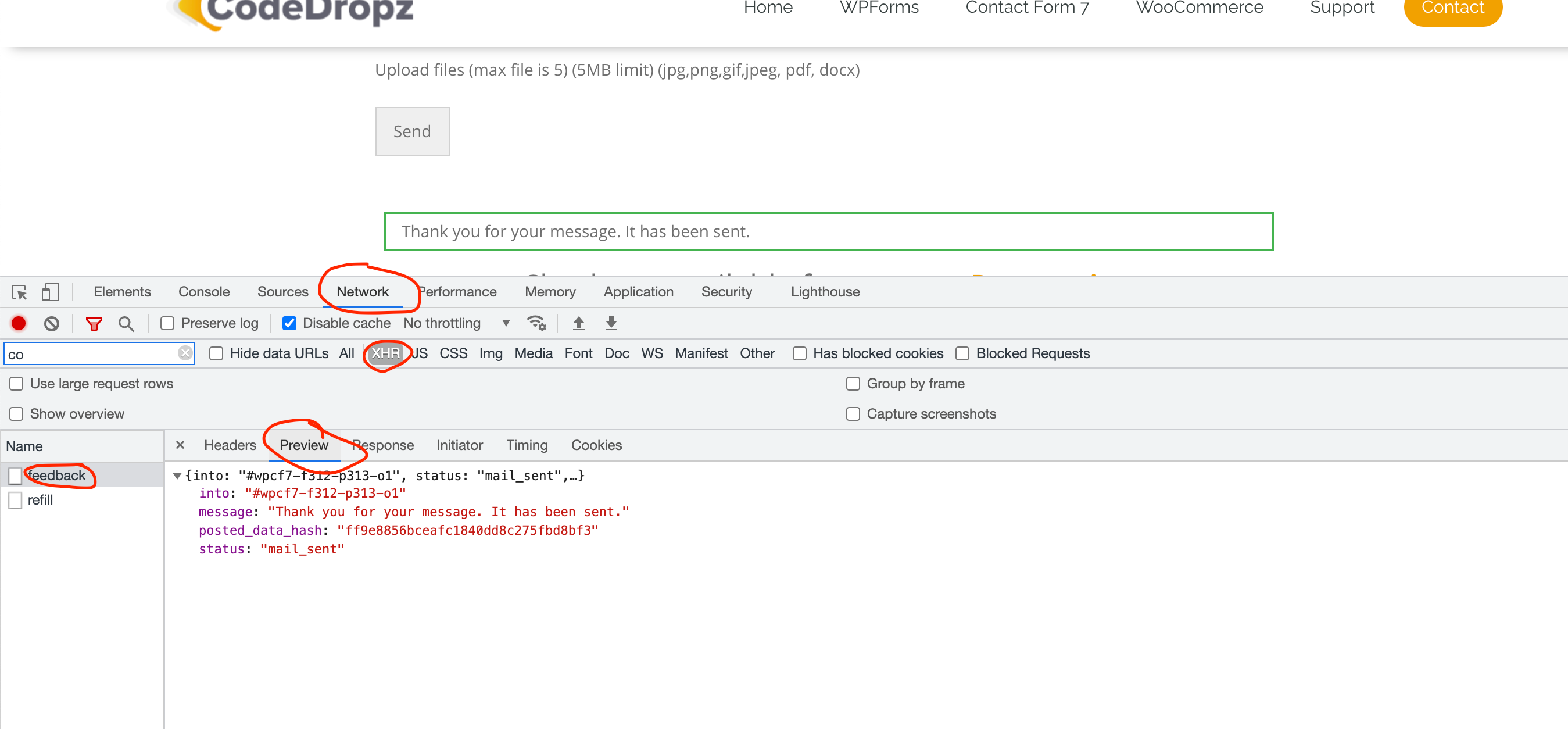
2. Can you enable browser console and send me a preview screenshot of the response.
Just like this – https://snipboard.io/qDA9Ti.jpg
To enable browser console – “use the keyboard shortcut Ctrl Shift J (on Windows) or Ctrl Option J (on Mac)”
Also, I tried to upload a file but this error shows : https://snipboard.io/N57vP9.jpg
Thanks.
- This reply was modified 4 years, 11 months ago by Glen Don Mongaya.
Hello @fr3d3ric ,
Sorry, but I cannot help you without looking at your site.
Please let me know when it’s on staging, so I can take a look.
Glen
Hello @fr3d3ric ,
Can you please include the link to your site?
Maybe there are other css that override the style of the button.
The files are not stored in media library, files are stored in this directory “/wp-content/uploads/wc_drag-n-drop_uploads/”
Regards,
GlenHello @pwasielewski ,
Sorry for the late reply.
You can try this approach.
$cart_items = WC()->cart->get_cart(); foreach( $cart_items as $hash => $cart ) { if( isset( $cart['dnd-wc-file-upload'] ) ) { $files = $cart['dnd-wc-file-upload']; } } print_r( $files );@hlipang , is there any error shows once you add to cart?
Hello @janetong ,
May I know the exact size allowed on your WordPress Media Library?
It seems like it’s a file server configuration issue.
Can you check if there’s any error.log or debug.log on your server?
Thanks,
Glen@dloose-1 , can you send me the link to your site?