David Brown

Forum Replies Created
-
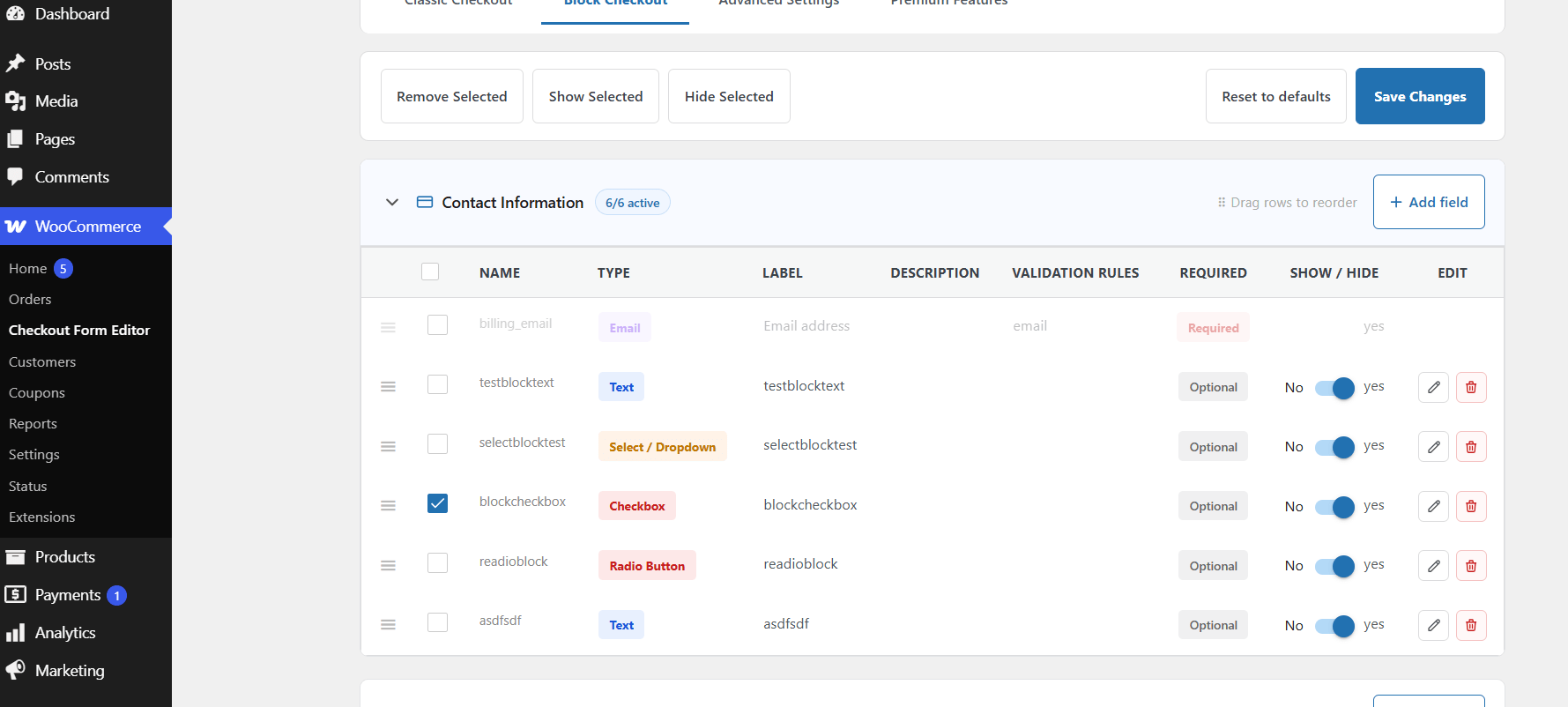
Hello Jehnajar, issue resolved update the plugin problem is fixed in latest version of the plugin you can now choose any field and remove or hide
- This reply was modified 1 week, 6 days ago by David Brown.
Hello, Bera Fields Name can’t be changed once set the reason is because field name is technical unique identifier for each field.
you can remove this field and add new field with any other name, thanksHello adam this is also fixed
Hello, We have fixed this issue now plugin will work fine for P 5.6 and above for 8.0+ as well, thanks for your feedback.
Hi! Currently, WooCommerce doesn’t support required custom checkboxes in block checkout. We’re aware of this and working on a solution. We’ll let you know as soon as it’s resolved. Thanks for your patience!
Thank you for reaching out to us, and I sincerely apologize for the inconvenience you’ve experienced. I understand that you’ve encountered issues downloading your invoice and have not yet received a response from our support team.
I have also emailed you the invoice; please check your inbox.
if you want to delete a specific custom field, then
1. Select your field.
2. click on the remove button
3. Save ChangesHi,
If the plugin is currently active, click the “Deactivate” button under the plugin name. This step is necessary because you cannot delete an active plugin.Yes, you can use our plugin only if you build checkout page using WooCommerce shortcode. Here, you can find out about WooCommerce shortcodes: https://woocommerce.com/document/woocommerce-shortcodes/
Thank you!- This reply was modified 2 years ago by David Brown.
- This reply was modified 2 years ago by David Brown.
Hello
you could achieve this field after achieving our premium pluginHi, @shidopitzel we are aware of these issues and will be resolved with our upcoming version of the plugin.