ldeschenes

Forum Replies Created
-
Sorry,
I just realized that for “Content-Type: multipart/alternative”, only the 7bit, 8bit, or binary values are permitted for the “Content-Transfer-Encoding” header, as specified by the IETF MIME standard (RFC 2045, Section 6.4). Encodings such as base64 and quoted-printable are not allowed for multipart content.
Hi Milos,
Modifing <i class=”fas fa-external-link-square-alt”></i> by the character  does fix it. There is no HTML this way.
Thanks alot for your help
Hi Milos,
Have you heard anything from the development team ?
Has this been fixed in version 6.5.0.7 ?
- Added support for HTML, Rating, and Signature fileds for the Ivyforms integration.
Other small bug fixes and stability improvements.
Hi,
Thanks for the quick response.
The issue where the HTML code is displayed as text —
<i class="fas fa-external-link-square-alt"></i>
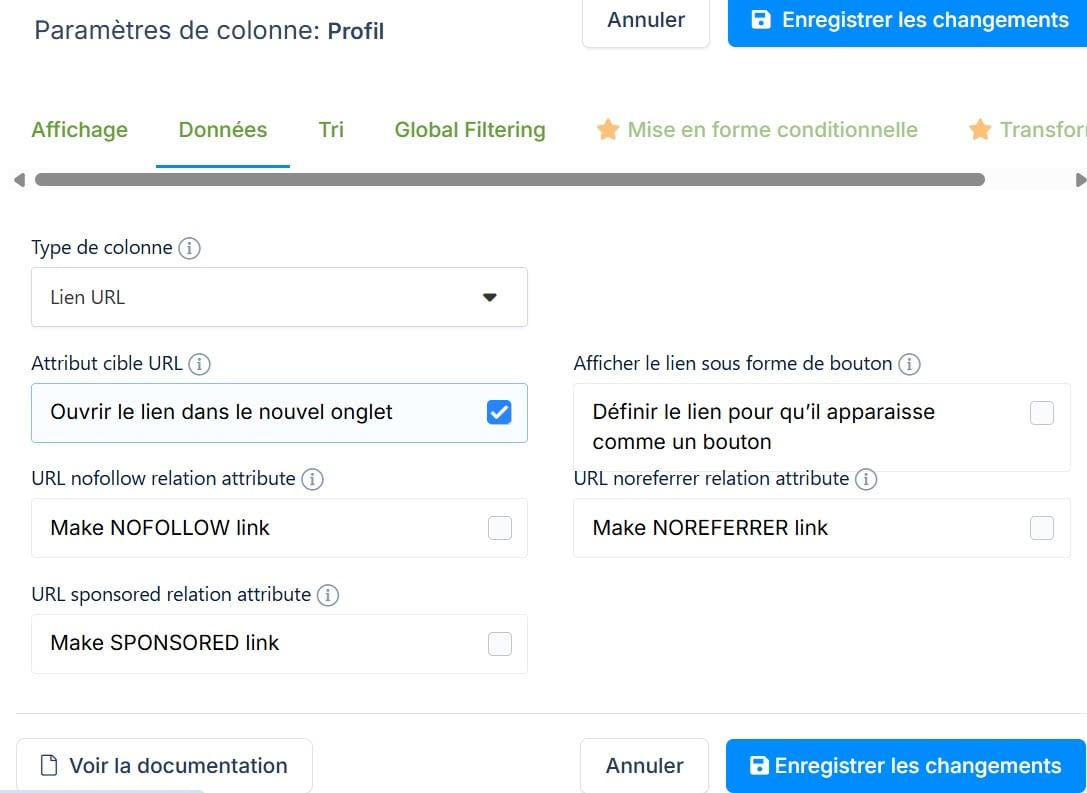
instead of the Font Awesome icon started occurring immediately after upgrading to version 6.5.0.5. No other changes were made to the website.Have you tested this with a column type set to “URL link”? Please see this image for reference : https://mljdtq5dsmwz.i.optimole.com/w:auto/h:auto/q:auto/id:462e506964e130dda9b362127ecd3429/directUpload/Type_URL_link.jpg
Thanks,
Hi Maxell,
The URL renders correctly in the chatbot UI, so it works fine from the user’s perspective. However, I’ve noticed that the issue still persists in the transcript output.
It looks like the link is not being properly handled or encoded in the transcript. For example:
Puces et vignettes – page 31.pdf#page=31)
Hi Maxell,
I’ve upgraded to version 3.16, and everything is now working perfectly.
Thanks a lot for your great support!
Hi Maxwell,
I installed version 3.1.5, and the PDF sitemap import is now working correctly.
However, there is still a minor issue to fix. When the chatbot displays a link to a specific page within a PDF, the URL is not constructed properly.
Example:
But the current output is:
https://lelaurier.net/wp-content/uploads/Fileaway/Administration/R%C3%A8glement/Partie%202%20-%20R%C3%A8glement%20de%20l’immeuble%20(2025-08-28The segment “).pdf#page=30” is missing from the URL. Instead, “pdf#page=30)” is appended as plain text outside the link. Also note that the closing parenthesis “)” appears at the end, whereas it should be part of the filename before “.pdf”.
Let me know if you need any additional details or examples to reproduce the issue.
Yes, it is. The file that didn’t load was the largest one.
Hi Maxwell,
I switched to “PDF upload” from computer and I’m seeing the same behavior.
I realized that the references like “([règlement](mxchat://manual-content/1774355469-z24zdXzW))” are now appearing because the “Citation Links” option was enabled. I’ve now turned it off.
However, I recall that references previously appeared as clickable links that opened a specific section of the PDF. Could you clarify how to restore that behavior?
Thank you,
Hi Maxwell,
I installed the new version and ran a few tests. Here are my findings:
Sitemap URL
I had to use the following URL: https://lelaurier.net/?pdf-sitemap
The URL https://lelaurier.net/pdf-sitemap.xml returns the error: “Failed to fetch the URL: HTTP Status: 404.”
Incomplete PDF upload
The feature is working, but only 5 out of 6 PDF files were uploaded.
The file that failed is: “Partie 2 – Règlement de l’immeuble (2025-08-28).pdf” (721 KB).
However, when I use “PDF Import” from a direct URL:
https://lelaurier.net/wp-content/uploads/Fileaway/Administration/Règlement/Partie%202%20-%20Règlement%20de%20l’immeuble%20(2025-08-28).pdf
the import succeeds (“Successfully imported 48 pages”, resulting in 59 chunks).
Non-clickable references in chatbot responses
The chatbot is returning references as plain text rather than clickable links. Example: “([règlement](mxchat://manual-content/1774355469-z24zdXzW))”
Les suites d’invités sont les unités 104 et 113, pour un maximum de 4 personnes chacune avec le divan lit. Elles sont non fumeurs et réservées uniquement pour les invités des résidents. Pour réserver, utilisez le système de réservation du Laurier et acquittez les frais indiqués ([règlement](mxchat://manual-content/1774355469-z24zdXzW)).
Previously, I’m fairly certain these references appeared as clickable links opening a partial PDF. It’s possible that earlier I uploaded the file directly from my computer instead—I’ll retest to confirm.
Let me know if you need any additional details.Thanks, Maxwell, for the quick reply — much appreciated!
That’s great news. I’ll be waiting to hear back from you.Hi @aqibkhan9
I did downloaded and installed the beta plugin.
I confirm that everything is working fine now.
Thanks.
Hi,
You were right. There is a conflict with the plugin “PDP for WPForms” version 6.5.1 https://fr.ww.wp.xz.cn/plugins/pdf-for-wpforms/ I did roolback to version 6.5.0 and this version is OK.
They mention that version 6.5.1 Fixed: PHP Object Injection
Here is the Post SMTP Diagnostic Test Report :
Mailer: postsmtp
HostName: lelaurier.net
cURL Version: 7.76.1
OpenSSL Version: OpenSSL/3.5.1
OS: Linux sh00595.bluehost.com 5.14.0-162.23.1.9991722448259.nf.el9.x86_64 #1 SMP PREEMPT_DYNAMIC Wed Jul 31 18:11:45 UTC 2024 x86_64
PHP: Linux 8.3.30 C.UTF-8
PHP Dependencies: iconv=Yes, spl_autoload=Yes, openssl=Yes, sockets=Yes, allow_url_fopen=Yes, mcrypt=No, zlib_encode=Yes
WordPress: 6.9 fr_FR UTF-8
WordPress Theme: GeneratePress
WordPress Plugins: Shortcodes Ultimate, Advanced Menu Widget, Akismet Anti-spam: Spam Protection, amr shortcode any widget, Annual Archive, Better Search Replace, Black Studio TinyMCE Widget, Classic Editor, Classic Widgets, Code Snippets, Current Username on Navigation Label, Custom Post Type UI, Custom Post Type Widgets, Disable Comments, Disable Emojis (GDPR friendly), Div Shortcode, Duplicate Menu, Yoast Duplicate Post, Export User Data, Font Awesome, Footer Putter, Frontier Post, Frontier Set Featured, Generate Disable Mobile, Google Analytics Dashboard for WP (GADWP), GP Premium, Hide This, Easy HTTPS (SSL) Redirection, Import and export users and customers, Insert Pages, List Categories, List category posts, Lucas String Replace, Menu Icons, Notification, Image optimization service by Optimole, PDF for WPForms + Drag and Drop Template Builder, Popup Maker, Post SMTP, Post Types Order, Recent Posts Widget Extended, Remove Widget Titles, Reveal IDs, Shortcoder, Simple CSS, Page Builder by SiteOrigin, SiteOrigin CSS, SiteOrigin Widgets Bundle, Easy Updates Manager, String Locator, SuperSaaS Login, SupportCandy, Category Order and Taxonomy Terms Order, Advanced Editor Tools, Ultimate FAQ Accordion Plugin, Ultimate Member, Ultimate Member - Promote Users Role, Ultimate Member - reCAPTCHA, UpdraftPlus - Backup/Restore, Increase Maximum Upload File Size, URL Params, User Role Editor, User Shortcodes, Views for WPForms - Calculations, Views for WPForms - DataTables, Views for WPForms - Delete Entries, Views for WPForms - Edit Entries, Views for WPForms - Single Entry, Views for WPForms, weDocs, Widget Context, Wordfence Security, Asset CleanUp: Page Speed Booster, WP Crontrol, WP File Manager One Drive, WP File Manager - PRO, WP-Optimize - Clean, Compress, Cache, WP Rollback, WP Show Posts, WP Adverts, wpDataTables - Tables & Table Charts, WPForms, wpForo, WPFront Notification Bar, SupportCandy - Agentgroups, SupportCandy - Assign Agent Rules, SupportCandy - Automatic close tickets, SupportCandy - Print Tickets, SupportCandy - Productivity Suite, SupportCandy - Reports, SupportCandy - Schedule Tickets, SupportCandy - Workflows, YOP Poll, NextGEN Gallery
WordPress wp_mail Owner: /home1/lelaurie/public_html/wp-content/plugins/post-smtp/Postman/PostmanWpMailBinder.php
WordPress wp_mail Filter(s): Anonymous Function, PostsmtpMailer->get_mail_args
WordPress wp_mail_from Filter(s): wordfence::fixWPMailFromAddress
WordPress wp_mail_content_type Filter(s): Yeepdf_Create_PDF->set_content_type
WordPress phpmailer_init Action(s): PostsmtpMailer->phpmailer_smtp_init
Postman: 3.8.0
Postman Sender Domain (Envelope|Message): lelaurier.net | lelaurier.net
Postman Prevent Message Sender Override (Email|Name): Yes | Yes
Postman Active Transport: Other SMTP (smtp:tls:plain://mail.lelaurier.net:587)
Postman Active Transport Status (Ready|Connected): Yes | Yes
Postman Deliveries (Success|Fail): 154326 | 210
Postman TCP Timeout (Connection|Read): 30 | 180
Postman Email Log (Enabled|Limit|Transcript Size): Yes | 2000 | 1024
Forum: Plugins
In reply to: [wpForo Forum] Uploading more than one fileHi, Thanks for the precision.
As I said, the “Advanced Attachments” addon is an overkill for us. I do not even want our users to have to deal the complicated method.
Uploading more than 1 files at a time is feature found in many plugins (seem to be the standard now). I would like that you put that on the list of future improvement for the development team.
Forum: Plugins
In reply to: [wpForo Forum] Uploading more than one fileHi,
Thanks for the quick answer.
As I said I look at the “Advanced Attachments” addon but I do not need all those features. I just want to upload multiple files.
Is there a way to only change the upload field to do multiple files ? Snippet ?
Thanks in advance!
- Added support for HTML, Rating, and Signature fileds for the Ivyforms integration.