lucytech

Forum Replies Created
-
Forum: Plugins
In reply to: [WooCommerce] add pagination to end of archive pageI managed to find the code thanks.
add_action( ‘after_setup_theme’, function() {
add_action( ‘woocommerce_after_shop_loop’, ‘woocommerce_result_count’, 9 );
add_action( ‘woocommerce_after_shop_loop’, ‘woocommerce_pagination’, 10 );
} );Forum: Plugins
In reply to: [DearFlip - PDF Flipbook, 3D Flipbook, PDF embed, PDF viewer] z-indexThis was a css issue with my header. It is fixed now.
Thanks for this great plugin
- This reply was modified 3 years, 1 month ago by lucytech.
Forum: Plugins
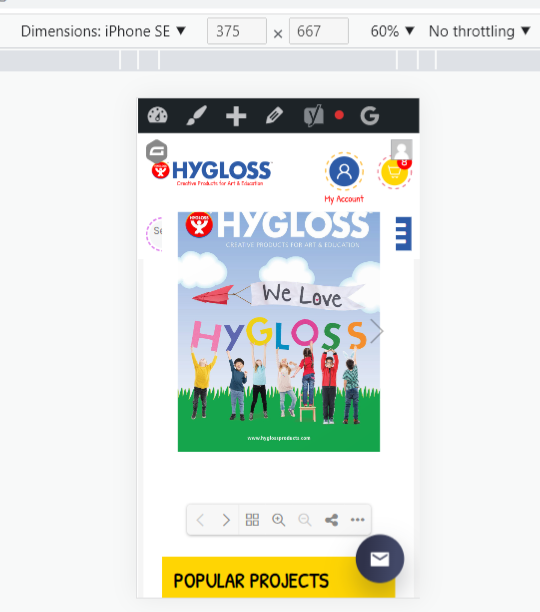
In reply to: [DearFlip - PDF Flipbook, 3D Flipbook, PDF embed, PDF viewer] z-indexWhen I scroll on mobile the flipbook goes above one part of the header.
It looks like a z-index issue but I made the z-indes 1 and it didn’t fix it and if I make it less then 1, then the flip book disappears!
.df-3dcanvas {position: absolute; z-index: 1; right: 0; top: 0;}
https://snipboard.io/fXLnI8.jpg
- This reply was modified 3 years, 1 month ago by lucytech.
fixed this issue by installing the yoast helper plugin as per instructions:
https://ww.wp.xz.cn/support/topic/missing-wp_yoast_seo_links-table/ – below
correct link to plugin: https://ww.wp.xz.cn/plugins/yoast-test-helper/
Please try these steps that help in resetting the Yoast SEO Indexables tables and migrations:
1. Install and activate the Yoast SEO Test Helper plugin
2. Go to Tools → Yoast Test → Yoast SEO → Reset indexables tables & migrations options to reset it
3. Run the SEO data optimization from the SEO → Tools page againThank you so much for the file and explanation.
This is the page https://www.hyglossproducts.com/free-educational-craft-projects-blog/catalog/
I see the icons correctly on my computer but one client on an apple and another one on windows – chrome/firefox/IE doesn’t see them.
https://snipboard.io/iE067k.jpg
- This reply was modified 3 years, 1 month ago by lucytech.
I don’t think this is a scanned version.
How can you tell?
How do I optimize the pdf for web? Do I need to do each jpg page separately? I tried to use online tools but there was no savings. The file is 38.7MB.
This is my page https://www.hyglossproducts.com/free-educational-craft-projects-blog/catalog/
Forum: Plugins
In reply to: [PW WooCommerce Gift Cards] how do I set the link to websiteIt is going to this page http://www.mysite .com/product-category/classroom-essentials/
how do I make the redeem link go to the homepage.
Forum: Plugins
In reply to: [PW WooCommerce Gift Cards] product idI added 1234 for the sku and now it is showing. before it was blank and it didn’t show on the product list.
Forum: Plugins
In reply to: [PW WooCommerce Gift Cards] product idThe settings are fine there – see image.
It simply does not show in the product list…

 Forum: Plugins
In reply to: [PW WooCommerce Gift Cards] product idI wrote a review – thanks.
One more question – I’ve created a product and the page exists but when I search for the product from the dashboard it is not listed?
Why is that??
- This reply was modified 3 years, 2 months ago by lucytech.
Forum: Plugins
In reply to: [PW WooCommerce Gift Cards] product idperfect!!
Thank you so much, that code was a huge help.
Thanks for a great plugin.
Forum: Plugins
In reply to: [PW WooCommerce Gift Cards] product idthat was really helpful for the product page, thank you.
Now I need to adjust the code for the cart page – all prices are half price except for the gift card. This is my current code:
foreach ( $cart->get_cart() as $cart_item_key => $cart_item ) {
$product = $cart_item[‘data’];
$price = $product->get_price();
$cart_item[‘data’]->set_price(round($price/2,2));
}Is there $cart_item[‘data’] I can use that is unique for pw gift card to make an exception for the gift card?
Forum: Plugins
In reply to: [PW WooCommerce Gift Cards] product idadd_filter( 'woocommerce_variable_price_html', 'custom_min_max_variable_price_html', 10, 2 ); function custom_min_max_variable_price_html( $price, $product ) { if ( is_admin() ) return $price; $min_var_reg_price = $product->get_variation_regular_price( 'min', true ); $min_var_sale_price = $product->get_variation_sale_price( 'min', true ); $max_var_reg_price = $product->get_variation_regular_price( 'max', true ); $max_var_sale_price = $product->get_variation_sale_price( 'max', true ); if ( ! ( $min_var_reg_price == $max_var_reg_price && $min_var_sale_price == $max_var_sale_price ) ) { if ( $min_var_sale_price < $min_var_reg_price ) { if ( wc_current_user_has_role( 'whole_sale' ) ) { $price = sprintf( __( 'From: <del>%1$s</del><ins>%2$s</ins>', 'woocommerce' ), wc_price( round($min_var_reg_price/2,2) ), wc_price( round($min_var_sale_price/2,2) ) ); }else{ $price = sprintf( __( 'From: <del>%1$s</del><ins>%2$s</ins>', 'woocommerce' ), wc_price( $min_var_reg_price ), wc_price($min_var_sale_price) );I have this code for the variable products. I don’t want to show the price as half price for the gift card.
How can I check if the product_id = gift card and then run the correct card?