Mark O'Donnell

Forum Replies Created
-
Forum: Plugins
In reply to: [Team Rosters] Left Justify ShortcodeThanks for providing the link to your page, that helps a lot. I see what you are referring to. It appears I have to do a bit of work on the [mstw-tr-roster-2] shortcode’s responsiveness. I’m a bit confused about this, since I thought I had checked this out in testing, but something is not quite right. I will take a look and see what’s up.
-Mark
Forum: Plugins
In reply to: [MSTW Bracket Builder] Error thrown and Games not updatedHi Bjorn,
I’m sorry you are having such difficulty. But wow, great job!!If I understand what you did in paragraph 1, it’s pretty clearly not a plugin problem. (I’m glad to hear that at least.)
I’m not quite sure about para #2 but my question about #1 and #3 relative to #2 is:
If I understand correctly, you had no other plugins installed in paras #1 and #3, correct?
It also appears you may have other plugins active (not too concerned about installed) in #2. If so, have you deactivated all the other plugins and tried with just MSTW Bracket Builder??It would make the most sense to me if there’s a plugin collision somewhere, not a theme collision.
Otherwise, I can’t think of anything else it would be. But clearly something is not right. I agree that the premium version is unlikely to help at this point.
Don’t worry about my time. No problem. There is something important to learn about WordPress with every new “puzzler”. I’m sure there will be when you figure this out too.
Regards,
-MarkForum: Plugins
In reply to: [MSTW Bracket Builder] Error thrown and Games not updatedOkay. Let me know. It could also be that the DB is somehow munged up. That would be a bit of a surprise to me, but the data is not removed when you delete the plugin, so re-installing won’t fix a data problem.
Another option is to try the premium version. This is not a sales pitch, but I believe it to be a more stable product (it gets a lot more attention) and certainly a much more feature rich product. If you have the same issue(s), something is definitely up on your end.
-Mark
Forum: Plugins
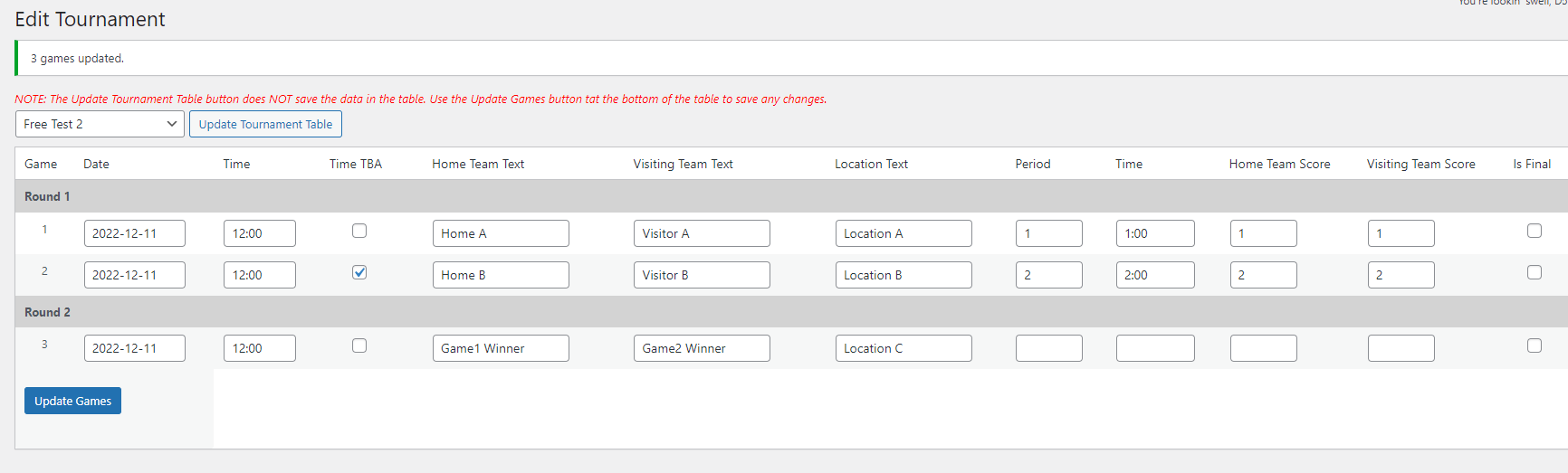
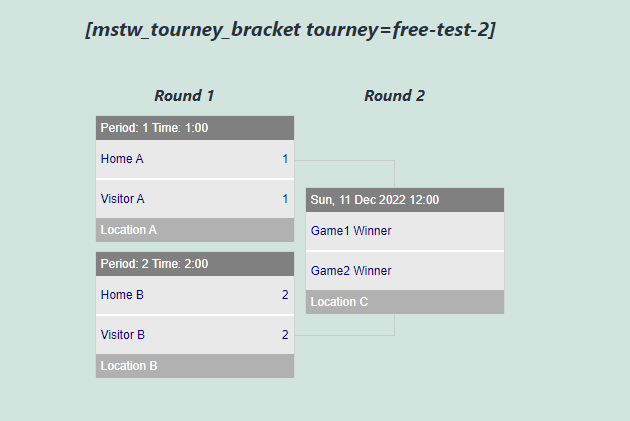
In reply to: [MSTW Bracket Builder] Error thrown and Games not updatedOkay, I just re-tested this. Could not generate these errors. Here’s the edit tournament screen and the resulting shortcode output.
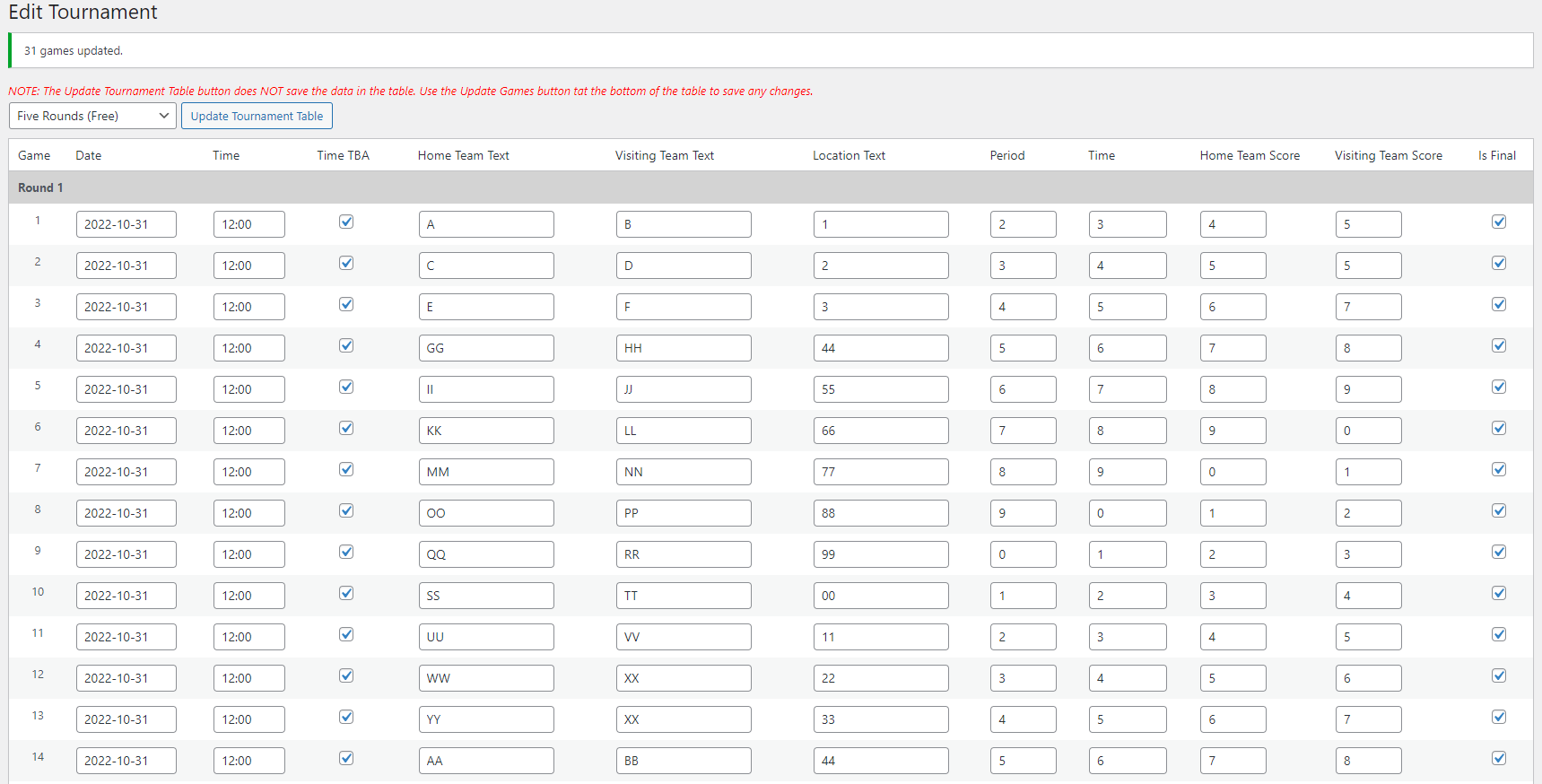
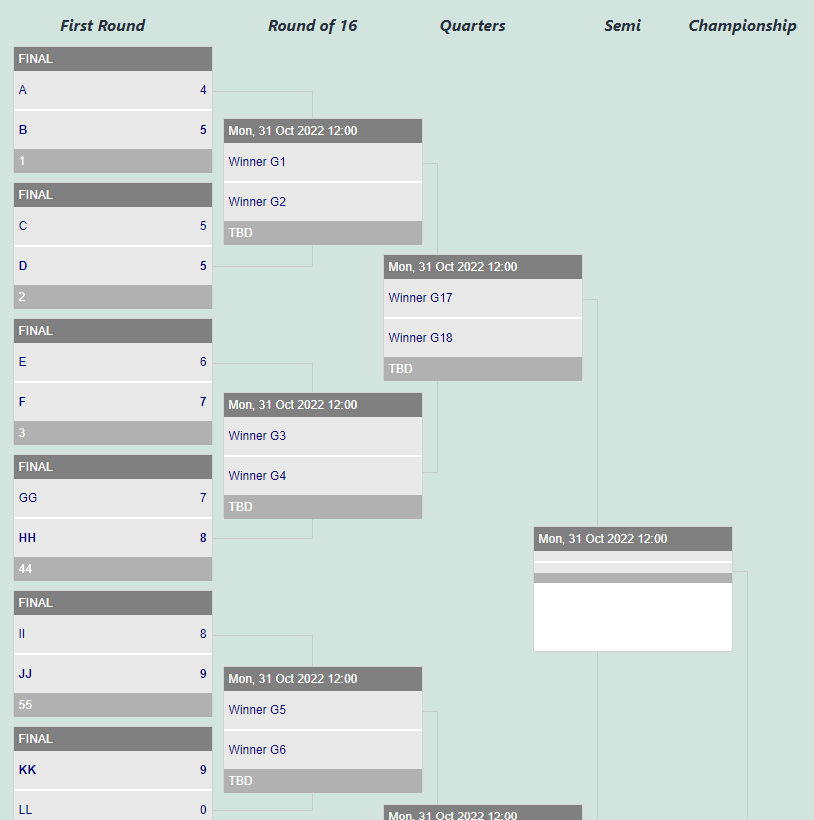
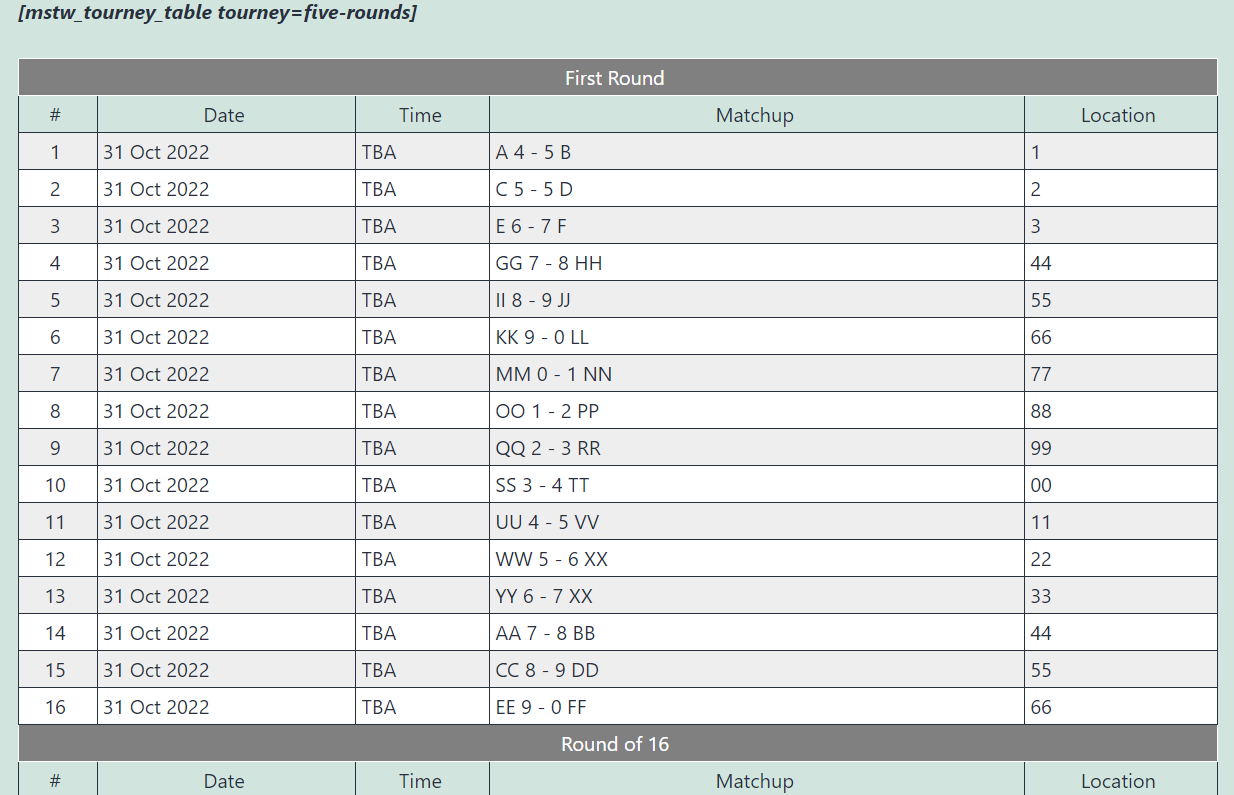
I also checked out a 5 round tourney I built for 1.3 testing. Here’s the Edit Tourney Screen, the bracket shortcode output, and the table shortcode output.
Everything looks okay on my end. So my guess is our environment’s differ somehow. The problem is generally PHP or WordPress versions (we seem okay here based on the info you provided) or conflicts with the theme (usually that is front end/shortcode display issues) Based on the debug.log you sent, or conflicts between plugins. In your case, it could be inconsistencies between code versions. So I suggest:
1. Load version 1.3 straight up, removing any and all code changes you may have made. Delete the previous version, then load and activate the new version from ww.wp.xz.cn.
2. Deactivate ALL other plugins. Re-test. If there’s no problem, re-activate the plugins one by one until you find the culprit. Then we can see what’s up. It’s usually not hard to resolve the issue once it’s identified.
Viel Gluck. Bitte lassen sie es mich wissen.
-Mark
Forum: Plugins
In reply to: [MSTW Bracket Builder] Error thrown and Games not updatedHey Bjorn,
Thanks for the detailed info. Just so that I chase the right ghost, the problem is you can create a tournament, but then when you try to save games that you added, you get these errors. If that’s not correct, please advise me on what exactly the issue is.On a related note, I’m a bit concerned about the integrity of the code. You previously mentioned that you did something to show team logos instead of names, or something like that. So is the code that you are reporting on the exact code that you downloaded from ww.wp.xz.cn, or are there other modifications in it?
Please let me know (on both issues).
Thanks,
-MarkForum: Plugins
In reply to: [MSTW Bracket Builder] Error thrown and Games not updatedHi Bjorn,
Thank you for the detailed information. It is very helpful. I believe the referenced error has been patched in version 1.3. If you deactivate and delete it, then re-install it from ww.wp.xz.cn that error should be fixed.As far as the problem with saving/updated games, it could be separate or it could be related. It’s hard to say without further debugging. (It was not occurring when I released version 1.3.) Your data will still be there, but I suggest you start with a clean tournament, who knows what may have been messed up by the error. If it continues, let me know and I will load a clean test environment and dig in deeper.
-Mark
Forum: Plugins
In reply to: [Team Rosters] Player Drop Down Toggle References Wrong TeamCorrect. I have found the issue when a player is on multiple teams. There is a related problem if the teams are styled differently. A patch correcting both problems across all the shortcodes should be available shortly. Stay tuned.
Thanks.
-MarkForum: Plugins
In reply to: [MSTW Bracket Builder] Fatal Error in MSTW PHPHi-
Thank you for posting here. However, since this about the MSTW BB Premium version I cannot address it on this site. Please post to the support forum on shoalsummitsolutions.com and I will help you out. When you do, please tell me what version of PHP and what version of the plugin you are running.
Thank you.
-MarkForum: Plugins
In reply to: [MSTW Schedule Builder] Schedule builder featuresHi Lauri,
Sorry for the delayed response.Regarding the 6 team limit. Yes, the original intent was to release a ‘premium’ add-ons which supported up to 16 teams; I believe the goal was 32 teams, but I’m not sure that got done. Unfortunately, the virus struck, little interest was shown for Schedule Builder, so the add-ons remain on the back burner.
If you would like to discuss a ‘beta version’ of the add-ons, contact me directly, that’s not appropriate on these forums.
Regarding the free weeks, please start another thread for that. Multiple topics in a single thread confuses users search for topics. (I know, it happens all the time and I’ve done it, but … )
Thanks.
-MarkForum: Plugins
In reply to: [MSTW Schedule Builder] MSTW Schedule BuilderGreat. Glad I fixed that. As for your questions about number of teams (have good answer) and dates (need more info), please post separate threads for each topic or else this becomes a personal chat session, not a support forum useable by others.
So I am closing this thread. Thanks for understanding, I look forward to hearing from you.
-Mark
Forum: Plugins
In reply to: [MSTW Schedule Builder] MSTW Schedule BuilderHi Lauri,
I believe the problem is fixed and the current version is patched. Simply delete MSTW Schedule Builder on your plugins menu and re-install it from ww.wp.xz.cn. You should be good to go. Let me know if there’s a problem.
Sorry for the inconvenience (Oops, my bad! It was a dumb error, but an easy error to make.)
-MarkForum: Plugins
In reply to: [MSTW Schedule Builder] MSTW Schedule BuilderLauri,
Thanks for posting here and bringing this to my attention. I was able to reproduce it this morning, so I hope to have a patch out today. Let me take a look at what’s going on.
-MarkForum: Plugins
In reply to: [Team Rosters] Roster Table ColorsUpon further review, it looks like I was correct, it does work. You might be missing the same thing I missed (forgot about?). In the Team Rosters Settings page on the Roster Tables tab and on the Player Profiles & Galleries tab, there are checkboxes saying something like, “Use team colors from S&S”. When I checked those boxes. Voila!
But I say again, this is not the way to go because you get what you get, and while it will be the specified team colors, it may well not be anything like what you want. I implemented this originally for users who did not have the skills to edit CSS rules (say a little league team mom). Fair enough. But there is so little flexibility that I wonder if it is worthwhile. Anyway, it is what it is.
You are correct that the player data table doesn’t respond to those colors. That will be fixed in release 4.5. Thanks for catching it.
-Mark
- This reply was modified 3 years, 9 months ago by Mark O'Donnell.
- This reply was modified 3 years, 9 months ago by Mark O'Donnell.
Forum: Reviews
In reply to: [Team Rosters] Best Roster Manager App on WordPressThank you. I appreciate that.
-MarkForum: Plugins
In reply to: [Team Rosters] Roster Table ColorsLooks like you are correct, this is not working 100%. Thanks for calling it to my attention. I will debug for the next release.
-Mark