packeo

Forum Replies Created
-
Forum: Plugins
In reply to: [Photo Gallery, Sliders, Proofing and Themes - NextGEN Gallery] Two issues.Don’t bother.
I’m 63% into manually editing each post that was disrupted. A couple hundred more to go.I just can’t and won’t understand why it was feasible to remove it when there has to be a large # of users that name their galleries and inserted them into posts via that method.
Forum: Plugins
In reply to: [Photo Gallery, Sliders, Proofing and Themes - NextGEN Gallery] Two issues.I just don’t see how it made sense to eliminate it to start with.
Forum: Plugins
In reply to: [Photo Gallery, Sliders, Proofing and Themes - NextGEN Gallery] Two issues.Thanks, it’s just frustrating that I’ve used the product for a number of years, creating 675 galleries, to know that it’s basically useless and only one step above from having to start over fresh.
I’m sure I’m not alone.
Forum: Plugins
In reply to: [Photo Gallery, Sliders, Proofing and Themes - NextGEN Gallery] Two issues.1
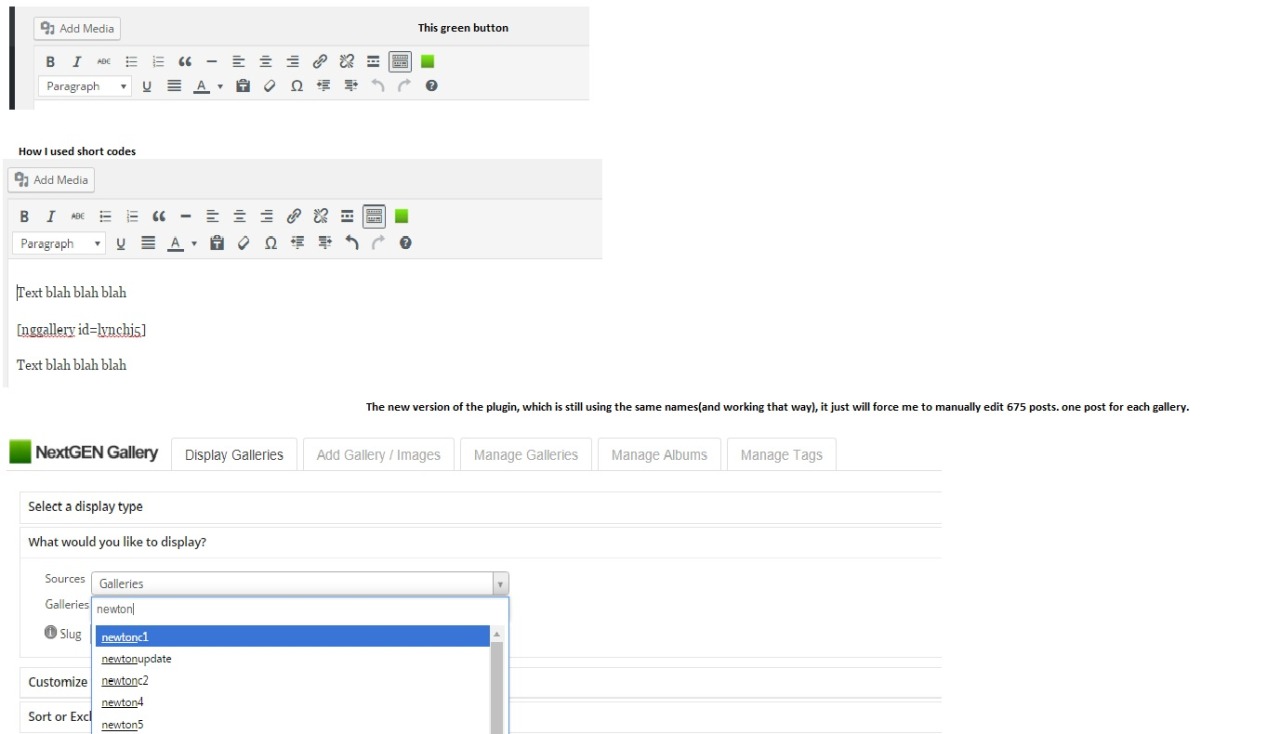
I was referring to the green “attach” next gen gallery button to the post button inside the post (new or edit) dash board.It’s the button that opens up the NGG to allow you to select Thumbnails/slide show etc.
When I go to the 2nd line “What would you like to display”. I’m typing in Doe9,doe8,thomas1,jones4, whatever the name of the corresponding gallery that was previously used as [nggallery id=doe9], [nggallery id=doe8] I felt the need to name them, so I could tell one for the other as opposed to 321,322,323 as I added new content to the site.
I’m sure I’m not alone in using [nggallery id=doe9], [nggallery id=doe8], to insert galleries, and the fact that I still go in and type in doe9 for it to come up as opposed to 321,322,323. I simply don’t understand why that function vanished.
2
I feel like I’ve resolved issue two, basically moving the folders that were outside of the content/gallery folder inside of them, then correcting the route inside the gallery so that they would show up properly(after, I had to go back and insert them into the post which is the issue above).Hope this image helps explain part 1 better.
https://67.media.tumblr.com/a84c803af292e59aa28d27b124a22f7c/tumblr_o74gh5mqeW1s2asmmo1_1280.jpgThanks
Forum: Plugins
In reply to: [Photo Gallery, Sliders, Proofing and Themes - NextGEN Gallery] Two issues.I get that gallery [nggallery id=doe9] is also gallery 321 for example, but, basically what you are saying the 675 posts I’ve made using NextGen, by naming a gallery and inserting that name in are useless, and I will have to manually fix all 675?
Yet, when I go in to a post that I created the old way, and click the new button to add a gallery, it’s still named doe 9, it inserts and functions perfectly, yet the short code doesn’t work?
It simply doesn’t make sense. If it reverted every gallery to 321,322 etc, but with the names doe9, doe8, etc still in place. It doesn’t.
I appreciate the response, but I can’t say it helped.
B)
Yeah I figured you wouldn’t have an idea of what Godaddy did. I looked at the location you mentioned and it is now set up correctly. The two new posts I made yesterday are in Gallery/Images but when view the folder via filezilla they aren’t there. They show up on the site, just not in the folder tree. So I don’t know.Thanks
I’m having the same issue.
New Galleries post and work just fine under the new platform, which is nice, but I’ve been using shortcodes from the previous version and they seem obsolete at this point.