
Description
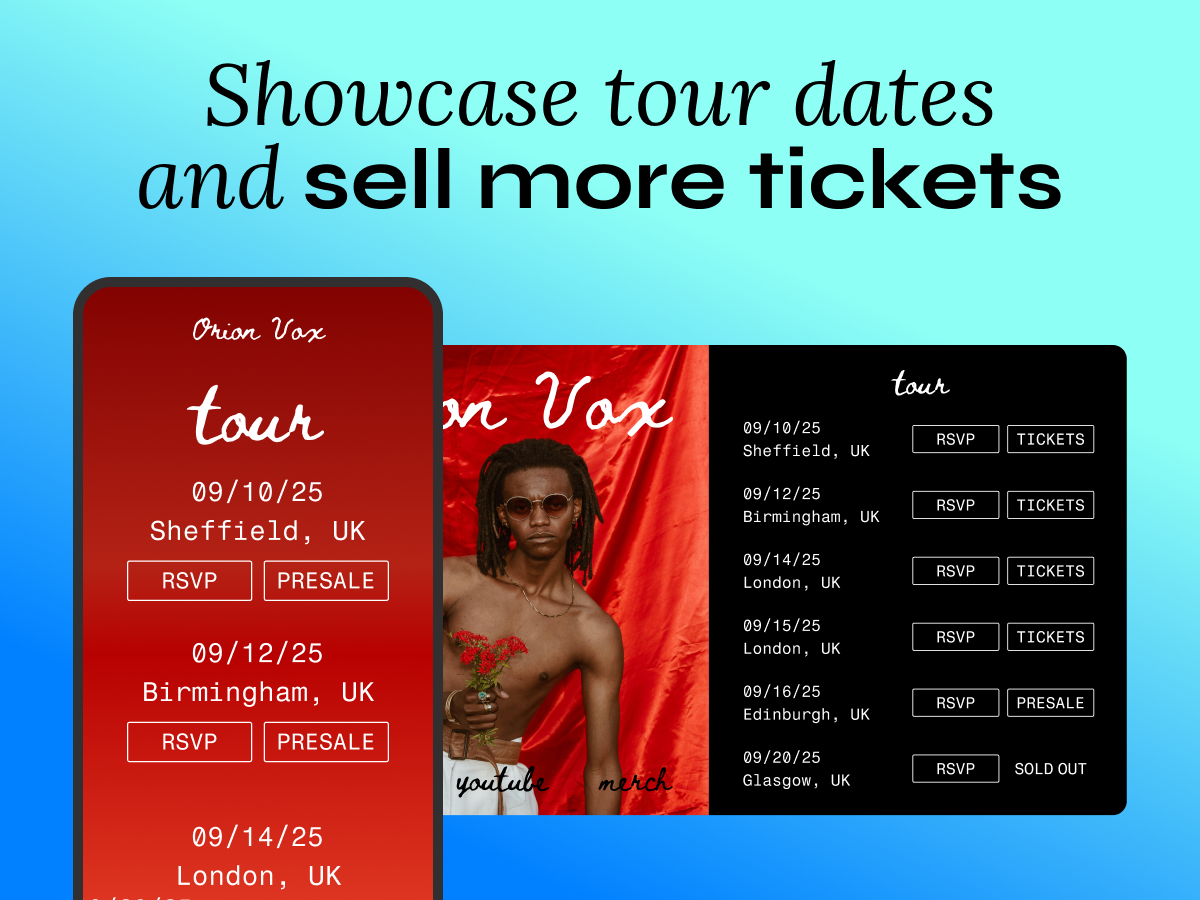
Use the Bandsintown Events plugin to display your upcoming tour dates on your WordPress site — always up to date, no manual work needed.
Set it up once. Every event you add or edit on Bandsintown for Artists appears on your site automatically, with direct ticket links ready to go.
Features
Event Display & Ticketing
Make it easy for fans to find your show dates and buy tickets on your website.
- Show upcoming tour dates and live events
- Add customizable “TICKETS” buttons styled to match your website
- Direct fans to purchase with zero friction
Design Customization
Match your site’s look and feel with full styling control.
- Background color, text color, dividers
- Button styling: color, text, borders, border radius
- Desktop width control (mobile auto-formats to full width)
- Localized display in six languages: English, French, Spanish, German, Italian, Portuguese
Optional: Grow Your Fan List
Add fan engagement calls to action alongside your tour dates.
- RSVP – Collect fan emails, track interest, send automated reminders
- Follow – Build your mailing list, automate tour and release announcements
- Play My City – Let fans request shows, identify high-demand markets
- Notify Me – Auto-notify fans when tickets go on sale to boost early conversions
- Presale – Send automated presale codes and alerts via email and mobile
- Waitlist – Track interest for sold-out or TBA shows, keep fans engaged
Notes
The plugin will be updated to match the latest version of WordPress.
Screenshots
Plugin settings: Artist and app_id setup 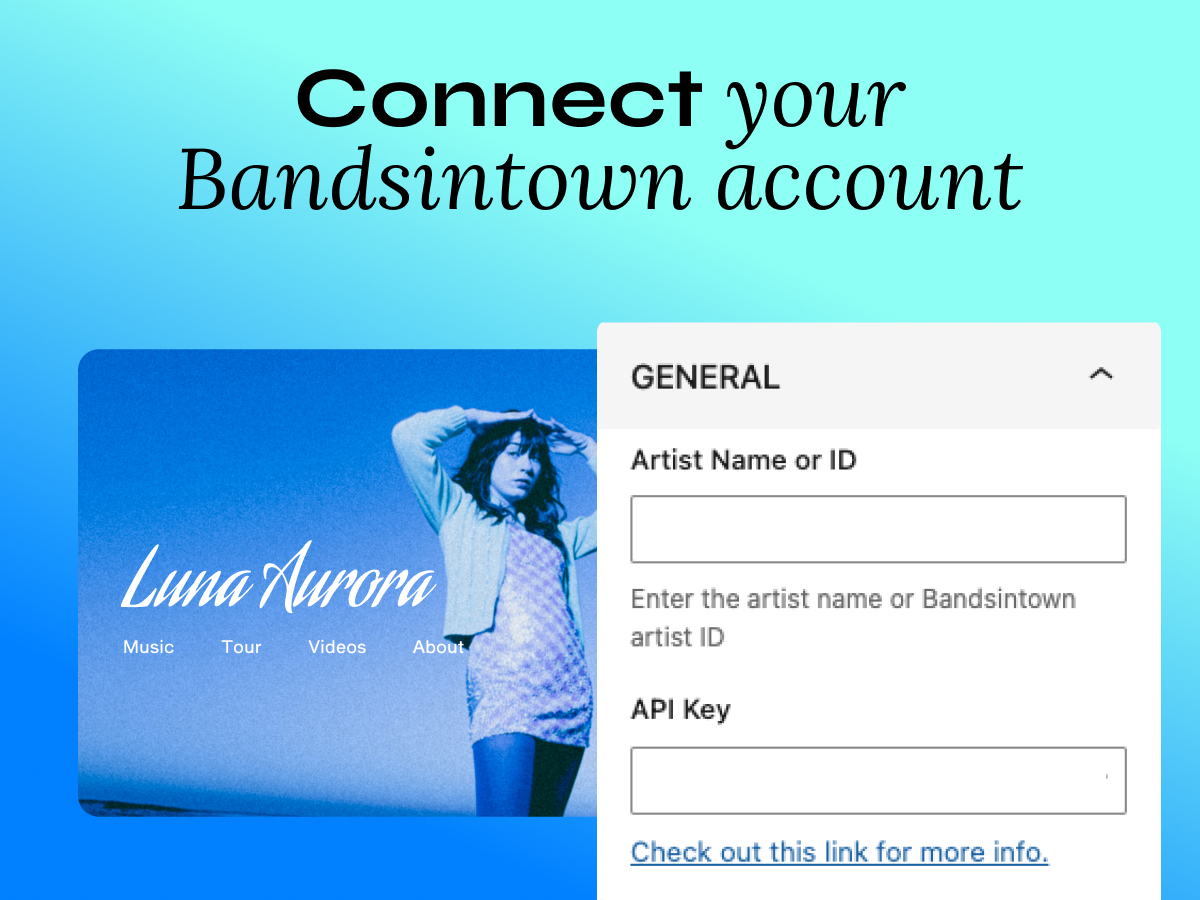
Event display settings (limit, date format, descriptions) 
CTA toggles and CTA styling controls 
Design settings (background, text, dividers, logo position, width)
Blocks
This plugin provides 1 block.
- Bandsintown Events
Installation
- Install and activate “Bandsintown Events”.
- In WordPress Admin, open the Bandsintown Events plugin settings.
- Enter:
- Artist Name (or Artist ID starting with “id_”)
- Your app_id (generated in your Bandsintown for Artists account)
- Configure event display, language, buttons, and design settings.
- Add the widget to a page:
- Gutenberg: insert the “Bandsintown Events” block
- Other editors/builders: use the plugin’s shortcode (shown in the plugin settings)
FAQ
-
Do I need a Bandsintown account?
-
Yes. You’ll need a free Bandsintown for Artists account. Sign up here.
-
What is Bandsintown for Artists?
-
Bandsintown for Artists is a free platform where you manage your tour dates, connect with fans, and distribute your shows across Spotify, YouTube, Apple, Google, Amazon Music, and more. This plugin syncs those events directly to your WordPress site.
-
Do I need to know how to code?
-
No. Simply follow these directions.
-
Will my events stay up to date automatically?
-
Yes. When you publish or edit events in your Bandsintown for Artists account, they automatically appear on your WordPress site — no manual updates needed.
Reviews


Contributors & Developers
“Bandsintown Events” is open source software. The following people have contributed to this plugin.
Contributors

Translate “Bandsintown Events” into your language.
Interested in development?
Browse the code, check out the SVN repository, or subscribe to the development log by RSS.
Changelog
1.4.3
- Restored Button and Link color and Link Text color fields to the V2 settings panel.
- Fixed invisible RSVP button bug in legacy shortcode default output.
- Fixed legacy shortcode backward compatibility: [bandsintown_events] restored to Widget V2 behavior.
1.4.2
- Introduced new [bandsintown_widget] shortcode for Widget V3.
- Preserved [bandsintown_events] shortcode for legacy V2 users.
1.4.1
- UI: Enhanced branding assets, featuring a new square icon design for better visual alignment within the WordPress Block Card.
1.4.0
- Relaunched plugin with the new in-WordPress configuration editor
- Updated UI copy and admin help text
- Updated public listing assets and screenshots
- Compatibility validation for recent WordPress major releases
1.3.7
- Update readme.txt: new contributor first commit changes.
1.3.6
- Update readme.txt: change contributor.
1.3.5
- Update readme.txt: add notes for future usage.
1.3.4
- Improve widget initialization and input sanitization.
1.3.3
- Improve widget initialization and input sanitization.
1.3.2
- Improve widget initialization and input sanitization.
1.3.1
- Fix widget initialization
1.3.0
- Fix deprecation warning for
create_function().
1.2.0
- Fix PHP7 Class constructors deprecation warning. Thanks
olimax - Add support for Display Track Button and Display Details widget settings.
1.1.9
- Fix error where it would sometimes not correctly fallback to Artist name
specified in Settings page when using the shortcode without options.
As of version 1.1.6 the preferred way to use the Bandsintown Events widget and
this plugin is through the [bandsintown_events] shortcode, either for pages,
posts or widget.
Please refer to our integrations page
for more information.
1.1.8
- Remove ‘Elvis’ operator to make plugin compatible with PHP < 5.3
As of version 1.1.6 the preferred way to use the Bandsintown Events widget and
this plugin is through the [bandsintown_events] shortcode, either for pages,
posts or widget.
Please refer to our integrations page
for more information.
1.1.7
- Fixes an issue where shortcode would not fallback to values set in Settings page.
As of version 1.1.6 the preferred way to use the Bandsintown Events widget and
this plugin is through the [bandsintown_events] shortcode, either for pages,
posts or widget.
Please refer to our integrations page
for more information.
1.1.6
- Update shortcode settings.
You can now use all the settings defined here
when using the[bandsintown_events]shortcode.
Each option matches the HTML5 attribute name, without the data- prefix.
For example, to set a custom Artist Name, Font, Link Color and Language you would use the following shortcode.
[bandsintown_events artist-name="Shakira" font="Arial" link-color="#ff0000" language="de"]
1.1.5
- Updates Plugin name and assets
- Small general fixes
1.1.4
- Fixes an issue where single quotes weren’t correctly escaped for Artist name
1.1.3
- Use parent::__construct when extending WP_Widget
Fixes: https://ww.wp.xz.cn/support/topic/plugin-broke-with-https/#post-9557510
1.1.2
- Now works with our new and improved Bandsintown Widget V2
1.1.1
- Support of HTTPS
1.1.0
- Improved release running on latest bandsintown widget
1.0.1
- Updated settings admin menu to use new settings API
1.0.0
- Completely reworked
- Single artist based
- Custom CSS (uses theme styles by default)
- Data loaded live from Bandsintown API (JSONP)
- No caching
0.2.0
- Initial release.