Description
Thanks to Imran Siddiq (https://www.youtube.com/@websquadron/). This code was adapted from his PDF Viewer code.
Continuous PDF Viewer is a high-performance, WordPress-native PDF viewer powered by PDF.js. Version 2.1 introduces a completely rebuilt rendering engine optimized for 100% continuous scrolling, bringing a modern, native-app reading experience to your WordPress site.
Key Features
- Continuous Scroll Engine: Pages stack seamlessly for smooth, vertical reading. Highly optimized sequential rendering prevents browser lag, even on large documents.
- Smart Page Tracking: An intelligent viewport observer automatically detects which page you are reading and instantly updates the toolbar and sidebar thumbnails as you scroll.
- Advanced Search & Highlight: Pinpoint search functionality that calculates the exact pixel location of your search terms and smoothly scrolls them directly into the center of your screen.
- Native Fullscreen Mode: Utilizes the browser’s native Fullscreen API for distraction-free reading, featuring “scroll memory” to keep your place when entering or exiting fullscreen.
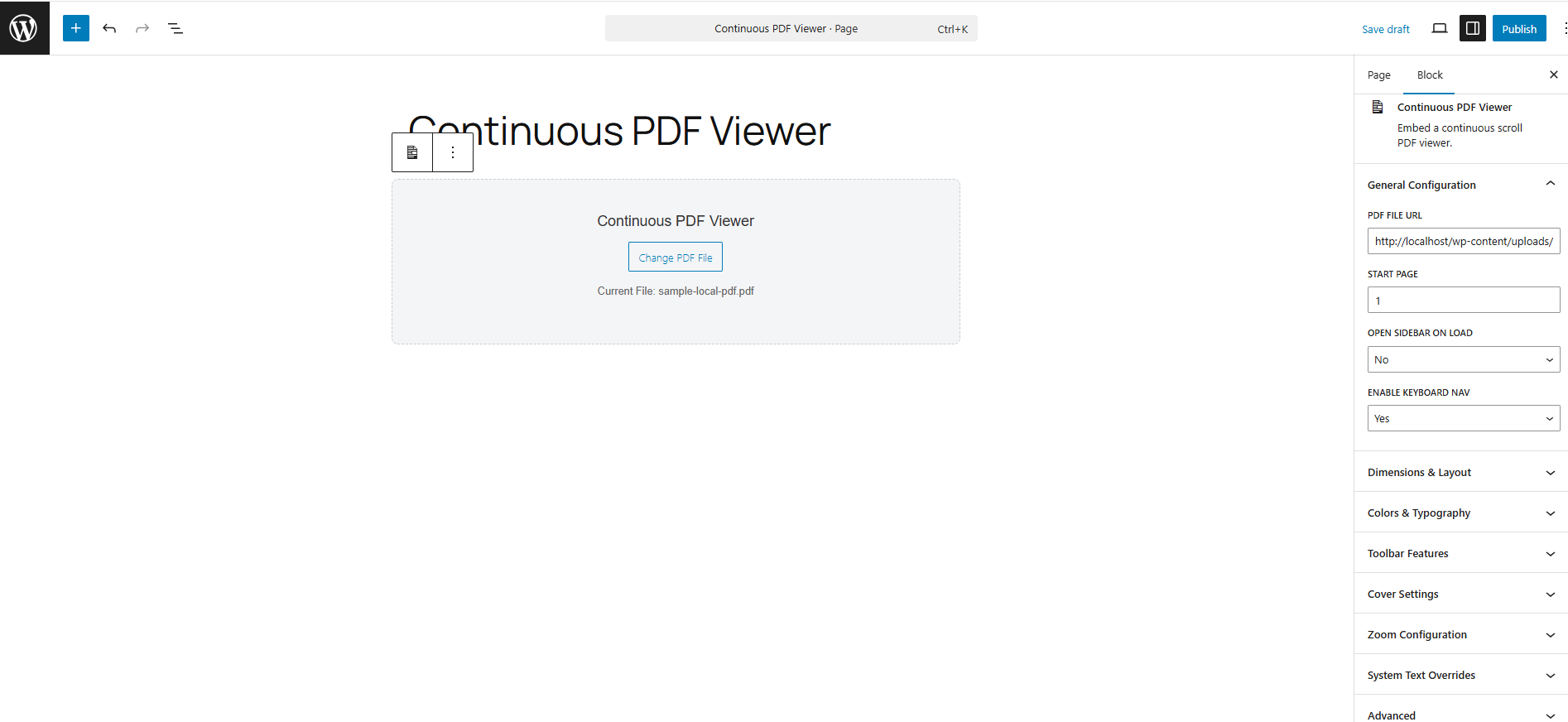
- Gutenberg Block Integration: A native WordPress block with a click-to-select placeholder UI and seamless Media Library integration.
- Live Shortcode Generator: A dedicated admin tools page (Tools > Continuous PDF Viewer) that lets you visually configure colors, dimensions, and toolbar features while generating a live shortcode.
Screenshots

Blocks
This plugin provides 1 block.
- Continuous PDF Viewer Embed a continuous scroll PDF viewer.
Installation
Using the Gutenberg Block
- Open the WordPress Block Editor.
- Search for the “Continuous PDF Viewer” block.
- Click “Select PDF File” on the canvas to choose a document from your Media Library.
- Use the right-hand Inspector Controls to customize the start page, default zoom, sidebar visibility, and colors.
Using the Shortcode
You can place the viewer anywhere using the [continuous_pdf_viewer] shortcode.
Basic Example: [continuous_pdf_viewer url=”https://yoursite.com/wp-content/uploads/document.pdf”]
Advanced Example: [continuous_pdf_viewer url=”/wp-content/uploads/document.pdf” title=”Annual Report” start_page=”3″ theme=”dark” accent=”#4f7df3″]
Note: Generating complex shortcodes is highly recommended via the built-in Shortcode Generator under the Tools menu.
Reviews
There are no reviews for this plugin.
Contributors & Developers
“Continuous PDF Viewer” is open source software. The following people have contributed to this plugin.
Contributors
Translate “Continuous PDF Viewer” into your language.
Interested in development?
Browse the code, check out the SVN repository, or subscribe to the development log by RSS.
Changelog
2.1.11
- Don’t cause page to jump when clicking on the next page button
2.1.10
- Allow pinch to zoom
- Allow selecting text for copy and paste
- Allow zooming larger than the screen width
2.1.9
- Use Legacy PDF.js so it works with older browsers
2.1.8
- Added support for older browsers that don’t ssupport the Promise.withResolvers feature
2.1.7
- Put the “Pro Tip” on a separate line to make the toolbar more responsive
2.1.6
- Fix the scale number in the toolbar so it matches the actual zoom level
2.1.5
- Removed the standard_fonts folder
2.1.4
- Change prefix used in the code from cpv to cpdfv
- removed unused files
- moved inline CSS/JS to use of wp_add_inline_*
- changed shortcode name to continuous_pdf_viewer
2.1.3
- switch to latest version of PDF.js (v5.6.205)
- removed an extra file that didn’t belong
- removed some !important from the CSS and add a tooltip to the PDF viewer panel
- fixed some issues with going full screen
- hide the thumbnail button on mobile
- hide the sidebar when going fullscreen
- make the tool tip text into a PDF Viewer setting which can be changed by the user
2.1.1
- Changed the default height from 600px to 80vh
- Recalculate the width for each tab when in a page when different pdf viewer blocks are in different tabs.`
- Set the default heights to 80vh for desktop, 70vh for tablet, and 60vh for mobile rather than a specific px value.
- wrapped some output in escape_* functions
2.1.0
- New: Highly-optimized Continuous Scroll engine replaces the legacy single-page view.
- New: Pressing the Enter key inside the search bar now accurately loops through highlighted results.
- New: High-DPI (Retina) screen support added to the canvas rendering loop for crystal-clear text.
- Fix: Replaced legacy CSS flexbox centering to eliminate the “cut-off top” bug on tall pages.
- Tweak: Search navigation buttons now visually disable when reaching the first or last search result.
- Deprecated: The legacy view_mode setting (Single Page vs. Continuous) has been removed.