
Description
Get insight into what your users are searching for on your website and customize the results they see. Do you have an important accouncement you want to show up at the top of your search results? Is there a specific product you want to promote?
Make sure your users get to see it when they search your site.
Major features include:
- Add Custom Search Results
- Order Custom Search Results
- Historical Search Statistics
- Configure which post types will be searched
Screenshots



Installation
From your WordPress dashboard
- Visit ‘Plugins > Add New’
- Search for ‘Custom Search Results’
- Activate Custom Search Results from your Plugins page.
- Visit ‘Custom Search Results’ > ‘Custom Post Types’
- Configure the posts types you want to be searchable
- Visit ‘Custom Search Results’ > ‘Custom Results’
- Configure the custom searches results you want to be displayed
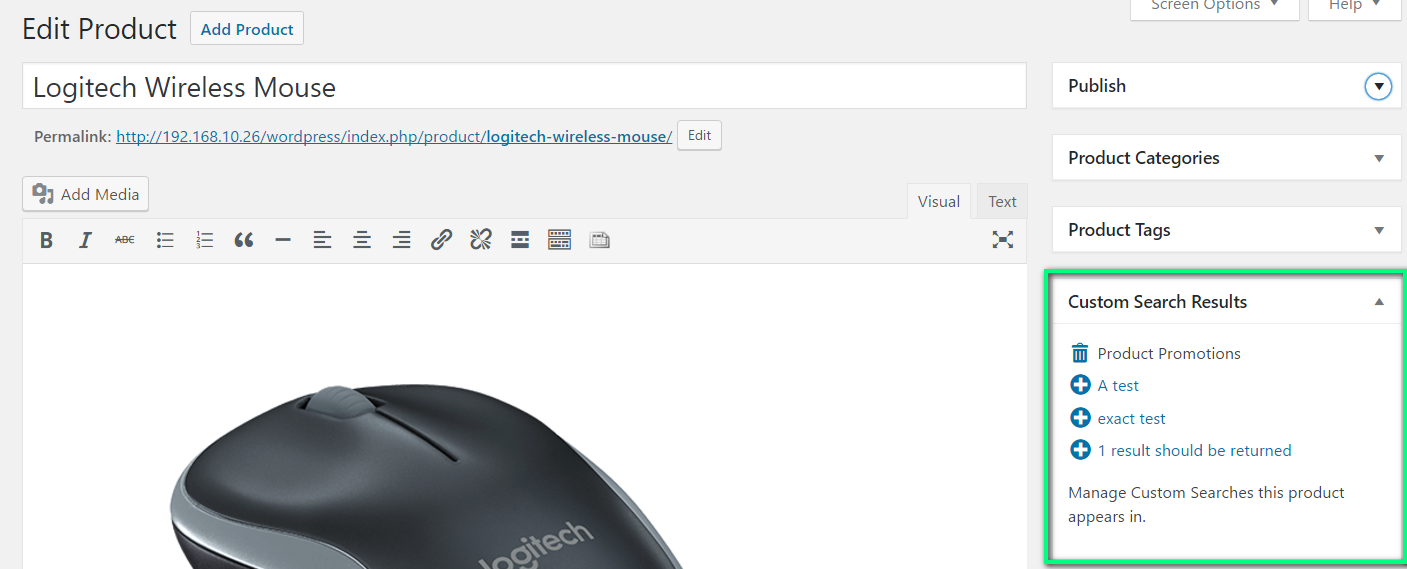
- Add Posts/Pages/Products… to custom searches from the ‘Custom Search Results’-widget on the edit page of each post type.
Reviews
There are no reviews for this plugin.
Contributors & Developers
“Custom Search Results” is open source software. The following people have contributed to this plugin.
Contributors
Translate “Custom Search Results” into your language.
Interested in development?
Browse the code, check out the SVN repository, or subscribe to the development log by RSS.
Changelog
1.0
First Release
- Add Custom Search Results
- Order Custom Search Results
- Historical Search Statistics
- Configure which post types will be searched