
Description
Converts Cyrillic characters in post, page, and term slugs to Latin characters. Useful for creating human-readable URLs.
Features
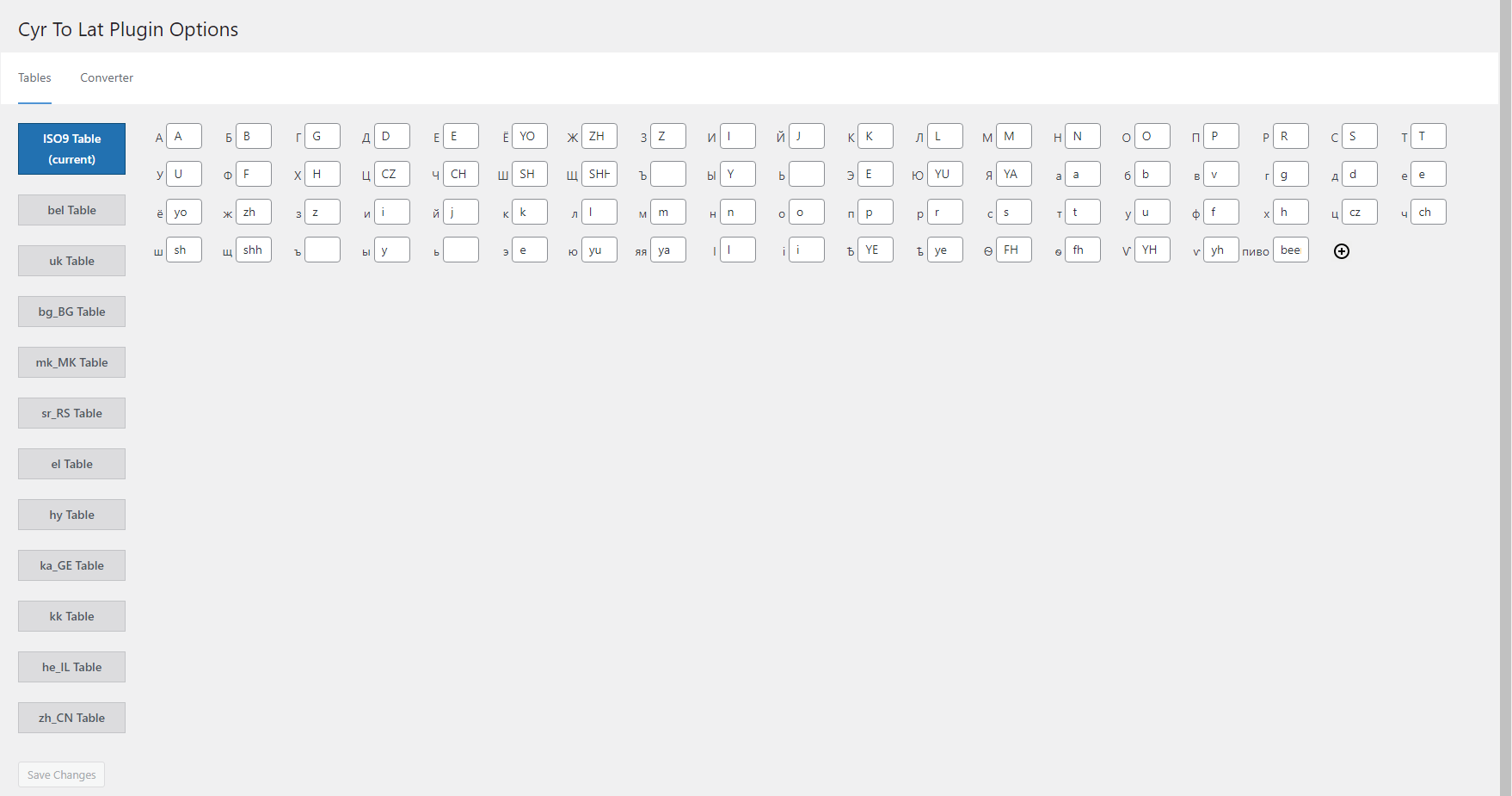
- The only plugin with a fully editable transliteration table. Allows adding/removing and editing pairs like ‘Я’ => ‘Ya’, or even ‘Пиво’ => ‘Beer’
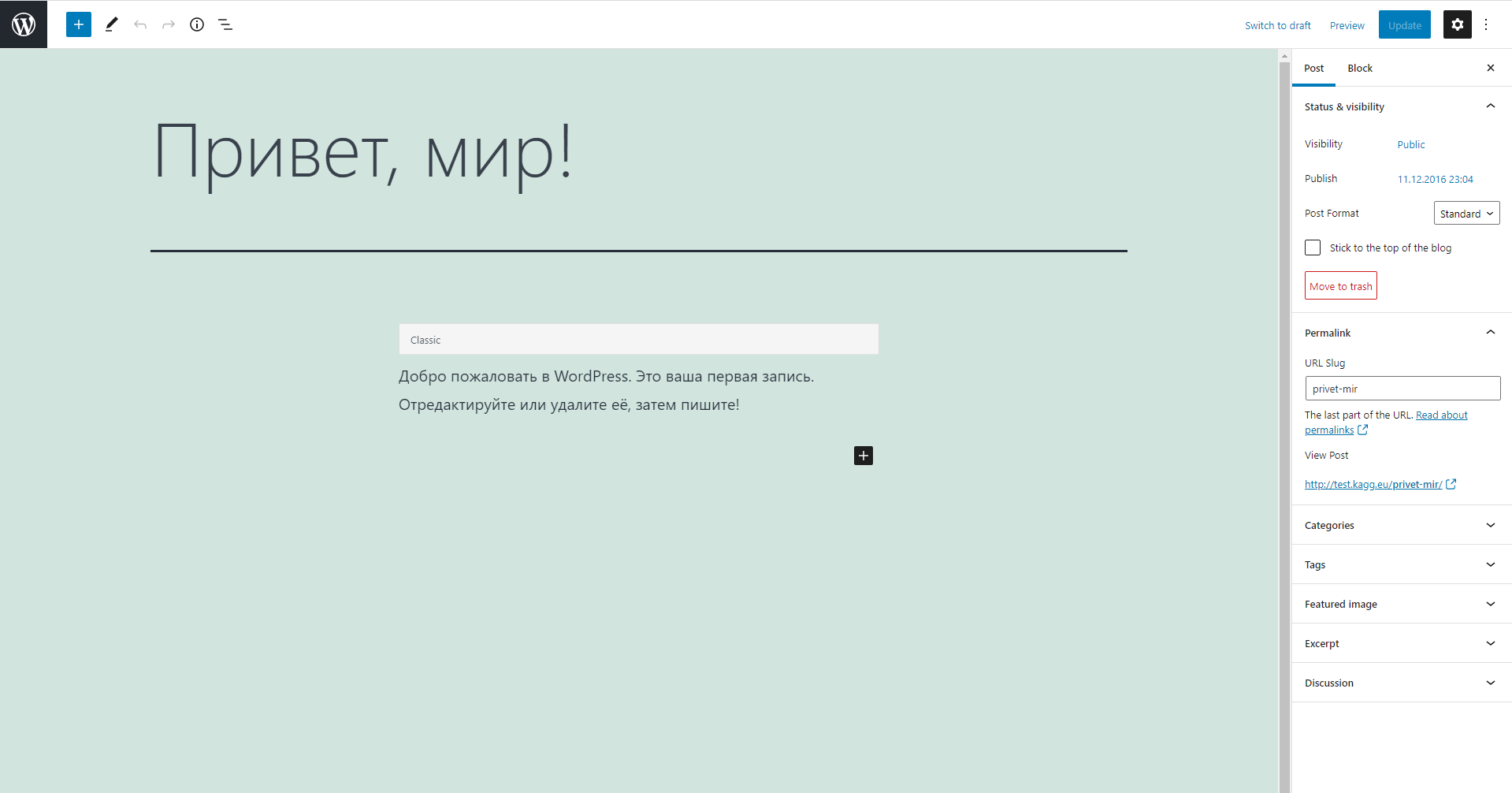
- Converts post, page, custom post type, and term slugs through explicit WordPress save and REST/Gutenberg paths
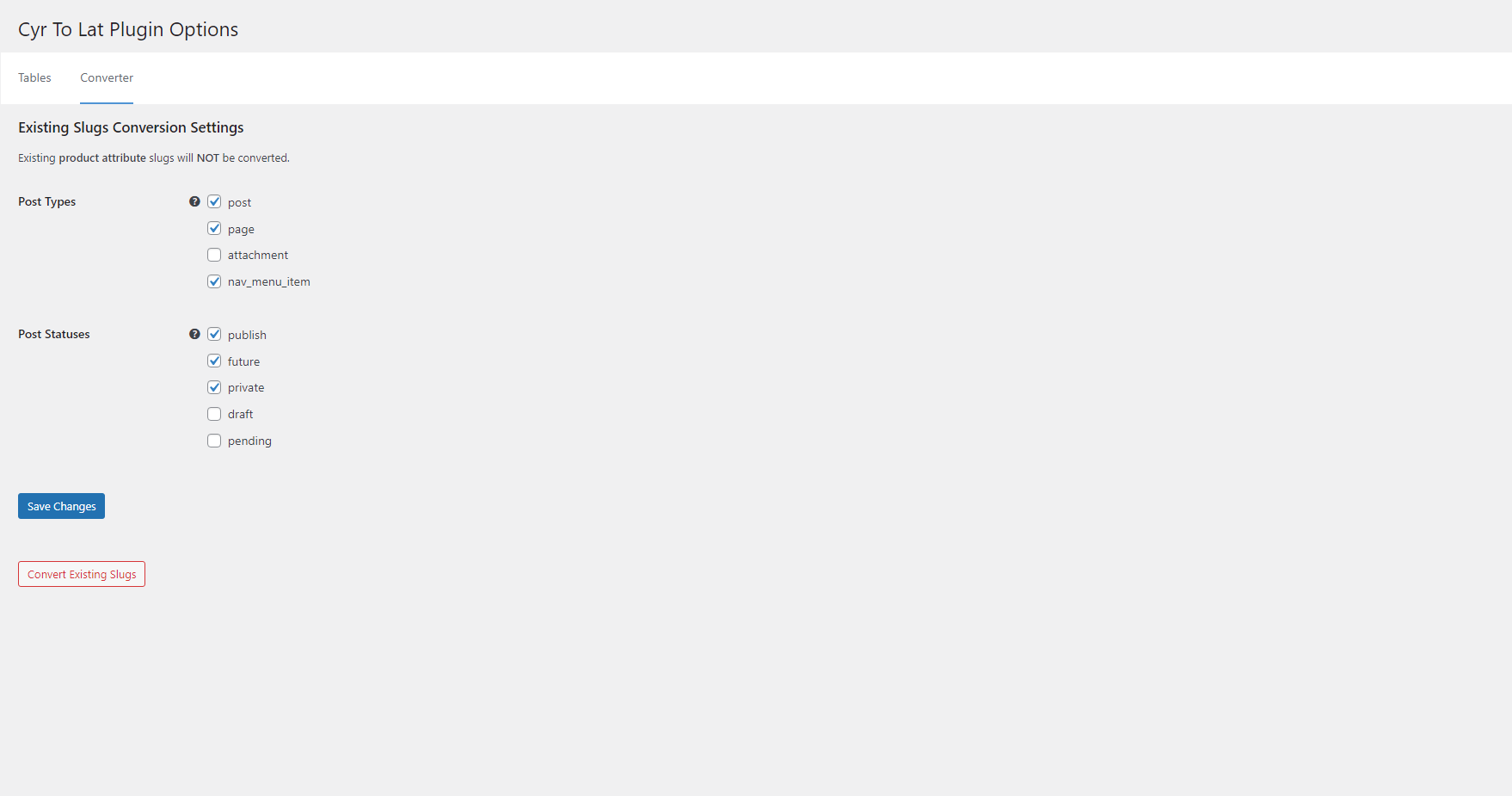
- Converts any number of existing post, page, and term slugs in background processes or with WP-CLI
- Saves existing post and page permalinks integrity
- Performs transliteration of attachment file names
- Supports WooCommerce product, product taxonomy, global attribute, local attribute, variation, and frontend cart slug flows without automatic migration of existing attributes
- The plugin supports Russian, Belorussian, Ukrainian, Bulgarian, Macedonian, Serbian, Greek, Armenian, Georgian, Kazakh, Hebrew, and Chinese characters
- Has many advantages over similar plugins
- Officially compatible with WPML
Based on the original Rus-To-Lat plugin by Anton Skorobogatov.
Sponsored by Blackfire.
Plugin Support
Screenshots
Installation
- Upload the
cyr2latfolder to the/wp-content/plugins/directory. - Activate the plugin through the ‘Plugins’ menu in WordPress.
Upgrade notes for 7.0
Version 7.0 is an architecture-focused release. It keeps the existing transliteration table, locale filters, post and term conversion tools, and WP-CLI command stable while moving slug handling to explicit services.
Existing posts, pages, terms, filenames, and WooCommerce product data are not destructively rewritten during the plugin upgrade. Use the Converter page or wp cyr2lat regenerate when you intentionally want to regenerate existing post and term slugs.
WooCommerce attributes created before 7.0 are not automatically migrated. Existing global pa_* taxonomies and existing local or variation attribute keys should be reviewed separately; any future migration must use a dedicated dry-run-first workflow.
Cyr-To-Lat 7.0.1 keeps legacy WooCommerce local variation attributes, including Any variations, aligned between the product form, add-to-cart request, and cart session.
FAQ
-
How can I define my own substitutions?
-
Add this code to your theme’s
functions.phpfile:/** * Modify conversion table. * * @param array $table Conversion table. * * @return array */ function my_ctl_table( $table ) { $table['Ъ'] = 'U'; $table['ъ'] = 'u'; return $table; } add_filter( 'ctl_table', 'my_ctl_table' ); -
How can I redefine non-standard locale?
-
For instance, if your non-standard locale is uk_UA, you can redefine it to
ukby adding the following code to your theme’sfunction.phpfile:/** * Use non-standard locale. * * @param string $locale Current locale. * * @return string */ function my_ctl_locale( $locale ) { if ( 'uk_UA' === $locale ) { return 'uk'; } return $locale; } add_filter( 'ctl_locale', 'my_ctl_locale' ); -
How can I define my own transliteration of titles?
-
Add similar code to your theme’s
functions.phpfile:/** * Filter title before sanitizing. * * @param string|false $result Sanitized title. * @param string $title Title. * * @return string|false */ function my_ctl_pre_sanitize_title( $result, $title ) { if ( 'пиво' === $title ) { return 'beer'; } return $result; } add_filter( 'ctl_pre_sanitize_title', 10, 2 ); -
How can I control the legacy sanitize_title bridge?
-
Version 7.0 uses explicit slug handlers for posts, terms, WooCommerce attributes, and other known save paths. A legacy
sanitize_titlebridge remains as a compatibility fallback for broad calls that older integrations may still rely on.You can disable the broad fallback with this code:
add_filter( 'ctl_enable_legacy_sanitize_title_bridge', '__return_false' );The filter receives the current default value,
$title,$raw_title, and$context. Explicit known contexts, such as WordPress save handling, continue to use the dedicated 7.0 slug paths.For debugging unknown bridge calls, define
CYR_TO_LAT_DEBUG_LEGACY_SANITIZE_TITLE_BRIDGEastrue. This diagnostic log is disabled by default and is not enabled byWP_DEBUG. -
How can I define my own transliteration of filenames?
-
Add similar code to your theme’s
functions.phpfile:/** * Filter filename before sanitizing. * * @param string|false $result Sanitized filename. * @param string $filename Title. * * @return string|false */ function my_ctl_pre_sanitize_filename( $result, $filename ) { if ( 'пиво' === $filename ) { return 'beer'; } return $result; } add_filter( 'ctl_pre_sanitize_filename', 10, 2 ); -
How can I allow the plugin to work on the frontend?
-
Add the following code to your plugin’s (or mu-plugin’s) main file. This code won’t work being added to a theme’s functions.php file.
/** * Filter status allowed Cyr To Lat plugin to work. * * @param bool $allowed * * @return bool */ function my_ctl_allow( bool $allowed ): bool { $uri = isset( $_SERVER['REQUEST_URI'] ) ? sanitize_url( wp_unslash( $_SERVER['REQUEST_URI'] ) ) : ''; if ( 0 === strpos( $uri, '/divi-comments' ) ) { return true; } return $allowed; } add_filter( 'ctl_allow', 'my_ctl_allow' ); -
How can I limit post types for background conversion?
-
Add similar code to your theme’s
functions.phpfile:/** * Filter post types allowed for background conversion. * * @param array $post_types Allowed post types. * * @return array */ function my_ctl_post_types( $post_types ) { return [ 'post' => 'post', 'page' => 'page', 'attachment' => 'attachment', 'product' => 'product', 'nav_menu_item' => 'nav_menu_item', ]; } add_filter( 'ctl_post_types', 'my_ctl_post_types' ); -
How can I convert many posts/terms using wp-cli?
-
Use the following command in the console:
wp cyr2lat regenerate [--post_type=<post_type>] [--post_status=<post_status>]Where
-post_type is a list of post types,
-post_status is a list of post statuses. -
What WooCommerce attribute behavior is supported in 7.0?
-
Cyr-To-Lat 7.0 explicitly handles new and updated WooCommerce product slugs, product category and tag slugs, global attribute slugs, global attribute term slugs, local product attribute keys, variation attribute keys, frontend add-to-cart requests, cart session loading, REST/API saves, and admin save flows.
Existing WooCommerce attributes are not automatically migrated during plugin upgrade. This means existing global
pa_*taxonomies, local product attribute keys, and variation attribute keys keep their current stored values until you intentionally change them. A future migration tool should be separate and dry-run-first so store owners can review the impact before any rewrite. -
How can I regenerate thumbnails safely?
-
Regeneration of thumbnails with the command
wp media regeneratecan break links in old posts as file names become transliterated.To avoid it, deactivate the cyr2lat plugin during regeneration:
wp media regenerate --skip-plugins=cyr2lat -
Can I contribute?
-
Yes, you can!
- Join in on our GitHub repository
- Join in on our Telegram Group
-
Where do I report security bugs found in this plugin?
-
Please report security vulnerabilities by email to:
When reporting a vulnerability, please include as much information as possible to help us reproduce and investigate the issue, such as:
- A clear description of the vulnerability
- Steps to reproduce
- Proof-of-concept or exploit code (if available)
- Affected versions
We will review your report and respond as quickly as possible.
Reviews


Contributors & Developers
“Cyr-To-Lat” is open source software. The following people have contributed to this plugin.
Contributors


“Cyr-To-Lat” has been translated into 10 locales. Thank you to the translators for their contributions.
Translate “Cyr-To-Lat” into your language.
Interested in development?
Browse the code, check out the SVN repository, or subscribe to the development log by RSS.
Changelog
7.0.2 (24.05.2026)
- Fixed legacy WooCommerce local variation attributes with punctuation in attribute names after upgrading from versions before 7.0.
7.0.1 (20.05.2026)
- Changed legacy sanitize_title bridge diagnostics to use the dedicated CYR_TO_LAT_DEBUG_LEGACY_SANITIZE_TITLE_BRIDGE constant instead of WP_DEBUG.
- Fixed legacy WooCommerce local variation attributes, including
Anyvariations, after upgrading from versions before 7.0. - Fixed duplicate WooCommerce product slugs when an existing product is updated with an empty slug.
7.0.0 (18.05.2026)
- Refactored slug handling into explicit services for posts, terms, filenames, WooCommerce attributes, variation attributes, background conversion, and WP-CLI paths.
- Improved Gutenberg coverage through REST/backend slug handling.
- Improved WooCommerce support for product, taxonomy, global attribute, local attribute, variation, frontend cart, REST/API, and admin save flows.
- Added the
ctl_enable_legacy_sanitize_title_bridgecompatibility filter for broad legacysanitize_titlebehavior. - Documented that existing WooCommerce attributes are not automatically migrated in 7.0; future migration work must be a separate dry-run-first workflow.
- Documented the backend-first testing strategy without required Codeception or Playwright release dependencies.