

Description
Dynamic Tags for Elementor enables 110+ custom dynamic tags in Elementor Free, organized into purpose-built groups.
Our advanced caching system with request-scoped memoization for repeated field lookups and product queries, and transient-based admin caching with smart invalidation, delivers faster page rendering and reduced database queries.
Features
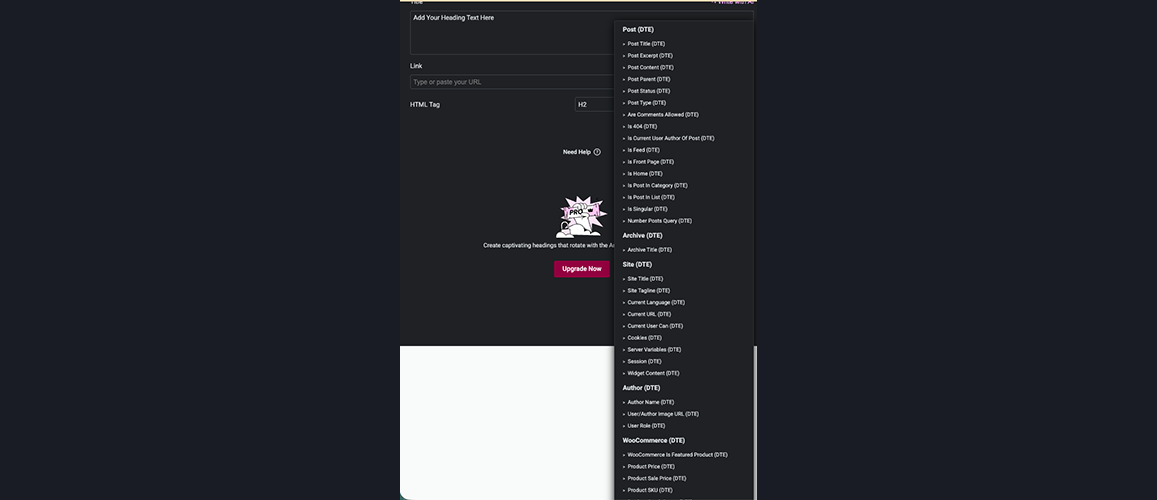
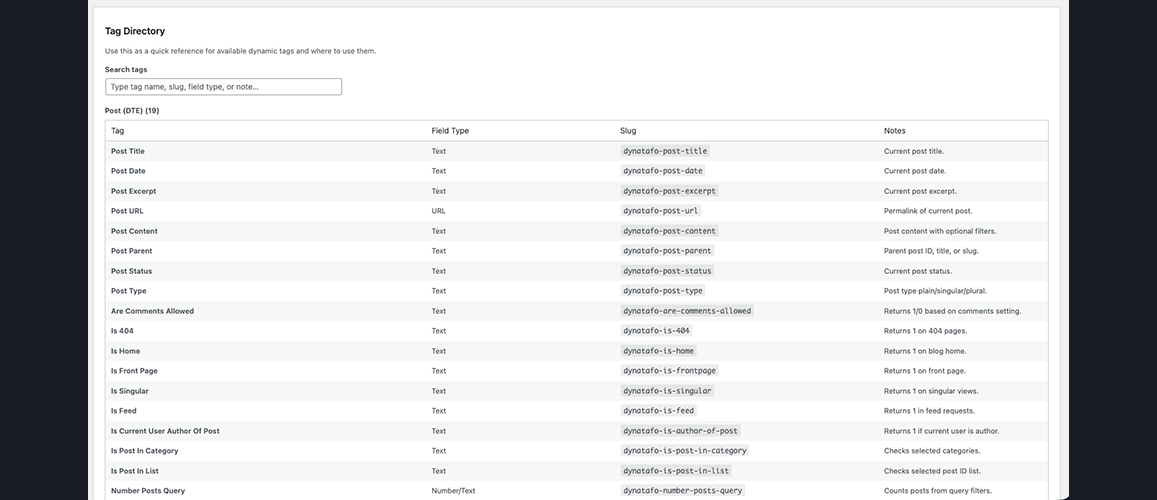
- Post — Post title, date, content, categories, comments, and post conditions (Is 404, Is Home, etc).
- Archive — Archive titles, descriptions, and archive-page URLs.
- Site — Site title, URL, tagline, and site metadata.
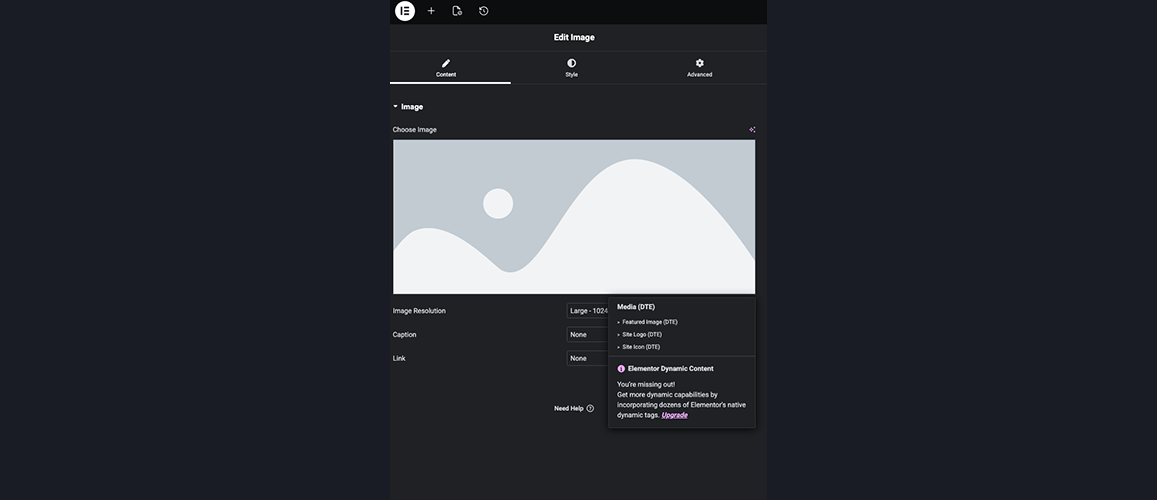
- Media — Featured images, galleries, site logo and icon.
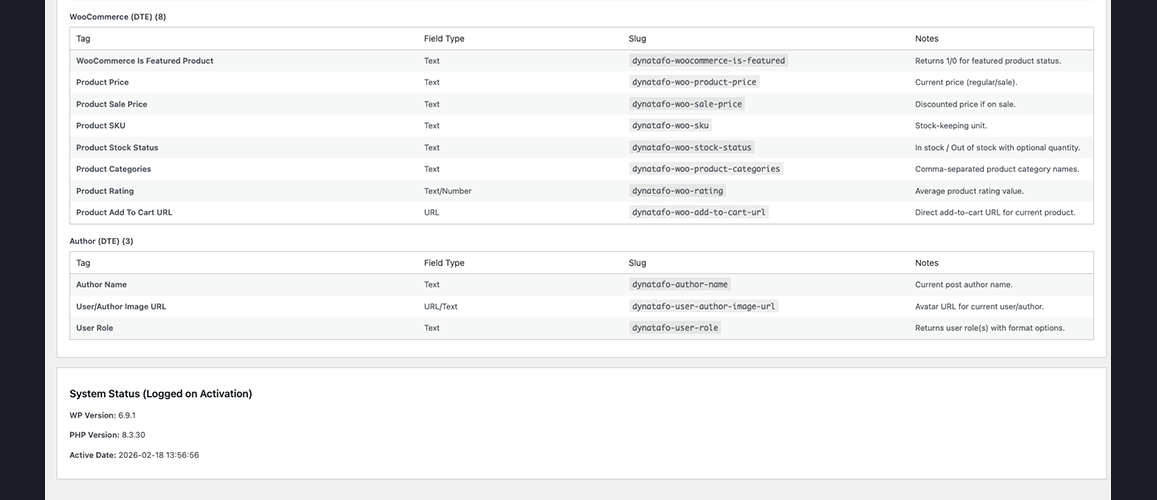
- Author — Author name, bio, profile picture, and author URLs.
- User — Current user ID, display name, email, role, and capabilities.
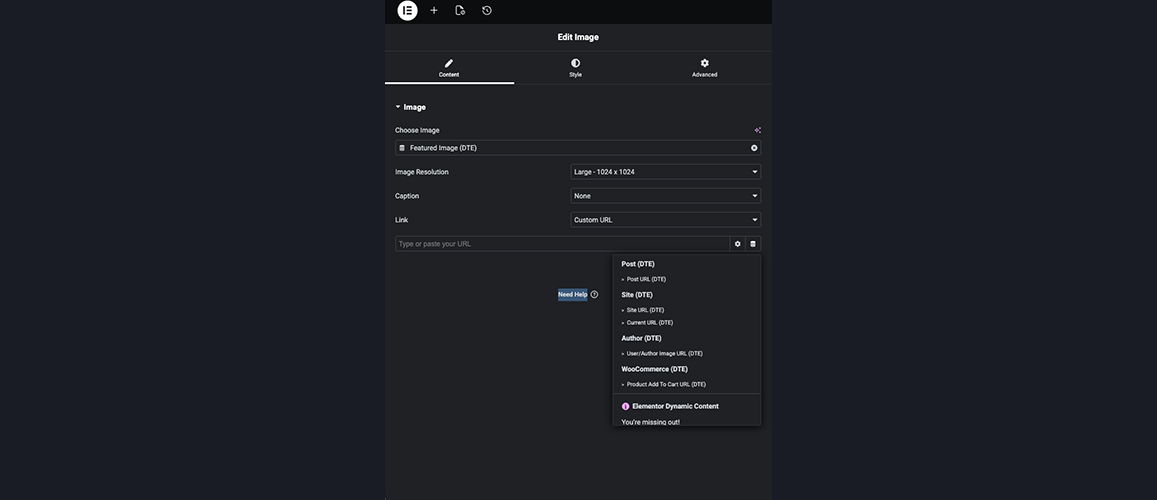
- Actions — Dynamic URLs for buttons, links, lightboxes, and off-canvas content.
- Comments — Comments URL and comment counts.
- Taxonomy — Current term names, descriptions, and term images.
- WooCommerce — Product price, SKU, stock status, categories, and ratings.
- ACF — 13 ACF field tags with multi-format output options.
- SCF — 13 Secure Custom Fields tags with ACF-compatible APIs.
Use for dynamic text, URLs, images, and conditional outputs in any Elementor Free widget.
Video Tutorial
Watch this quick overview video to see how Dynamic Tags for Elementor works in action:
Dependencies
- Required: Elementor
- Optional: Advanced Custom Fields (ACF), Secure Custom Fields (SCF), WooCommerce, WPML, Polylang
Screenshots

Installation
- Upload plugin files to
/wp-content/plugins/dynamic-tags-for-elementor. - Activate via Plugins menu.
- Open Elementor editor click Dynamic Tags icon on any supported field choose a tag.
For quick tag discovery, go to WP Admin Dynamic Tags Tag Directory.
FAQ
-
Does this require Elementor Pro?
-
No. This plugin works exclusively with Elementor Free. All dynamic tags are designed for Elementor Free and do not require a Pro license.
-
No. DTE tags are registered in separate groups and coexist peacefully with Elementor Pro tags. If you later upgrade to Pro, both tag sets remain available.
-
Which custom fields and third-party plugins are supported?
-
DTE supports:
* WooCommerce (Product price, SKU, stock status, categories, ratings, add-to-cart URLs).
* ACF (Advanced Custom Fields) (13 tags including repeaters, galleries, relationships, true/false, taxonomy terms, dates).
* SCF (Secure Custom Fields) (13 tags with feature parity to ACF).
* WPML & Polylang (Automatic language-aware URL filtering). -
Most widgets with text, URL, or image fields support dynamic tags (indicated by the small Dynamic Tag icon next to the field).
-
How do I find a specific tag quickly?
-
Go to WP Admin Dynamic Tags Tag Directory to view a searchable list of all tags grouped by category with descriptions.
-
Yes. DTE provides filters and action hooks for third-party developers, including
dynatafo_dynamic_tag_groupsanddynatafo_register_dynamic_tags.
Reviews


Contributors & Developers
“Dynamic Tags for Elementor” is open source software. The following people have contributed to this plugin.
Contributors

Translate “Dynamic Tags for Elementor” into your language.
Interested in development?
Browse the code, check out the SVN repository, or subscribe to the development log by RSS.
Changelog
1.2.6
- Update: UI updated, security patch updated, and elementor compatibility check.
1.2.5
- Added: Support forum integration directly linking to ww.wp.xz.cn support forum.
- Added: Spotlight notice announcing the release of Dynamic Tags for Elementor Pro.
- Enhanced: Settings page layouts, security checks, and user experience.
1.2.4
- Added: Freemius SDK integration for licensing, updates, and opt-in handling.
- Added: Uninstall cleanup routine migrated to Freemius after_uninstall hook to clean up plugin data.
- Fixed: Resolved concurrent plugin admin notice dismissal nonce collisions.
- Enhanced: Tested compatibility up to Elementor 4.1.1 and Elementor Pro 4.1.0.
1.2.3
- Added: Extensible filters
dynatafo_dynamic_tag_groupsanddynatafo_dynamic_tag_definitionsto allow seamless tag and group registration from external plugins (e.g. the upcoming Pro add-on). - Added: Direct registration action hooks
dynatafo_register_dynamic_tag_groupsanddynatafo_register_dynamic_tagsfor third-party dynamic tags. - Added: Extensible actions
dynatafo_admin_settings_before_contentanddynatafo_admin_settings_after_contentto dynamically output content (e.g. licensing tabs) directly inside the unified settings page. - Enhanced: Reinforced WooCommerce, ACF, and SCF compatibility layer to operate gracefully during activation and deactivation transitions.
- Fixed: Version notice dismissal nonce collisions under concurrent plugin setups.
1.2.2
- update: fixes dependencies with elementor latest version.
1.2.1
- update: fixes dependencies with elementor latest version.
1.2.0
- Added: Advanced caching and performance optimization system for significantly faster tag rendering.
- Added: Request-scoped memoization for repeated field lookups (ACF, SCF) and WooCommerce product queries within single page render.
- Added: Intelligent transient-based caching for admin-side file I/O with filemtime-based cache invalidation for tag directory and changelog parsing.
- Added: Version-scoped admin notice manager with modular file-based notice definitions for extensible, maintainable release notifications.
- Added: Two new dismissible admin notices: version-updated notice for release announcements and whats-new notice with feature highlights.
- Enhanced: Improved performance for tag directory retrieval, changelog version parsing, and plugin dependency detection via persistent caching.
- Improved: Reduced database queries and file system operations through SQL-free transient caching.