
Description
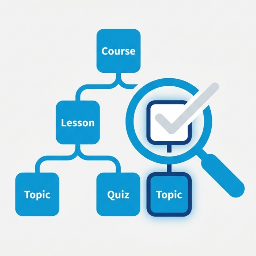
Find & Remove Unused LearnDash Content scans your LearnDash LMS installation and identifies quizzes, lessons, and topics that are not attached to any course structure. Over time these orphaned items accumulate and bloat your database.
This plugin is a third-party utility and is not affiliated with or endorsed by LearnDash or its parent company.
Key Features
- Three-tab dashboard — separate views for Quizzes, Lessons, and Topics
- Smart detection — uses multiple LearnDash API methods to reliably determine usage
- Course column — shows the parent course even when the quiz is attached via a lesson or topic
- Search — filter by title, post ID, or associated course/lesson name
- Usage filter — switch between All / Used / Unused instantly
- Pagination — configurable rows per page (10 / 25 / 50 / 100)
- Bulk actions — Move to Trash or Permanently Delete selected items
- Trash All Unused — one-click button to move all orphaned items to trash
- CSV Export — export current filtered view to a spreadsheet
- Refresh Scan — clear the cache and force a fresh scan
- Results cached — 5-minute transient cache keeps the UI fast
- No external dependencies — pure WordPress APIs only
Requirements
- WordPress 5.8 or higher
- PHP 7.4 or higher
- LearnDash LMS (tested with LearnDash 4.x)
Usage Detection Logic
A quiz is marked Used if it appears in at least one of:
learndash_get_course_quiz_list()for any courselearndash_get_lesson_quiz_list()for any lessonlearndash_get_topic_quiz_list()for any topic_sfwd-quizpost meta (edit-screen association fallback)
A lesson is marked Used if it has a course pointer via:
learndash_get_course_lessons_list()for any course_sfwd-lessonspost meta (sfwd-lessons_coursefield)ld_get_setting( $id, 'course' )fallback
A topic is marked Used if it has a lesson or course pointer via:
learndash_get_lesson_topics_list()for any lesson_sfwd-topicpost meta (sfwd-topic_lesson/sfwd-topic_coursefields)
Safety
- All destructive actions require nonce verification
- Only users with the
manage_optionscapability can use this plugin - Deleted items go to Trash by default so they can be restored
- Results are cached — click Refresh Scan before any cleanup to ensure accuracy
Screenshots


Installation
- Download the plugin ZIP file.
- Go to WordPress Admin Plugins Add New Upload Plugin.
- Choose the ZIP file and click Install Now.
- Click Activate Plugin.
- Navigate to LearnDash Unused Content in your admin sidebar.
Manual Installation
- Unzip the plugin folder.
- Upload the
find-remove-unused-learndash-contentfolder to/wp-content/plugins/. - Activate the plugin through the Plugins menu in WordPress Admin.
FAQ
-
Does this plugin delete content automatically?
-
No. The plugin only scans and displays results. You must manually select items and use the bulk action buttons, or click “Trash All Unused”. Items are moved to Trash by default, not permanently deleted, so you can restore them if needed.
-
Is this an endorsed LearnDash plugin?
-
No. This is an independent third-party utility. It is not affiliated with, endorsed by, or supported by LearnDash or its parent company.
-
What LearnDash versions are supported?
-
The plugin has been tested with LearnDash 4.x. It uses publicly documented LearnDash PHP functions and post meta keys.
-
Why does the Course column show a dash for some used quizzes?
-
Click Refresh Scan to clear the cache and re-scan. If a quiz is linked to a lesson but that lesson has no course pointer in its meta, the plugin will mark the quiz as Used but cannot determine the parent course. In that case, check the lesson’s settings in LearnDash and ensure it is assigned to a course.
-
Can I undo a deletion?
-
If you used “Move to Trash”, yes — go to LearnDash Quizzes (or Lessons / Topics) Trash and restore them. Permanently deleted items cannot be recovered.
-
The plugin shows a large number of unused lessons or topics — is that correct?
-
It can be. LearnDash does not automatically clean up lessons or topics when a course is deleted. Always review carefully before bulk-deleting.
-
Will this plugin work if LearnDash is deactivated?
-
The plugin will still activate and show the admin page, but scan results will be empty. A warning banner will appear at the top of the page.
Reviews
There are no reviews for this plugin.
Contributors & Developers
“Find & Remove Unused LearnDash Content” is open source software. The following people have contributed to this plugin.
Contributors
Translate “Find & Remove Unused LearnDash Content” into your language.
Interested in development?
Browse the code, check out the SVN repository, or subscribe to the development log by RSS.
Changelog
1.0.2
- Initial release.