

Description
👁️Plugin Demo | 🚀Pro Version | 👩🏼💻Support | 📄Docs
Most contact forms collect a name, an email, and a message – and stop there. You get fragments of context. Your visitor disappears. The conversation never really starts.
Live chat tries to solve this, but it creates a different problem: someone has to be online. Small teams and solo operators cannot stay available all day. Missed chats become missed leads.
HelpGent gives WordPress site owners a better way to communicate with their audience.
Visitors can explain what they need through video, voice, text, or screen recording – on their own time. Your team reviews and replies when ready, with the same rich formats. No one needs to be online at the same time, and every conversation stays inside your WordPress installation.
This is what we call a Video Funnel: a guided, multi-step experience that collects rich responses and creates the conditions for a real conversation – before you ever type a single reply.
HelpGent is not a SaaS tool with a monthly seat count or a video-minute cap. It installs on your WordPress site, stores everything in your own hosting environment, and scales with your team at a predictable price.
What HelpGent Is Built For
- Lead capture for service businesses – qualify prospects with real context before a discovery call
- WooCommerce product questions – let shoppers ask with video or voice, reply when you are ready
- Support intake – collect screen recordings and step-by-step explanations instead of vague tickets
- Client onboarding – guide new clients through a structured async intake instead of long email threads
- Discovery call replacement – screen high-ticket prospects with a Video Funnel before committing to a call
- Testimonial collection – guide happy customers through simple prompts, collect video or voice testimonials
- Hiring and candidate screening – review short intro videos before scheduling interviews
- Product feedback and research – let users show you the problem instead of describing it
👉 Join Our FB Community: HelpGent Community
👉 Official Facebook Page: Like and Follow on Facebook
👉 Official Twitter Handle: Follow on Twitter
👉 Official YouTube Channel: Follow on YouTube
👉 Official Support: Contact
Core Features
Video Funnels
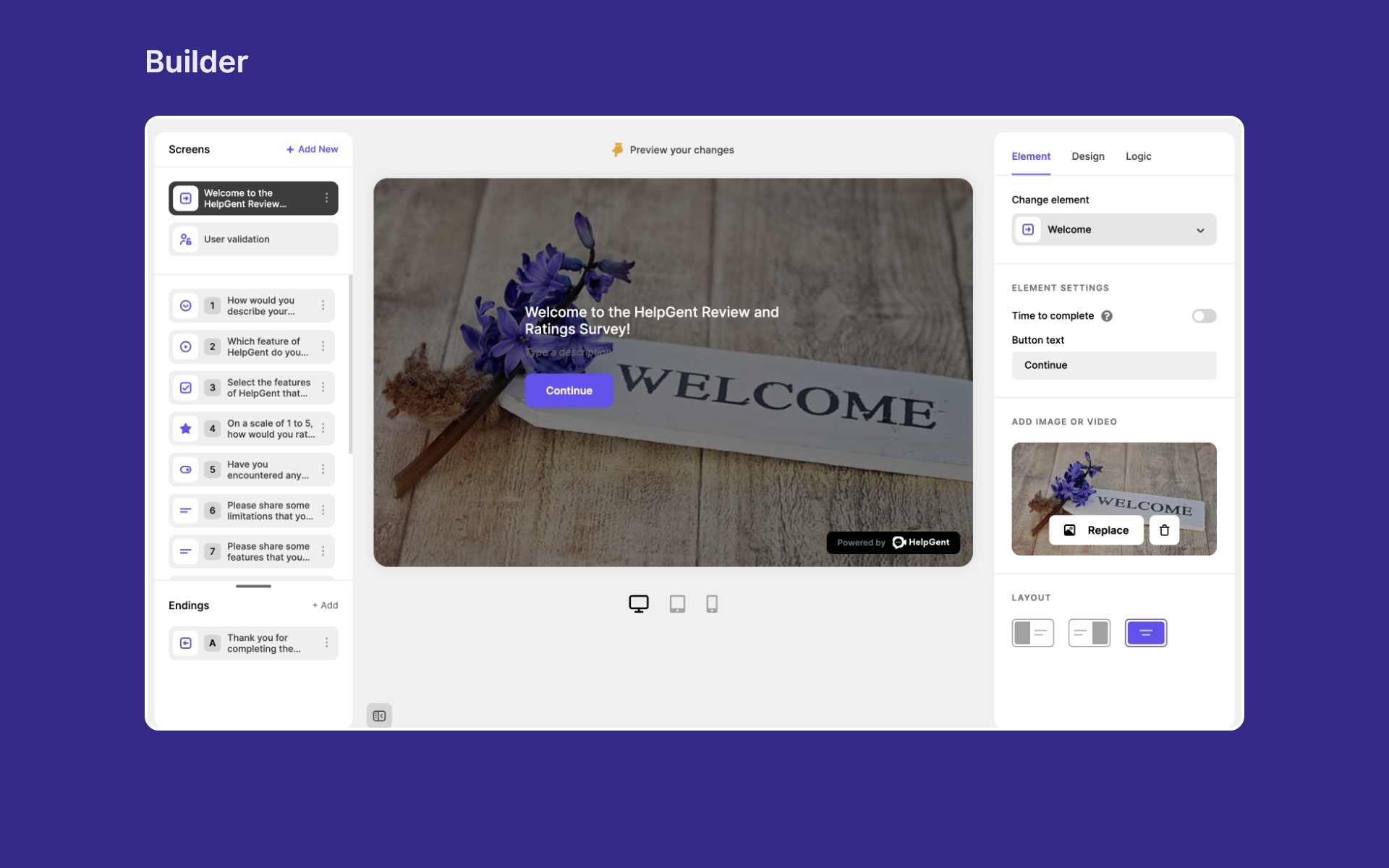
Build guided, multi-step experiences that walk visitors through your questions one at a time. Each step can collect a different format: video, voice, text, file upload, or screen recording. Visitors move through the flow at their own pace. You get richer, more useful responses than any standard contact form.
Async Video and Voice Messaging
Visitors record a video or voice message directly in their browser. No app, no registration required by default. You reply with your own video or voice when ready. The conversation continues asynchronously, with full message history visible on both sides.
Screen Recording
Visitors can record their screen and send it as part of a conversation. This is especially useful for support, bug reporting, product feedback, and anything where showing is faster than describing.
AI Chatbot with Live Chat Takeover
HelpGent includes an AI chatbot that handles incoming conversations automatically. When a conversation needs a human, your team can step in and take over. This keeps response times low without requiring someone to be on standby.
Shareable Public Form Links
Publish forms with clean, shareable URLs. Use them in email campaigns, landing pages, social posts, or direct outreach. No need to embed on a page if you just need a link.
Conversation Management Dashboard
All conversations, replies, and message history live inside your WordPress admin. You can track unread messages, follow up on open threads, manage contacts, and respond to conversations without leaving WordPress.
Quiz and Assessment Support
Build quiz-based funnels with scoring, timers, and manual review. Useful for coaching applications, course screenings, and structured lead qualification.
Ratings and Feedback Collection
Collect star ratings, NPS scores, and structured review responses as part of your funnel steps.
Unified Contact Records
Every person who interacts with a HelpGent funnel gets a unified contact record. Guest submissions, returning users, and registered accounts are all handled in one consistent contact layer.
Your Data Stays in Your Hosting
HelpGent stores all conversations, recordings, and contact data in your own WordPress database and hosting environment. You are not sending your customer conversations to a third-party SaaS server. You control the data. You can delete it, export it, and manage it on your terms.
Free vs. Premium
Free
- Unlimited Video Funnels
- Unlimited responses
- Video recording (up to 2 minutes per clip)
- Voice recording
- Text messaging
- Guest submissions without registration
- Video upload
- Conversation dashboard
- Frontend dashboard for visitors and contacts
- AI Chatbot with Live Chat Takeover
- Shareable public form links
- Customizable form bubble (floating widget)
- Advanced logic and conditional steps
Premium
- Screen recording
- Unlimited video recording length
- Unlimited voice recording length
- HD video resolution (up to 1080p)
- Unlimited file upload size
- Automatic attachment cleanup after a defined period
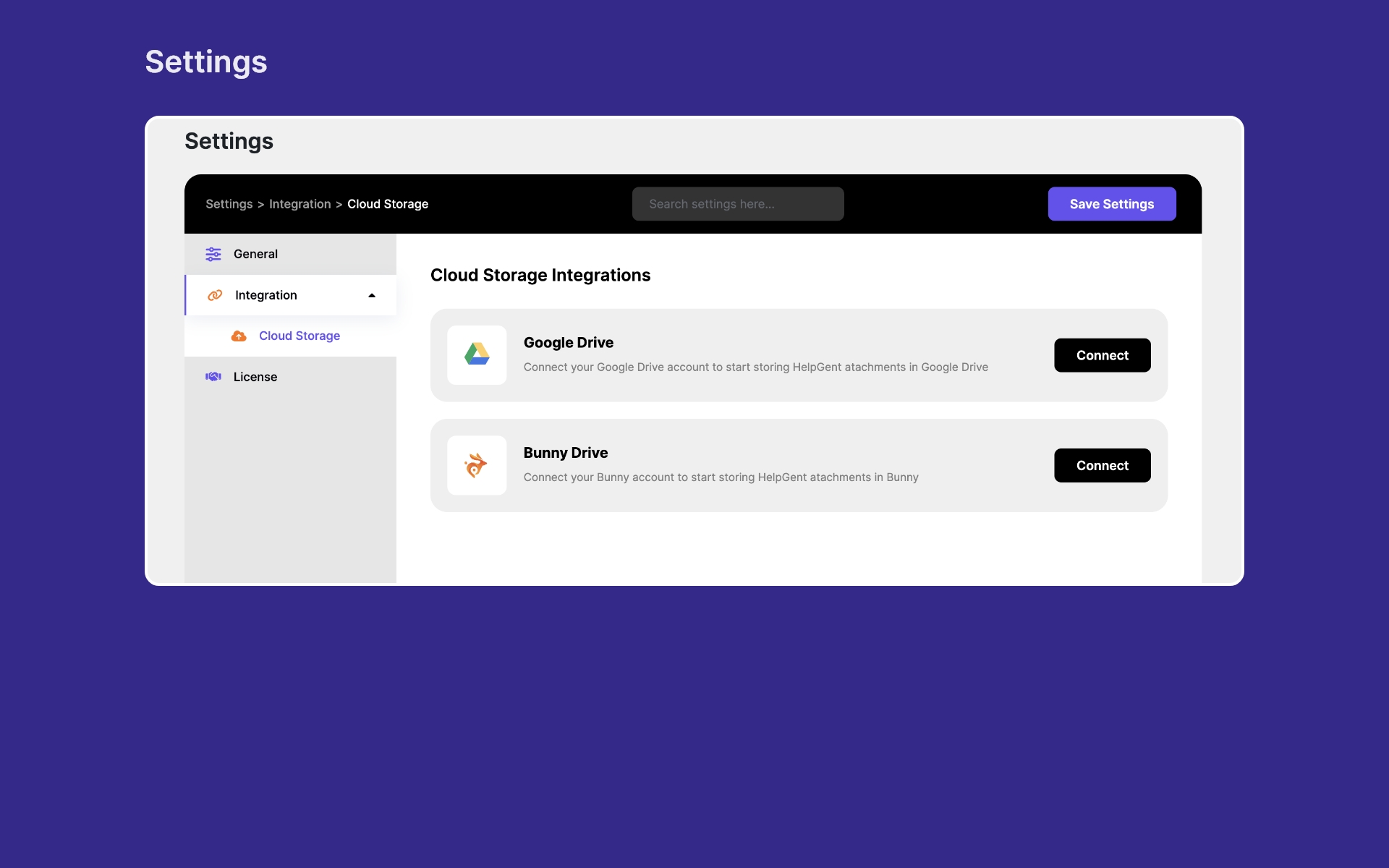
- Cloud storage integration (Google Drive, Bunny CDN)
- Email notifications for new responses
- Conditional end screens
- Save incomplete form data
- Pre-made funnel templates
- Anonymous submissions
- Customizable screens with images and video
- Multiple form layout options
- Directorist integration
- White-label email footer
- Priority support
Why WordPress Users Choose HelpGent
Your data lives on your hosting, not someone else’s server. SaaS video and chat tools store your conversations on their infrastructure. When you cancel, that data stays with them. HelpGent keeps everything inside your WordPress installation. You own it completely.
No per-seat pricing. No video-minute limits. Most SaaS tools charge per team member or per video recorded. HelpGent is priced per site, so your team can grow and your conversations can scale without a bill that grows with every reply.
Async communication is better for most use cases. Live chat is only useful when both sides are available at the same time. For lead qualification, support intake, onboarding, and research, async is faster and more thoughtful for both parties. HelpGent is built around this workflow.
Integrated into WordPress, not bolted on. HelpGent is built specifically for WordPress. Your conversations live in the same environment as your site, your users, and your other plugins. No separate dashboard to log into. No third-party app to manage.
Screenshots





FAQ
Where are recordings and attachments stored?
Everything is stored in your WordPress hosting environment – your database and your wp-content/uploads/ directory. Nothing is sent to external servers unless you connect a cloud storage integration like Google Drive or Bunny CDN.
Can visitors submit without registering?
Yes. Guest submissions are supported by default. Visitors do not need a WordPress account or a HelpGent account to submit a message or complete a funnel.
How do returning visitors continue a conversation?
HelpGent uses an email-based access link. When a returning visitor wants to check replies or continue a thread, they request a login link by email. No password required.
Can I embed a funnel on any page?
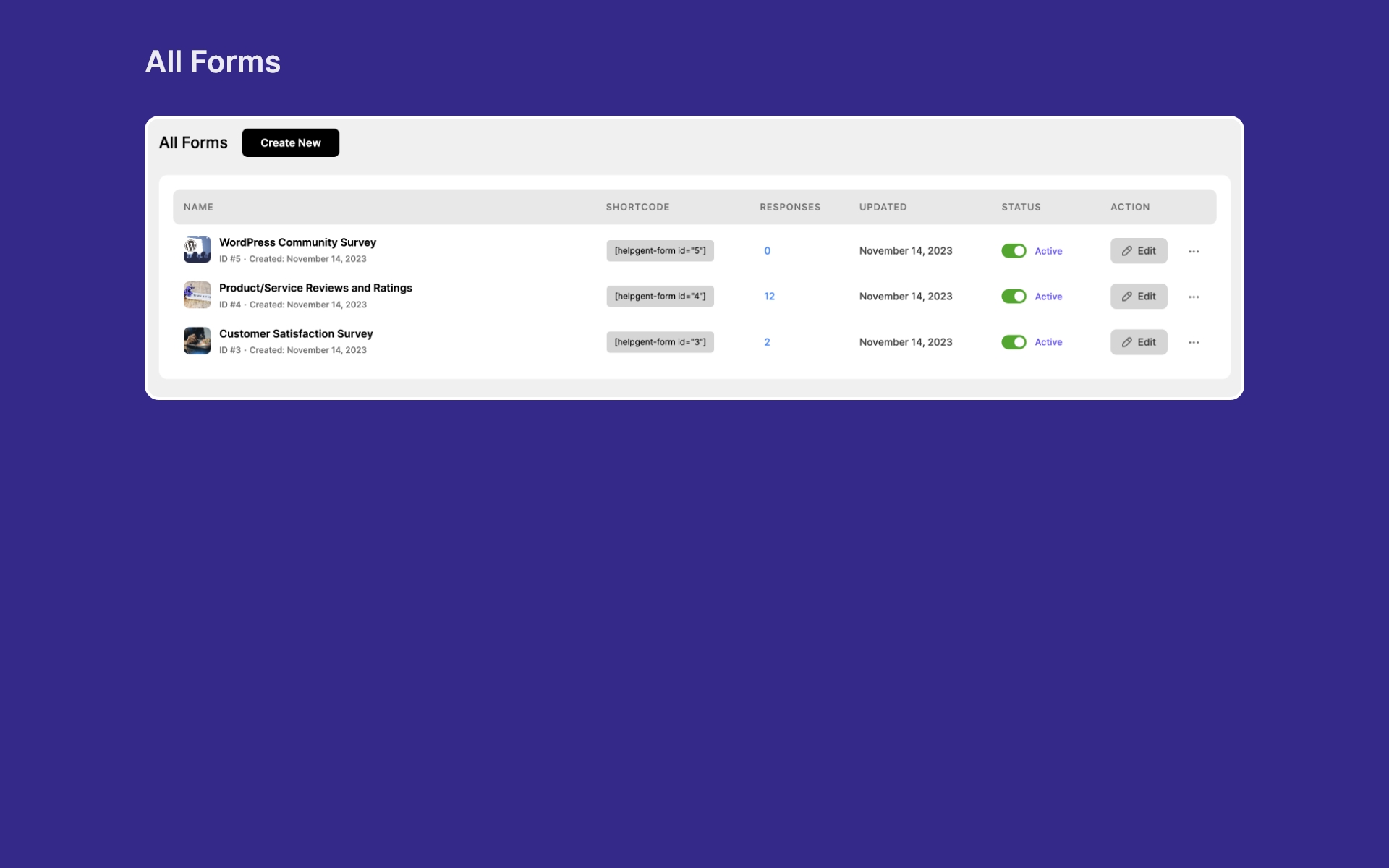
Yes. You can embed any HelpGent funnel using a shortcode, display it as a floating chat bubble, or share it via a public URL.
Does it work with WooCommerce?
Yes. You can place a funnel or conversation widget on product pages so customers can ask questions before purchasing.
Does it work with Directorist?
Yes. HelpGent has a dedicated Directorist integration, allowing directory visitors to message listing owners directly through a HelpGent conversation.
Is HelpGent compatible with my theme?
HelpGent works with any standard WordPress theme. The conversation interface and form bubble are self-contained and do not depend on theme styles.
Is conversation data encrypted?
Conversations are stored in your WordPress database. Security is managed at your hosting level. We recommend using a reputable host with SSL, database encryption, and regular backups.
Reviews


Contributors & Developers
“HelpGent – Video Funnels and Conversational Forms for WordPress” is open source software. The following people have contributed to this plugin.
Contributors
“HelpGent – Video Funnels and Conversational Forms for WordPress” has been translated into 1 locale. Thank you to the translators for their contributions.
Translate “HelpGent – Video Funnels and Conversational Forms for WordPress” into your language.
Interested in development?
Browse the code, check out the SVN repository, or subscribe to the development log by RSS.
Changelog
3.0.0 – 08 June 2026
- New: Revamped the form builder and frontend form experience with a cleaner, more modern interface.
- New: Added cleaner public form sharing with shareable form URLs and improved share controls.
- New: Added form import and export tools for moving forms between sites.
- New: Added response entry export for downloading submitted entries.
- New: Added a visual logic canvas for building and managing conditional form flows.
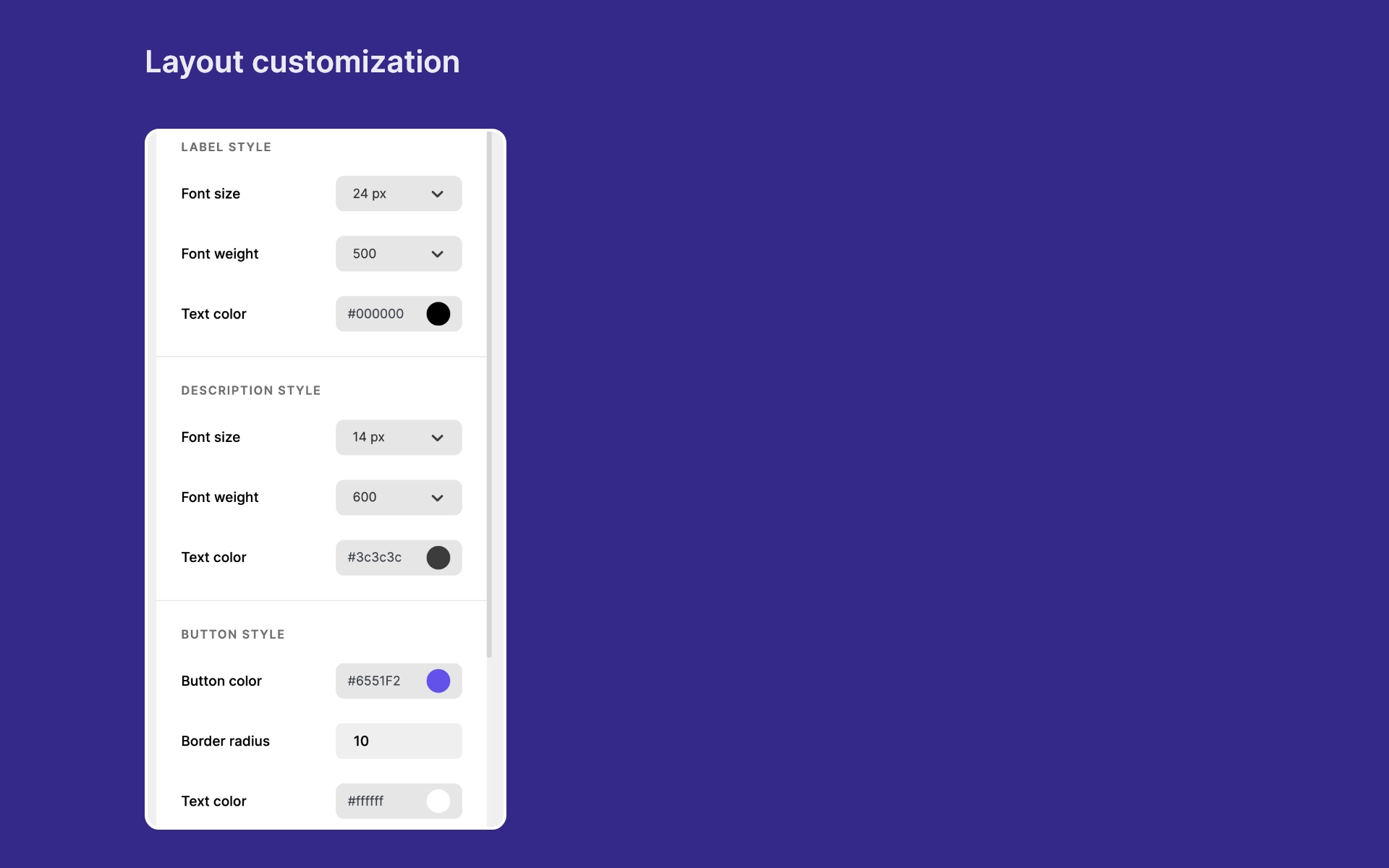
- New: Added custom theming support for more flexible form styling.
- New: Introduced a unified HelpGent user system for guests and registered users, with improved login and session handling.
- New: Added a dedicated chat and conversation foundation with chat messages, members, unread counts, reviews, and stronger attachment access rules.
- New: Expanded quiz support with scoring, timers, grading, feedback, and manual review workflows.
- New: Added backend support for star rating, and promoter score field types.
- Improved: Updated contacts, exports, admin routes, form access locking, site verification, and older guest-data migration.
- Improved: Modernized the build, release, code quality, and plugin validation tooling.
- Developer note: Version 3.0.0 includes major identity, REST route, hook, and database changes. Custom integrations should be reviewed before upgrading.
2.2.4 – 28 July 2024
- Fixed: Resolved an issue with the date filter in the admin forms table.
2.2.3 – 27 June 2024
- Fixed: The issue with updating placeholders in open-ended text fields.
2.2.2 – 09 May 2024
- Fixed: Admin settings nested tab active issue.
- Fixed: Open-ended does not going to next while file upload is active.
- Fixed: Contact info element data storing issue.
- Fixed: Can’t submit Yes/No element ‘No’ value when incomplete submission is not enabled.
2.2.1 – 29 April 2024
- Fixed: Can’t submit Open-Ended text elements when the file field is not active.
- Fixed: Can’t submit Open-Ended text elements data when incomplete submission is not enabled.
- Fixed: Email notification issue in new response.
2.2.0 – 17 April 2024
- New: User profile feature.
- New: Google map element integration.
- New: Auto-save functionality for form builder settings.
- New: Background focal point adjustment for element image.
- New: Added advanced logic capabilities in the time picker element.
- Improved: Enhanced layout of the form builder.
- Improved: Included color control options in the form builder design tab.
- Improved: Added toggle for enabling/disabling progress count.
- Improved: Replaced the submit button with a continue button in the statement element.
2.1.0 – 19 March 2024
- New: Time picker element.
- New: Google Recaptcha element.
- New: Added media migration table in the admin dashboard.
- Improved: Added attachment chunk upload support to upload large files.
- Improved: Stopped scripts enqueue if the form does not exist in the frontend.
2.0.5 – 20 February 2024
- New: GDRP element.
- New: Statement element.
- New: Acceptance checkbox in user validation element.
- New: Form duplicate feature.
- Improved: Added form filter and Improved the form table design.
- Improved: Sending emails using background process to lessen response submission time.
- Improved: Added form bubble compatibility with server cache.
2.0.4 – 08 February 2024
- New: Added font family control in the form builder.
- New: Added element new layout(no media).
- New: Added next/previous nav bar.
- New: Background image/color Support.
- New: Added video recording support for all element layout media.
- Fixed: Elements list search issue.
- Fixed: Attachments filename duplicate issue.
- Fixed: Response refresh issue.
- Fixed: Same type elements data conflict issue.
- Fixed: Summary individual element active conflict issue.
- Fixed: The form shortcode is not working in the elementor builder issue.
- Fixed: Prevent lead data deletion upon form deletion.
- Fixed: Stop calling unknown APIs in the user dashboard.
- Improved: Form submission SQL queries have been optimized.
- Improved: Copy the shortcode to the clipboard by on click.
- Improved: Skipped screen recording countdown by clicking anywhere.
- Improved: Moved individual screen style to global style.
- Improved: Added file drag and drop upload support.
- Improved: All JS text string is made translatable.
- Improved: Responsiveness.
2.0.3 – 21 December 2023
- Improved: Refinements to visual style for a more polished appearance.
2.0.2 – 19 December 2023
- New: Showing the guest user list on the contact page.
- New: Delete unverified responses if not verified within 48 hours.
- Improved: Screens list scrolls down on adding element.
- Improved: Added unverified badge in response.
- Improved: Added a pre-loader in the premade template thumbnail.
- Improved: Closed elements list popup after adding an element.
- Improved: Added a preloader in form bubble.
- Improved: User validation element email input validation.
- Improved: Same element multi-time submission API requesting issue.
- Fixed: Nginx server file protected rewrite rule.
- Fixed: Sending admin form response URL in admin mails.
- Fixed: Open Ended video preview issue (Mozilla Firefox).
2.0.1 – 24 November 2023
- New: Added 2 new premade templates.
2.0.0 – 17 November 2023
- New: Conversational/Multi-step form builder.
- New: Form bubble customizer.
- New: Pre made form templates.
- New: 4 Different element layouts.
- New: Anonymous submission feature.
- New: view form summery.
- New: 20+ custom elements.
1.3.6 – 13 November 2023
- Improved: Update notice.
1.3.3 – 20 July 2023
- Optimized: Reducing plugin size.
1.3.2 – 19 July 2023
- Optimized: Reducing plugin size.
1.3.0 – 16 July 2023
- Tweak: Excluded countdown time from screen recording time.
- Extend: Contact form fields (Website, Phone, Price, Requirements, File Upload).
- New: Terms and Conditions checkbox.
- Fixed: Edit form next buttons, color changing, audio reply issue.
- Fixed: Chat head intro video time length issue.
- Fixed: ChatBox ShortCode not working.
- Fixed: Email issue.
- Fixed: Video recording issue in iPhone.
- Fixed: Form author is missing in conversations.
- Optimized: File Size.
- Improved: Settings Panel.
1.2.0 – 22 May 2023
- New: Custom fields in text module.
- New: Lazy loading and optimization.
1.1.4 – 28 April 2023
- Remove the external updater.
1.1.3 – 6 April 2023
- Readme and composer file updated.
1.1.1 – 4 April 2023
- New: Message Edit, Delete, Reply, Forward.
- New: React routing.
- New: Added action and filter hooks.
- New: Form author ownership.
- Fixed: Icon and range issue in audio message.
- Fixed: Form creation issue with email start with S.
- Fixed: Conversation sort by read/unread.
1.0.3 – 9 January 2023
- Update: Banner and Logo.
1.0.2 – 12 December 2022
- Improved: Attachments download URL.
- Improved: Video and voice recorder (Pausing System, Some UI changes, Back Button).
- Improved: Messenger sidebar user avatar list.
- Improved: Tag assigning & un-assigning process.
- Fixed: Initial settings data not saving.
1.0.1 – 30 November 2022
- Improved: Theme compatibility.
- Improved: Messenger app greetings text.
- Improved: Settings panel labeling.
- Fixed: Screen Recording Native Stop Button Does Not Work properly.
- Fixed: Messenger App Local Timezone format.
- Fixed: Archived conversation refreshing.
- Fixed: Video not starting after granting permission.
1.0.0 – 26 November 2022
- Initial launch