
Description
Reduce up to 97% of repetitive support questions and 70% of multichannel workload using one powerful WordPress plugin that unifies AI Chatbot, Live Chat, CRM, Appointments, Booking, and automation for Facebook, Instagram, and WhatsApp, along with lead capture and sales automation.
Helpmate – Live, Social & AI Chat with Built-in CRM
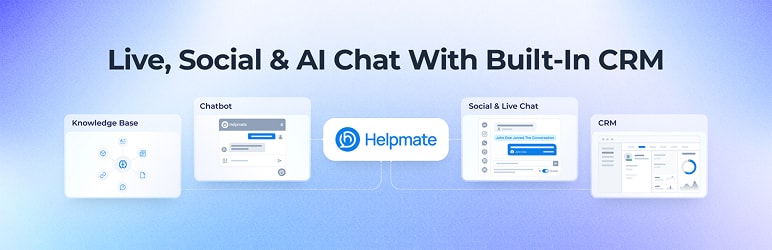
Helpmate is a support automation plugin for WordPress that combines AI chatbot, live chat, CRM, appointments, booking, Facebook, Instagram, WhatsApp messaging, and automation tools in one system.
This AI chatbot for WordPress helps automate customer support, manage leads, handle live chat conversations, run booking and appointments, and centralize CRM data inside your WordPress dashboard.
If you need automation, AI chatbot, live chat, CRM, appointments and booking in one plugin, Helpmate replaces multiple tools.
Key Features
Free Features
-
Helpmate AI
–Knowledge Base(30 Data Sources) -
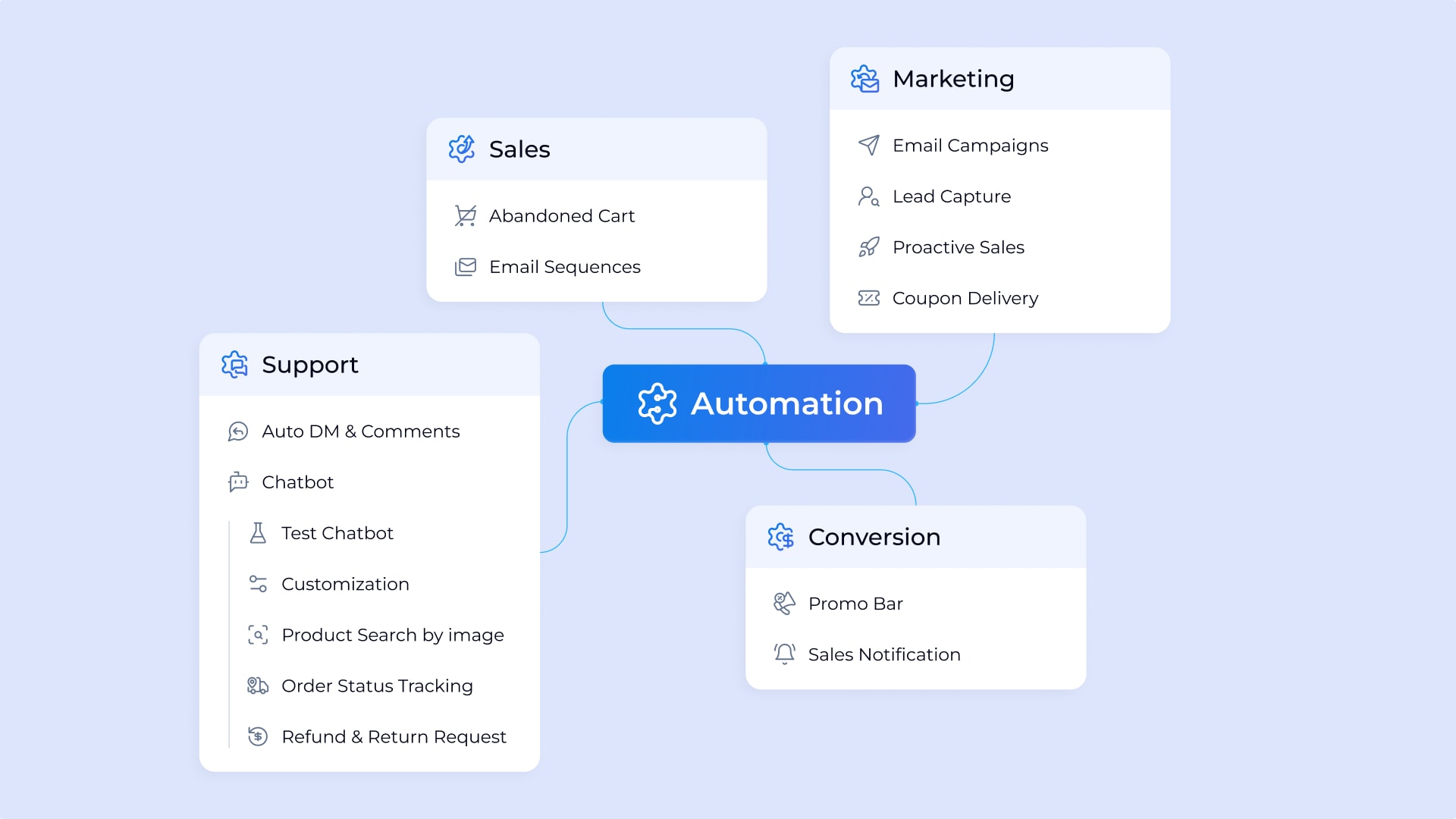
Automations
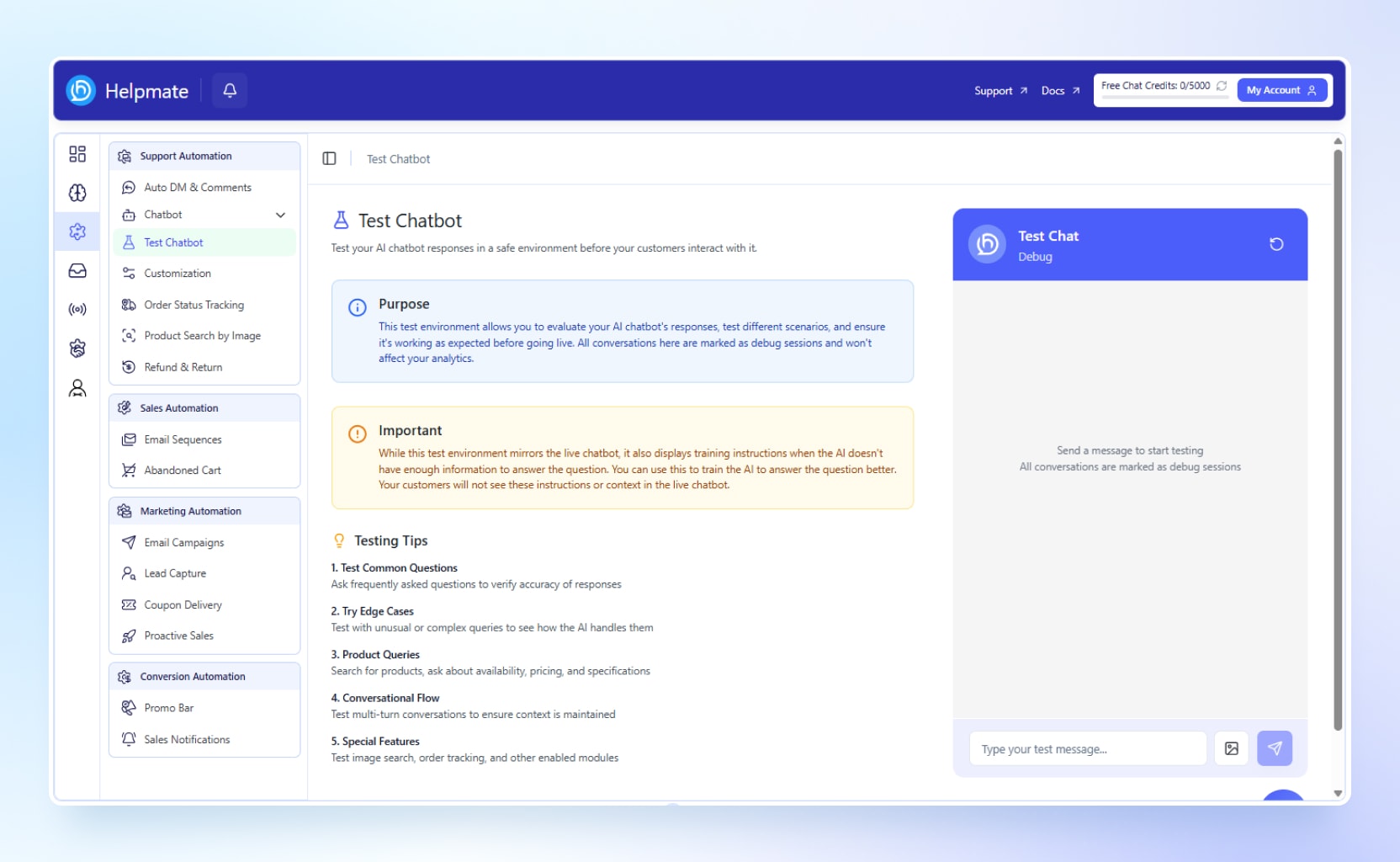
–Test Chatbot
–Customization(Partial)
–Promo Bar(1 Template)
–Sales Notifications(1 Template) -
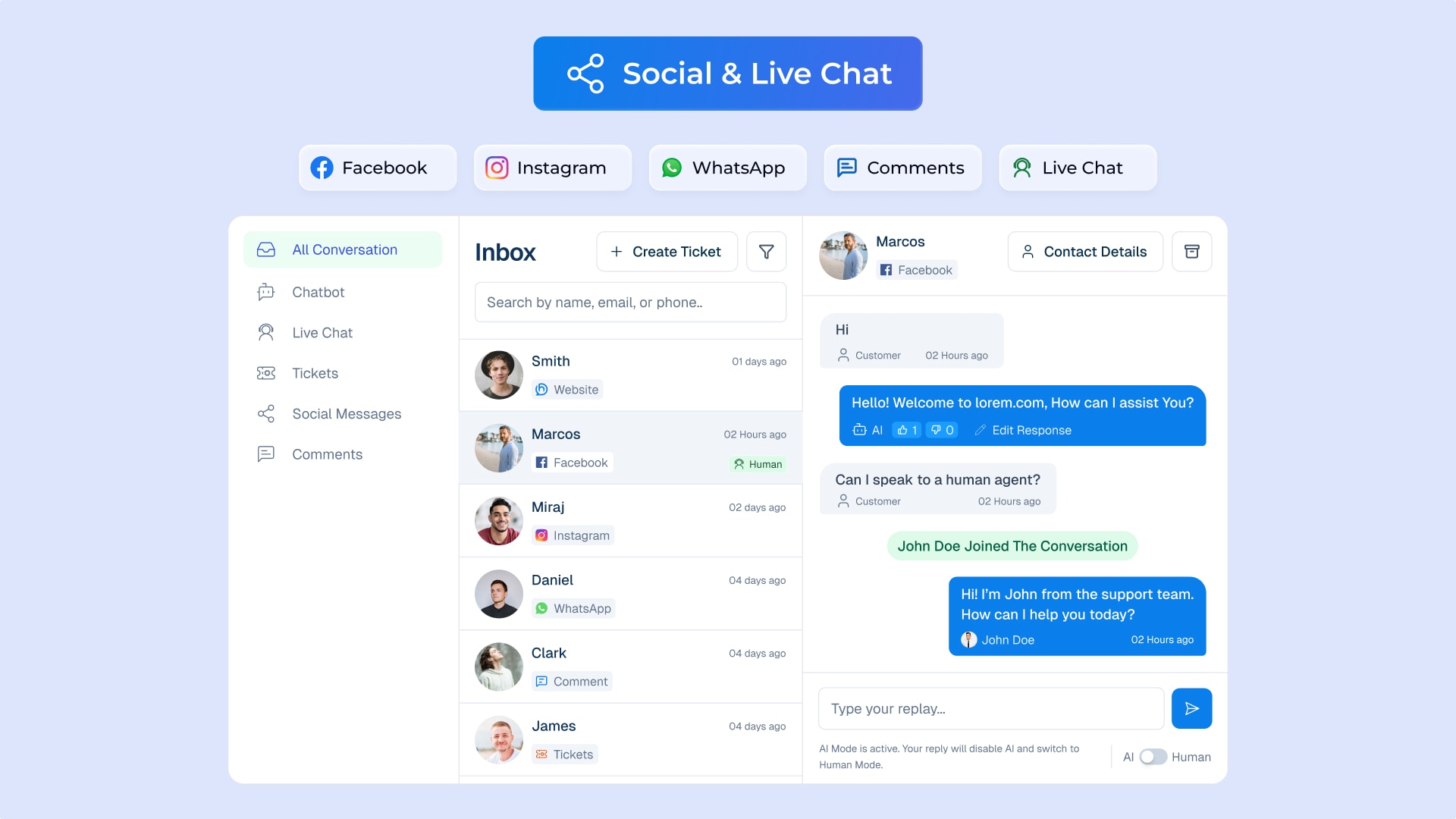
Unified Inbox
–All Conversations(Partial)
–Chatbot(200 Chat Credits)
–Tickets -
CRM
–Contacts(50)
–Notes
–Order Management
–Leads (Chat Widget Leads) -
Integration
— WooCommerce(Default)
— Easy Digital Downloads
— SureCart
— LearnPress
— TutorLMS
— LifterLMS
— Ultimate Member
— Members
— User Registration & Membership
— Elementor
— Gutenberg Blocks
— Beaver Builder
— Contact Form 7
— Forminator
— Ninja Forms
— WPForms
— Formidable Forms -
Admin Hub
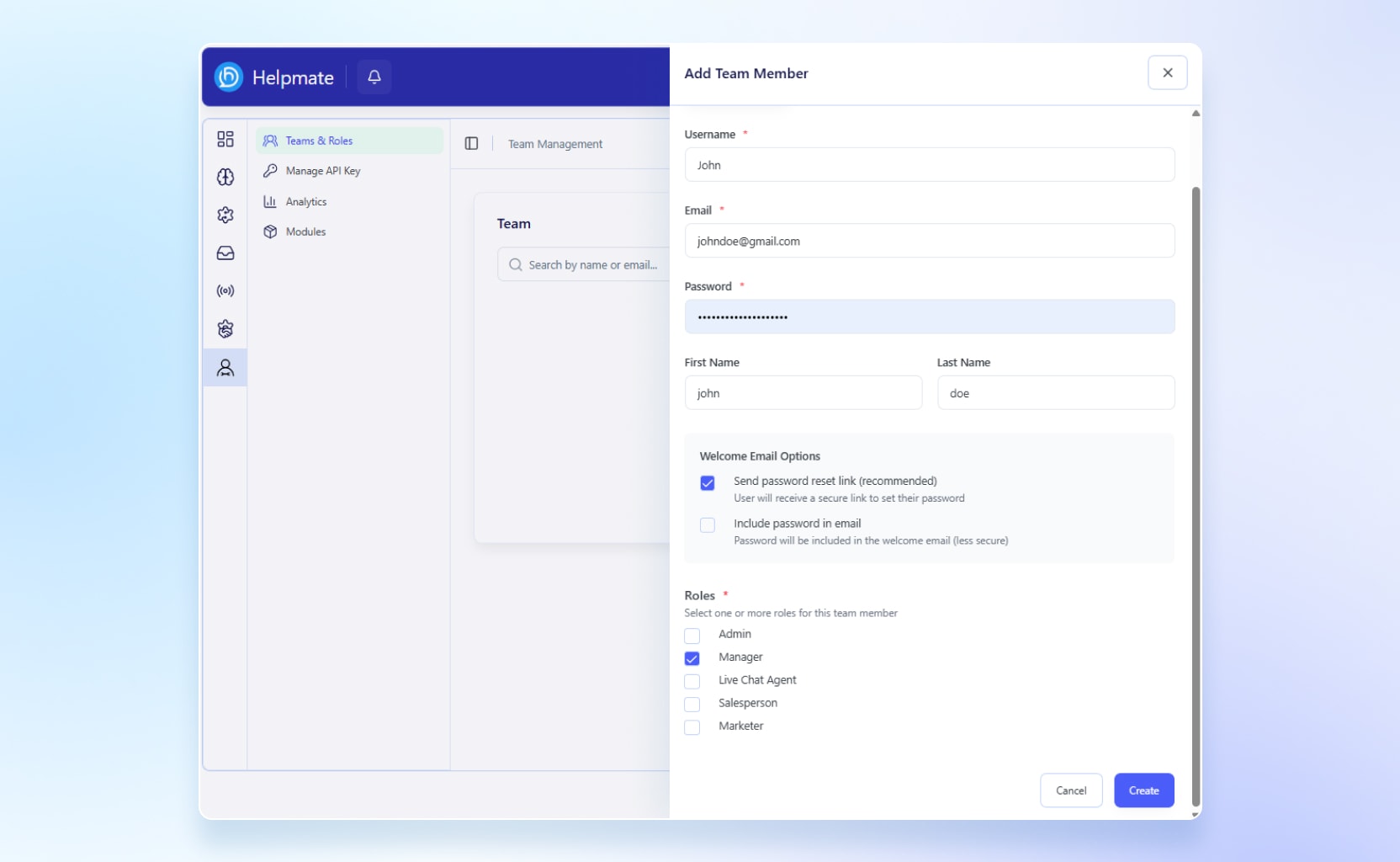
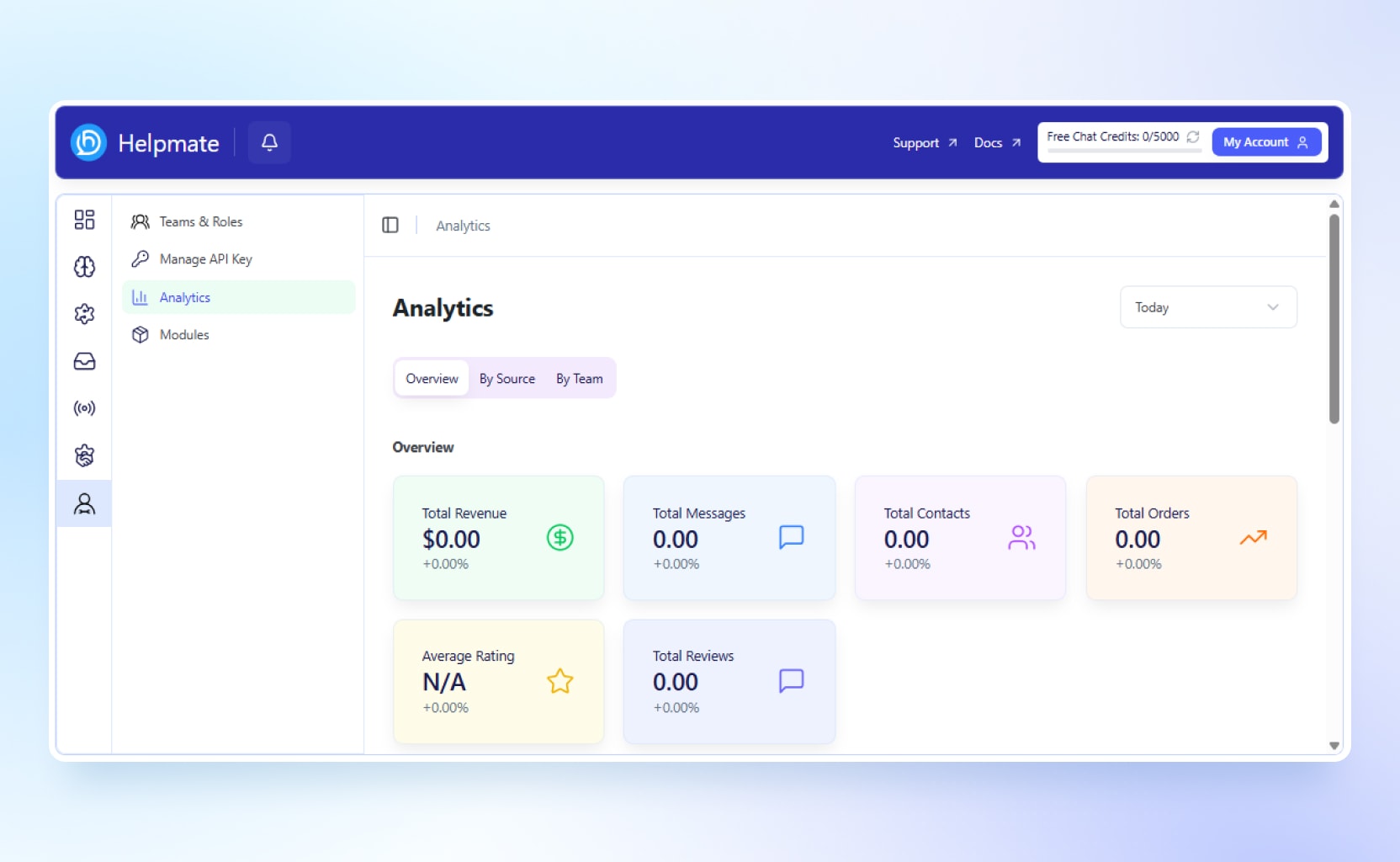
–Teams & Roles
–Manage API Key
–Analytics
Pro Features
All Free Features + Below
-
Helpmate AI
–Knowledge Base(1k to 30k) -
Automations
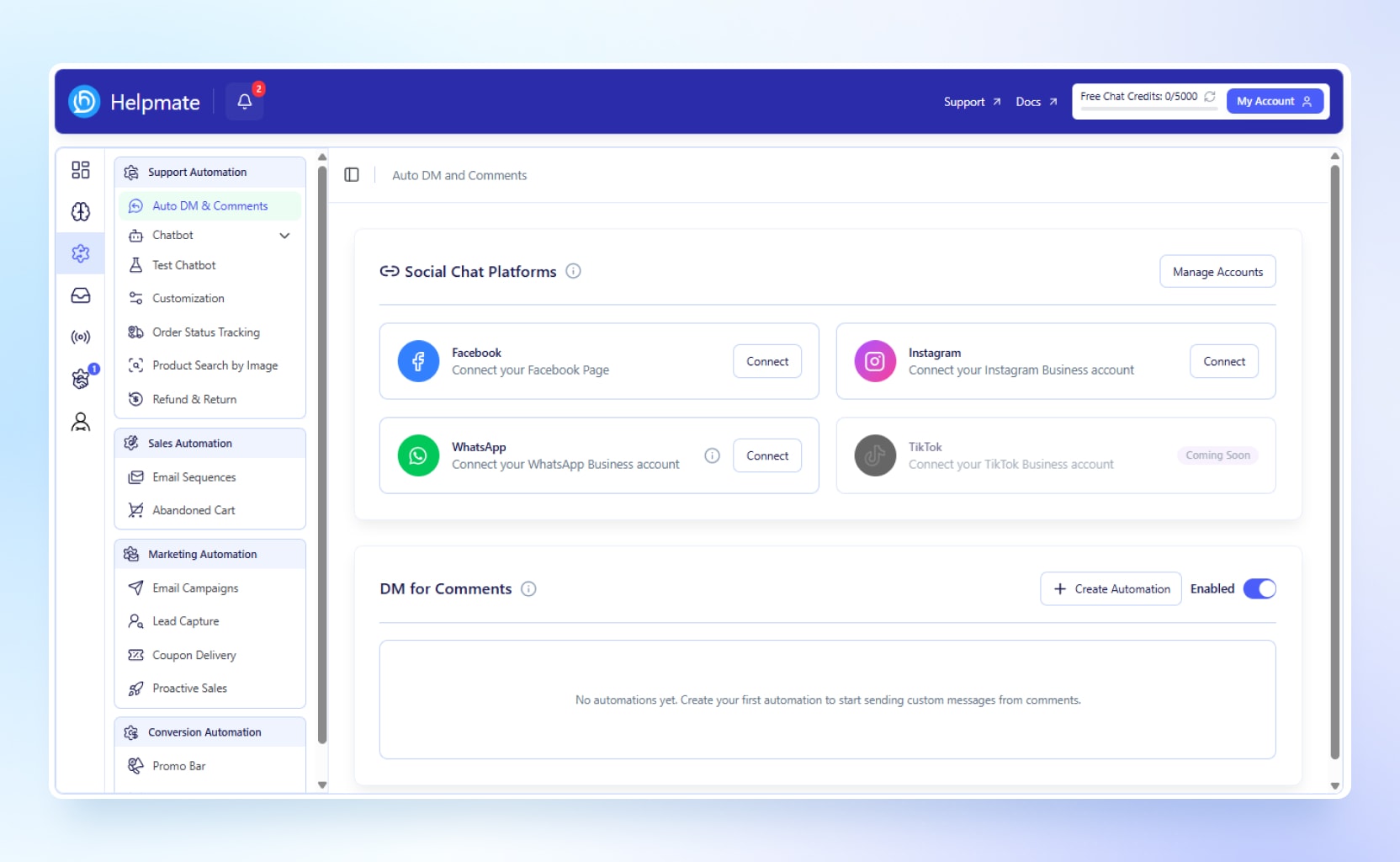
–Auto DM & Comments
–Order Status Tracking
–Product Search by Image
–Refund & Return in Chat Window
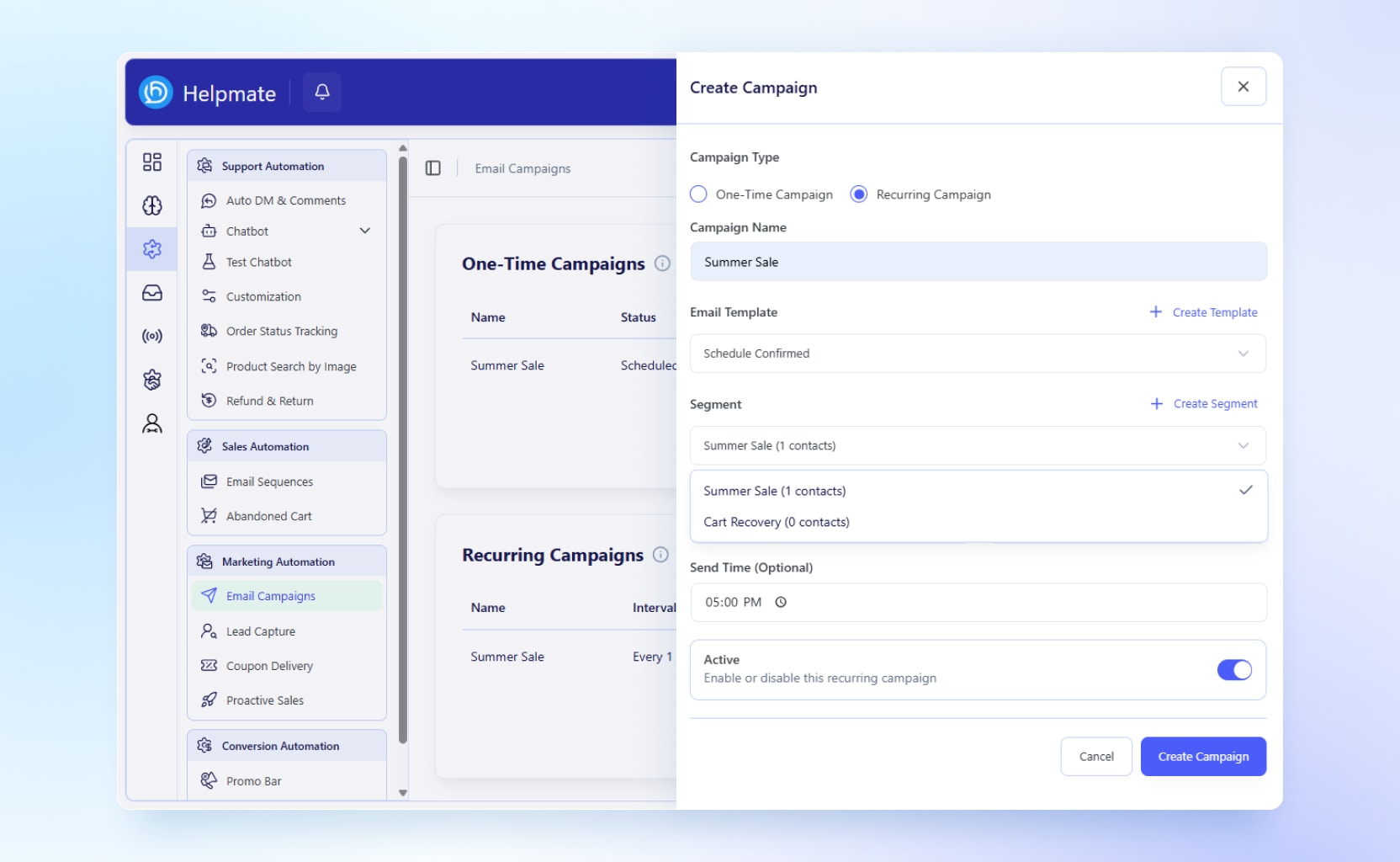
–Email Campaigns
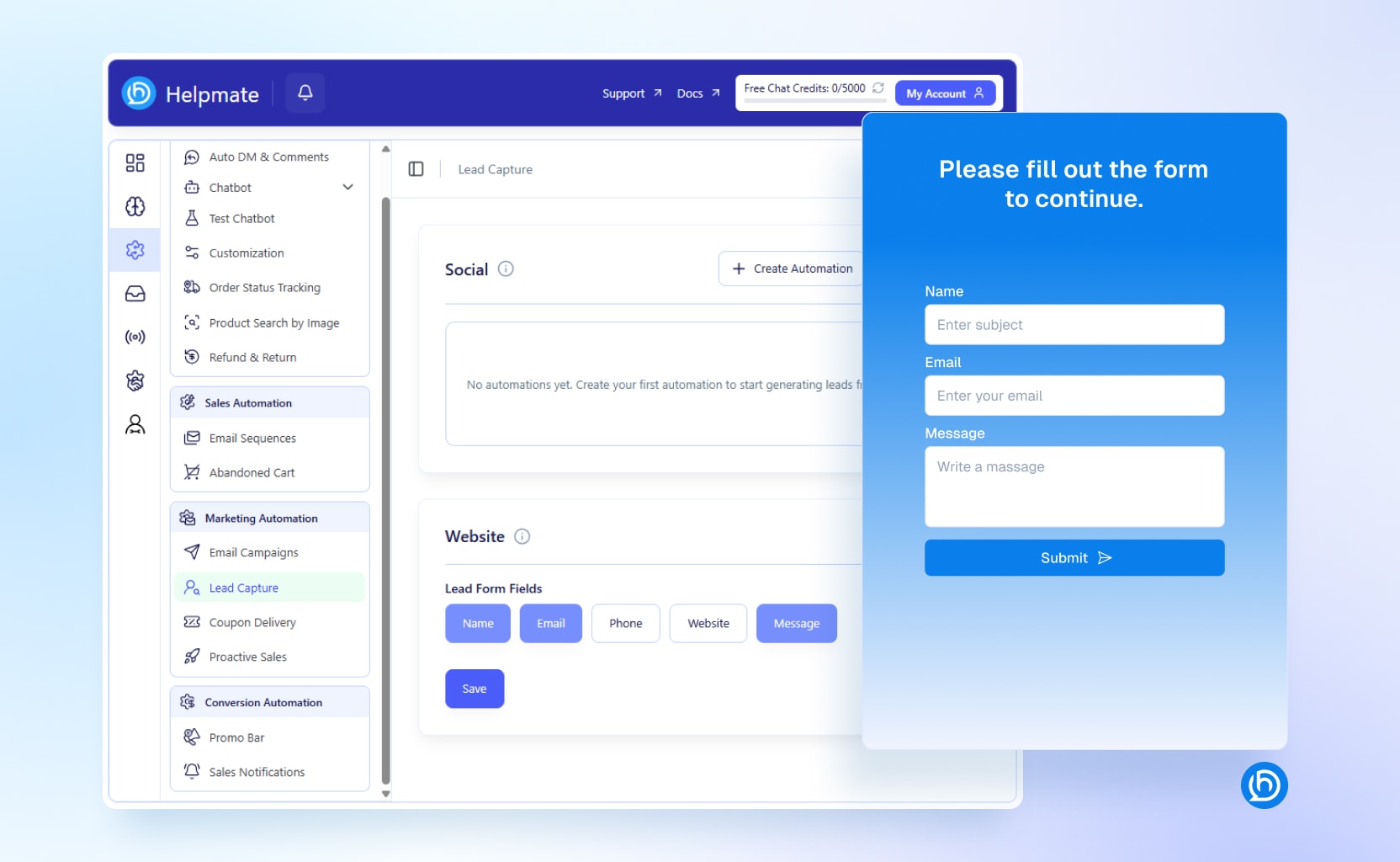
–Lead Capture
–Coupon Delivery
–Proactive Sales
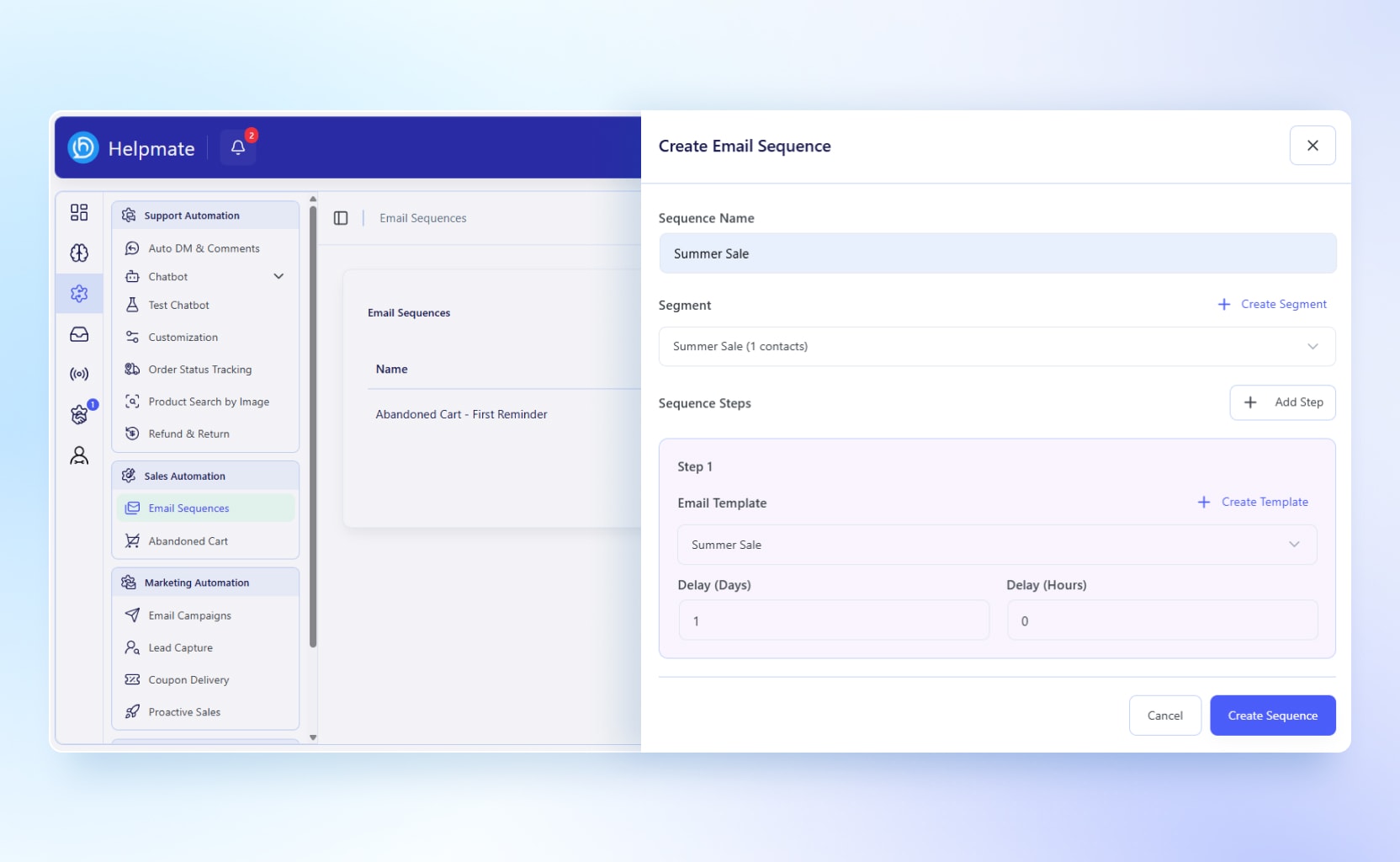
–Email Sequences
–Abandoned Cart Recovery -
Unified Inbox
–All Conversations
–Chatbot, Unlimited Chat Credits With Own API Key
–Live Chat
–Social Messages
–Comments on Social Media -
Communication Channels
–Facebook Messages
–Facebook Comments
–Instagram Messages
–Instagram Comments
–WhatsApp
–Live Chat -
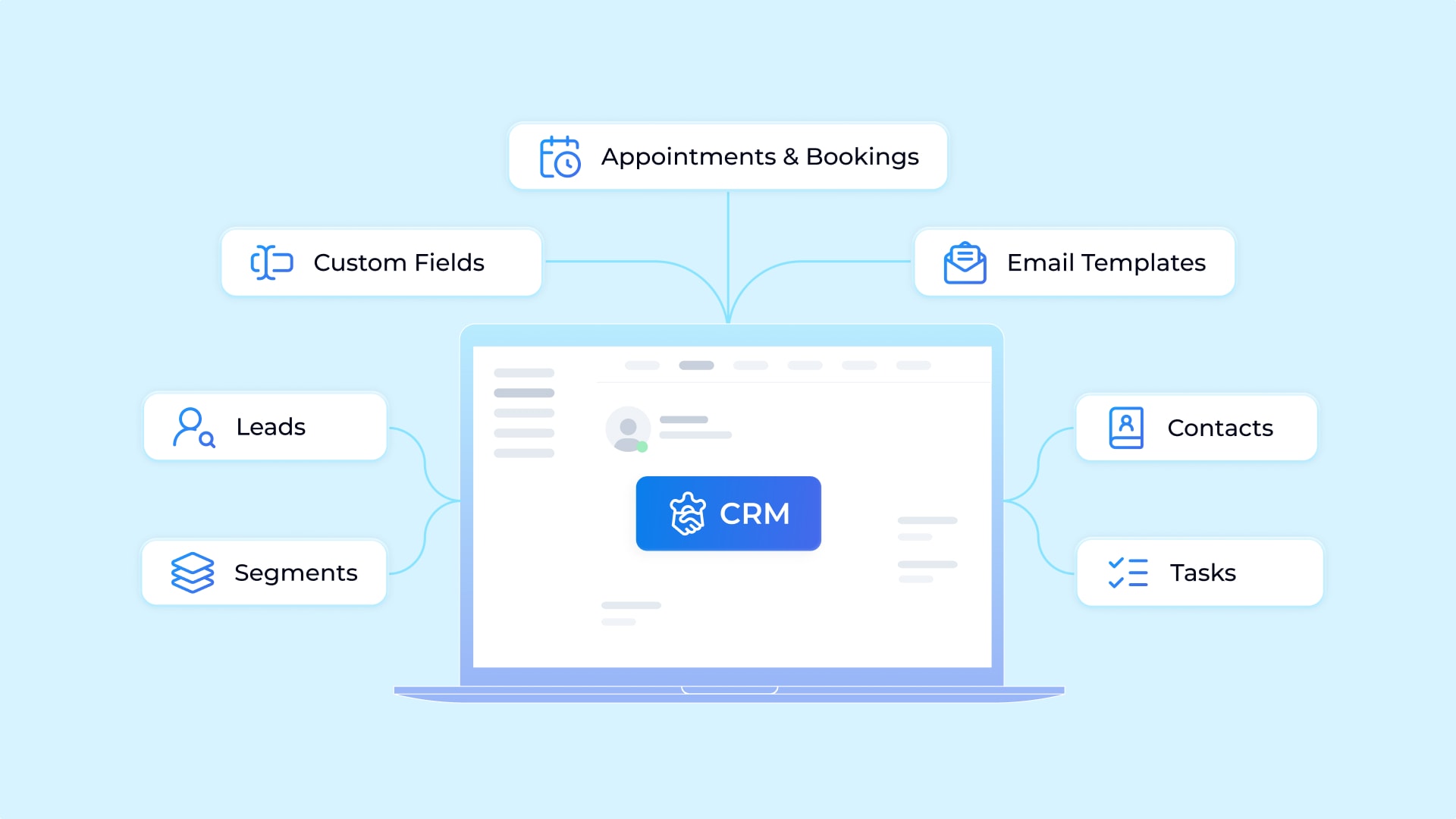
CRM
— Leads (Social & Chat Widget)
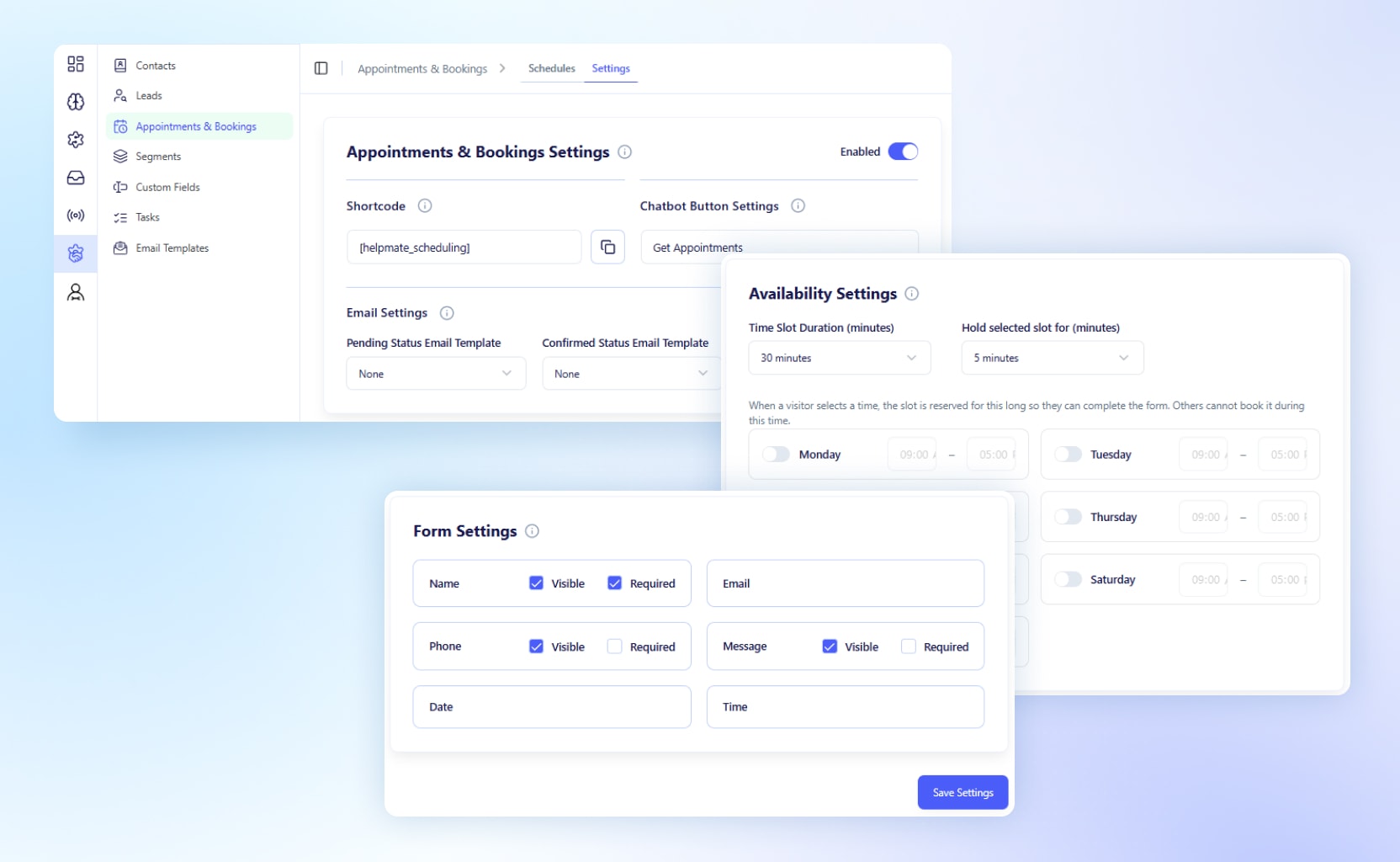
— Appointments & Bookings
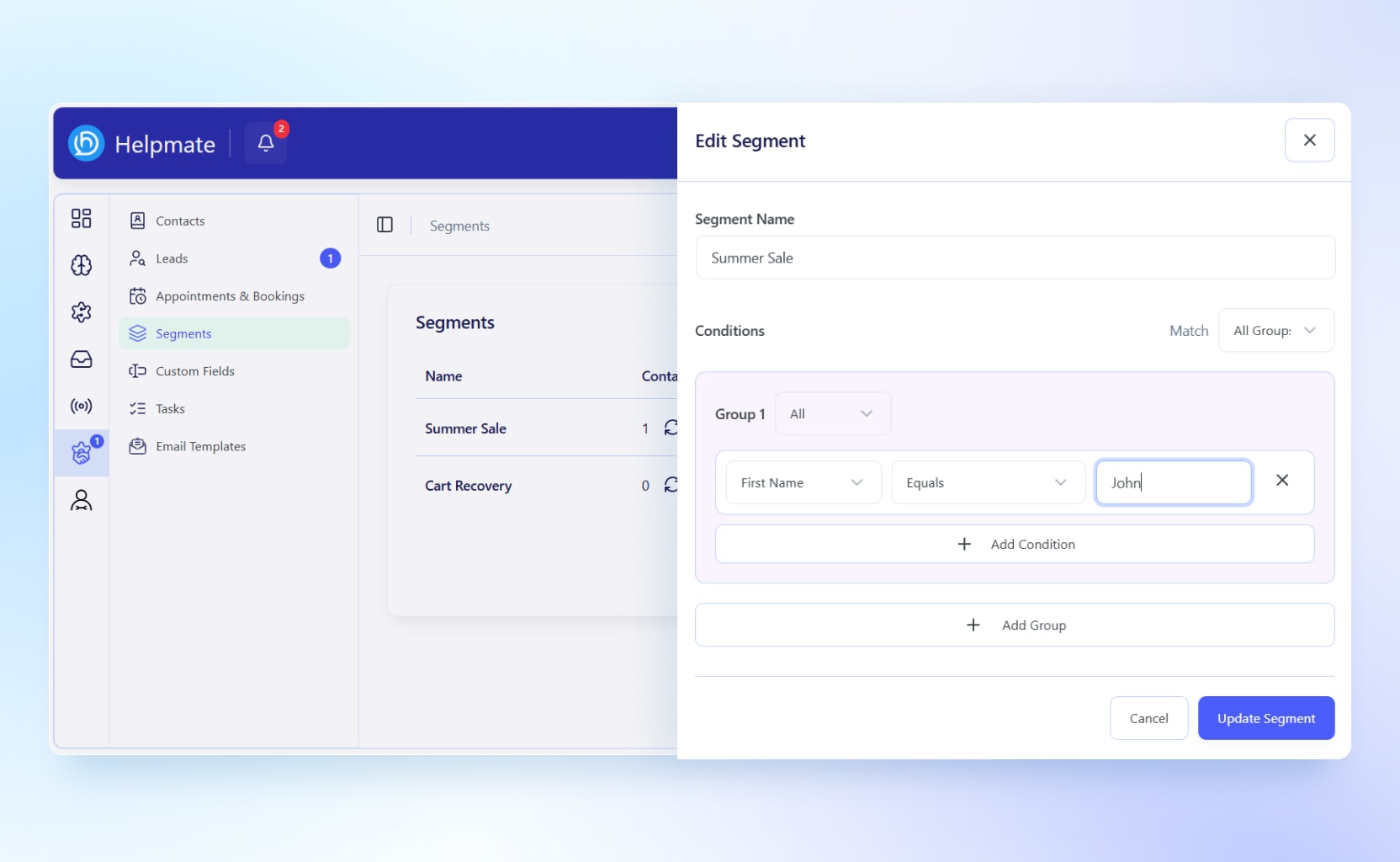
— Segments
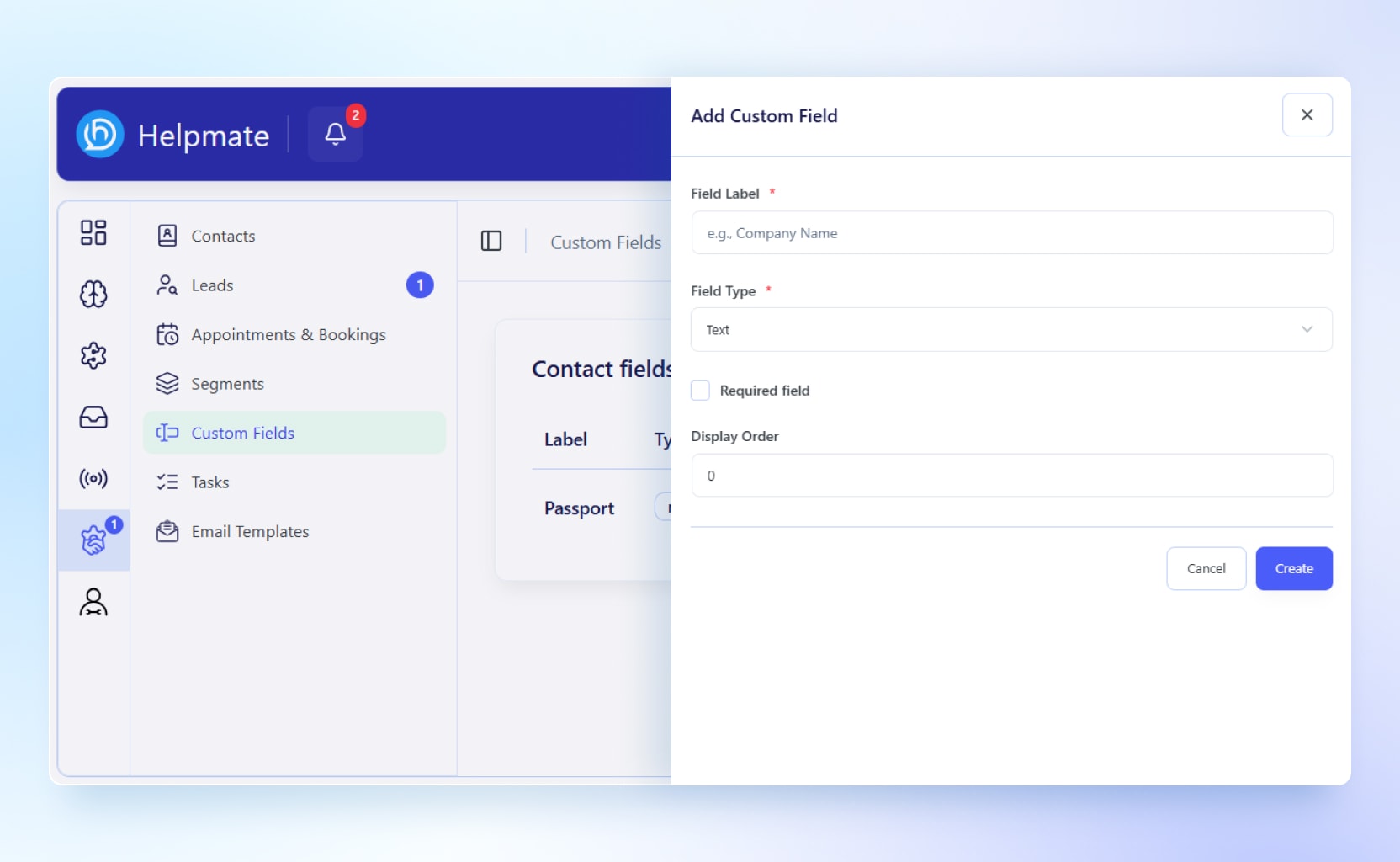
— Custom Fields
— Tasks
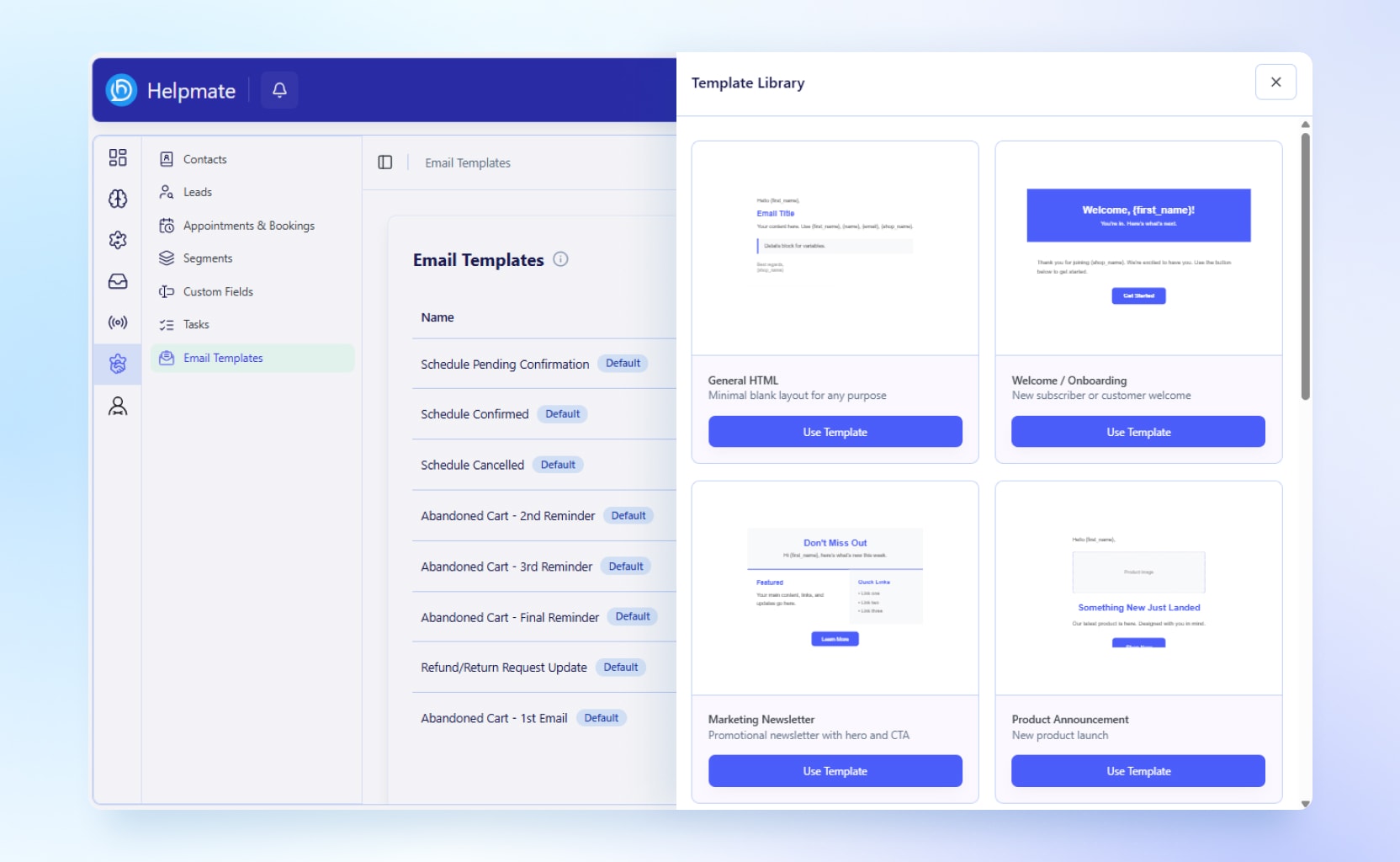
— Emails Templates
= Helpmate’s Features 👇=
Here’s a straightforward look at what Helpmate can do for your WordPress business.
🤖 AI Chatbot for WordPress & WooCommerce
Deliver instant customer support with an AI chatbot built specifically for WordPress and WooCommerce. Helpmate uses your knowledge base to answer customer questions about products, orders, shipping, refunds, returns, and store policies. Instead of forcing customers to wait for support agents, the AI chatbot provides accurate answers 24/7, helping you improve customer satisfaction while reducing support workload.
The AI chatbot can guide shoppers through their buying journey, recommend products, answer pre-sales questions, and provide post-purchase support from a single chat window.
Helpmate AI
- AI chatbot powered by your website content and knowledge base
- Answer customer questions instantly, 24/7
- Reduce support workload with automated responses
- Provide accurate product, order, and policy information
- Improve customer experience with conversational AI
Knowledge Base
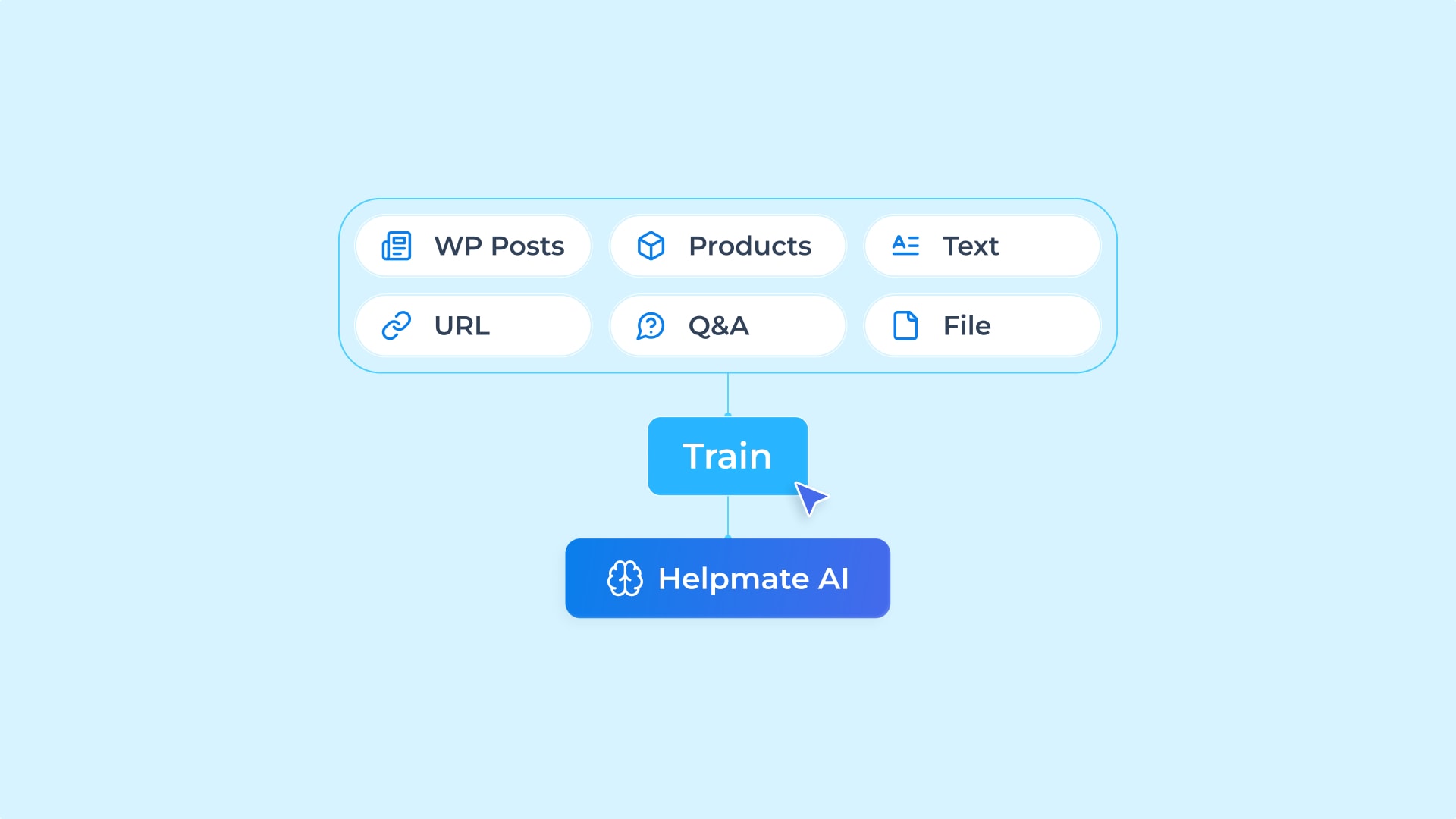
- Train your AI chatbot using your website content
- Create a self-service customer support experience
- Deliver faster and more accurate answers
- Continuously improve chatbot performance
⚡ Marketing Automation & Customer Support Automation
Automate repetitive tasks and create personalized customer journeys without complex workflows. Helpmate helps store owners save time by handling common support and marketing activities automatically.
From abandoned cart recovery and coupon delivery to proactive sales messages and email sequences, the automation tools help convert more visitors into customers while reducing manual work.
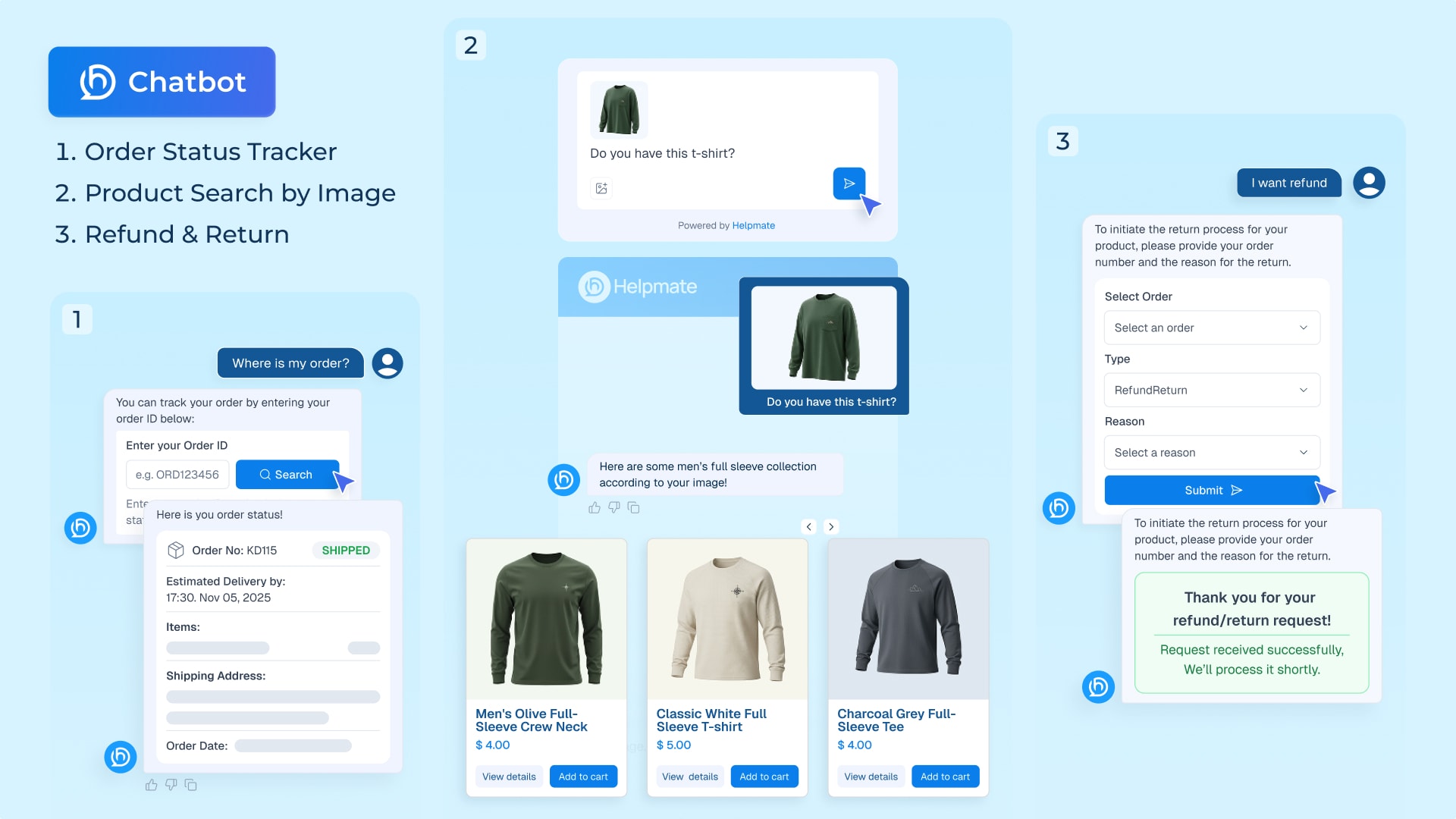
Customers can track orders, request refunds, search products by image, and receive promotional offers directly through chat conversations.
- Test chatbot responses before going live
- Customize chatbot appearance and behavior
- Display promotional offers with Promo Bar
- Show real-time sales notifications
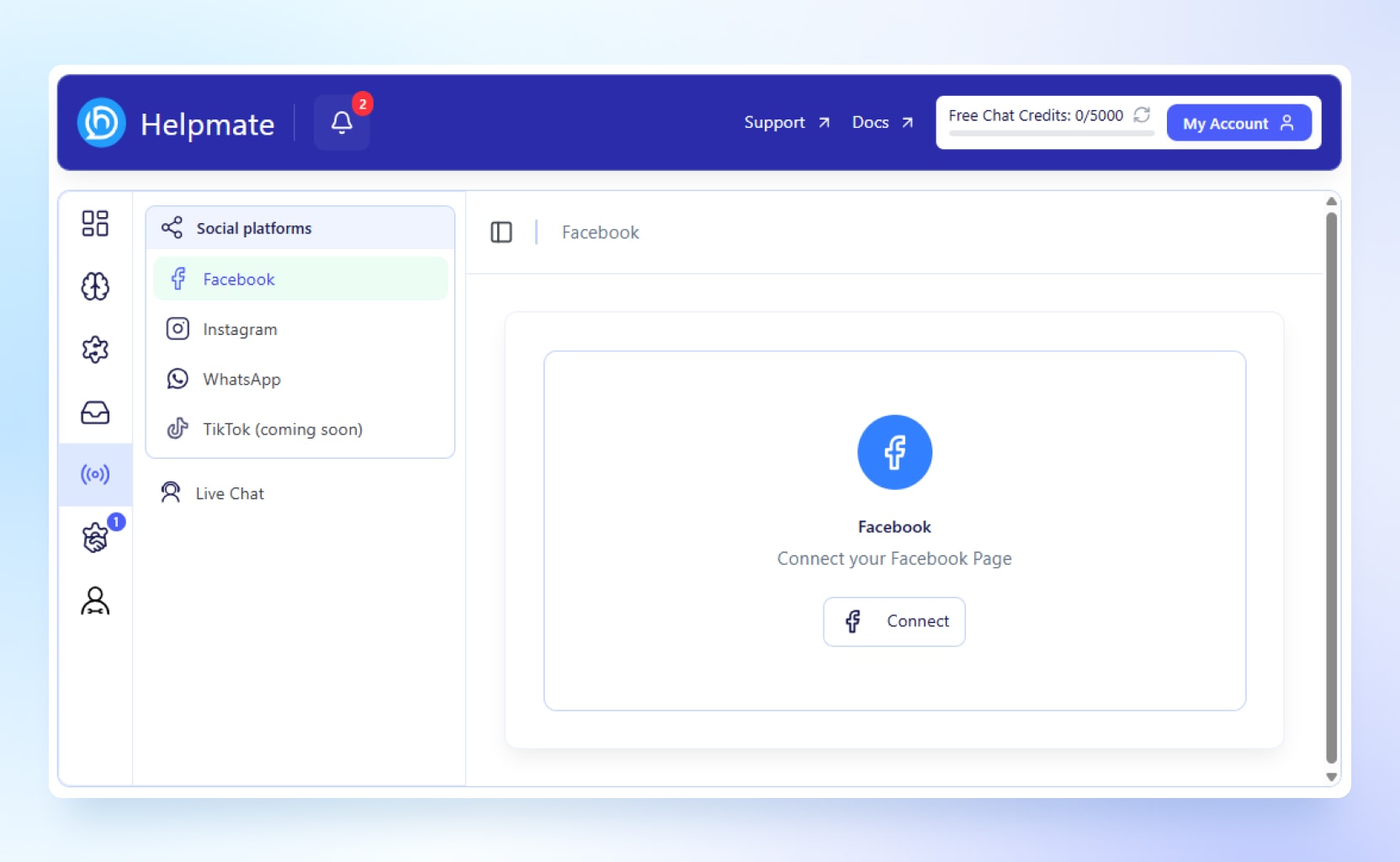
- Automate Facebook and Instagram messages and comments
- Automate order status tracking requests
- Let customers search products by image
- Handle refund and return requests inside chat
- Send automated email campaigns
- Capture leads automatically
- Deliver coupons through chat conversations
- Trigger proactive sales messages
- Create automated email sequences
- Recover abandoned carts with automated follow-ups
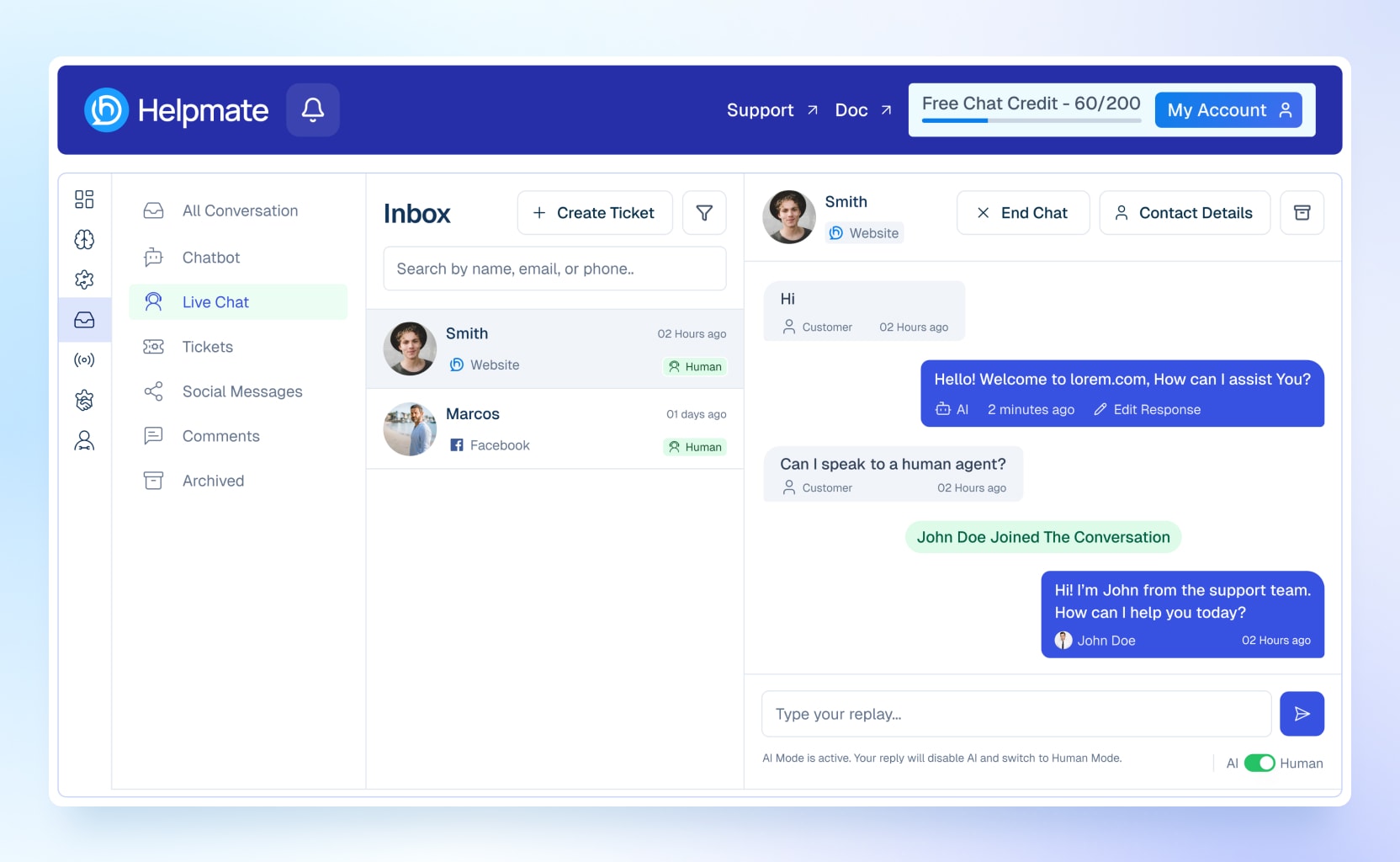
💬 Live Chat for Real-Time Customer Engagement
Connect with visitors instantly through a built-in live chat system. Whether customers need product recommendations, order assistance, or support, your team can respond in real time from a unified inbox.
The live chat system works alongside the AI chatbot, allowing businesses to automate common questions while enabling human agents to handle more complex conversations. This hybrid approach helps improve response times and customer experiences.
Features Include:
- Real-time communication with website visitors
- Seamlessly switch between AI chatbot and human agents
- Improve response times and customer satisfaction
- Convert more visitors into customers
📥Unified Inbox for All Customer Conversations
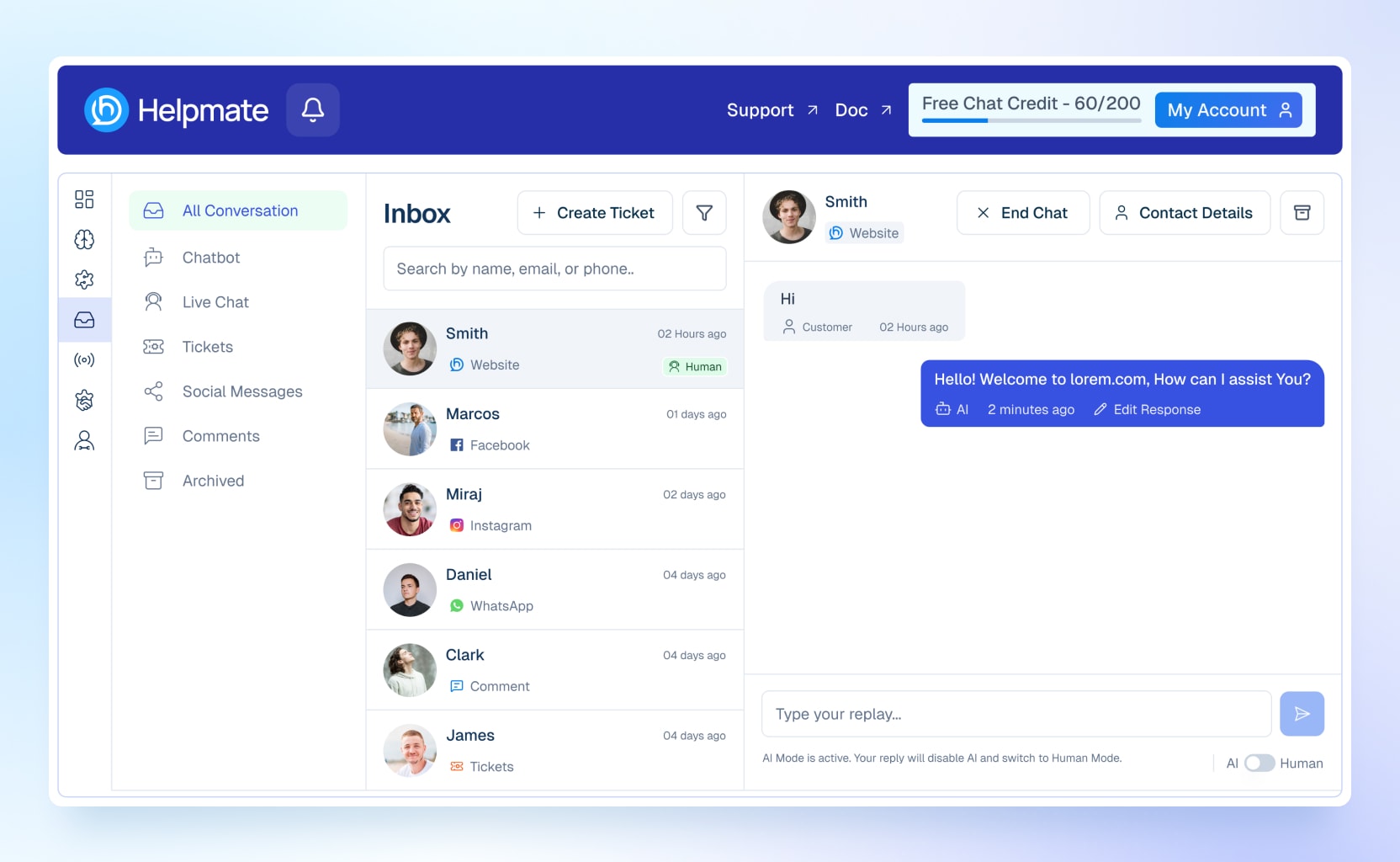
Stop switching between multiple platforms. Helpmate centralizes customer communication into a single inbox where teams can manage every conversation.
View AI chatbot interactions, live chat messages, support tickets, Facebook messages, Instagram messages, WhatsApp conversations, and social media comments from one place.
This unified communication hub helps support teams stay organized, respond faster, and provide consistent customer experiences across all channels.
Features Include:
- View all conversations in one place
- AI chatbot conversations
- Support tickets
- Live chat for WordPress websites
- Facebook and Instagram messages
- Social media comments
👥 CRM for WordPress & WooCommerce
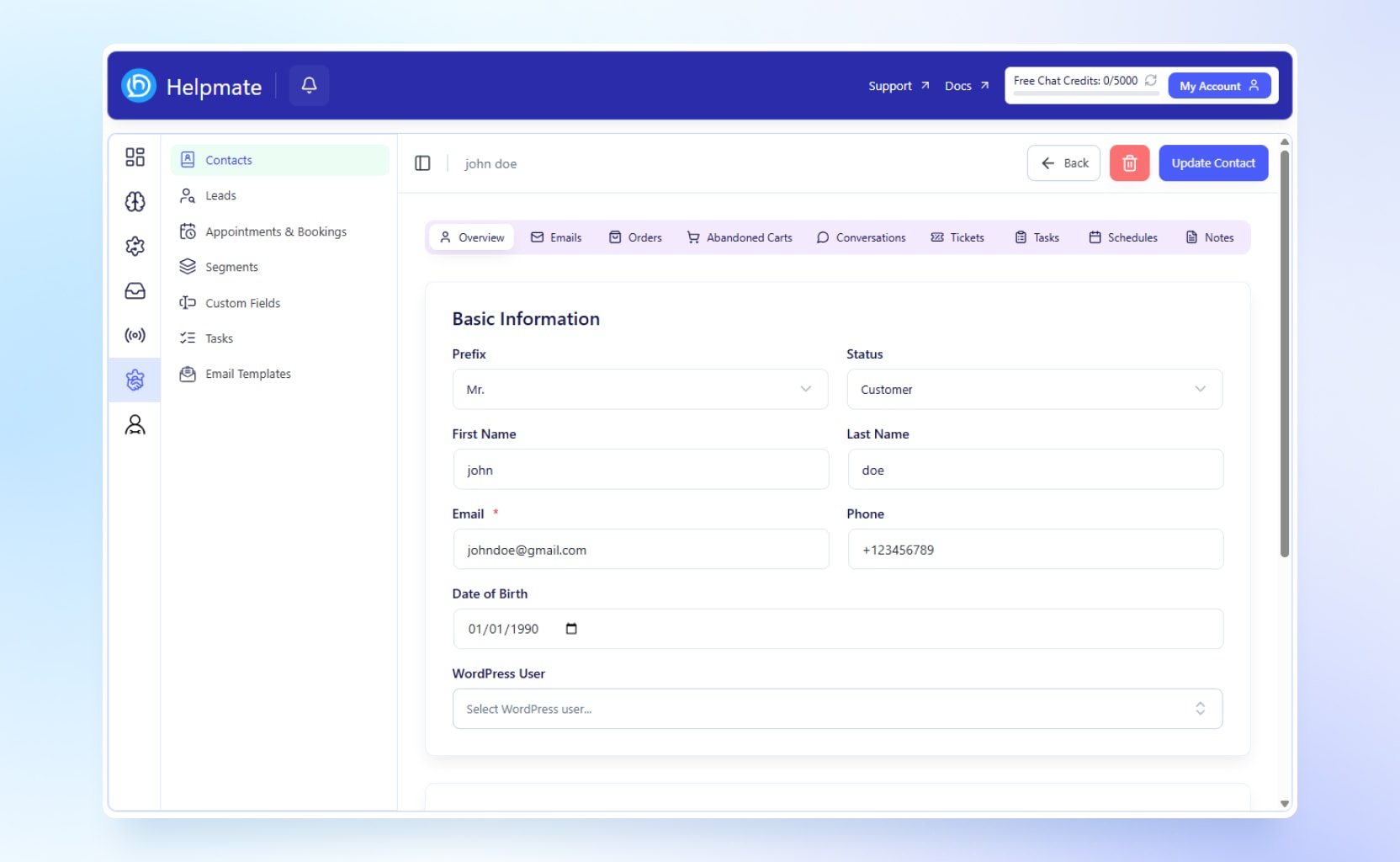
Build stronger customer relationships with a built-in CRM designed for WordPress businesses. Helpmate stores customer information, communication history, orders, appointments, and support interactions in a centralized customer profile.
The CRM helps businesses track leads, manage customer data, organize tasks, and create customer segments for personalized communication.
Whether leads come from social media, website chat widgets, or support conversations, the CRM keeps all customer information connected and accessible.
CRM Features
- Centralized customer contact management
- Unlimited contacts
- Customer notes and activity tracking
- WooCommerce order management
- Lead management from live chat and social channels
- Appointment and booking records
- Customer segmentation
- Custom fields for customer data
- Task management for teams
- Email templates for faster communication
- Customer profiles and history
- Lead qualification and organization
🌐 Multi-Channel Customer Communication
Reach customers wherever they prefer to communicate. Helpmate supports multiple communication channels so businesses can manage customer interactions from a single platform.
Supported channels include website live chat, Facebook Messenger, Instagram messaging, WhatsApp, social media comments, and more.
Supported Channels
- Facebook Messages
- Facebook Comments
- Instagram Messages
- Instagram Comments
- Website Live Chat
📅 Appointments & Bookings Management
Manage appointments and bookings directly inside WordPress. Allow customers to request consultations, schedule meetings, or book services while keeping appointment records connected to your CRM.
By combining appointments with customer profiles, support history, and order information, businesses gain a complete view of every customer interaction.
This makes it easier to follow up with prospects, nurture leads, and provide personalized service throughout the customer journey.
Appointment Management
- Accept appointment and booking requests
- Track scheduled meetings and consultations
- Manage customer appointments from one dashboard
- Store appointment history within CRM records
- Improve customer engagement and follow-up
🔌Powerful Integrations for Growing Businesses
Helpmate integrates with leading WordPress plugins and platforms, helping businesses connect customer support, sales, marketing, and CRM workflows.
eCommerce
- WooCommerce(Default)
- Easy Digital Downloads
- SureCart
MultiVendor Marketplace
- Dokan
- WCFM
Page Builders
- Elementor
- Gutenberg Blocks
- Beaver Builder
Form Builders
- Contact Form 7
- Forminator
- Ninja Forms
- WPForms
- Formidable Forms
LMS Platforms
- LearnPress
- Tutor LMS
- LifterLMS
Membership Platforms
- Ultimate Member
- Members
- User Registration & Membership
🏢 Admin Hub & Team Management
Manage your entire customer support operation from a centralized admin hub. Control team permissions, manage API keys, monitor performance, and analyze customer engagement through built-in analytics.
The admin hub helps teams collaborate efficiently while maintaining visibility across customer support, live chat, automation, CRM, and appointments.
Feature Includes
- Teams and roles management
- API key management
- Performance analytics
- Customer support insights
- Team collaboration tools
🚀 Why Choose Helpmate?
Helpmate combines an AI chatbot, marketing automation, live chat, CRM, appointments, and omnichannel customer communication into one powerful WordPress plugin. Whether you run a WooCommerce store, membership website, online course platform, or service business, Helpmate helps you automate support, capture leads, manage customer relationships, and grow revenue from a single dashboard.
Check All Free and Pro Features
Installation Requirements
Minimum Requirements
- WordPress 5.8 or higher
- WooCommerce 6.0 or higher
- PHP 7.4 or higher
- MySQL 5.7+ or MariaDB equivalent
Recommended Requirements
- WordPress 6.2+
- PHP 8.0+
- WooCommerce 7.5+
Installation Process
- Upload the plugin folder to the
/wp-content/plugins/directory, or install via WordPress admin. - Activate the plugin through the “Plugins” menu.
- Go to “Helpmate” in the sidebar and configure your chatbot.
- Add FAQs, link products, and customize chatbot responses.
- Done! Your smart AI assistant is live.
Screenshots
Blocks
This plugin provides 2 blocks.
- Helpmate Scheduling Display the Smart Schedules appointment form.
- Helpmate Promo Bar Display a Helpmate promo banner with optional style overrides.
FAQ
How can I use unlimited chat?
You need to use own OpenAI API key to do that.
Do I need to know how to code?
Not at all. If you can install a WordPress plugin, you can use Helpmate easily.
Is this a full replacement for human support agents?
No, Helpmate is not here to replace your support team. It’s designed to enhance and support them.
Will this slow down my Website?
Not at all. Helpmate is lightweight and optimized for performance. Its JavaScript files are deferred, so they only load on the frontend when needed — ensuring your site stays fast.
Can I use in any WordPress website?
Yes, You can use it in any WordPress website like store, personal, company etc.
In how many ways can I train the chatbot
You can train the chatbot in 5 different ways:
-
- WordPress content (Posts, Pages, Products)
-
- Custom text content
-
- Website URLs
-
- Q&A pairs
-
- File uploads (CSV, TXT, JSON)
-
Can I train the chatbot using my own FAQ content?
Yes! Simply input your questions and answers in the Q&A dashboard.
Can I view chat history?
Yes, you can review all chat history. If the bot gives an incorrect answer, you can add the correct one to improve future responses.
Can I see the data I’ve trained the bot with?
Yes, you can view all trained data — and delete or update it at any time.
Can AI respond to support tickets?
No, Helpmate does not automate ticket replies. We’ve intentionally kept this part for human intervention, as relying solely on AI may lead to customer dissatisfaction in complex or sensitive cases.
How many languages does the chatbot support?
Following languages are supported by ai chatbot but not limited to… – English – Spanish – French – German – Chinese (Simplified and Traditional) – Japanese – Korean – Italian – Portuguese – Dutch – Russian – Arabic – Hindi – Bengali – Turkish – Swedish – Norwegian – Danish – Finnish – Polish – Greek – Hebrew – Vietnamese – Thai
Can users track orders using a phone number?
Absolutely. Customers can track their orders using their email, phone number, or order ID — no login required.
Is the coupon system automatic or manual?
Both! You can choose to deliver coupons manually or automate them based on user behavior, like exit intent.
What if a customer wants to speak with a real person?
Helpmate includes a smooth human handover option with one-click links to WhatsApp, Messenger, or direct phone support.
Can I use Helpmate on multiple websites?
Yes, depending on your license. We offer single-site and multi-site licenses. Please check your plan details before deploying to additional domains.
Does Helpmate work with any WooCommerce theme?
Yes, Helpmate is designed to be theme-agnostic. It works seamlessly with any modern, well-coded WooCommerce theme.
Is Helpmate compatible with page builders like Elementor or Divi?
Absolutely. Helpmate works flawlessly with popular page builders including Elementor, Divi, WPBakery, and Gutenberg.
How is customer data handled and stored?
All data is stored securely on your own WordPress server. Helpmate does not send your customer data to any third-party services.
Can I customize the chatbot’s appearance?
Yes. You can customize the chatbot’s colors, icon, welcome message, and branding to match your store’s look and feel.
Does Helpmate support mobile users?
Yes, Helpmate is fully responsive and optimized for all mobile devices and screen sizes.
Can I turn off certain features I don’t need?
Yes, Helpmate is modular. You can enable or disable features like order tracking, coupon delivery, or proactive sales based on your business needs.
Is there a way to collect leads through the chatbot?
Yes. You can use Helpmate to collect user emails, phone numbers, or custom information during conversations.
What kind of support do I get with Helpmate?
We provide detailed documentation, video tutorials, and email-based support. Premium users also get priority assistance.
How can I become a Contributor
If you want to contribute, go to our Helpmate GitHub Repository and see where you can help.
Privacy & External Service
This plugin relies on an external service operated by RhapsodyPlugins to provide AI chatbot functionality. When you use the chatbot, your messages are securely transmitted to our servers where they are processed and a response is returned.
This plugin connects to an API to do following things. – Process AI chat – Store documents uploaded by you in a vector database
We do not store personal data beyond what is required to provide the service. For full details, please review our policies below: Terms of use, Privacy policy.
Reviews

Contributors & Developers
“AI Chatbot, Support Automation, Live Chat, Social Automation, Booking & CRM Solution – Helpmate” is open source software. The following people have contributed to this plugin.
Contributors
“AI Chatbot, Support Automation, Live Chat, Social Automation, Booking & CRM Solution – Helpmate” has been translated into 1 locale. Thank you to the translators for their contributions.
Interested in development?
Browse the code, check out the SVN repository, or subscribe to the development log by RSS.
Changelog
2.1.0 – 2026-06-16
- Added: New Integrations page to connect and manage all supported plugins from one place.
- Added: Integrations section in the admin sidebar with its own menu icon for quicker access.
- Added: See which supported plugins are installed, and install or activate them without leaving Helpmate.
- Added: Page builder connections for Elementor, Gutenberg Blocks, and Beaver Builder.
- Added: Contact Form 7 integration — map forms to Helpmate actions like lead capture and ticket creation.
- Added: Contact Form 7 integration — order status lookup, refund requests, and appointment booking from form submissions. (Pro)
- Added: Forminator, Ninja Forms, WPForms, and Formidable Forms integrations with the same actions (lead capture and tickets free; order status, refunds, and appointments Pro).
- Added: Order status cards shown on the front end after successful form submissions when order lookup is enabled. (Pro)
- Added: Integration event logs so you can review form submission activity without storing raw form data.
- Added: Easy Digital Downloads and SureCart as store integrations alongside WooCommerce.
- Added: Choose your active store when more than one commerce plugin is installed.
- Added: Sync existing store customers into CRM contacts for WooCommerce, Easy Digital Downloads, and SureCart.
- Added: Dokan multivendor integration — sync vendors to CRM and show vendor details on products, orders, and abandoned carts.
- Added: WCFM Marketplace integration — sync vendors to CRM and show vendor details on products and orders.
- Added: Choose Dokan or WCFM when both multivendor plugins are installed.
- Added: LearnPress, Tutor LMS, and LifterLMS integrations — sync students to CRM and view course and lesson progress on contact profiles.
- Added: Ultimate Member, Members, and User Registration & Membership integrations — sync members to CRM with roles, account status, and profile details.
- Added: Unread indicators on the Leads list so new leads are easier to spot.
- Added: Admin dashboard, chat widget, appointment scheduling, and block editor text now support WordPress translations and follow your site language when installed.
- Added: Setup wizard step to bring chatbot training data from your local test site when you move to a live website.
- Update: Commerce settings and store connections are now managed from the Integrations page.
- Update: CRM orders and abandoned carts now support Easy Digital Downloads and SureCart.
- Update: Product training now captures richer product details for WooCommerce, Easy Digital Downloads, and SureCart.
- Update: Data source Products tab follows your selected store integration.
- Update: Use LMS data in contact segments for smarter audience filtering. (Pro)
- Update: Use membership data in contact segments. (Pro)
- Update: Setup wizard loads pages, posts, and products faster when choosing what to train.
- Update: Leads are marked as read when you open them.
- Update: Clearer guidance when mapping form fields to Helpmate actions.
- Update: Chat widget automatically uses the current product on product pages for proactive sales.
- Update: Visitors see a friendly message instead of a blank reply when a chat feature is temporarily unavailable.
- Fixed: Chat review form no longer reappears after you skip or submit it.
- Fixed: End chat flow is smoother and less likely to show duplicate review prompts.
2.0.2 – 2026-03-11
- Added: Top bar shows “Chat Credits: Unlimited” with infinity icon when own OpenAI API key is set.
- Added: Users can delete their own OpenAI API key from Manage API page.
- Added: Manage API page displays first/last 4 characters of saved API key with sk-proj hint for identification.
- Added: Clear guidance for own OpenAI key: where to get key (API keys link), add credit/balance (billing link), and clarification that it is not ChatGPT Plus subscription.
- Added: Sync Credits button now visible for all users on Manage API page (previously Pro only).
- Update: Improved readability of OpenAI key info box text on Setup Step 2.
2.0.1 – 2026-02-27
- Fixed: Auto focus on the chat input while chat widget is closed issue.
- Fixed: Sales notifications close icon not clickable on some devices.
2.0.0 – 2026-02-22
- Added: Completely redesigned admin sidebar with icon bar and submenu panel navigation.
- Added: Mobile-responsive sidebar with sheet-based navigation.
- Added: Notification bell in top bar with unread notification counts.
- Added: Browser tab title sync for unread notification count.
- Added: 3-step setup wizard (API Key, OpenAI (Pro), Data Training) for first-time users.
- Added: Getting started checklist on Dashboard with step-by-step onboarding.
- Added: Free vs Pro comparison table on Dashboard.
- Added: Contacts management page (50 contacts free, unlimited in Pro).
- Added: Contact details page with Overview, Emails, Tasks, Notes, Conversations, Orders, and Tickets tabs.
- Added: Contact details tabs for Abandoned Carts, and Schedules. (Pro)
- Added: Leads management page with notification badge for new leads.
- Added: Notes system on contacts.
- Added: WooCommerce order management linked to contacts.
- Added: WooCommerce order metabox showing CRM contact info.
- Added: Appointments and Bookings management. (Pro)
- Added: Segments with condition builder for contact filtering. (Pro)
- Added: Custom Fields for contacts and tasks. (Pro)
- Added: Tasks management with Kanban board and list view. (Pro)
- Added: Email Templates with template editor and library. (Pro)
- Added: Email Campaigns with bulk sending. (Pro)
- Added: Email Sequences for automated follow-up flows. (Pro)
- Added: Failed emails tracking sheet. (Pro)
- Added: Smart Scheduling module with schedules and settings. (Pro)
- Added: CRM Analytics with reports for Contacts, Leads, Emails, Tasks, Tickets, and Team Performance. (Pro)
- Added: Unified All Conversations inbox replacing the old Activity page.
- Added: Chatbot conversations tab (200 chat credits free, unlimited with own API key in Pro).
- Added: Tickets tab in inbox.
- Added: Archived conversations tab.
- Added: Live Chat inbox tab with real-time messaging. (Pro)
- Added: Social Messages inbox tab. (Pro)
- Added: Comments inbox tab for social media comments. (Pro)
- Added: Automations organized into Support, Sales, Marketing, and Conversion groups.
- Added: Lead Capture automation page.
- Added: Promo Bar moved under Conversion Automation (1 free template).
- Added: Sales Notifications moved under Conversion Automation (1 free template).
- Added: Chatbot sub-group under Support Automation with Test Chatbot, Customization, and module settings.
- Added: Auto DM and Comments automation for social platforms. (Pro)
- Added: Email Campaigns automation. (Pro)
- Added: Coupon Delivery automation. (Pro)
- Added: Proactive Sales automation. (Pro)
- Added: Email Sequences automation. (Pro)
- Added: Facebook Messages and Comments integration. (Pro)
- Added: Instagram Messages and Comments integration. (Pro)
- Added: WhatsApp integration. (Pro)
- Added: Live Chat channel settings. (Pro)
- Added: Social lead campaign components. (Pro)
- Added: Teams and Roles management with 5 predefined roles (Admin, Manager, Live Chat Agent, Salesperson, Marketer).
- Added: Role-based permission system across all pages.
- Added: Modules management page for toggling features on and off.
- Added: Analytics page moved under Admin Hub.
- Added: Chat review and feedback form in the public chat widget.
- Added: Business hours support for the chat widget.
- Added: Improved test chatbot with launcher preview mode.
- Added: Behavior settings for chatbot (tone, language).
- Added: Post and page meta box for training KB directly from the WordPress editor.
- Added: Appointment booking form in public widget. (Pro)
- Added: Public scheduling page with form template. (Pro)
- Added: Email unsubscribe page. (Pro)
- Added: In-app notifications system.
- Added: Notification badges on Inbox and CRM sidebar sections.
- Added: Per-type notification counts (leads, appointments, tasks etc).
- Added: Realtime updates system.
- Added: Permissions module with granular access control.
- Added: Social message processor for multi-platform handling. (Pro)
- Update: Improved AI reasoning capabilities.
- Update: Data source tabs (File, Post, Products, QnA, Text, URL) improved.
- Update: Chat response generator improved.
- Update: Improved chat message bubbles and formatting.
- Update: Updated product carousel component.
- Update: Rich text editor toolbar expanded (code view, image insertion).
- Update: Improved chat conversion system message.
- Removed: Old flat sidebar navigation (replaced by icon bar and submenu panel).
- Removed: Old Activity page (replaced by Inbox).
- Removed: Old ActivateApi page (replaced by Setup Wizard).
- Removed: Old Dashboard page (replaced by Control Center Dashboard).
- Removed: Old Analytics page (replaced by Control Center Analytics).
- Removed: Old Modules page (replaced by Automations structure).
1.1.6 – 2025-11-29
- Added: Test chatbot feature with instructions.
- Added: Instructions added for training chatbot.
- Update: Improved chat conversion system message.
1.1.5 – 2025-11-23
- Fixed: Bulk train datetime and progress issues fixed.
- Update: App center sidebar menu highlighted.
1.1.4 – 2025-11-05
- Fixed: Hotfix for react build issue.
1.1.3 – 2025-11-03
- Added: Feedback form on plugin deactivation.
- Fixed: Admin page loading issues on some pages.
1.1.2 – 2025-10-30
- Fixed: Content train for website without title issue fixed.
- Fixed: Sales notification, human handover and refund return css issues fixed.
- Update: Dashboard button alignment.
1.1.1 – 2025-10-26
- Changed: Edit website information textarea is replace with a rich text editor.
- Fixed: Train data issue.
1.1.0 – 2025-10-16
- Added: Dashboard page
- Added: Simplified consent on api key creation page
- Added: PDF, excel and docs files support in data sources
- Added: Abandoned cart scheduling follow up emails
- Added: Display of credits usage in manage api key page
- Removed: Start here tab from data sources
- Fixed: Style conflicts from chatbot widget css with the website styles.
1.0.0 – 2025-10-05
- New: Initial release