

Description
Maintenance Reports by webcycle is a comprehensive WordPress plugin designed to help website administrators, developers, and agencies create professional maintenance reports for their clients. With an intuitive dashboard and powerful features, you can easily track, document, and present all maintenance activities.
Key Capabilities in FREE PLUGIN:
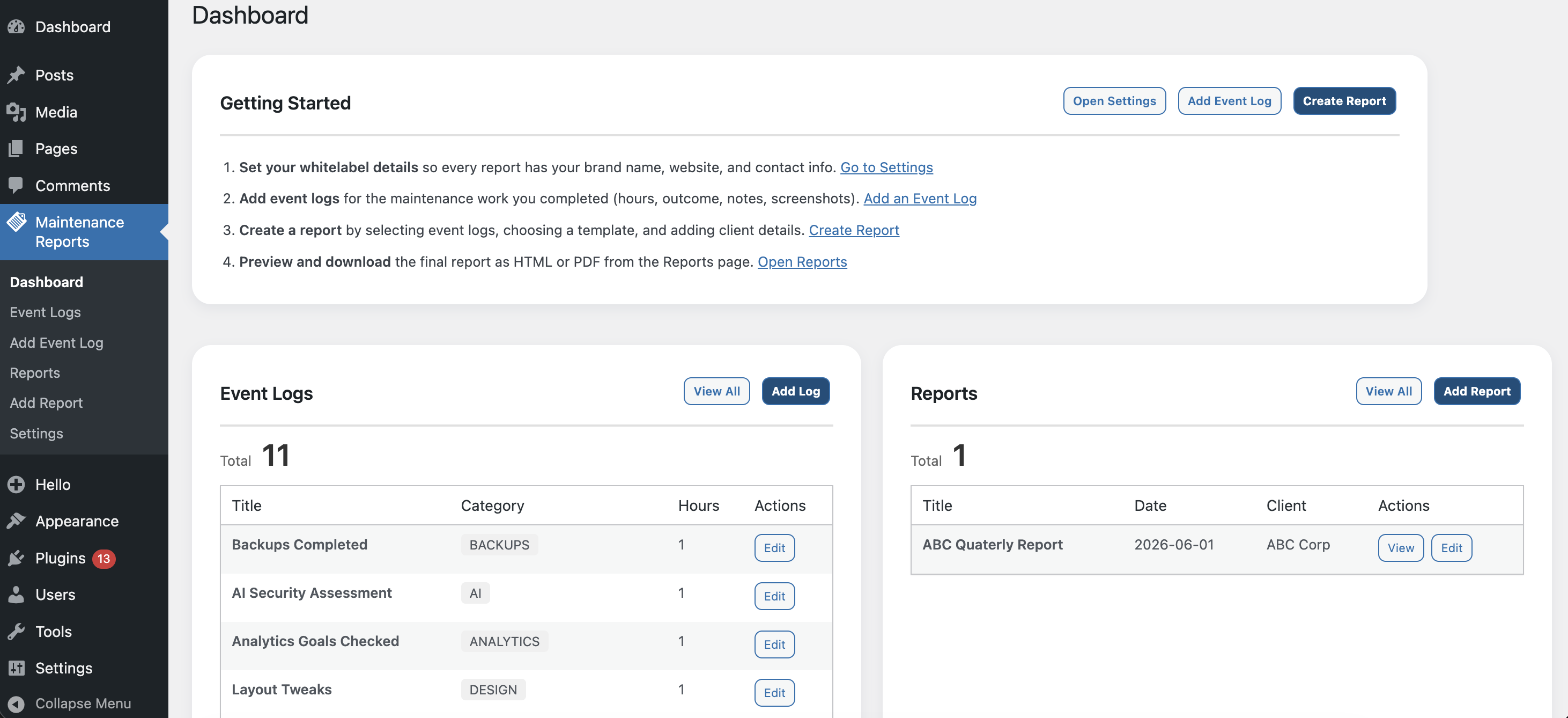
- Comprehensive Dashboard – Get an overview of all reports, event logs, and statistics at a glance
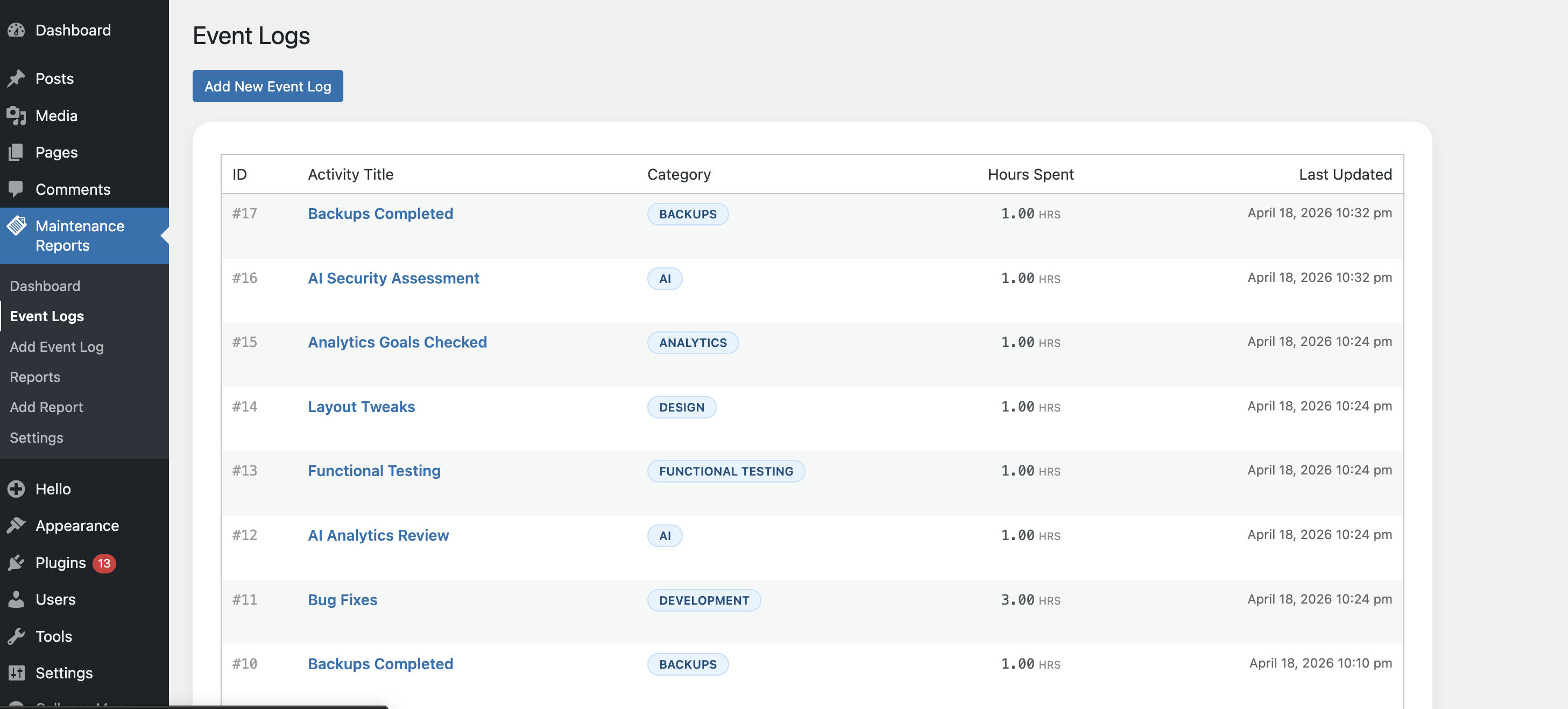
- Event Log Management – Create detailed event logs with categories, hours tracking, outcomes, notes, and multiple screenshots
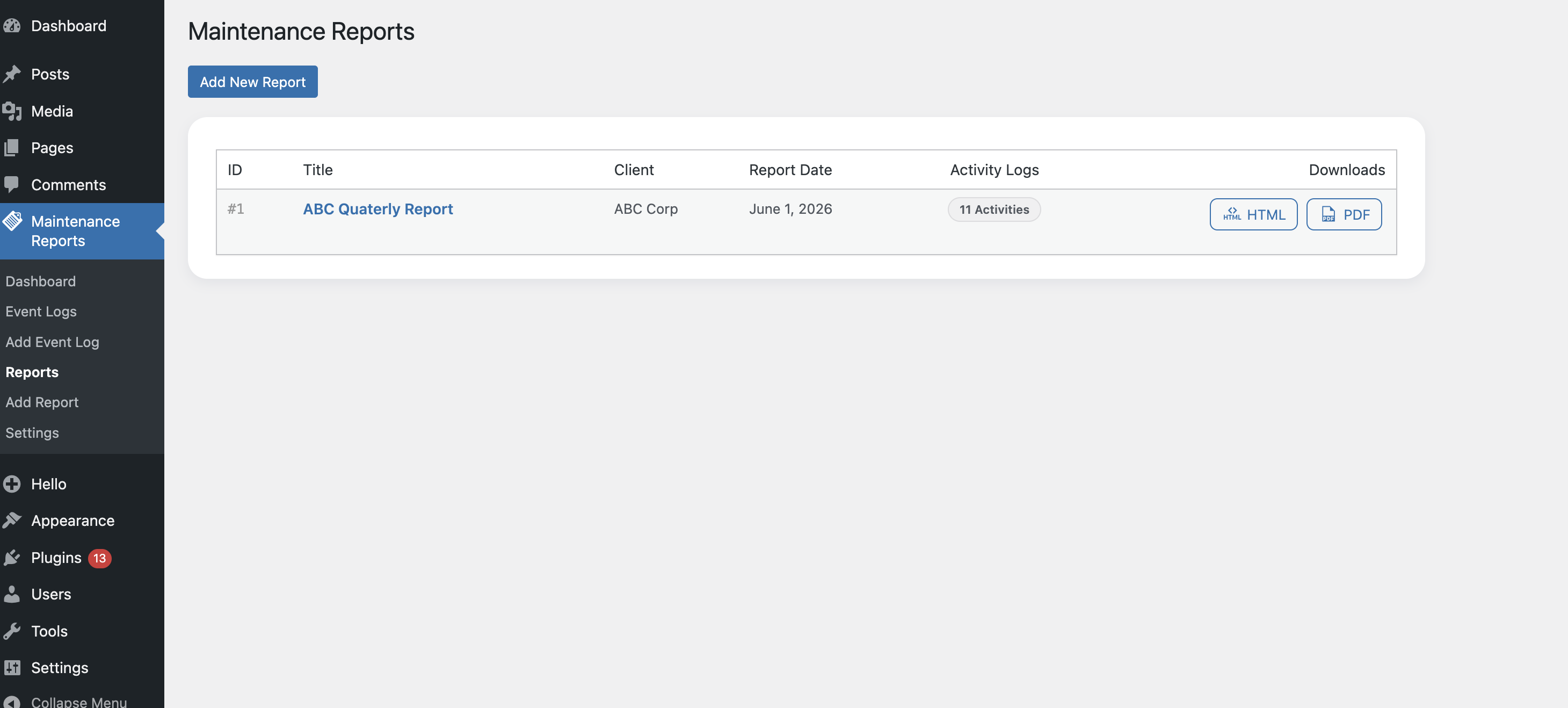
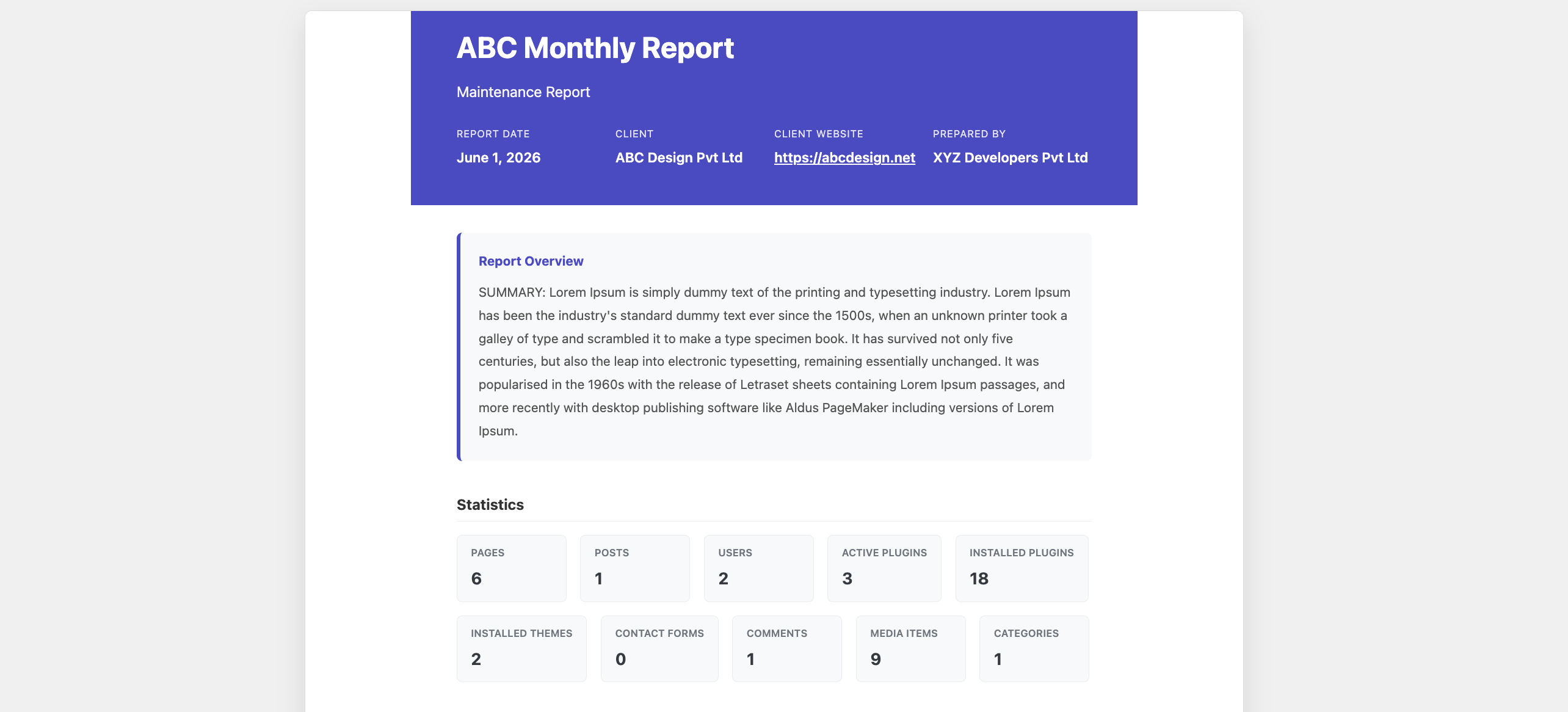
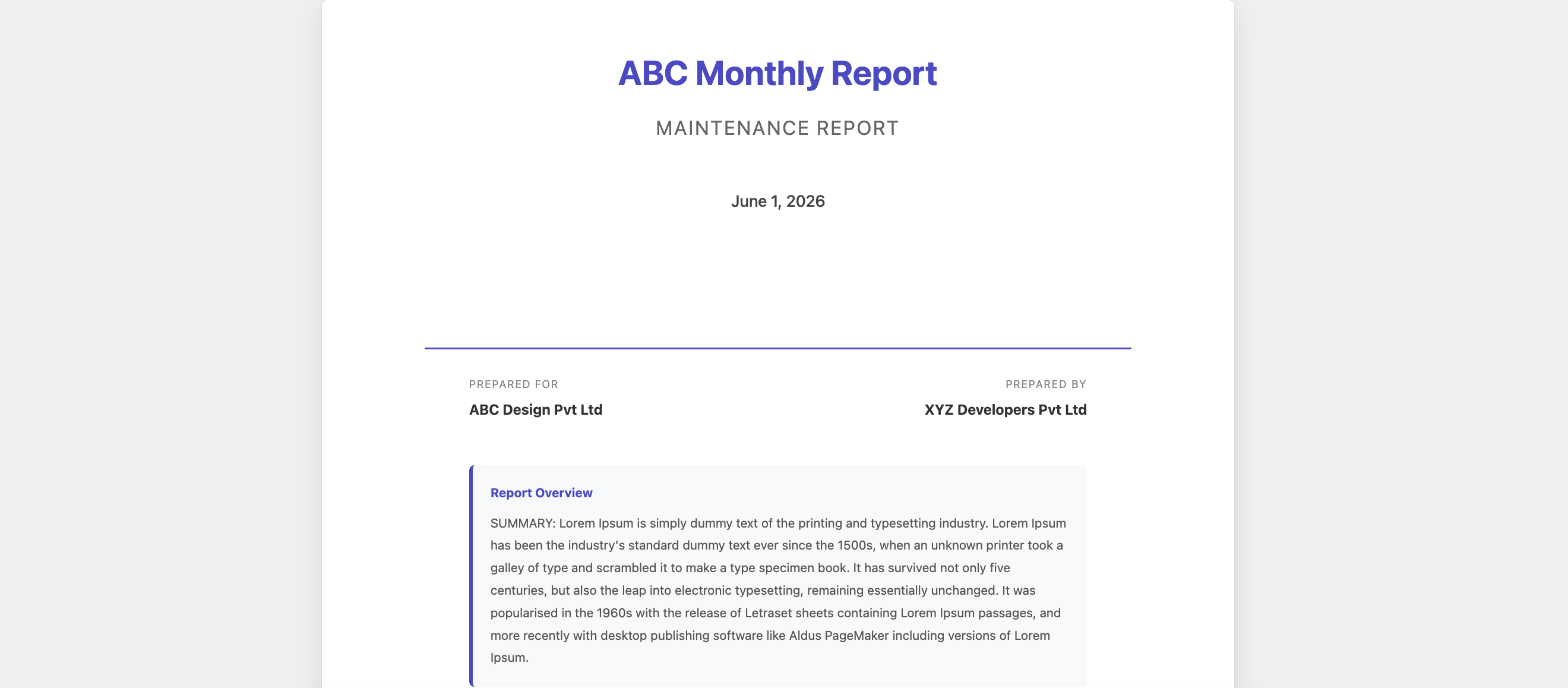
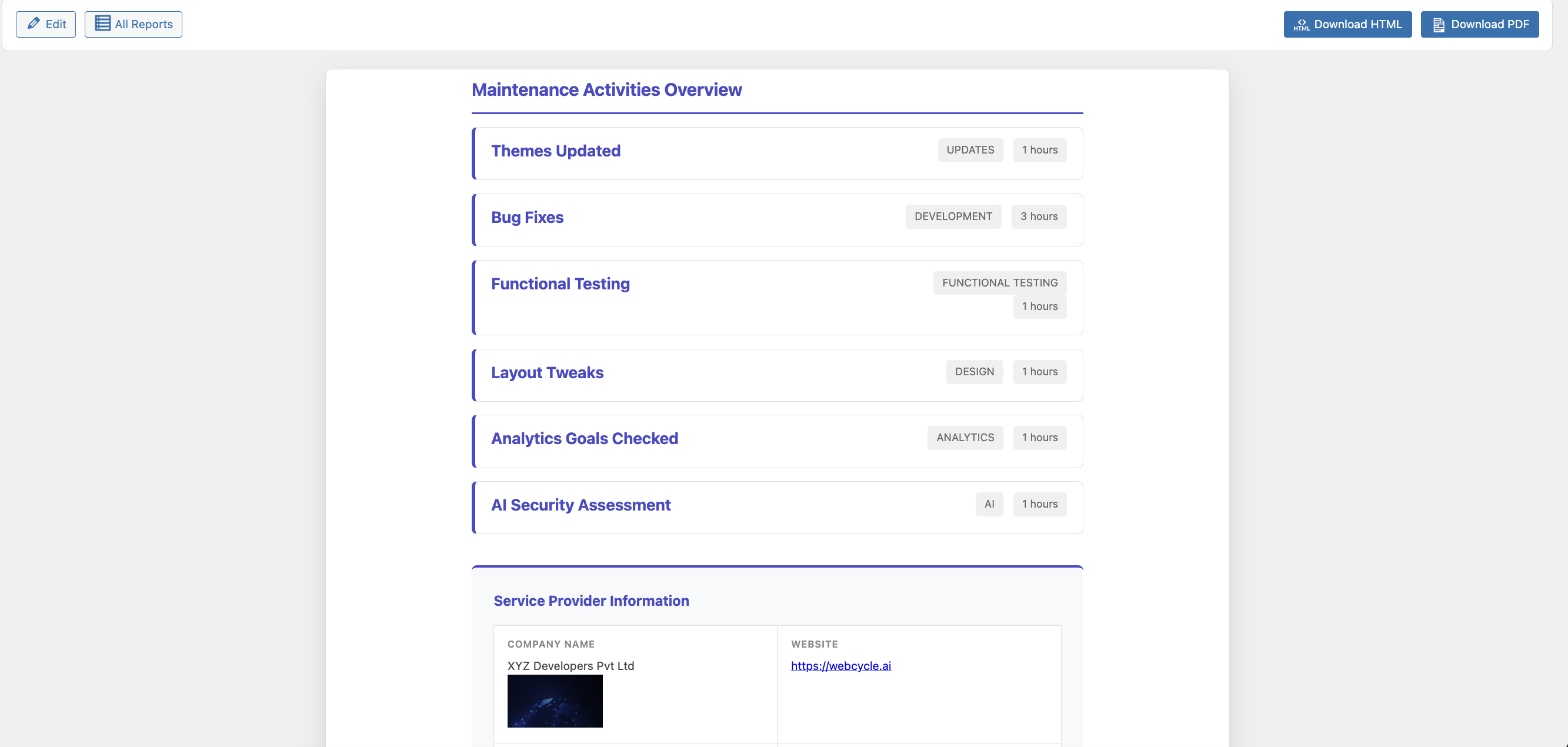
- Professional Reports – Generate beautifully formatted maintenance reports with customizable templates
- Multiple Export Formats – Download reports as HTML or PDF
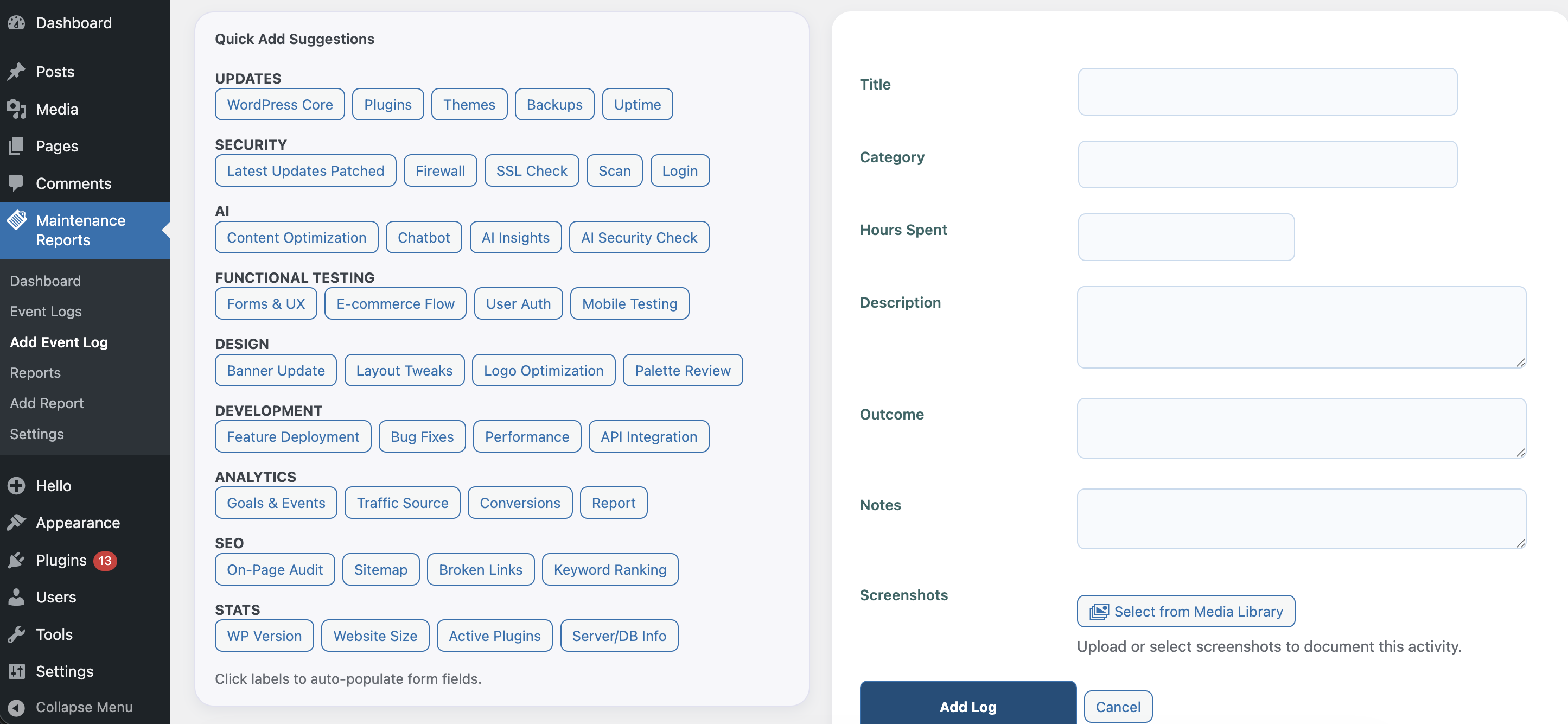
- Quick Add Templates – Pre-populate event logs with common maintenance tasks organized by category
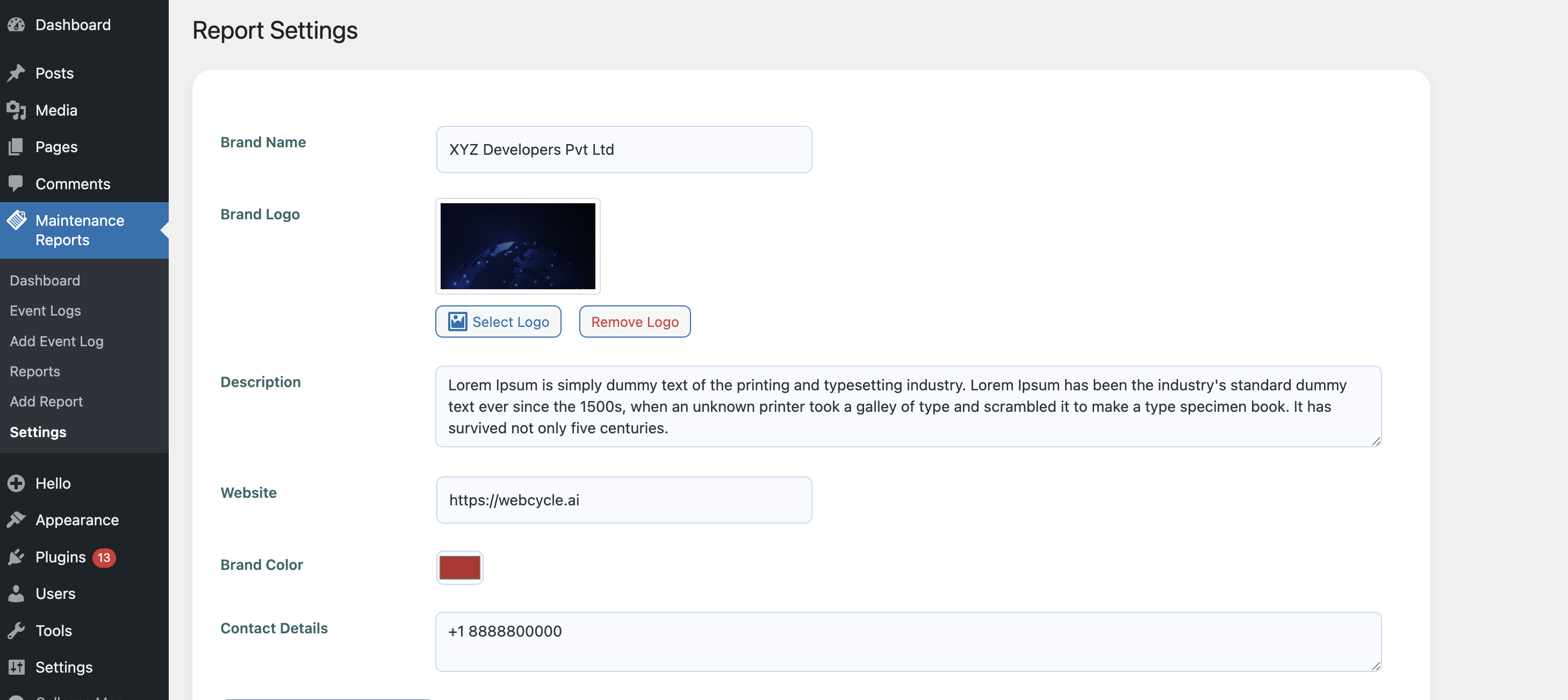
- Whitelabel Settings – Configure your brand details globally for all reports
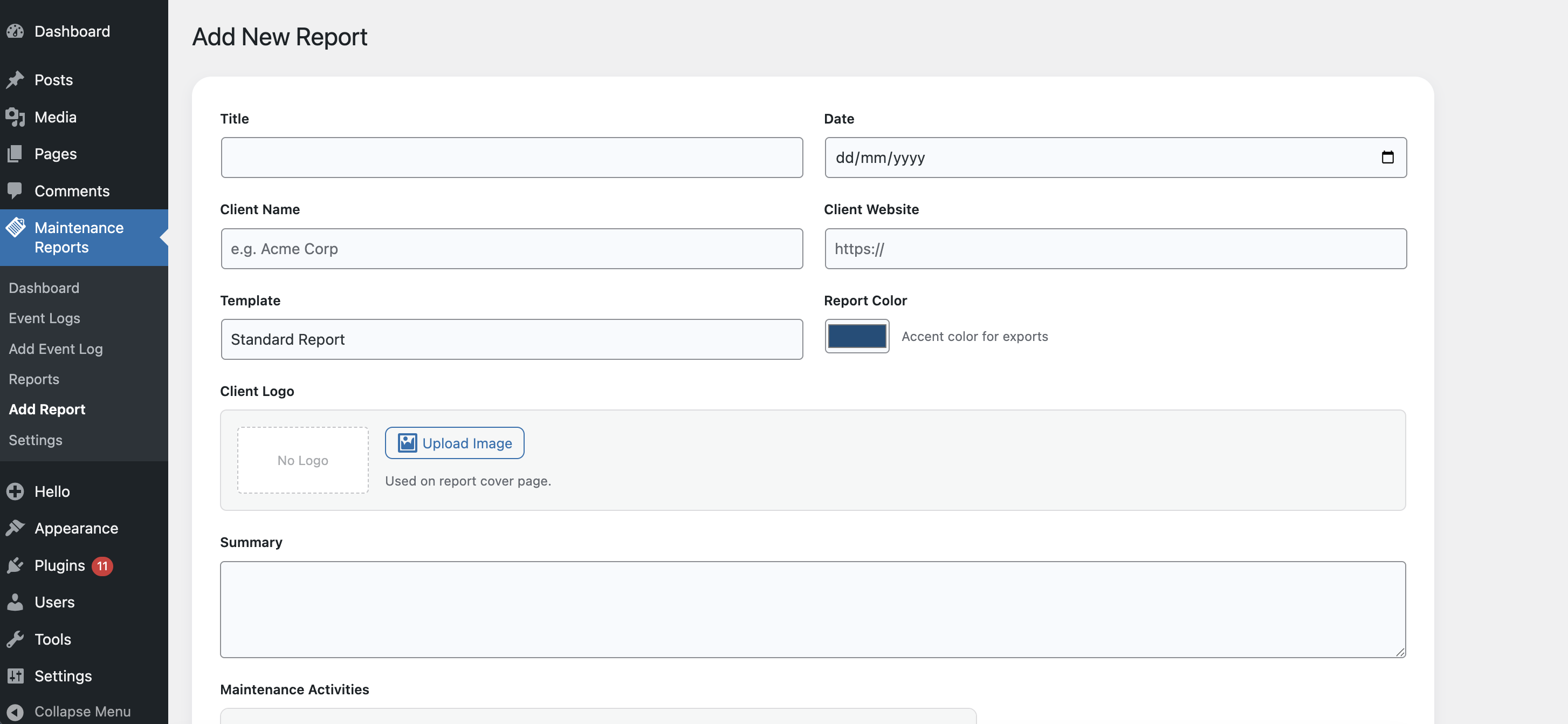
- Client Customization – Add client-specific information, logos, and custom colors to each report
- Site Health Integration – Quick-add statistics from WordPress Site Health data
Perfect For:
- WordPress maintenance Agencies
- Freelance Developers
- Design & Marketing Agencies
- Internal IT departments
- Website administrators tracking routine maintenance
- Agencies providing monthly maintenance reports
Features
-
Dashboard
- Overview statistics (total reports, event logs)
- Recent reports and event logs display
- Category distribution visualization
- Quick action buttons
-
Whitelabel Settings
- Agency/brand name configuration
- Brand description
- Brand website URL
- Brand color selection
- Contact details (supports multi-line text)
-
Event Log Management
- Create, edit, and delete event logs
- Categorize logs (UPDATES, BACKUPS, SECURITY, etc.)
- Track hours spent on each task
- Add descriptions, outcomes, and notes
- Upload multiple screenshots per log
- Quick Add templates for common tasks
-
Quick Add Categories for Logs
- UPDATES (Core, Plugin, Theme updates)
- BACKUPS (Backup verification and management)
- SECURITY (Security patches and updates)
- FIREWALL (Traffic monitoring and bot protection)
- UPTIME (Uptime monitoring)
- GOOGLE ANALYTICS (Analytics data and insights)
- FUNCTIONAL TESTING (Form testing, functionality checks)
- DESIGN (Design-related tasks)
- DEVELOPMENT (Development tasks)
- ANALYTICS (Various analytics tasks)
- SEO (Search engine optimization tasks)
- STATS (WordPress Site Health statistics integration)
-
Report Generation
- 6 Conversion-focused templates designed to impress clients:
- Standard Report – Clean, structured card layout for everyday agile reporting
- Cover Page Edition – Make a massive first impression with a vibrant full-page cover
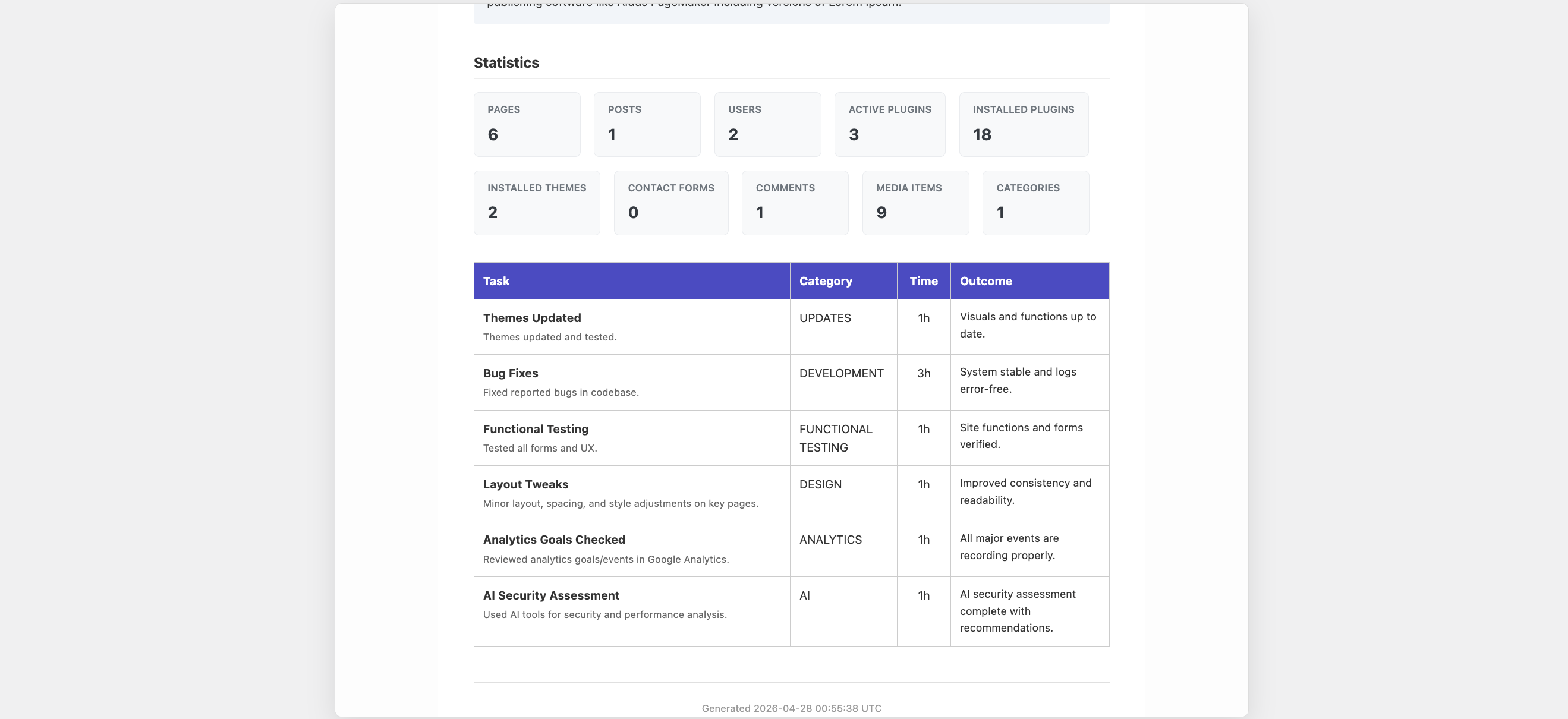
- Executive Dashboard – High-level metrics & ROI summary for busy decision-makers
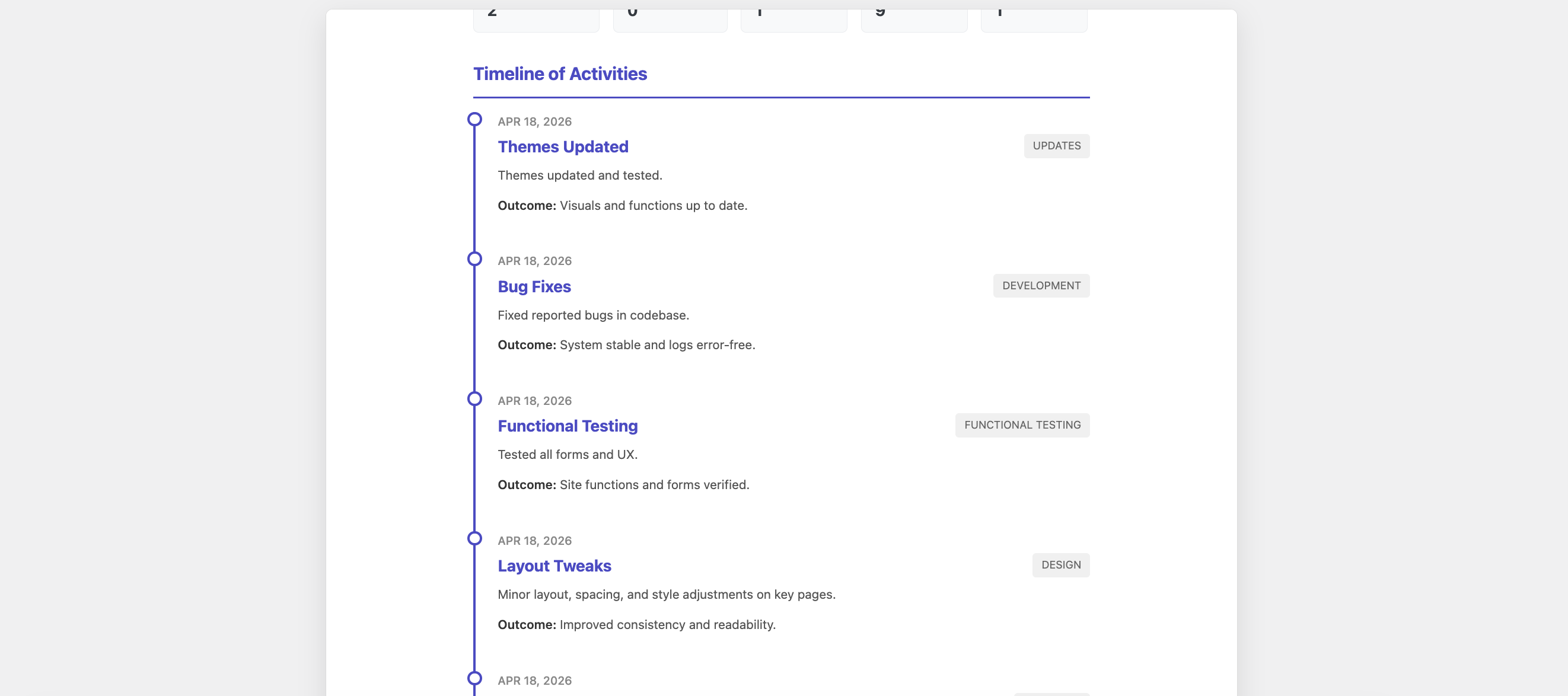
- Chronological Timeline – Tell a visual story of your maintenance work over the month
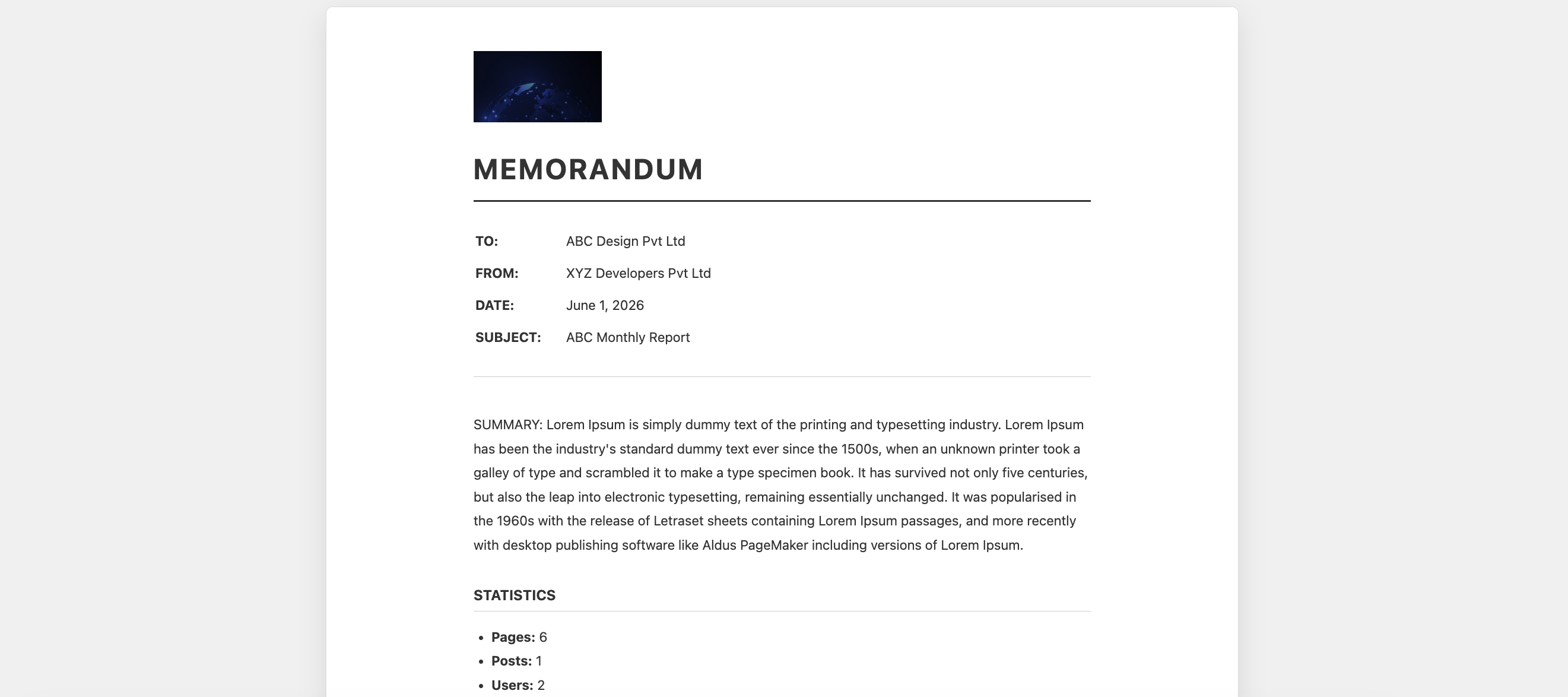
- Formal Memorandum – Corporate-grade formatting designed for compliance and enterprise SLAs
- Technical Datasheet – Dense, grid-based tabular data made for developers and IT teams
- Customizable report colors
- Client-specific information (name, website, logo)
- Report overview/notes section
- Multiple event log selection
- Beautiful HTML rendering
- Professional PDF export
- Quick Add Options for Statistics: Added new metrics to the 1-click Quick Add section, including: Active Plugins, Installed Plugins, Installed Themes, Comments, Media Items, Categories, and Tags.
-
Export Options
- HTML download (standalone file)
- PDF download (using dompdf library)
- Print-friendly CSS
- Professional formatting
Requirements
- WordPress 5.0 or higher
- PHP 7.0 or higher
- MySQL 5.6 or higher / MariaDB 10.0 or higher
- Write permissions for uploads directory (for screenshots and logos)
Developer Information
Database Tables:
The plugin creates three custom database tables (using your WordPress table prefix):
{prefix}mainreby_reports– Stores all maintenance reports{prefix}mainreby_event_logs– Stores event log entries{prefix}mainreby_screenshots– Stores screenshot file URLs linked to event logs
Support
For support, feature requests, or bug reports, please visit: https://webcycle.ai/
Credits
Developed by webcycle (https://webcycle.ai/)
Third-Party Libraries:
* dompdf/dompdf – PDF generation library (LGPL-2.1)
* masterminds/html5 – HTML5 parser
* sabberworm/php-css-parser – CSS parser
* php-font-lib – Font library
* php-svg-lib – SVG library
Copyright
Copyright (c) 2026 webcycle. All rights reserved.
This program is free software; you can redistribute it and/or modify
it under the terms of the GNU General Public License as published by
the Free Software Foundation; either version 2 of the License, or
(at your option) any later version.
This program is distributed in the hope that it will be useful,
but WITHOUT ANY WARRANTY; without even the implied warranty of
MERCHANTABILITY or FITNESS FOR A PARTICULAR PURPOSE. See the
GNU General Public License for more details.
Screenshots
Installation
- Upload the plugin files to the
/wp-content/plugins/maintenance-reports-by-webcycledirectory, or install the plugin through the WordPress plugins screen directly. - Activate the plugin through the ‘Plugins’ menu in WordPress.
- Navigate to ‘Maintenance Reports’ in the WordPress admin menu to access the dashboard.
Via WordPress Admin:
- Go to Plugins Add New
- Click “Upload Plugin”
- Choose the plugin zip file and click “Install Now”
- Activate the plugin after installation
Via FTP:
- Extract the plugin zip file
- Upload the
maintenance-reports-by-webcyclefolder to/wp-content/plugins/ - Activate the plugin from the WordPress admin Plugins page
FAQ
-
Do I need any additional plugins?
-
No, this plugin is self-contained. However, for PDF export functionality, the dompdf library (included via Composer) is required.
-
Can I customize the report appearance?
-
Yes! You can choose from 6 premium, conversion-focused templates ranging from Executive Dashboards to Chronological Timelines. You can fully customize colors, add client logos, and configure your brand details in the settings.
-
What file types are supported for screenshots?
-
You can upload JPEG, PNG, GIF, and WebP image files for event log screenshots and client logos.
-
Can I export reports in different formats?
-
Yes, you can download reports as HTML (for viewing/sharing) or PDF (for printing/archiving).
-
Is this plugin translation-ready?
-
Yes, the plugin uses the text domain ‘maintenance-reports-by-webcycle’ and is fully internationalized.
-
Can multiple users create reports?
-
Yes, any user with the ‘manage_options’ capability (typically administrators) can create and manage reports.
-
Are reports stored in the database?
-
Yes, all reports and event logs are stored in custom database tables created by the plugin. You can view, edit, and delete them from the admin interface.
-
Can I reuse event logs in multiple reports?
-
Absolutely! Event logs are stored independently and can be selected and included in multiple reports.
Reviews

Contributors & Developers
“Maintenance Reports by webcycle” is open source software. The following people have contributed to this plugin.
Contributors
Translate “Maintenance Reports by webcycle” into your language.
Interested in development?
Browse the code, check out the SVN repository, or subscribe to the development log by RSS.
Changelog
2.0.1
- Advanced Statistics add during report generation
- Real-time Filter Maintenance Activities by date range
- Add more options on Report Preview page.
- Upgraded UX of Add/Edit Report page.
2.0.0
- UX: Revamped images update experience from media library
- UX: Upgrade HTML and PDF reporting
- UI/UX: Streamline dashboard. add “Getting Started” guide
- Fix: Report “View” action now shows in-admin preview
- UX: Added loader/spinner to pdf download button
- UX: Added split view in “Add Event Log” page
1.0.3
- Update Readme and Screenshots
1.0.2
- Bug Fixes and upgrades
1.0.1
- Bug Fixes and upgrades
1.0.0
- Initial release