
Description
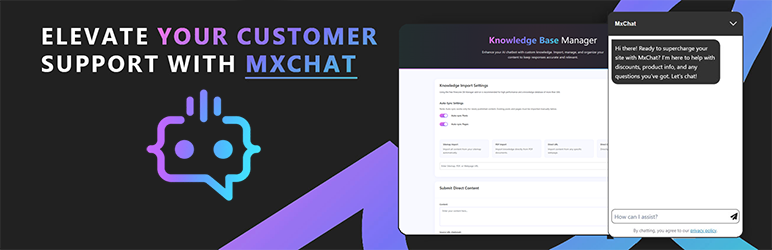
MxChat is the most powerful free AI chatbot and content generation plugin for WordPress — connecting your website to ChatGPT, Claude, Gemini, Grok, DeepSeek, and 100+ AI models through a single, easy-to-use interface. Train your AI chatbot on your website content, WooCommerce products, PDFs, and more using advanced RAG (Retrieval-Augmented Generation) technology. Now with a built-in AI Content Generator to create full blog posts and landing pages complete with images, SEO metadata, and inline AI editing.
Why Choose MxChat as Your WordPress AI Chatbot?
✅ 6 Major AI Providers in One Plugin: OpenRouter, OpenAI GPT, Claude, Gemini, xAI Grok, and DeepSeek – switch between 100+ models instantly
✅ Train on Your Website Data: Advanced RAG technology learns from sitemaps, PDFs, URLs, or manual input for ultra-relevant responses
✅ Live Agent Handoff via Slack: Seamlessly escalate from AI to human support when customers need personal assistance
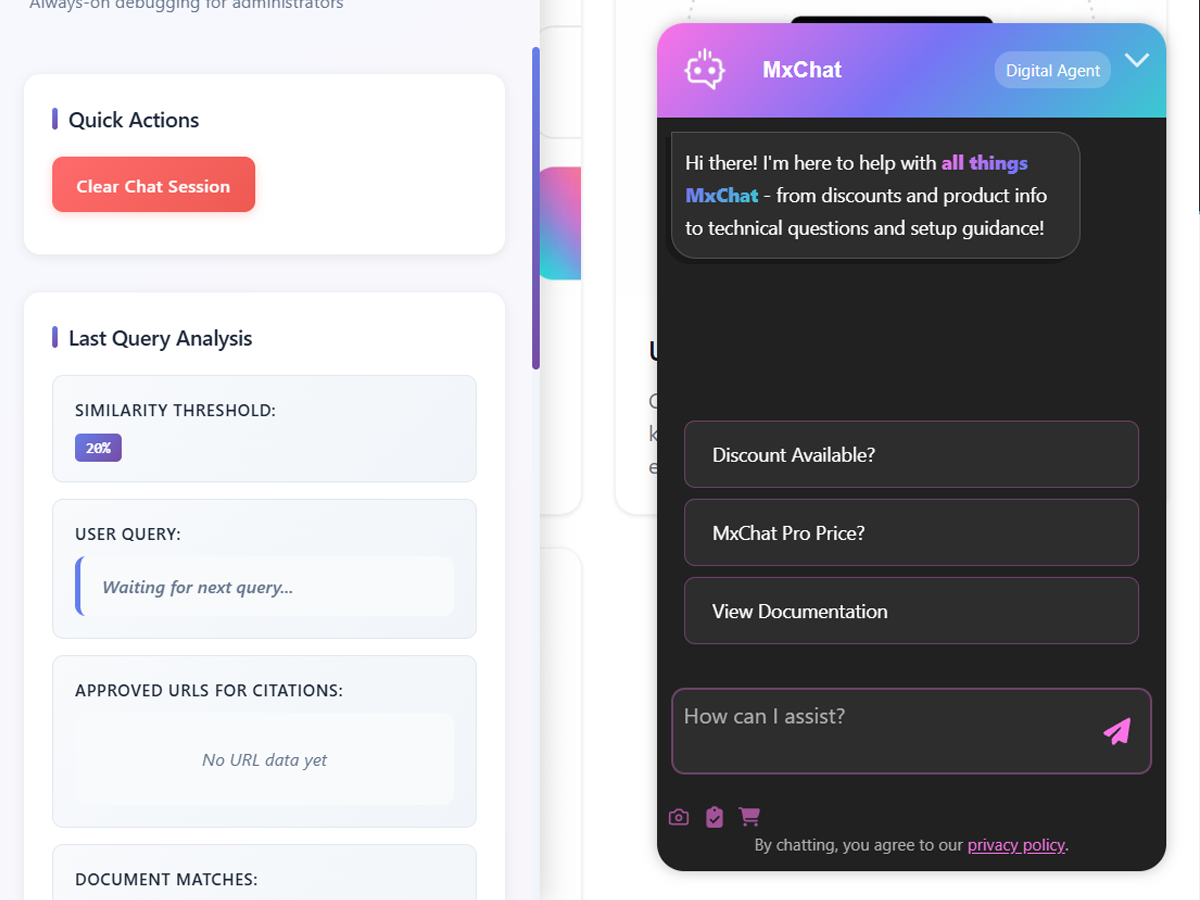
✅ Real-Time Debug Panel: See exactly what your chatbot retrieves and triggers with our admin testing interface
✅ Boost Sales with WooCommerce: Product cards, cart management, and AI-powered shopping assistance
✅ AI Content Generator: Create full blog posts and landing pages with AI-generated images, SEO metadata, and real-time preview editing
✅ Extensive Add-On Ecosystem: Forms, moderation, recommendations, theme customization, and more
🎬 Quick Setup with MxChat – Learn how to quickly setup and understand how your chatbot works
📦 Optional Premium Add-Ons
Extend the free plugin with these optional premium features:
- MCP Server Add-On – Turn your MxChat install into a Model Context Protocol server so Claude, ChatGPT, and Claude Code list transcripts, push knowledge, and inspect bots natively — JSON-RPC 2.0 + OAuth + bearer auth, no per-message fees
- Advanced Content Editor Add-On – Smart internal linking, AI image management, readability analysis, Google Search Console integration, advanced SEO optimization, and 30-day AI Content Calendar for automated blog scheduling
- WooCommerce Add-On – AI-powered shopping assistance with product-aware conversations, native product cards with images and pricing, upselling and recommendations, order inquiry handling, cart management, and real-time inventory awareness
- Forms Add-On – Capture leads and data with custom in-chat forms
- MxChat Anywhere Add-On – Deploy your chatbot on any website with one script tag — Shopify, Squarespace, Wix, static HTML, and more
- AI Chatbot Theme Customizer Add-On – Instantly design chatbot themes with natural language using AI
- Multi-Bot Add-On – Run unlimited AI chatbots with custom knowledge and personalities
- Image Analysis Add-On – Enable AI-powered image analysis and OCR inside chats
👉 Visit our website to view all add-ons
🔥 What’s New in Version 3.2.9
- NEW: Stop Button for Streaming Responses — visitors can halt a streaming answer mid-reply; the send button becomes a Stop control while the bot is typing, keeping the text already written
- NEW: “Images per Article” Slider — choose how many images (1–5) the Content Generator places in each article, instead of the AI deciding for you
- NEW: Download Transcript Toggle — show or hide the chat menu’s “Download Transcript” item from settings (on by default)
- FIXED: Google Search Snippets — the chat widget’s greeting and quick-question text no longer leak into your pages’ search-result snippets
- FIXED: In-Chat Document Upload — PDF and Word uploads from the chat toolbar work again, whether or not you’re signed in
- Plus: right-to-left admin-navigation fix, a rebuilt translation template so translators stop losing work on updates, satisfaction-prompt and message-loss fixes, and PHP 8.2 cleanup
Core Features That Set MxChat Apart
🟢 100+ AI Models – Access ChatGPT, Claude, Gemini, Grok, DeepSeek, and 100+ models from OpenRouter with a single plugin
🟢 Lead Management Dashboard – Dedicated Leads tab inside Transcripts shows every captured email and name deduplicated by lead, with filters, bulk delete, CSV export, and one-click jump to each lead’s latest conversation
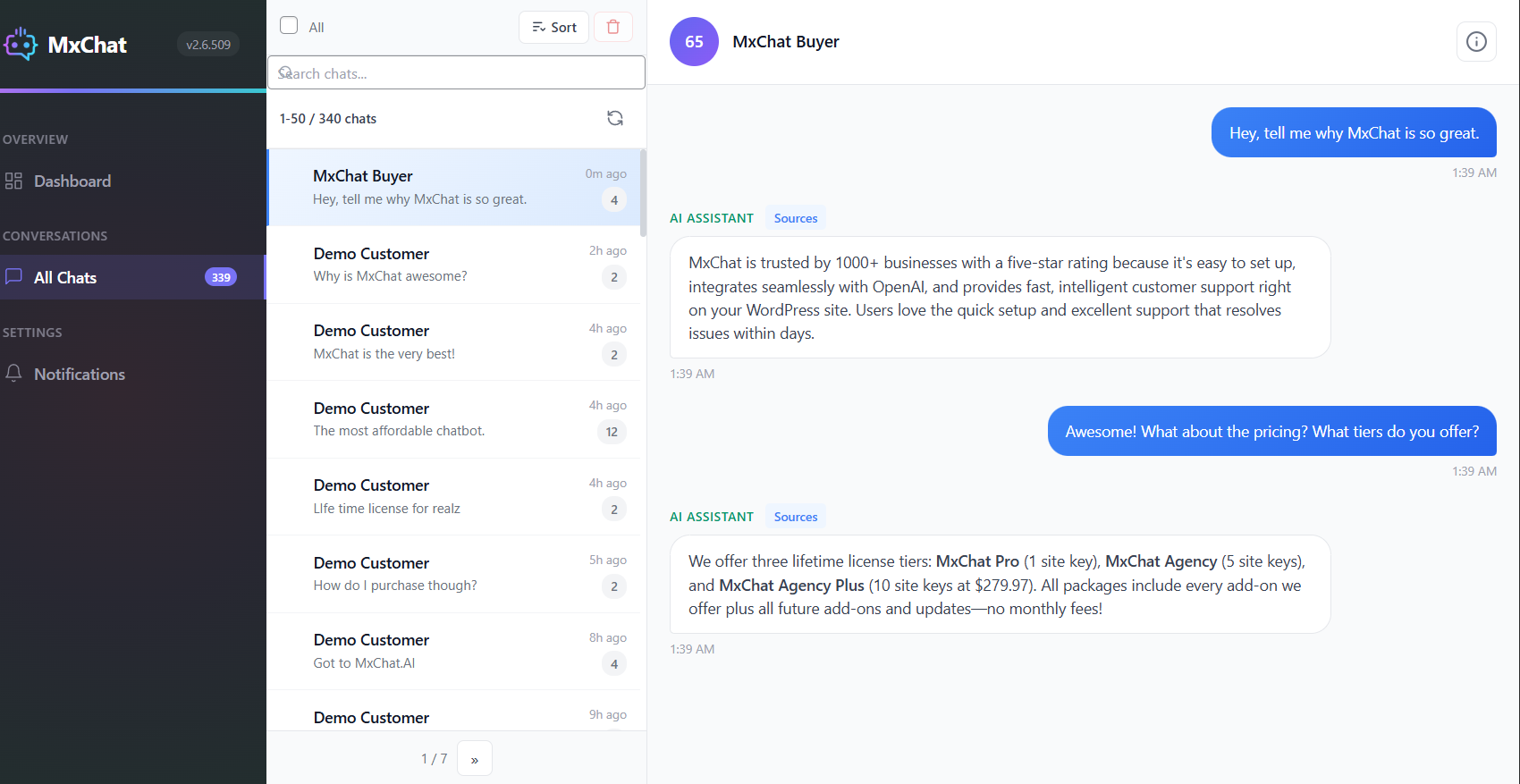
🟢 Chat Transcripts Dashboard – Review all conversations, analyze chat history, track user engagement, and see exactly which knowledge sources the AI used for each response
🟢 WooCommerce Product Training – Train your AI chatbot on your entire product catalog including descriptions, pricing, SKUs, and categories for intelligent shopping assistance
🟢 Live Agent Handoff – Seamlessly escalate conversations from AI to human support via Slack when customers need personal assistance
🟢 ACF Field Control – Choose exactly which Advanced Custom Fields are included in your knowledge base—perfect for excluding private notes or internal data
🟢 Advanced Action Recognition – Smart vector embedding system understands user intent and triggers lead capture, appointments, redirects, and custom actions automatically
🟢 Document Processing – Let visitors upload and chat with PDFs and Word documents directly on your frontend
🟢 Pinecone Vector Storage – Optional lightning-fast knowledge retrieval for large datasets and enterprise-scale deployments
🟢 Web Search Integration – Brave search provides real-time information beyond your knowledge base
🟢 AI Content Generator – Create full blog posts and landing pages from a prompt with AI images, SEO metadata, real-time preview, and inline AI editing via chat
🟢 Image Generation – OpenAI GPT Image and Google Imagen for visual content creation within chat conversations
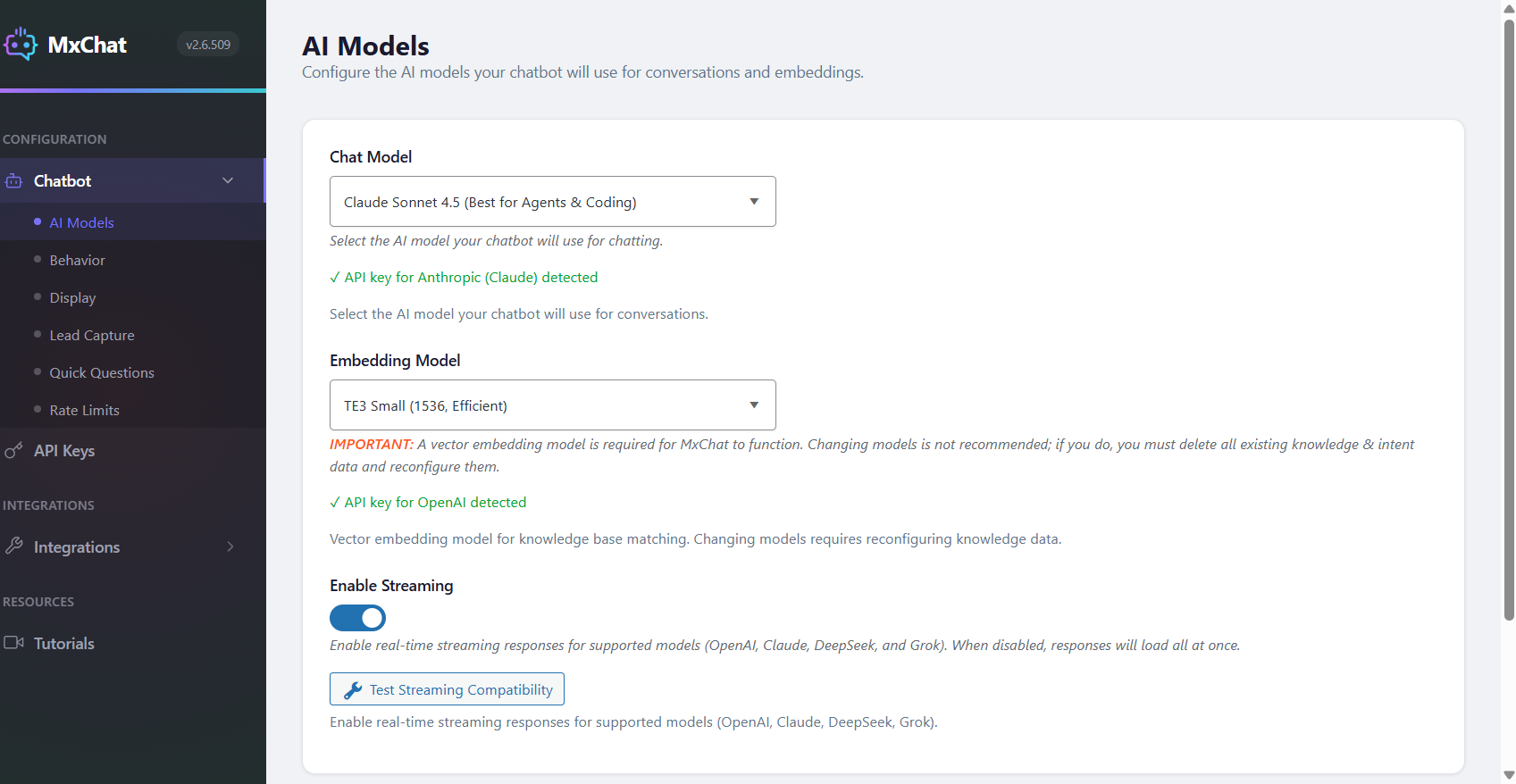
🟢 Streaming Responses – Real-time response streaming for OpenAI, Claude, Grok, and DeepSeek models for the fastest possible chat experience
🟢 REST API – Bearer-token endpoints to read transcripts, push knowledge, and bulk-delete sessions — wire MxChat into n8n, Zapier, analytics dashboards, GDPR workflows, or your own agents
Choose from 100+ Premium AI Models
Access the world’s most advanced AI models based on your specific needs:
OpenRouter: 100+ models from multiple providers with a single API key – including OpenAI, Anthropic, Google, Meta, Mistral, and more!
OpenAI:
GPT-5.5, GPT-5.4, GPT-5.4 Mini, GPT-5.4 Nano, GPT-5.3 Chat, GPT-5.2, GPT-5.1 Chat Latest, GPT-5.1, GPT-5, GPT-5 Mini, GPT-5 Nano
Anthropic Claude:
Claude Opus 4.8, Claude Opus 4.7, Claude Opus 4.6, Claude Sonnet 4.6, Claude Opus 4.5, Claude Sonnet 4.5, Claude Opus 4.1, Claude Haiku 4.5, Claude 4 Opus, Claude 4 Sonnet
X.AI:
Grok 4.1 Fast (Reasoning), Grok 4.1 Fast (Non-Reasoning), Grok 4, Grok-3, Grok-3 Fast, Grok-3 Mini, Grok-3 Mini Fast
Google Gemini:
Gemini 3.5 Flash, Gemini 3.1 Pro, Gemini 3 Flash, Gemini 3.1 Flash-Lite, Gemini 2.5 Pro, Gemini 2.5 Flash, Gemini 2.5 Flash-Lite
DeepSeek:
DeepSeek V3
Lead Management Dashboard — Turn Chat Traffic Into a Real Lead List
Every email and name your chatbot captures now lands in one clean, sortable dashboard — so you can finally see your leads as a list instead of hunting through individual transcripts.
What You Get:
- One Row Per Lead — emails captured across multiple sessions are automatically deduplicated, so each lead appears once with a conversation count and a “last seen” timestamp
- Top Pages Capturing Leads — instantly see which pages on your site are driving the most lead captures; click any page to filter the list to leads from that page only
- Powerful Filtering — search by email or name, filter by date range (24h / 7d / 30d / 90d / all-time), or filter by status (leads with a conversation vs. orphan leads who submitted the form but never chatted)
- Orphan Lead Tracking — visitors who drop their email in the pre-chat form but never send a message are surfaced separately so you never lose a captured contact
- One-Click View Conversation — jump from any lead straight into their latest full conversation in the transcripts viewer
- Bulk Delete + CSV Export — select multiple leads to delete or export in one action; CSV export supports email-only or email + name + conversation count + last-seen + top page
- Clean, Responsive, Native — works beautifully on desktop, tablet, and phone with the same polished dashboard feel as the rest of MxChat
- Zero Setup, Zero Migration — uses your existing chat data, no new database tables, no configuration — turn on lead capture and the dashboard just works
Perfect for sales teams managing inbound leads, agencies reporting to clients, and anyone who wants to see the actual ROI of their chatbot at a glance without digging through individual conversations.
AI Content Generator — Create Blog Posts & Landing Pages with AI
MxChat includes a built-in AI Content Generator that lets you create full blog posts and landing pages directly from your WordPress dashboard — no external tools or copy-pasting required.
How It Works:
- Describe Your Content — Enter a topic, title, or detailed prompt and choose between a blog post or landing page layout
- AI Generates Everything — The AI produces fully styled HTML with responsive CSS, ready-to-publish content, and optional AI-generated images using OpenAI GPT Image, Gemini, or Grok
- Real-Time Preview — See your content exactly as it will appear on your site with a live scaled preview, including desktop and mobile viewport switching
- Edit with AI Chat — Use the built-in AI chat panel to request changes like “make the heading bigger” or “change the background to blue” — the AI updates your content in real time
- Publish Instantly — Content is saved as a native WordPress post or page with clean HTML, SEO metadata, and responsive design that works with any theme
Key Content Generator Features:
- Choose from multiple AI models for content generation (GPT-5, Claude, Gemini, Grok, and more)
- AI-generated images placed directly into your content with automatic media library uploads
- SEO title and meta description generation for search engine optimization
- Built-in SEO analysis with real-time scoring and one-click AI auto-optimization
- Fullwidth and standard layout options with automatic theme compatibility
- Content history to revisit and manage previously generated posts
- Works with popular page builders and themes including Elementor, Bricks, Divi, Astra, Kadence, and more
- Optional Advanced Content Editor Add-On for Google Search Console analytics, smart internal linking, readability analysis, and advanced SEO optimization
MxChat Anywhere — Deploy Your Chatbot on Any Website
Your WordPress site powers the AI, but your chatbot doesn’t have to live there. The MxChat Anywhere Add-On lets you deploy your fully configured chatbot on any website with a single script tag — Shopify, Squarespace, Wix, static HTML, SaaS apps, documentation sites, or anything with an HTML page.
Key Features:
- One script tag to add your chatbot to any site — no coding or framework required
- Full style isolation via Shadow DOM so host page CSS never breaks your chatbot
- All your MxChat settings carry over automatically — colors, themes, quick questions, email collection, streaming, and more
- Multi-bot support lets you deploy different chatbot configurations on different sites
- Secure domain whitelisting and API key authentication prevent unauthorized usage
- Lightweight vanilla JS widget with zero dependencies — no jQuery needed on the target site
Ideal for SaaS products with a WordPress blog but a separate web app, e-commerce brands on Shopify, documentation sites, or any business that needs their chatbot beyond WordPress.
Powerful Add-On Ecosystem
Pro Add-Ons:
🟢 MCP Server – Expose your MxChat install as a Model Context Protocol server so Claude, ChatGPT, and Claude Code can list transcripts, push knowledge, and inspect bots through a JSON-RPC 2.0 endpoint with OAuth + bearer auth — no per-message fees, no middleman API. Includes a WooCommerce extension for product, order, and customer lookups.
🟢 Advanced Content Editor – Google Search Console integration with per-page impressions, clicks, and search queries. Smart internal linking, AI readability optimization, image ALT text generation, and advanced SEO checks
🟢 Multi-Bot Manager – Create and manage multiple specialized chatbots with dedicated knowledge databases for different purposes (support, sales, technical, etc.)
🟢 Video Generation – Generate stunning AI videos using Google’s Veo 2 and Veo 3 models with audio support and multiple aspect ratios
🟢 Admin Assistant – ChatGPT-like interface in WordPress admin with thread management and image generation
🟢 Chat Themes – Visual design editor with AI-powered chatbot theme generation from natural language
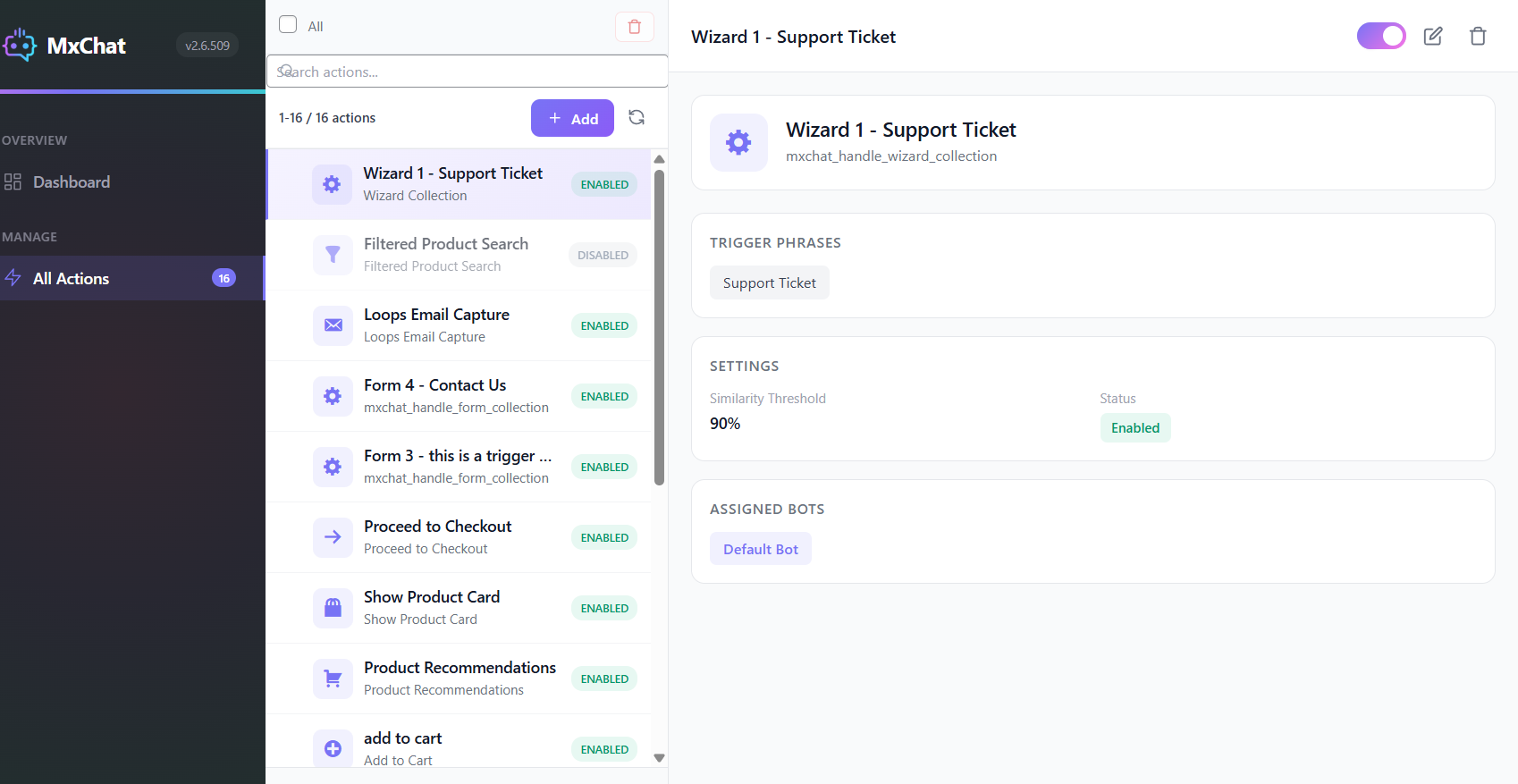
🟢 MxChat Forms – Create chatbot-triggered forms for lead capture and support tickets
🟢 Chat Moderation – Advanced security with email/IP banning and content filtering
🟢 MxChat Anywhere – Deploy your chatbot on any website with one script tag — Shopify, Squarespace, Wix, static HTML, and custom web apps with Shadow DOM style isolation
🟢 Perplexity Integration – Real-time web search with authoritative, well-sourced responses
🟢 MxChat Trigger – Turn any element into a conversation starter — chat trigger buttons and links that open MxChat and send predefined messages, perfect for CTAs and guided experiences
📱 Mobile-Friendly & Fully Customizable
MxChat’s chatbot widget adapts seamlessly to all devices — desktop, tablet, or mobile. Customize colors, greetings, and placement to match your brand and provide a smooth experience across your entire website.
🔐 Reliable, Fast, Secure
MxChat is optimized for performance and security. Your AI chatbot runs smoothly, loads fast, and protects your customer data with enterprise-grade security measures.
🌟 What Makes MxChat the Best AI Chatbot for WordPress?
- Used by hundreds of WordPress websites worldwide
- 5-star average rating from satisfied customers
- Native WordPress integration – no external dependencies
- Setup in under 2 minutes with simple API key configuration
🆓 Start with MxChat’s Powerful Free Plan
MxChat offers a fully functional free plan that includes everything you need to get started with AI chatbot and customer support. With no credit card required, you can:
- Access all AI models from 6 major providers
- AI Content Generator for blog posts and landing pages with SEO scoring and AI auto-optimization
- Train chatbot on unlimited website content
- Loops email capture for lead generation
- Web search and image generation capabilities
- Real-time admin debug panel
- Chat transcript review and export
- RAG support & contextual awareness
Whether you’re running a small business or launching a new online store, MxChat’s free plan gives you the tools to offer intelligent customer support and grow your business — without paying a cent.
Developer Hooks & Filters
MxChat provides WordPress filter hooks so developers can extend and customize chatbot behavior without modifying core plugin files. View full documentation with code examples.
mxchat_before_process_post
Runs during knowledge base indexing and lets you modify a post’s data before MxChat processes it. Use this to include custom field data (e.g. product specifications or ACF fields), strip internal content you don’t want the chatbot to learn, or transform posts based on bot ID. Receives the WP_Post object and the bot ID.
mxchat_system_instructions
Dynamically modify the system prompt before every AI response. Use this to inject live data such as business hours, inventory status, or user-specific context into the prompt at runtime. Receives the instructions text, bot ID, and session ID. MxChat also supports WordPress shortcodes directly in the system prompt field — any registered shortcodes are automatically expanded before being sent to the AI.
✅ Get Started with MxChat AI Chatbot Today
Installing MxChat for WordPress takes just a few clicks. Get started with our free plan and upgrade anytime to access our complete add-on ecosystem and premium features.
💰 Pricing
Most powerful features are included in the free plan. Upgrade to Pro for the complete add-on ecosystem and advanced capabilities.
View all pricing options
Use of Third-Party Services
This plugin connects …
Screenshots
Installation
- Upload the
mxchat-basicfolder to the/wp-content/plugins/directory. - Activate the plugin through the ‘Plugins’ menu in WordPress.
- Navigate to the ‘MxChat’ settings page to configure your OpenAI API key and other settings.
FAQ
-
What AI models does MxChat support?
-
MxChat supports 100+ AI models including OpenAI GPT-5.5, GPT-5.1 Chat Latest, GPT-5, Anthropic Claude Opus 4.8, Claude Sonnet 4.6, Claude Haiku 4.5, Google Gemini 3.5 Flash, Gemini 3.1 Pro, xAI Grok 4, Grok 3, DeepSeek V3, and many more. With OpenRouter integration, you get access to models from OpenAI, Anthropic, Google, Meta, Mistral, and other providers with a single API key.
-
How do I get API keys for the AI chatbot?
-
For OpenAI, visit platform.openai.com and create an account. For Anthropic Claude, visit console.anthropic.com. For Google Gemini, visit ai.google.dev. For xAI Grok, visit x.ai. For DeepSeek, visit platform.deepseek.com. For OpenRouter (100+ models), visit openrouter.ai. Each provider offers different pricing tiers and free credits for new users.
-
Can I train the AI chatbot on my website content?
-
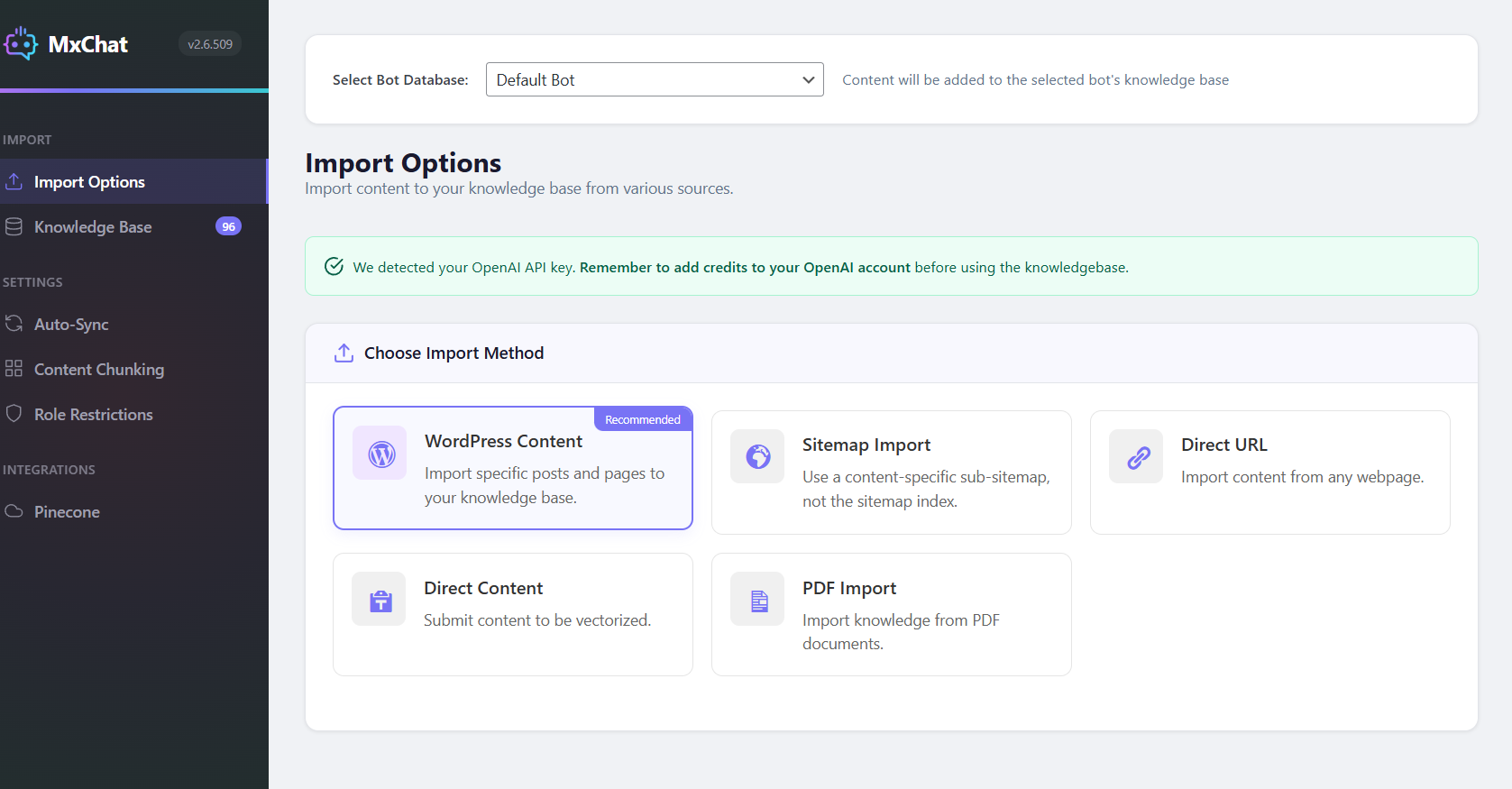
Yes. MxChat supports unlimited knowledge base training using RAG (Retrieval-Augmented Generation) technology. Import content from WordPress pages, posts, WooCommerce products, custom post types, PDFs, Word documents, text files, sitemaps, and manual Q&A entries. The AI chatbot will use your content to provide accurate, contextually relevant responses.
-
What is RAG technology and how does it work?
-
RAG (Retrieval-Augmented Generation) is an AI technique that retrieves relevant information from your knowledge base before generating responses. When a visitor asks a question, MxChat searches your trained content using vector embeddings, finds the most relevant matches, and provides that context to the AI model. This ensures accurate, factual answers based on your actual website content rather than generic AI responses.
-
Does MxChat work with WooCommerce?
-
Yes. MxChat includes full WooCommerce integration. The AI chatbot can be trained on your product catalog including titles, descriptions, pricing, SKUs, categories, and custom fields. Enable auto-sync to automatically update the knowledge base when products change. Your chatbot can answer questions about products, pricing, availability, and help customers find what they need.
-
Can I customize the AI chatbot appearance?
-
Yes. MxChat offers extensive customization options including custom colors, chatbot icon, AI avatar, chat bubble size, light/dark/system themes, positioning (left/right), custom CSS, greeting messages, placeholder text, and widget layouts. Use the built-in AI Theme Generator to describe your ideal design and let AI create custom styling automatically.
-
How do I add the chatbot to my WordPress site?
-
You can add the chatbot using the shortcode
[mxchat_chatbot floating="yes"]for a floating widget or[mxchat_chatbot floating="no"]for an embedded chat. Alternatively, enable “Append to Body” in settings to automatically display the chatbot on all pages without shortcodes. -
Does MxChat support streaming responses?
-
Yes. MxChat supports real-time streaming responses for OpenAI, Anthropic Claude, xAI Grok, and DeepSeek models. Streaming displays AI responses word-by-word as they’re generated, providing a faster, more engaging chat experience for your visitors.
-
What is the Chat Transcripts feature?
-
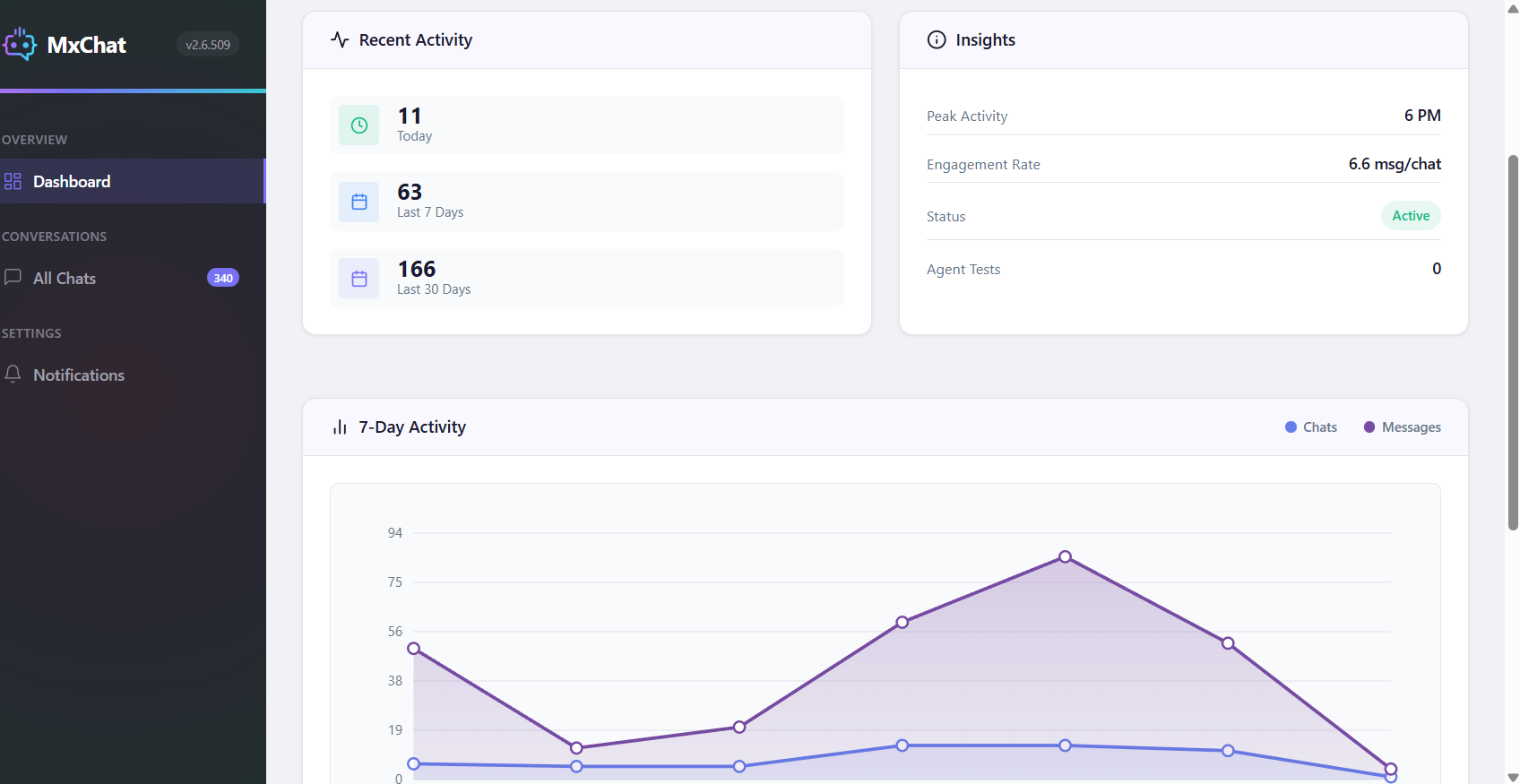
The Chat Transcripts dashboard provides comprehensive conversation management. View all chat histories, see detailed conversation flows, track which knowledge sources the AI used for each response, monitor user engagement, and analyze chat analytics including daily activity, peak hours, and user distribution.
-
Can I see which content the AI chatbot used to answer questions?
-
Yes. MxChat includes full knowledge source transparency. In the Chat Transcripts and the optional debug panel, you can see exactly which pages, posts, products, or Q&A entries the AI retrieved and used to generate each response, along with relevance scores.
-
Is Pinecone vector database required?
-
No. MxChat includes free, unlimited local vector storage in your WordPress database. Pinecone integration is optional and recommended only for enterprise-scale knowledge bases with thousands of entries requiring faster search performance.
-
Does MxChat support multiple languages?
-
Yes. The AI chatbot supports multi-language conversations and automatically responds in the language your visitors use. MxChat also supports right-to-left (RTL) languages like Arabic and Hebrew.
-
How much do AI API calls cost?
-
API costs depend on your chosen provider and model. OpenAI, Anthropic, Google, and others charge based on token usage. DeepSeek and Google Gemini offer generous free tiers. MxChat includes intelligent token optimization to minimize API costs. You can also set rate limits for guests and logged-in users to control usage.
-
Is MxChat GDPR compliant?
-
Yes. All conversation data is stored locally on your WordPress site, giving you complete control. Configure automatic data retention policies, export chat transcripts, or delete conversations as needed for compliance.
-
Can I restrict chatbot access to certain users?
-
Yes. MxChat includes role-based access controls. Restrict the chatbot to logged-in users only, specific user roles, or keep it public. You can also restrict specific knowledge base content to certain user roles.
-
Does MxChat support live chat handoff?
-
Yes. MxChat integrates with Slack for live agent handoff. When the AI cannot help or a visitor requests human support, conversations can be seamlessly transferred to your team via Slack.
-
What are Actions and how do they work?
-
Actions are custom triggers that execute when user intent is detected. Create actions for lead capture, appointment booking, support tickets, page redirects, or custom JavaScript. The AI automatically recognizes when users want to perform these actions and triggers them contextually.
-
Can visitors upload documents to chat?
-
Yes. Enable document uploads to let visitors chat with PDFs and Word documents. The AI extracts and processes document content in real-time, allowing contextual Q&A about uploaded files.
-
Does MxChat support image generation?
-
Yes. With OpenAI GPT Image and Google Imagen integration, the AI chatbot can generate images based on user descriptions directly within the chat conversation.
-
How does the knowledge base auto-sync work?
-
Enable auto-sync for posts, pages, WooCommerce products, or custom post types. When you publish or update content, MxChat automatically updates the knowledge base with the new information. No manual re-importing required.
-
Can I use Advanced Custom Fields (ACF) with MxChat?
-
Yes. MxChat fully supports Advanced Custom Fields. ACF field data is automatically included when importing content. Use the ACF Field Settings to control which custom fields are included or excluded from the knowledge base—perfect for hiding private notes or internal data from the chatbot.
-
What embedding models does MxChat support?
-
MxChat supports multiple embedding models for vector search including OpenAI text-embedding-ada-002, text-embedding-3-small, text-embedding-3-large, Google Gemini embedding, and Voyage AI embeddings. Choose the model that best fits your accuracy and cost requirements.
-
Is there a free version of MxChat?
-
Yes. MxChat is available for free on the WordPress plugin repository with full AI chatbot functionality. Premium add-ons are available for advanced features like the AI Theme Generator and priority support.
Reviews


Contributors & Developers
“MxChat – AI Chatbot & Content Generation for WordPress” is open source software. The following people have contributed to this plugin.
Contributors
Translate “MxChat – AI Chatbot & Content Generation for WordPress” into your language.
Interested in development?
Browse the code, check out the SVN repository, or subscribe to the development log by RSS.
Changelog
3.2.9 – June 11, 2026
- New: Claude Fable 5 — Anthropic’s newest flagship model — available in the Select AI Model picker and the Content Generator
- Fixed: Claude Opus 4.7 and 4.8 now work as the Content Generator model (these models reject the temperature setting; it is no longer sent)
- New: Stop button — visitors can halt a streaming response mid-answer; the text already written is kept
- New: “Show Download Transcript Button” toggle to hide the chat menu’s Download Transcript item (on by default)
- Improved: Settings changes now apply immediately on cached sites — MxChat purges supported page caches on save, and the chat widget fetches fresh settings when opened, so toggles no longer require clearing caches
- New: “Images per Article” slider (1–5, default 3) in the Content Generator’s image settings
- Fixed: Chat widget interface text no longer appears in your pages’ Google search-result snippets
- Fixed: Admin navigation now displays correctly on right-to-left language sites (Arabic, Hebrew, Persian, and others)
- Fixed: In-chat PDF and Word document upload works again, including for signed-in administrators
- Fixed: Messages sent right after a bot reply no longer vanish on sites running the Image Analysis add-on
- Fixed: The “Was this helpful?” rating prompt only appears when its setting is turned on
- Fixed: Rebuilt translation template (mxchat.pot) — syncing a translation no longer discards existing translations
- Fixed: PHP 8.2 deprecation notices no longer logged during chat requests
3.2.8 – June 4, 2026
- New: Total chatbot message limit — one cap across all users and roles per timeframe, with a live usage readout and one-click reset
- New: Global and per-role rate limits accept custom values beyond the presets
- Improved: Custom Provider and Azure OpenAI embeddings work end-to-end for indexing and live queries (re-index if you had this enabled)
- Fixed: Feedback “Send” button no longer renders as an invisible white-on-white block
3.2.7 – May 29, 2026
- New: Guided onboarding wizard for first-time setup — reopen any time from Settings Tutorials
- New: Claude Opus 4.8 and the Google Gemini 3.x lineup; sites on retired models are migrated automatically
- Improved: First message is reliable behind full-page caches (WP Rocket, LiteSpeed, FlyingPress, W3 Total Cache, Cloudflare APO)
- Improved: Streaming and standard chat retry transient provider errors before showing a failure
- Improved: Floating chat button is fully keyboard-operable (WCAG 2.1 Level A)
3.2.6 – May 21, 2026
- New: Custom Provider (OpenAI-compatible) — point MxChat at Ollama, LM Studio, vLLM, llama.cpp, or Azure OpenAI, with a Test Connection button
- New: End-of-session “Was this helpful?” satisfaction rating with admin reporting and a dashboard card
- New: ACF PDF auto-indexing — PDF text from ACF file fields is extracted into the knowledge base (opt-in)
- New: Image Quality control for OpenAI GPT Image in the Content Generator
- New: Claude Opus 4.7, GPT-5.5, and GPT Image 2 in the model picker
- New: REST bulk-delete endpoint for chat sessions and an embedding chunk-metadata filter for developers
- Improved: Page-cache plugins are automatically told not to cache the chat endpoint, with a per-plugin status card
- Fixed: Intermittent “Access denied” on the first chat message under full-page caching
- Fixed: Print preview was blank on pages with MxChat installed
3.2.5 – May 12, 2026
- New: REST API with bearer-token auth — read transcripts, push knowledge, bulk-delete sessions (disabled by default)
- New: Download Transcript menu item — saves the conversation as a Markdown file (replaces Print Conversation)
- New: Redesigned chat-widget header with X-close icon and keyboard-accessible 3-dot menu
- New: Content Generator writes SEO-title meta for Rank Math/Yoast/AIOSEO and syncs image alt text to the media library
- New: Transcript retention setting (1–3650 days) with automatic daily cleanup
- Fixed: Header dropdown menu inherits the bubble theme colors instead of hardcoded white
3.2.4 – May 3, 2026
- Fixed: WooCommerce product Short Description Visual tab broken by a script 404
- Fixed: User’s last message scrolls to the top after streaming replies
3.2.3 – April 29, 2026
- New: Embedding model switch protection — warning dialog and admin notice when stored embeddings don’t match the selected model
- Improved: Landing Page Generator plans more sections and writes fuller copy
- Fixed: Landing Page “Full Width” option honored on WordPress block themes
- Fixed: Manual knowledge entries no longer cited with internal placeholder URLs
3.2.2 – April 21, 2026
- New: Lead Management Dashboard — deduplicated lead list with filters, top-pages analytics, CSV export, and one-click jump to conversations
- Fixed: Orphaned Pinecone vectors removed when posts or products are unpublished, deleted, or renamed
- Fixed: Source and chunk count settings now apply on all retrieval paths
3.2.1 – April 17, 2026
- Fixed: Admin Testing Tab debug panel missing similarity scores and sources when web search and streaming were both enabled
- Fixed: Web search responses now save their sources to chat transcripts
3.2.0 – April 15, 2026
- New: mxchat_similarity_results filter hook for add-ons
- Fixed: Removed attribute injection that conflicted with cache and optimization plugins
3.1.9 – April 7, 2026
- Fixed: “Session expired” errors caused by session-ownership issues
3.1.8 – April 6, 2026
- New: Admin Testing Tab — embedded chatbot replica with a real-time debug panel
- New: Individual trigger-phrase embeddings for more accurate action matching
- New: Loading indicator while chat initializes
- Improved: “Delete All” in the Knowledge Base respects the active content-type filter
3.1.7 – April 1, 2026
- New: Google Drive PDF links auto-convert to direct downloads for knowledge import
- Fixed: Chat history not appearing for returning visitors with persistence on and email collection off
- Fixed: Lead capture form not displaying for new visitors when email collection is enabled
- Fixed: Editing a legacy manual knowledge entry no longer deletes others sharing the same source URL
3.1.6 – March 30, 2026
- Fixed: Pre-chat popup stays dismissed for 24 hours instead of reappearing on every refresh
- Fixed: Chat history not loading for returning visitors
- Fixed: Links with special characters being cut off or rendered as plain text
3.1.5 – March 25, 2026
- New: RAG Chunks Limit setting and tuned source defaults to balance answer quality and token cost
- New: Per-page chatbot visibility control from the page editor meta box
- Improved: Debugger and transcripts show the actual sources and chunks used
3.1.4 – March 22, 2026
- New: OpenAI GPT-5.4 family and GPT-5.3 Chat models
- New: Editable default prompts for blog posts and landing pages in the Content Generator
- New: Inline knowledge-entry editing with automatic re-chunking and re-embedding
- New: Sitemap import supports PDF URLs
3.1.3 – March 16, 2026
- New: Content Calendar tab on the Content page
- New: Multi-line chat teaser pop-up messages
- Improved: Session cookies deferred until first interaction — passive visitors no longer create sessions
- Improved: Markdown table rendering with column alignment and responsive scrolling
3.1.2 – March 13, 2026
- New: Per-check AI fix buttons and batch “Optimize Selected” on the SEO dashboard
- Improved: Image generation upgraded from deprecated DALL-E 3 to GPT Image and Gemini Imagen 4
- Fixed: Emojis in bot responses no longer prevent transcripts from saving
- Fixed: WooCommerce product cards display correctly in chat transcripts
- Fixed: “Optimize All” runs SEO fixes sequentially so they no longer overwrite each other
3.1.1 – March 4, 2026
- New: SEO analysis panel with real-time scoring and one-click AI Auto-Optimize
- New: Google Search Console integration (Pro) in the Content editor
- New: Slack agents can hand the conversation back to AI with !endchat, optionally with a farewell message
- Fixed: Stale nonce causing “Invalid nonce” errors on sites with full-page caching
- Fixed: Security-scanner false positives on transcript and PDF temp files
3.1.0 – March 1, 2026
- New: mxchat_before_process_post and mxchat_system_instructions filter hooks, with shortcode support in the system prompt
- Fixed: Manually entered knowledge content not used despite high similarity scores
- Fixed: Chat input remaining blocked after live-agent handoff
- Fixed: Pinecone scans failing with text-embedding-3-large (wrong vector dimension)
- Fixed: Shortcode stripping losing content on pages with large or deeply nested shortcodes
3.0.9 – February 24, 2026
- New: AI Content Generator — full blog posts and landing pages from a prompt, with AI images, SEO metadata, live preview, and inline AI editing
- New: Advanced Content Editor premium add-on
- Improved: Compatibility with optimization and caching plugins
3.0.8 – February 20, 2026
- New: Debug and optimization tools with log viewer, settings export, and reset options
- New: Claude Sonnet 4.6 model
3.0.7 – February 15, 2026
- Fixed: GPT-5.1 Chat Latest returning an API error when web search was disabled
3.0.6 – February 11, 2026
- New: RAG Sources Limit slider and {visitor_name} placeholder for personalized greetings
- New: Claude Opus 4.6 and Claude Opus 4.5 models
- Fixed: Chat persistence OFF now starts a fresh AI context on page reload
- Updated: Deprecated OpenAI GPT-4/GPT-3.5 and Claude 3.x models removed; affected sites migrated automatically
3.0.5 – January 28, 2026
- Fixed: Gemini embedding model updated to the stable gemini-embedding-001
- Fixed: Notification settings not saving on new installations
- Fixed: Save indicators not visible on several settings fields
3.0.4 – January 24, 2026
- New: Latest Google Gemini models
- New: Transcript translation — auto-translate chat transcripts to any language
- Fixed: Lead capture forms broken by multi-bot class ID changes
3.0.3 – January 21, 2026
- Fixed: Chat input not re-enabling when web search was on
3.0.2 – January 21, 2026
- New: Telegram Live Agent integration for live chat handoff
- New: Citation Links toggle to show or hide source URLs in AI responses
3.0.1 – January 18, 2026
- New: OpenAI Vector Store integration and custom post-meta whitelist for embeddings
- New: Multi-select with bulk “Delete Selected” in the knowledge base
- Improved: Chatbot CSS migrated from IDs to classes for multi-bot support (Theme Customizer users: update the add-on and click “Migrate”)
3.0.0 – January 14, 2026
- New: Complete admin UI overhaul with modern sidebar navigation across all pages
- New: Automatic sitemap detection with one-click processing
- New: Real-time knowledge base updates and improved mobile responsiveness
Older releases are archived in the plugin’s full version history on ww.wp.xz.cn.