

Description
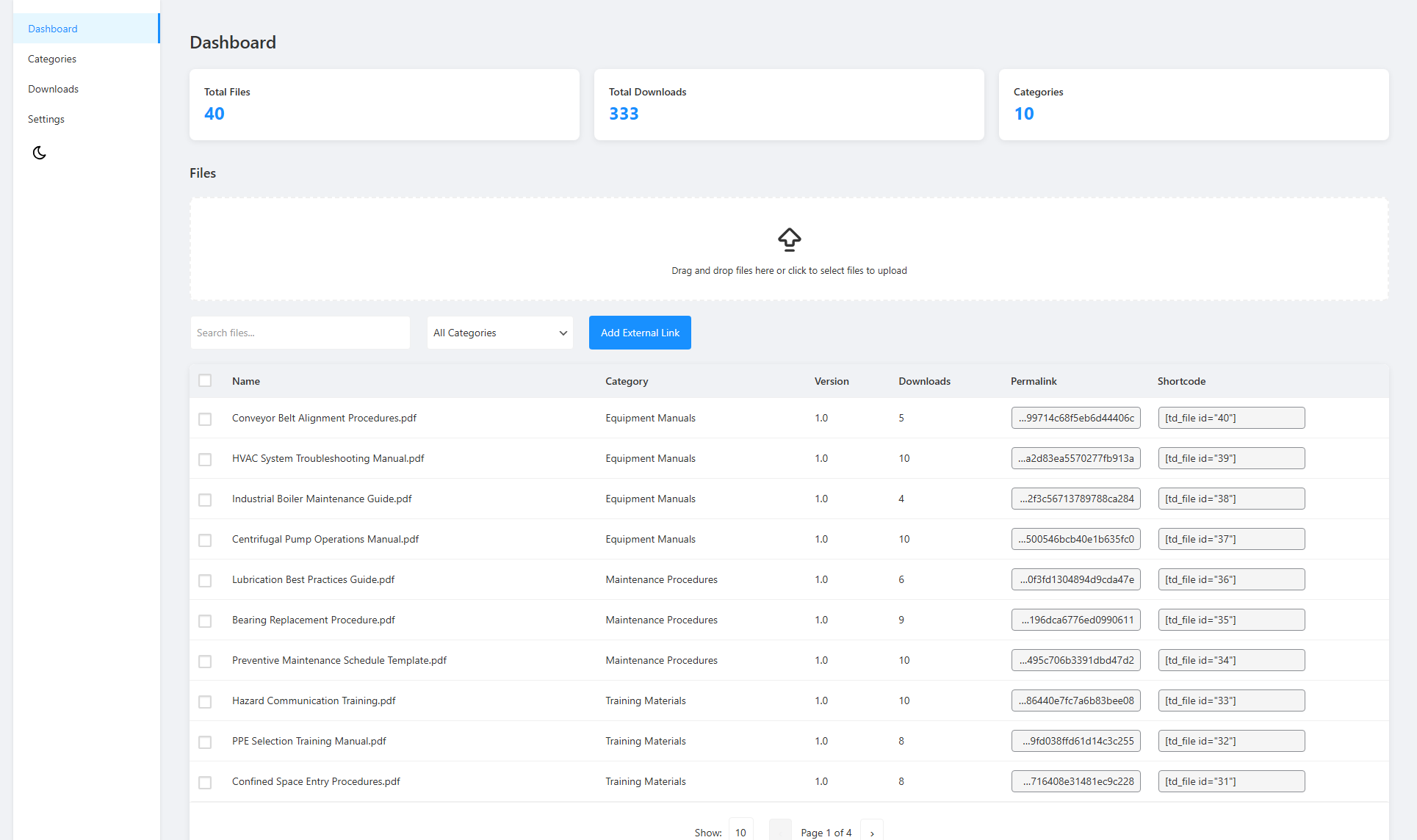
ToolDocs is a document management plugin for WordPress that lets you upload, organize, and share documents with your visitors through direct permalinks.
Key Features:
- Upload and manage PDF, Word, Excel, ZIP, and other file types
- Add external URLs as managed documents
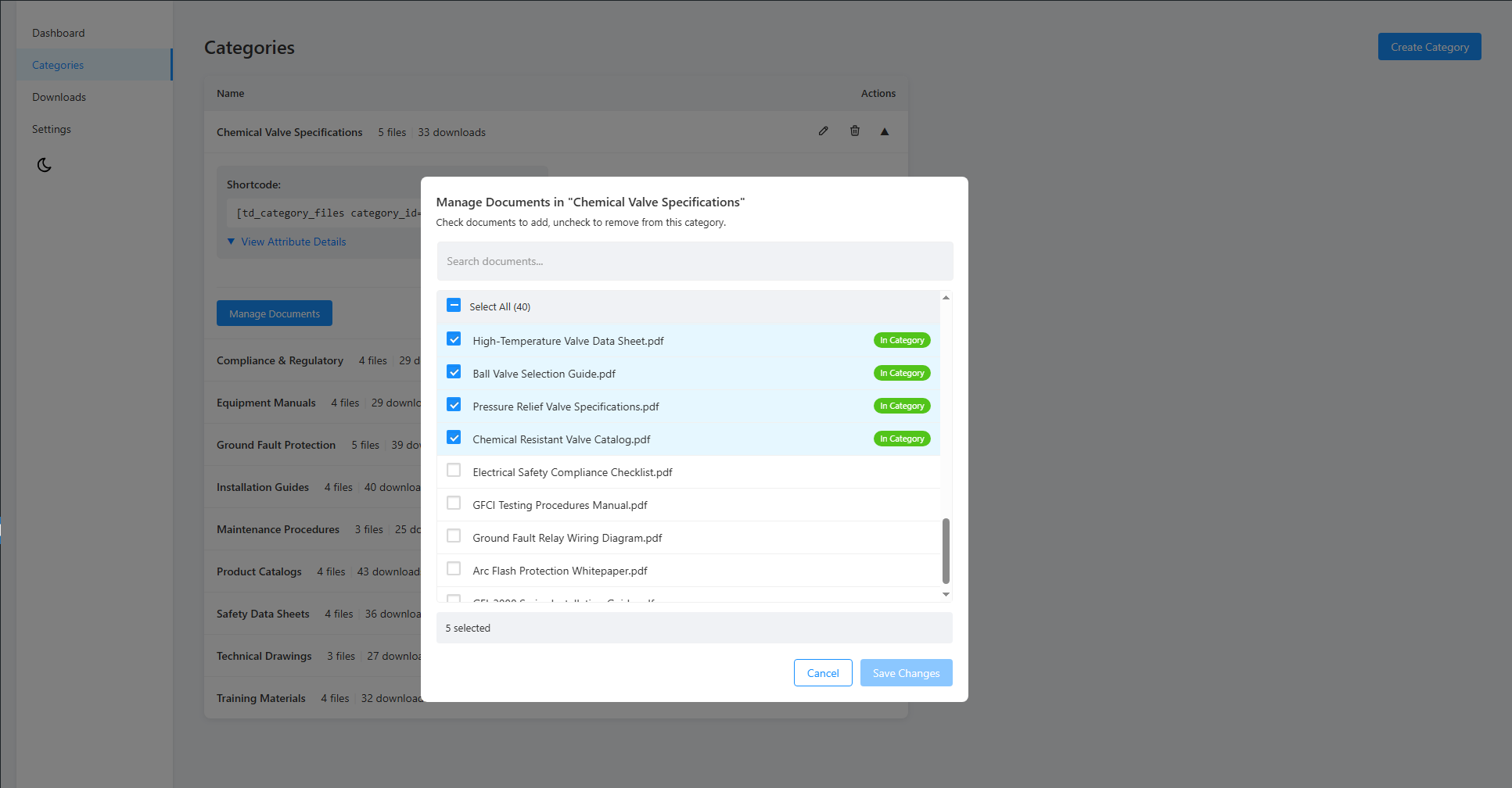
- Organize documents into categories
- Generate direct permalink URLs for each document
- Embed document download links using shortcodes
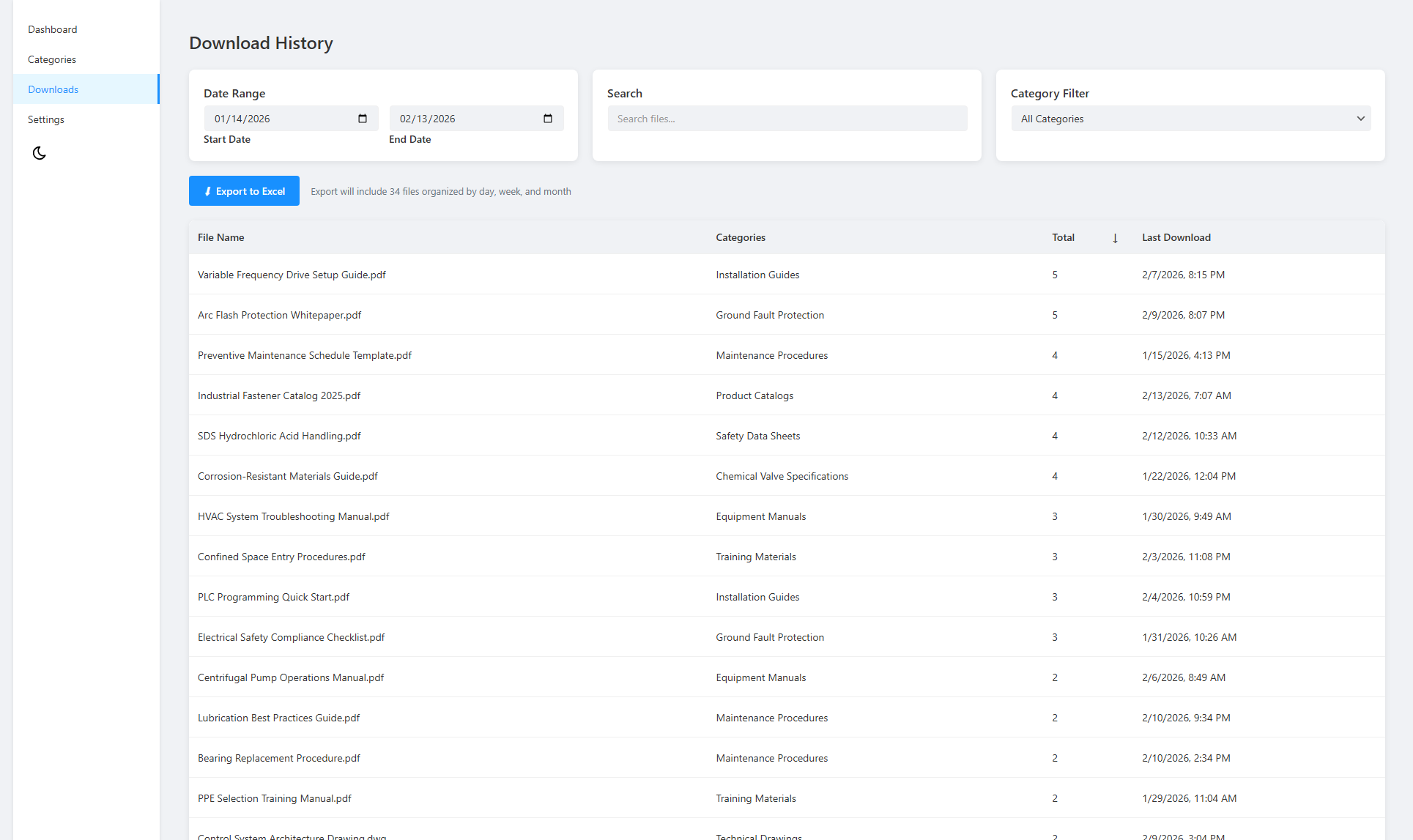
- Track download counts and view per-document download history
- Export download statistics to CSV (summary, by day, by week, by month)
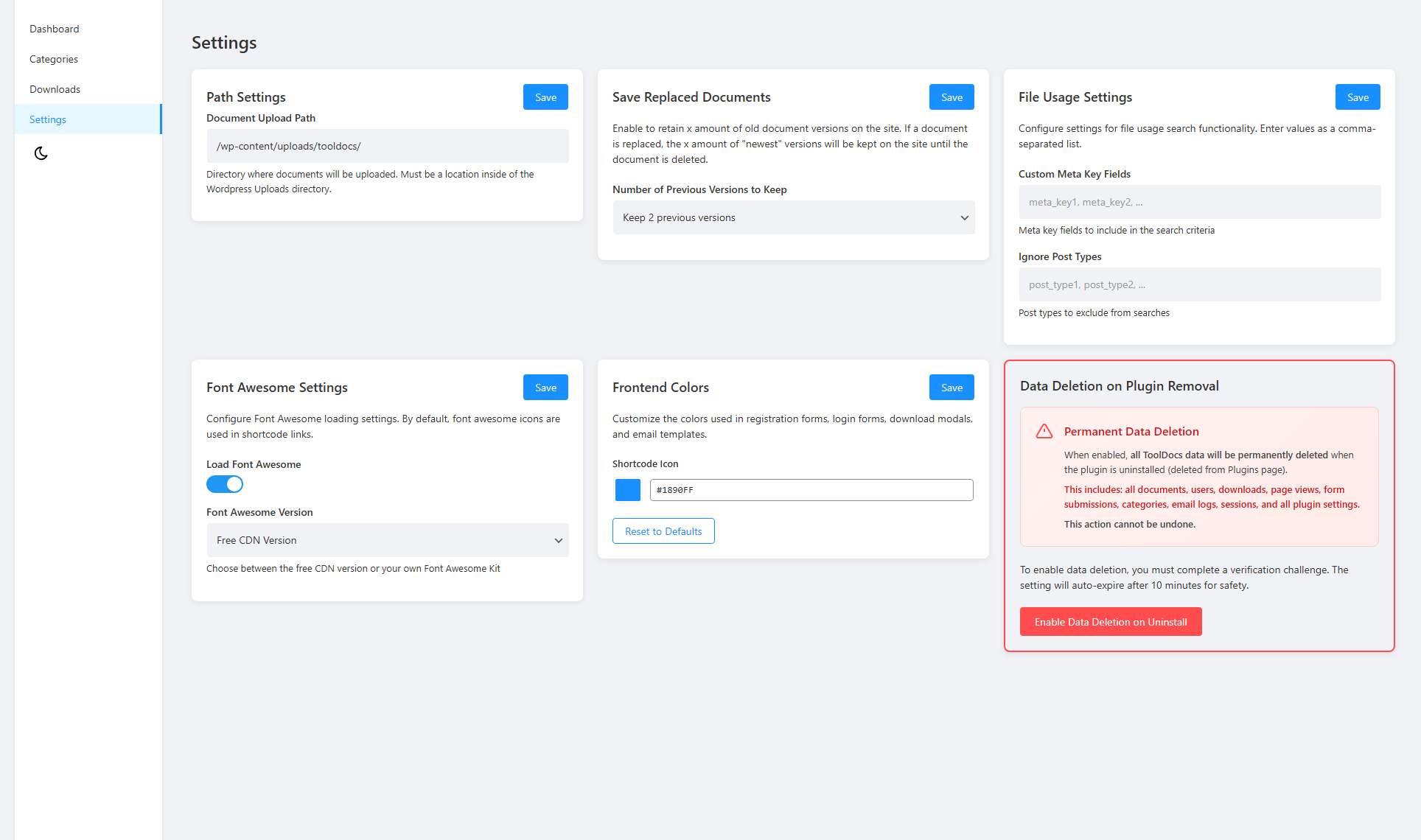
- File version history with configurable retention (0-4 versions)
- File usage detection across your site
- Customize shortcode icon color
- Font Awesome icon support with customizable file type icons
- Modern Vue.js admin dashboard
- Developer-friendly with filters for customization
Shortcodes:
[tooldocs_file id="X"]– Display a single document download link with file type icon[tooldocs_category_files category_id="Y"]– Display all documents in a category, with optional modal popup
How It Works:
- Upload documents through the ToolDocs admin panel or add external URLs
- Organize them into categories
- Use shortcodes or direct URLs to share documents on your site
- Track downloads and export reports
Development
The admin interface is built with Vue.js. Source code is included in the admin/src/ directory.
Frontend JavaScript source is in front/.
To build the admin interface:
1. Navigate to the admin/ directory
2. Run npm install
3. Run npm run build
To build the frontend JavaScript:
1. Navigate to the front/ directory
2. Run npm install
3. Run npm run build
Screenshots
Installation
- Upload the
tooldocsfolder to the/wp-content/plugins/directory, or install directly through the WordPress plugins screen. - Activate the plugin through the “Plugins” screen in WordPress.
- Navigate to the ToolDocs menu item in your admin sidebar to start uploading documents.
FAQ
-
What file types can I upload?
-
ToolDocs uses WordPress native MIME type detection, so any file type allowed by your WordPress configuration can be uploaded. This includes PDF, DOC, DOCX, XLS, XLSX, PPT, PPTX, ZIP, and many more.
-
Where are uploaded files stored?
-
By default, files are stored in
wp-content/uploads/tooldocs/. You can change this in the ToolDocs settings, but the path must remain withinwp-content/uploads/. -
How do I embed a document link on a page?
-
Use the
[tooldocs_file id="X"]shortcode, replacing X with the document ID shown in the ToolDocs admin panel. You can also use[tooldocs_file id="X" link_text="Custom Text"]to set custom link text. -
Can I display all documents in a category?
-
Yes. Use the
[tooldocs_category_files category_id="Y"]shortcode, replacing Y with the category ID. By default, files display in a modal popup. Setmodal="false"to display them inline. -
Can I track how many times a document has been downloaded?
-
Yes. ToolDocs automatically tracks download counts for each file. You can view per-document download history in the admin panel and export download statistics as CSV files with daily, weekly, and monthly breakdowns.
-
Can I add external URLs as documents?
-
Yes. You can add external URLs as managed documents. They receive their own permalink and can be organized into categories just like uploaded files.
-
Does this plugin require any external services?
-
No. ToolDocs works entirely within your WordPress installation with no external service dependencies.
-
How does Font Awesome work with this plugin?
-
The plugin bundles a minimal subset of Font Awesome Regular icons for file type display. If your theme or another plugin already loads Font Awesome, the plugin detects this and skips loading its own copy to avoid conflicts. You can disable the plugin’s Font Awesome loading entirely in ToolDocs settings.
-
ToolDocs provides document management with direct download links. ToolDocs Premium adds gated document access, user registration forms, login system, email notifications, bot verification, session tracking, and more.
Reviews

Contributors & Developers
“ToolDocs” is open source software. The following people have contributed to this plugin.
Contributors
Translate “ToolDocs” into your language.
Interested in development?
Browse the code, check out the SVN repository, or subscribe to the development log by RSS.
Changelog
0.9.9
- Excel export of download statistics replaced with native CSV (ZIP of summary, by-day, by-week, by-month, and detailed CSVs). Single-file download history exports now produce a CSV file. Removes the OpenSpout dependency entirely.
- Removed legacy
[td_file]and[td_category_files]shortcodes. Use[tooldocs_file]and[tooldocs_category_files]instead. - Tightened REST upload permissions:
/upload,/upload/external, and the document replace endpoints now also require theupload_filescapability. - Hardened shortcode output: filter-provided icon HTML is now sanitized through
wp_kses()with a tight SVG-aware allowlist. - Removed the
ini_set('memory_limit', '256M')raise from the document download template; the chunked 8 KB stream keeps memory usage bounded without it. - Added the public source repository URL to the readme Development section.
0.9.7
- Initial release.