
Description
Ultimate Member Elementor widgets — style login, register, password reset, and member directories
Ultimate Member powers membership sites on hundreds of thousands of WordPress installs — but the default login page, register form, member directory, and profile pages rarely match your brand. This plugin is the Elementor addon built specifically for Ultimate Member: drag widgets onto any page, style every element visually, and publish. No CSS files, no shortcodes, no child theme.
Use it to design your Ultimate Member login form in Elementor, your register form, your password reset page, and a searchable member directory — all with native Elementor controls. Works with free Elementor. Elementor Pro is not required.
Live Demos | Go Pro | Documentation
Style Ultimate Member login, register, and password reset in Elementor — free
Your login page is the first authenticated experience every member has. It should look like your site — not a plain Ultimate Member default.
UM Login & Register Form — One widget for both form types. Drag the Ultimate Member login or register form into any Elementor page and style inputs, labels, buttons, backgrounds, typography, padding, and shadows. Switch between Login and Register from the Content tab. Editor hints guide you when the widget is not on the recommended UM core page. Supports any UM form. Works with free Elementor. Tutorial
Password Reset — Style the Ultimate Member password reset page to match your login and register forms. A consistent authentication flow reduces drop-off and builds member trust.
Build a member directory in Elementor — free
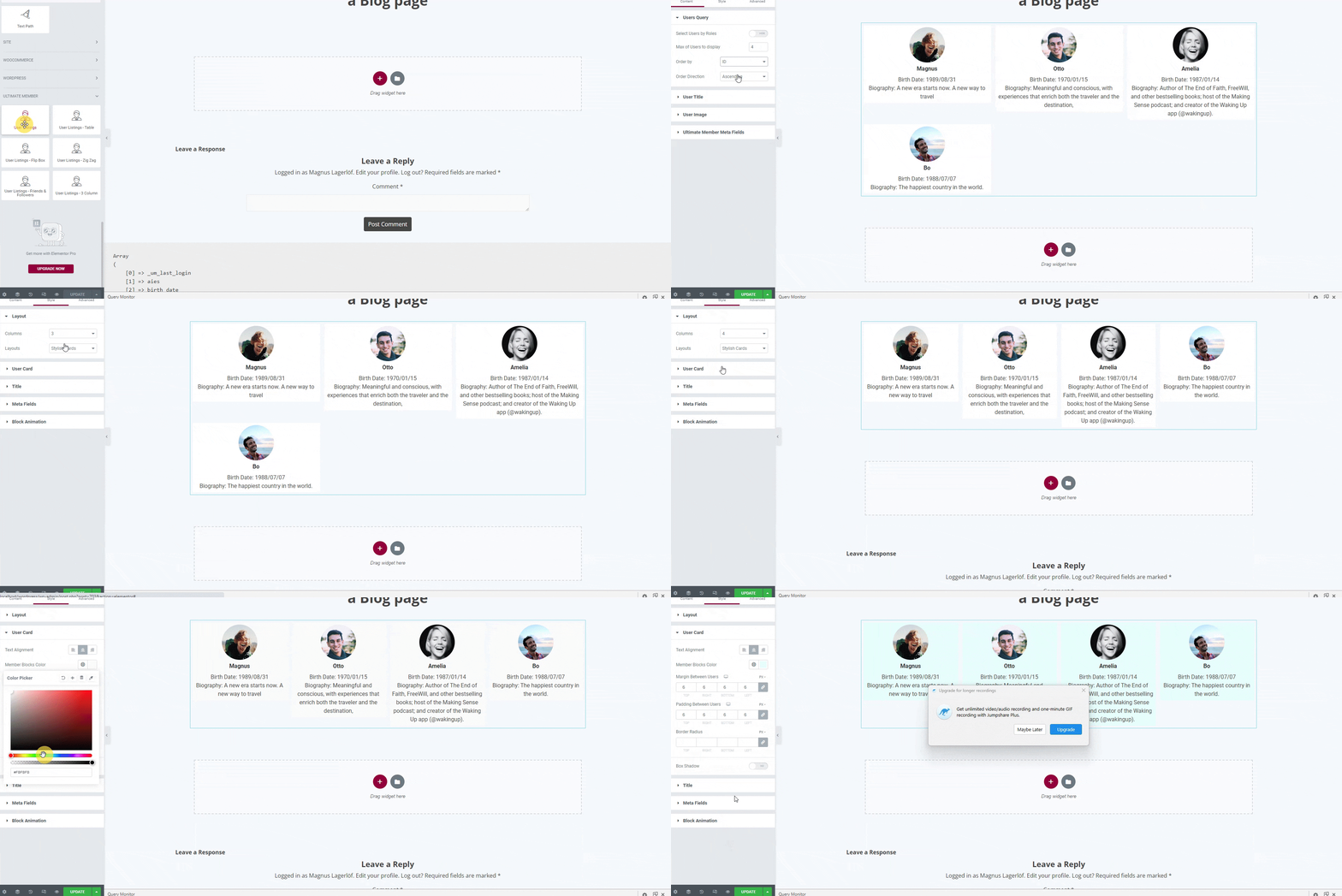
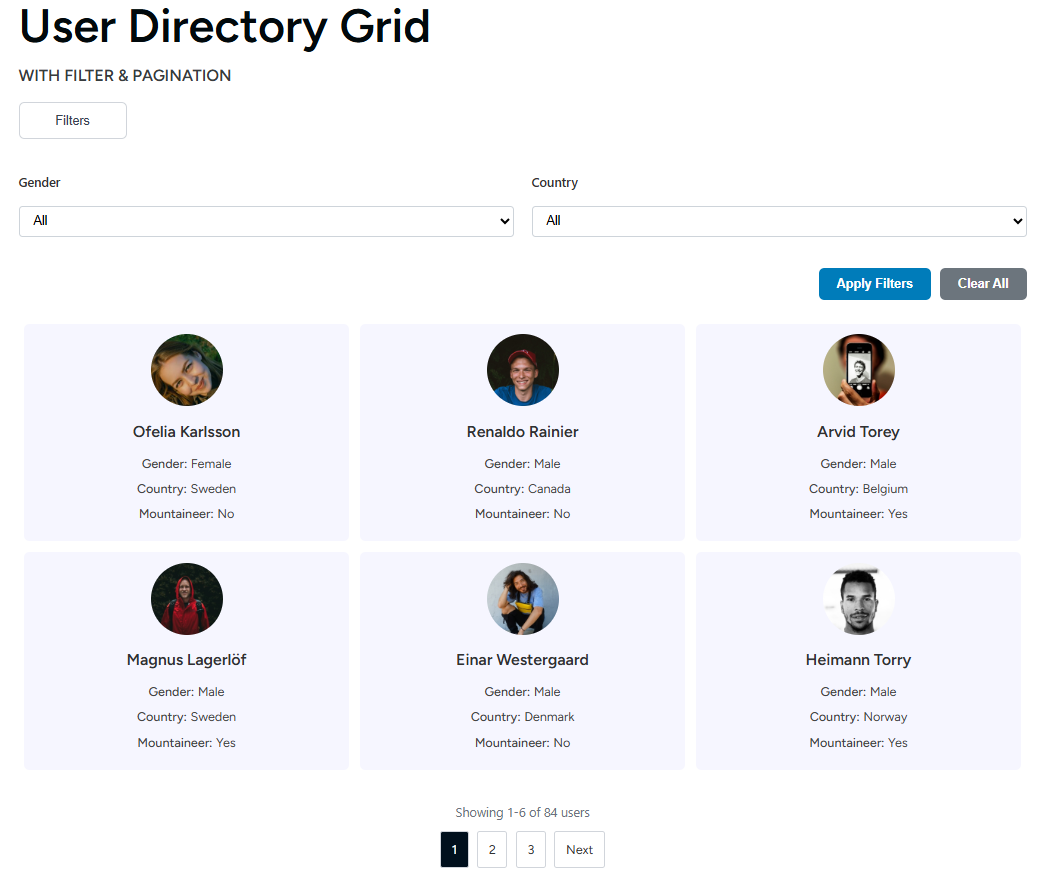
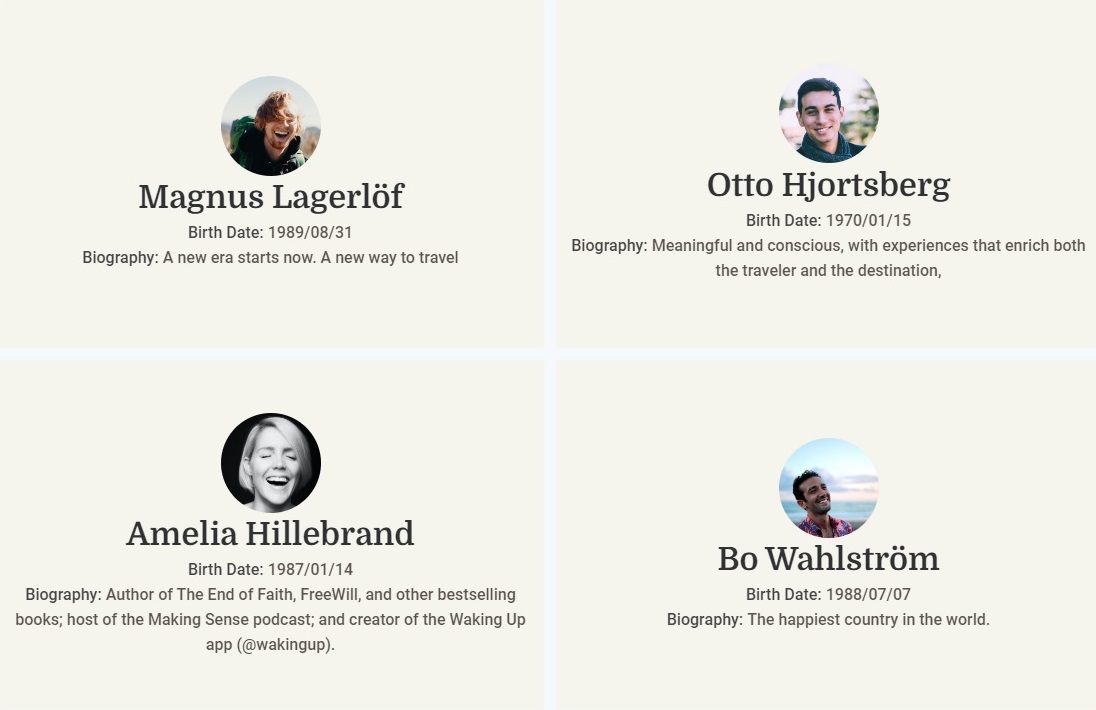
Member Directory Grid — Display Ultimate Member users in a responsive card or list layout. AJAX live search updates results as visitors type. Filter by user role or custom UM meta fields without a page reload. Three pagination modes: numbered pages, Load More, or Infinite Scroll. One to six responsive columns. Sort by display name, registration date, last login, post count, or any custom field. Toggle to show only approved UM users. Demo | Tutorial
WP: User Directory — Display registered WordPress users without Ultimate Member. Filter by role and show any user meta field. Ideal for team pages, staff directories, and contributor lists.
UM: User Flip Cards — Hover-to-flip profile cards that reveal a second set of fields on the back. A memorable layout for team pages and member showcases. Demo
Profile field widgets for Ultimate Member pages — free
UM: User Avatar — Standalone avatar widget for profile templates. Control border, radius, size, and CSS filters.
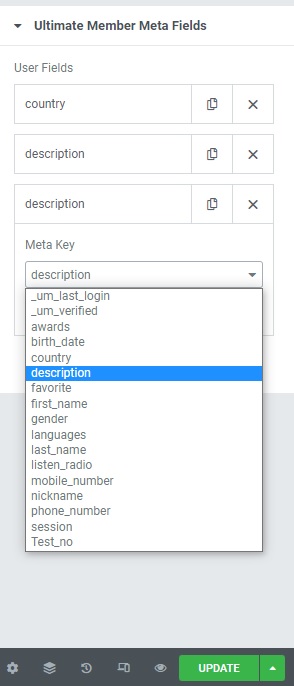
Profile Fields — Display any combination of Ultimate Member profile fields on the currently viewed member’s page. Supports text, URL, phone, image, and file field types. Demo
UM: User Name — Output the profile user’s name in any format (display name, first name, last name, full name, username, or nickname) with full Elementor typography and color controls. Demo
Free feature highlights
- Style UM login, register, and password reset forms in Elementor — no CSS, shortcode, or child theme
- AJAX live search on member directories — results filter as visitors type
- Role and custom field filters — up to two filter fields in the free Member Directory Grid
- Card grid and list layouts with full Elementor style controls on every element
- Three pagination modes — numbered pages, Load More, or Infinite Scroll
- Show only approved Ultimate Member users, or list all registered WordPress users
- High-performance query engine enabled by default with smart cache invalidation
- Elementor Setup screen — map UM core pages (login, register, account, profile) and open them in Elementor
- Pro widget previews in the Elementor panel — see locked Pro widgets and upgrade from the canvas
- Works with free Elementor — Elementor Pro is not required
- Works without Ultimate Member for the WP: User Directory widget
Find widgets under UM Member Pages (forms and profile fields) and UM Member Directories (directory grids and flip cards) in the Elementor panel.
Pro — the complete Ultimate Member Elementor toolkit
Unlock the widgets agencies and power users need:
- Member Carousel — Touch-friendly Swiper slider for featured members, alumni spotlights, or testimonials
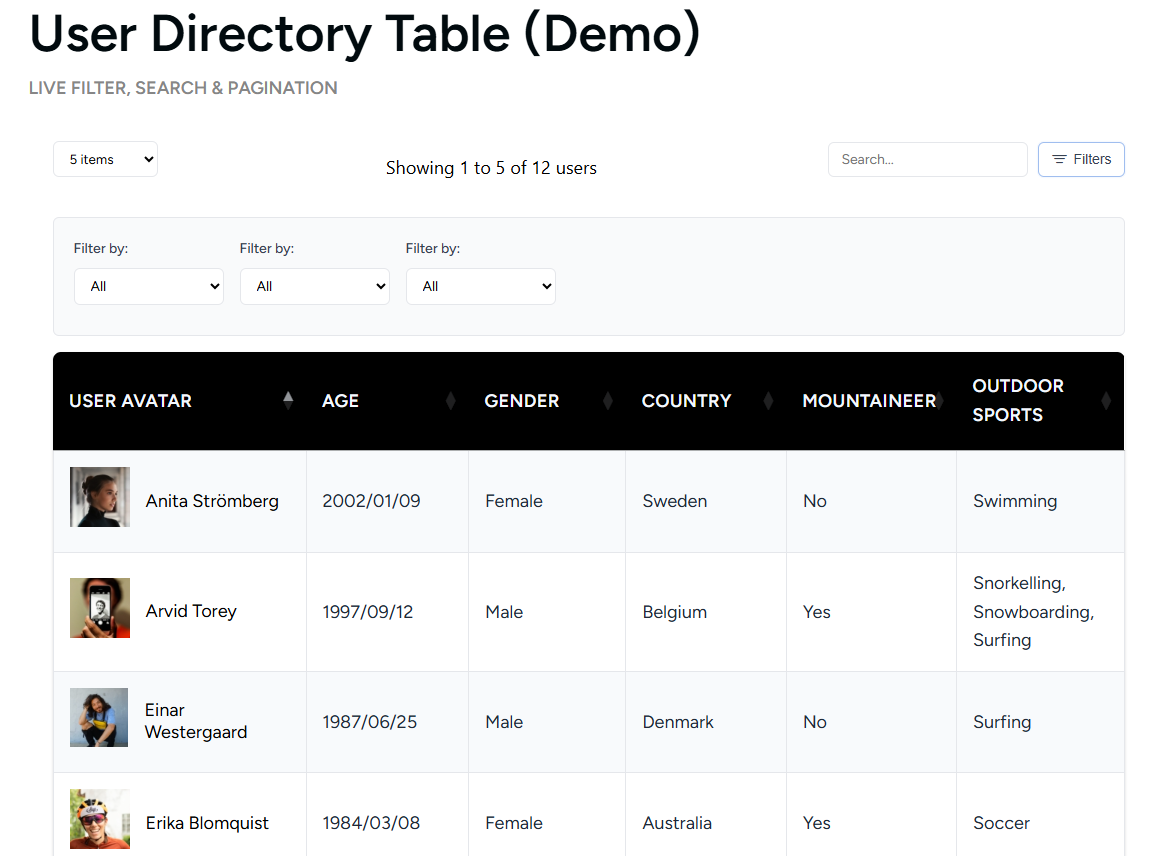
- Member Table — Sortable directory with clickable column headers, global AJAX search, and CSV export. Tutorial
- Member Filter — Standalone filter panel with unlimited fields, dropdowns, checkboxes, and radio buttons
- Member Card Grid — Multi-column and zigzag directory layouts for editorial-style member pages
- Member Search — Dedicated AJAX user search bar, independent of the directory grid
- Faceted Search — Multi-criteria live filtering with real-time AJAX refresh
- Account Page — Style Ultimate Member account tabs (General, Password, Privacy, Notifications) in Elementor
- Profile Page Builder — Replace the default UM profile template with a custom Elementor layout (cover photo, header, bio, meta fields, social links, action bar, completion bar, custom tabs, and profile body). Tutorial
- Member Directory — Full Elementor visual control over the native Ultimate Member directory shortcode
- Per-field visibility rules — Control who sees sensitive fields like email, phone, and location
See all Pro features and live demos
Pricing: Free — unlimited sites. Pro — $45/year.
What users say
“I have been seeking sortable user data tables for quite some time. Finally found it.” – ★★★★★ @nikotor · ww.wp.xz.cn
“I am new to Elementor and WP and this plugin has been a real help. Takes a lot of guesswork and effort out of the process.” – ★★★★★ @hawkekeye · ww.wp.xz.cn
Who is this for?
- Membership site owners who want a branded Ultimate Member login page — not the default template
- Community builders creating searchable, filterable member directories in Elementor
- Agencies building Ultimate Member client sites with full visual control and no custom code
- Schools and associations that need staff directories, faculty listings, or member rosters
- Marketplaces where visitors browse, search, and filter service providers or contributors
Screenshots



Installation
- Install and activate Elementor — the free version is sufficient.
- Install and activate Ultimate Member for UM-powered widgets. The WP: User Directory widget works without it.
- Install this plugin via Plugins Add New or upload the zip file manually.
- Activate the plugin.
- Open Settings Elementor Setup (also under Ultimate Member Elementor Setup) to map your UM core pages.
- Edit any page in Elementor. Find widgets under UM Member Pages and UM Member Directories. See the plugin documentation for widget setup guides.
FAQ
-
How do I style the Ultimate Member login page in Elementor?
-
Install the plugin, open your login page in the Elementor editor, and add the UM Login & Register Form widget. Choose the Login form type in the Content tab. Use the Style tab to change colors, fonts, input borders, button styles, background, padding, and spacing. Every change updates in real time. Publish when done. No CSS, child theme, or shortcodes required. Step-by-step guide: How to Style the Ultimate Member Login Page with Elementor.
-
How do I style the Ultimate Member register form in Elementor?
-
Use the same UM Login & Register Form widget. Switch the form type to Register in the Content tab, then style field labels, inputs, section headers, submit button, and error messages visually. Both login and register are included free.
-
Can I style the Ultimate Member password reset page in Elementor?
-
Yes. The Password Reset widget is included free. Style it to match your login and register forms so the full authentication flow looks consistent.
-
How do I build a member directory in Elementor?
-
Add the Member Directory Grid widget. Choose card or list layout, enable AJAX live search, add role or custom field filters, and configure pagination (numbered, Load More, or Infinite Scroll). Use WP: User Directory if you only need native WordPress users without Ultimate Member. Full walkthrough: Create a WordPress Membership Directory in Elementor. Widget reference: User Directory Grid docs.
-
Do I need Elementor Pro?
-
No. All free widgets work with the free version of Elementor. Pro widgets also work with free Elementor.
-
Does this work without Ultimate Member?
-
Ultimate Member is recommended but not required. The WP: User Directory widget runs on any WordPress site. Login, register, password reset, directory grid, flip cards, avatar, profile fields, and user name widgets require Ultimate Member.
-
Can I filter my member directory by custom Ultimate Member fields?
-
Yes. The free Member Directory Grid supports AJAX meta field filters with no page reload. The free version supports up to two filter fields. Pro adds a standalone Member Filter widget with unlimited fields, dropdowns, checkboxes, and radio buttons.
-
Can I show only approved Ultimate Member users in the directory?
-
Yes. Enable Show Only Approved Users in the Member Directory Grid Content tab to list only members whose UM account status is approved.
-
Can I sort the member directory by last login or a custom field?
-
Yes. Sort by display name, first name, last name, registration date, last login, post count, user ID, or any custom meta field — all from the Elementor widget panel.
-
Can I build a custom Ultimate Member profile page in Elementor?
-
Yes, with Pro. The Profile Page Builder provides dedicated Elementor widgets that replace the default UM profile template: cover photo, header, bio, meta fields, social links, action bar, completion bar, custom tabs, and profile body. See How to Customize the Ultimate Member Profile Page.
-
Can I display members in a sortable table with CSV export?
-
Yes, with Pro. The Member Table widget supports clickable column sorting, global AJAX search, and one-click CSV export of the filtered member list. Step-by-step guide: Display Ultimate Member Users in an Elementor Table.
-
Can I add a member carousel or slider in Elementor?
-
Yes, with Pro. The Member Carousel uses Swiper.js for smooth, touch-friendly sliding — ideal for homepage featured members and testimonials.
-
Is this compatible with caching plugins like WP Rocket or LiteSpeed Cache?
-
Yes. If AJAX or directory scripts fail after minification, exclude
wp-content/plugins/ultimate-member-widgets-for-elementor/assets/js/from your caching plugin’s JavaScript processing. -
Does this work on WordPress multisite?
-
Yes. Each site in the network operates independently with its own user query scope.
-
Where can I see live demos?
-
Visit demo.userelements.com — interactive demos for every widget. No login required.
Reviews


Contributors & Developers
“Ultimate Member Widgets for Elementor – Login Form, Register Form & User Directory” is open source software. The following people have contributed to this plugin.
Contributors
Interested in development?
Browse the code, check out the SVN repository, or subscribe to the development log by RSS.
Changelog
2.7
- Fixed: Removed duplicate legacy admin upgrade notice that could not be dismissed on Plugins/Dashboard screens.
- Fixed: In-editor Pro placeholder upgrade links now use centralized URLs with UTM attribution instead of a hardcoded price.
- Security: AJAX directory endpoints no longer trust client-supplied widget_settings query keys; meta filters are constrained to widget-exposed fields.
- Improved: New query engine enabled by default; cache invalidation only runs for directory-relevant meta changes.
2.6
- Added: UM Login & Register Form widget — style Ultimate Member login and register forms visually in Elementor.
- Added: Password Reset widget — complete your styled authentication flow in Elementor.
- Added: Pro widget placeholders in the Elementor editor — free users see upgrade cards for locked Pro widgets on the canvas.
2.5
- Security: AJAX filter endpoints now verify nonce before any file I/O or class loading.
- Security: meta_query items from widget_settings are sanitized before reaching WP_User_Query.
- Security: per_page in the UM AJAX handler clamped to a maximum of 100.
- Security: debug output gated behind WP_DEBUG on all error paths.
- Security: email address removed from default public meta fields in WP User List handler.
- Fixed: sort order control works for all options — ID, first/last name, last login, post count, email.
- Fixed: box shadow control uses Group_Control_Box_Shadow.
- Fixed: admin notice dismiss nonce mismatch caused silent dismiss failures.
- Fixed: PHP fatal when Elementor is inactive — undefined admin notice callbacks.
- Fixed: deprecated Elementor Scheme_Color and Scheme_Typography imports in flip card widget.
- Fixed: widget category sometimes did not appear due to hook registration timing.
- Fixed: meta key selector uncached table scan on every editor load — results cached one hour.
- Fixed: Pro layout values in database caused user cards to disappear — now fall back to card layout.
- Fixed: widget order_by and order settings not passed to the query engine.
- Added: Table and Carousel layout options visible in free widget with upgrade tooltip.
- Added: meta cache primed after user queries to avoid N+1 meta fetches.
- Added: query result transients invalidated on user profile, meta, or role changes.
- Improved: user-processing loop unified into shared static methods across AJAX handlers.
- Improved: pro upgrade notice scoped to admin-only roles and screens.