

Description
Blacklist Manager is a WooCommerce blacklist, anti-fraud, and spam prevention plugin for stores that need to block fake orders, suspicious customers, spam registrations, and unwanted form submissions.
Use blacklist rules for phone numbers, email addresses, IP addresses, and email domains at WooCommerce checkout, registration, comments, product reviews, REST API orders, and supported WordPress forms. Built-in checkout email verification and phone verification can also challenge risky customers before an order is accepted.
The plugin works with WooCommerce Classic Checkout, WooCommerce Checkout Blocks, Contact Form 7, Gravity Forms, and WPForms.
Premium version | Global Blacklist | Documentation | Support | Demo
Key Features
- WooCommerce checkout protection: Block or review orders using phone, email, IP address, and email domain rules.
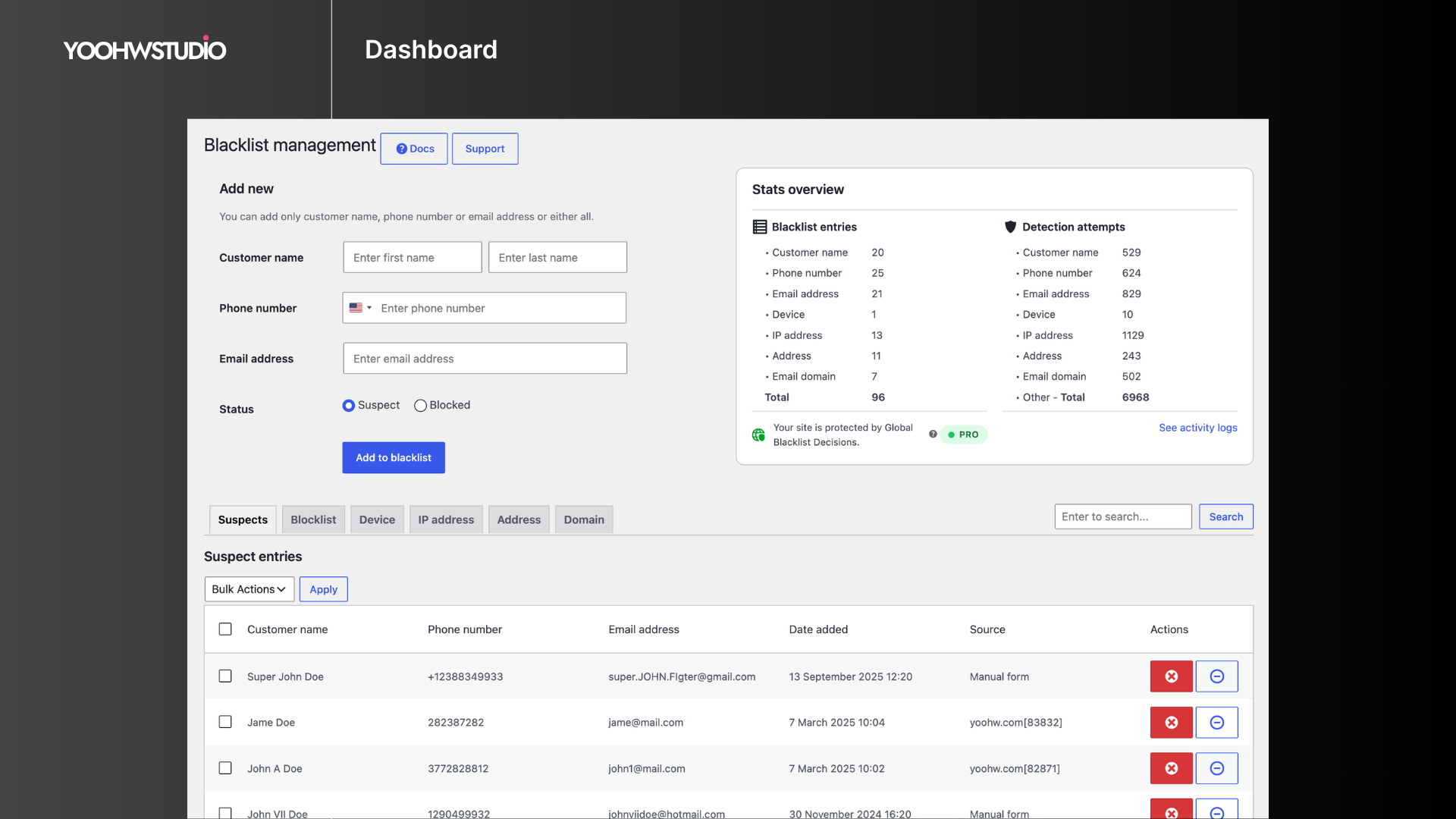
- Suspect and blocked lists: Review risky identities before moving confirmed abuse to the blocklist.
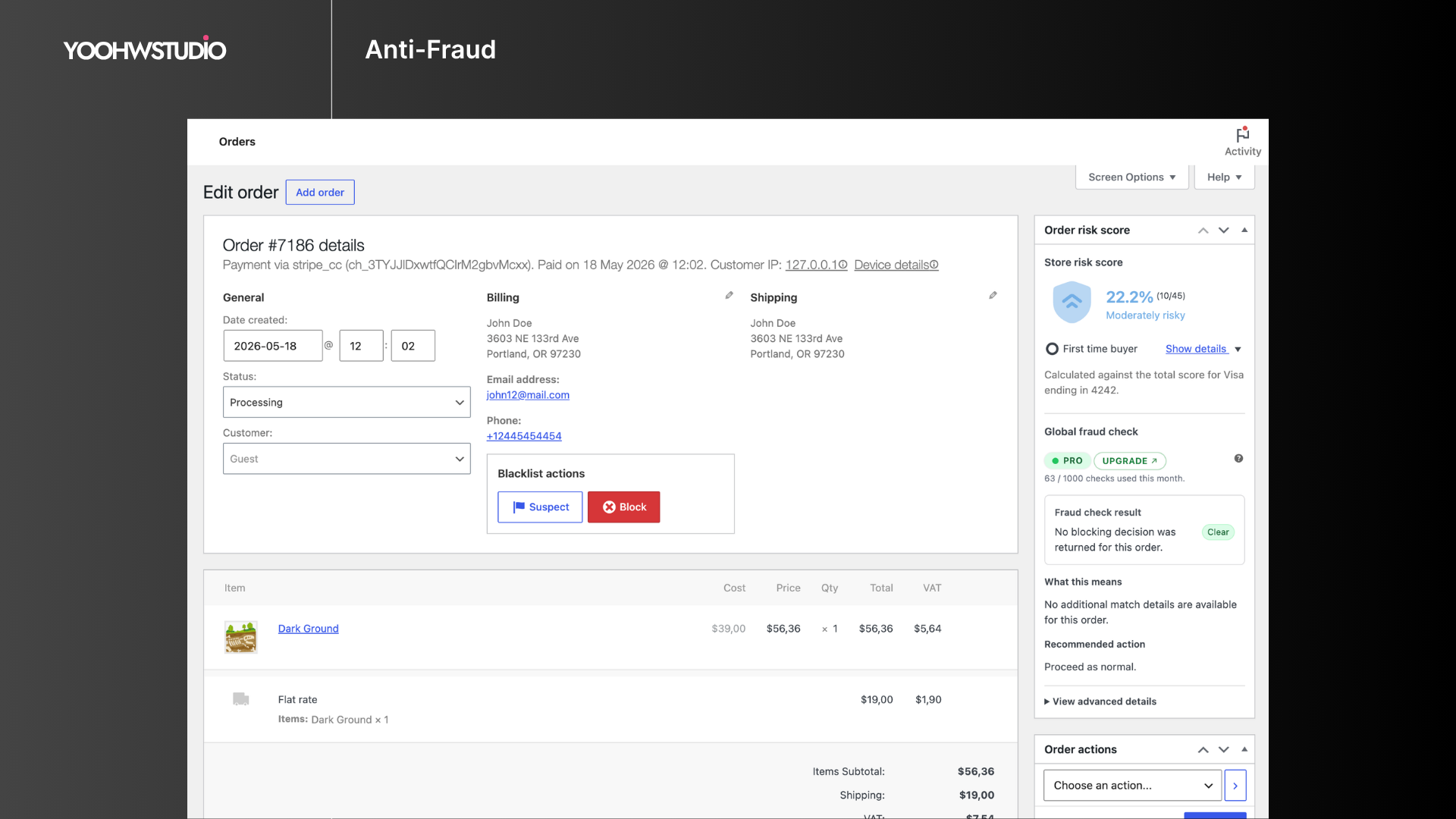
- Fast blacklist management: Add entries from the dashboard or directly from the WooCommerce order screen.
- Registration protection: Stop signups that match blocked emails, IP addresses, or email domains.
- Comment and review blocking: Prevent comments and product reviews from blacklisted emails.
- Form spam protection: Check Contact Form 7, Gravity Forms, and WPForms submissions against blacklist data.
- Checkout email verification: Require a verification code before allowing checkout to continue.
- Checkout phone verification: Require an SMS verification code for phone-based checkout validation.
- WooCommerce REST API protection: Block blacklisted identities from creating orders through external apps or integrations.
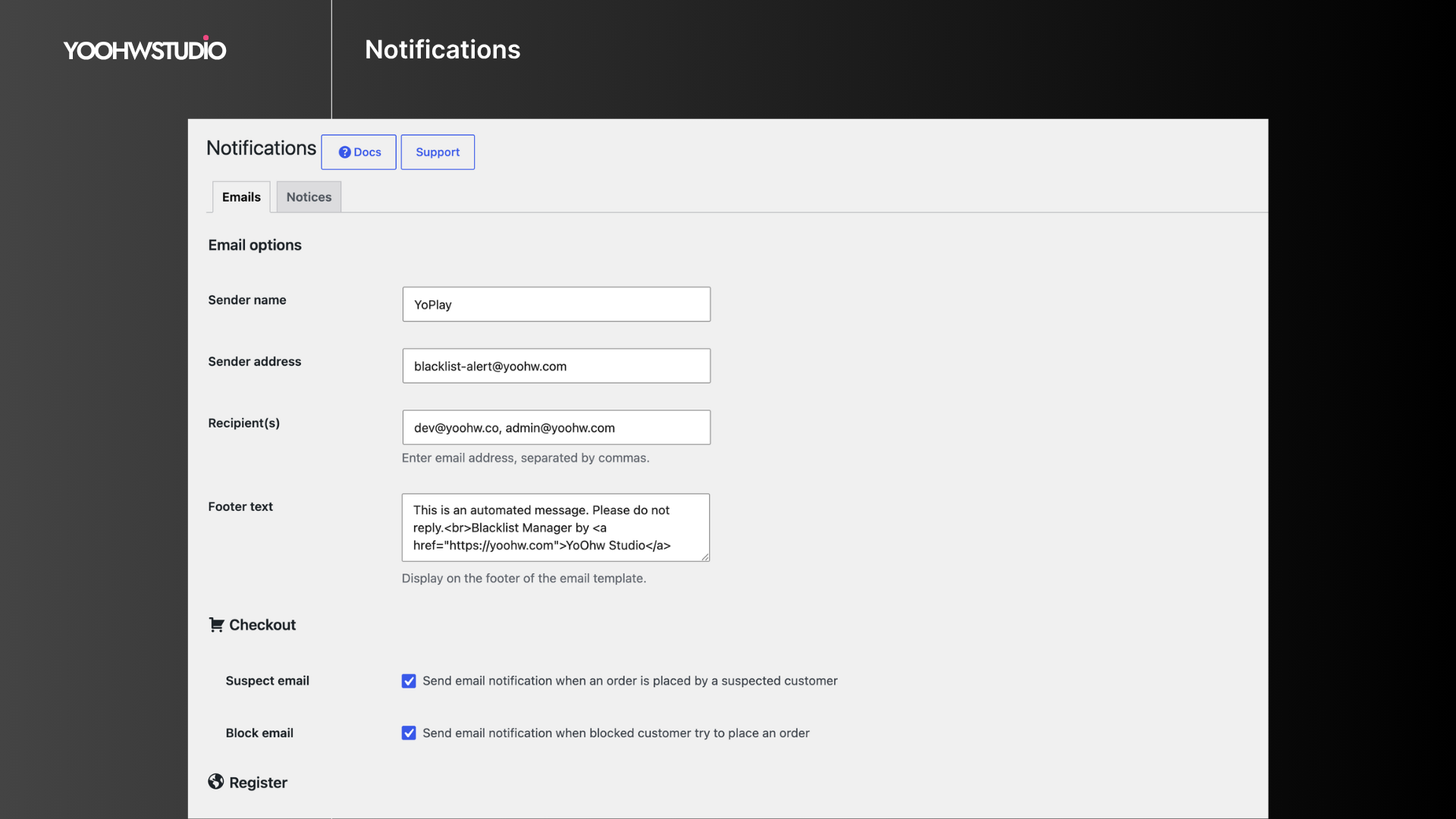
- Custom notices and alerts: Customize customer-facing block messages and admin email alerts.
- Dashboard stats: Review blacklist entries and detection attempts from the admin area.
Checkout Compatibility
Blacklist Manager supports WooCommerce Classic Checkout, WooCommerce Checkout Blocks, and many third-party checkout plugins that use standard WooCommerce checkout and order creation flows.
Global Blacklist Decisions
Blacklist Manager can connect your store to Global Blacklist Decisions, a fraud-prevention service that checks order identities such as email, phone, IP address, address, and email domain against broader risk data.
Learn more about Global Blacklist Decisions
Premium Features
Blacklist Manager Premium adds deeper fraud review and automation for stores that need more than manual blacklist rules:
- Risk scoring for blacklist, identity, IP, address, payment, device, and order pattern signals.
- Automation rules to auto-suspect, auto-block, or auto-review orders.
- Payment intelligence for Stripe, PayPal, Mollie, Braintree, WooPayments, AVS, card country, and payer mismatch signals.
- Device identity checks to link repeat abuse across emails, phones, IPs, addresses, and accounts.
- Advanced blocking for customer name, address, device, disposable email, disposable phone, country, VPN, and proxy signals.
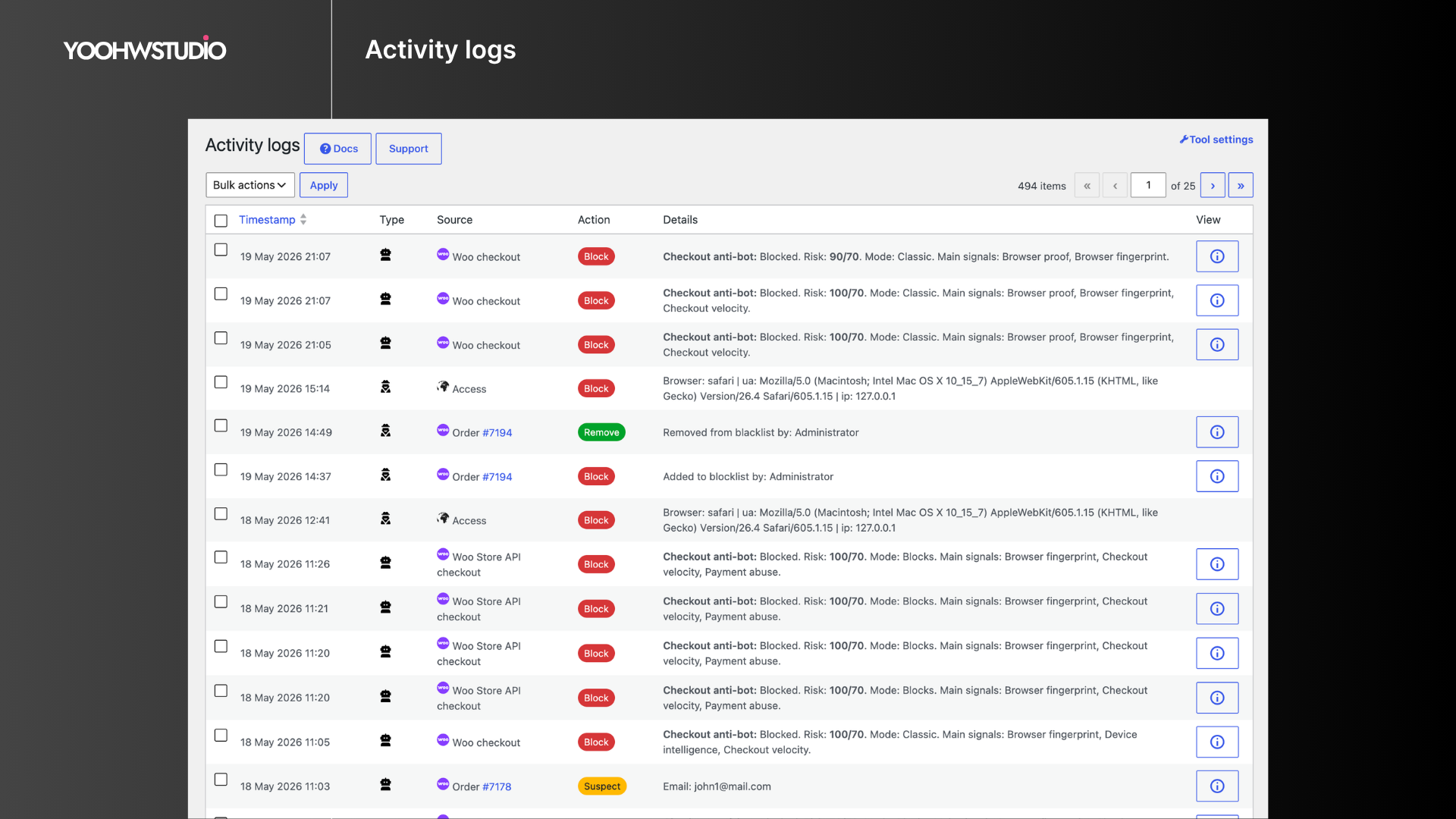
- Activity logs, import/export, cleanup tools, permissions, multi-store sync, CAPTCHA, SMS, IP intelligence, geocoding, and email validation integrations.
Supported Plugins and Integrations
Supported plugins
Premium integrations
- WooCommerce Stripe Gateway, Payment Plugins for Stripe WooCommerce, WooCommerce PayPal Payments, Payment Plugins for PayPal WooCommerce, Braintree for WooCommerce, Mollie Payments for WooCommerce, and WooPayments.
- Cloudflare, reCAPTCHA v3/v2, hCaptcha, IP-api, BigDataCloud, ZeroBounce, NumCheckr, Google Maps, Yo Credits, Twilio, and Textmagic.
Use Cases
- Block fake WooCommerce orders before payment review.
- Prevent repeat abuse from known phone numbers, email addresses, IP addresses, and domains.
- Reduce spam registrations, comments, product reviews, and form submissions.
- Require email or phone verification during checkout.
- Review suspicious customers before moving them to the blocklist.
- Use Global Blacklist Decisions as an additional fraud signal.
Screenshots
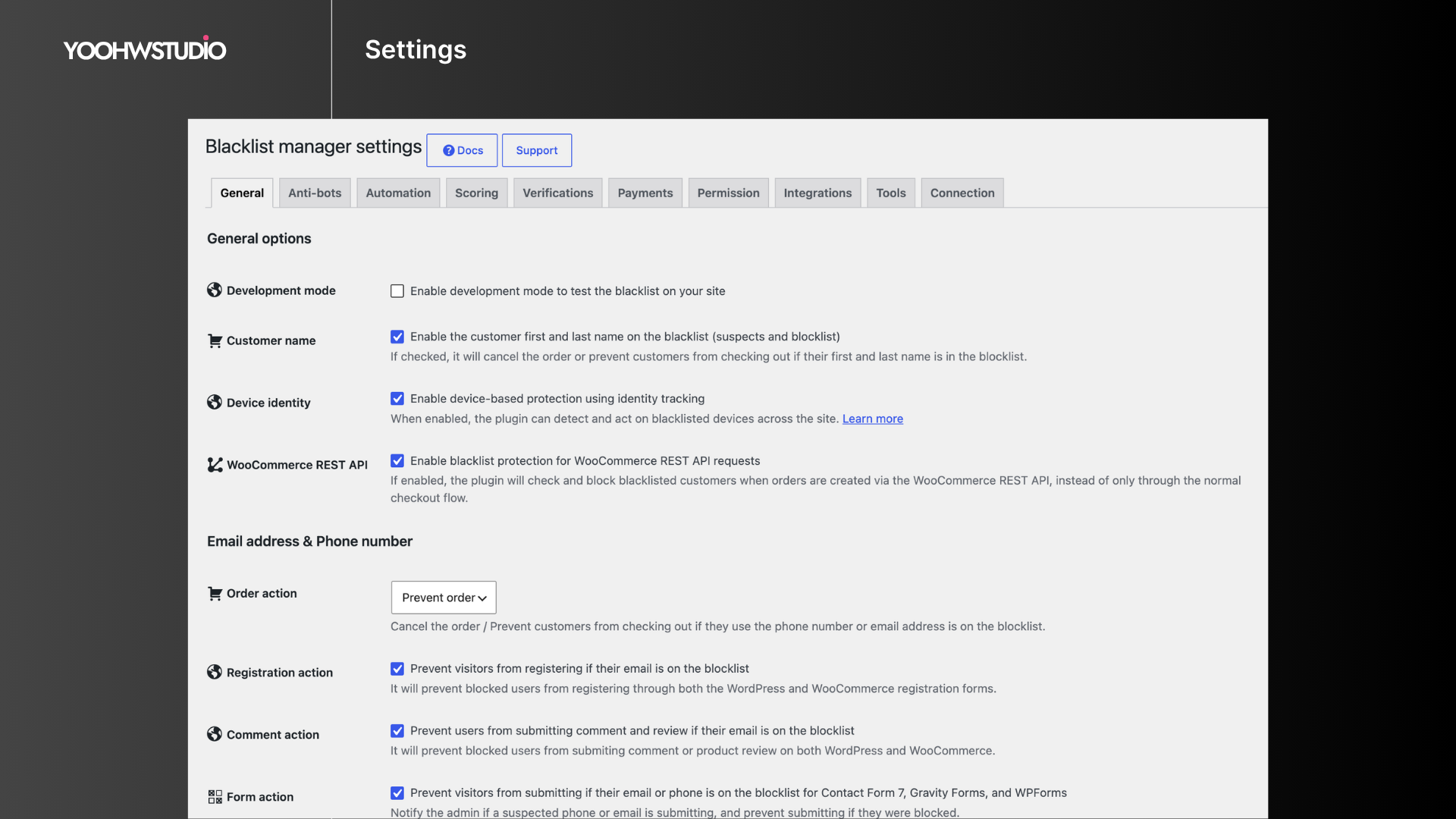

Installation
- Install the plugin from Plugins > Add New, or upload the plugin folder to
wp-content/plugins. - Activate Blacklist Manager from the WordPress Plugins screen.
- Go to Blacklist Manager > Settings and enable the checks that match your workflow.
- Add phone numbers, email addresses, IP addresses, or domains to the Suspects or Blocklist lists.
- Configure checkout email or phone verification if you want customers to verify their details before checkout continues.
FAQ
-
Do I need to configure settings after installation?
-
Yes. Go to Blacklist Manager > Settings and enable checks for checkout, registration, comments, reviews, forms, or REST API orders.
-
What is the Suspects list for?
-
The Suspects list gives you a review step before fully blocking a customer. Use it when an identity looks risky but should not be rejected immediately.
-
Can Blacklist Manager stop checkout through PayPal, Stripe, or another payment gateway?
-
Yes. Blacklist Manager checks customer details during the WooCommerce checkout and order creation flow before the payment gateway becomes the final decision point. Test custom checkout flows on staging.
-
Can this plugin stop contact form spam?
-
Yes. Blacklist Manager supports Contact Form 7, Gravity Forms, and WPForms submissions.
-
Does Blacklist Manager slow down my site?
-
Blacklist checks run only when needed, such as checkout, registration, comment submission, form submission, or API order creation. The checks are designed to stay lightweight.
-
No. The free plugin includes blacklist management, checkout protection, form protection, verification, notices, and dashboard stats. Premium adds risk scoring, automation, payment intelligence, device identity, activity logs, multi-store sync, and advanced integrations.
-
Global Blacklist Decisions is a connected fraud-prevention service. Data exchange depends on the Global Blacklist connection and checks you enable. Review the Global Blacklist settings, plan details, and privacy terms before using it in production.
Reviews


Contributors & Developers
“Blacklist Manager – WooCommerce Anti-Fraud, Blacklist & Checkout Verification” is open source software. The following people have contributed to this plugin.
Contributors

Interested in development?
Browse the code, check out the SVN repository, or subscribe to the development log by RSS.
Changelog
2.2.7 (Jun 14, 2026)
- Security: Strengthened email and phone verification against brute-force attacks.
- Security: Improved verification code validation, expiration, and resend protection.
- Security: Added nonces to verification merge and refresh-merging admin links.
- Security: Stopped returning the stored SMS secret key from the SMS quota endpoint response.
- Fix: Prevented Global Blacklist checks from being marked complete before a successful API response.
- Fix: Prevented PHP fatal errors when Contact Form 7 submits checkbox, multiselect, or other array-based field values during submission logging.
- Fix: Hardened Contact Form 7, WPForms, and Gravity Forms blacklist validation so submitted email and phone values are normalized before string validation.
- Fix: Hardened verification and dashboard request handling so malformed array input cannot reach string-only email, trim, or phone normalization calls.
- Fix: Prevented hidden admin settings controls from blocking Save changes through native browser validation.
- Improve: Enhanced verification reliability, security, and overall user experience.
- Improve: Added pending, success, failed, retry metadata and retry backoff for Global Blacklist order checks.
- Improve: Counted Global Blacklist quota usage only after a valid API response.
- Improve: Made blacklist sync and audit callbacks more consistent for manual add, update, delete, IP, domain, and address actions.
2.2.6 (May 22, 2026)
- Update: WordPress version 7.0 compatibility.
- Fix: Email verification now reliably blocks Classic Checkout until the customer enters a valid verification code.
- Fix: Improved SMS quota API authentication by requiring the stored SMS key.
- Improve: Strengthened admin permissions, nonce checks, blacklist cache invalidation, and request handling.
For older release notes, see changelog.txt.