

Description
Woo Store Vacation helps WooCommerce store owners temporarily pause new orders during vacations, holidays, maintenance periods, fulfilment delays, or short business breaks.
Instead of taking your website offline, the plugin keeps your shop visible while giving you control over whether customers can place new orders. You can schedule a vacation period, disable purchases, display a clear notice, and automatically reopen your store when the vacation period ends.
This is useful when you want to:
- Take time off without receiving new orders.
- Pause checkout while still letting customers browse products.
- Show a clear vacation or holiday notice on your store.
- Let customers know when your shop will reopen.
- Keep selected products available during vacation mode.
- Avoid confusion, missed expectations, or unnecessary support messages.
Pause WooCommerce orders while keeping your store visible
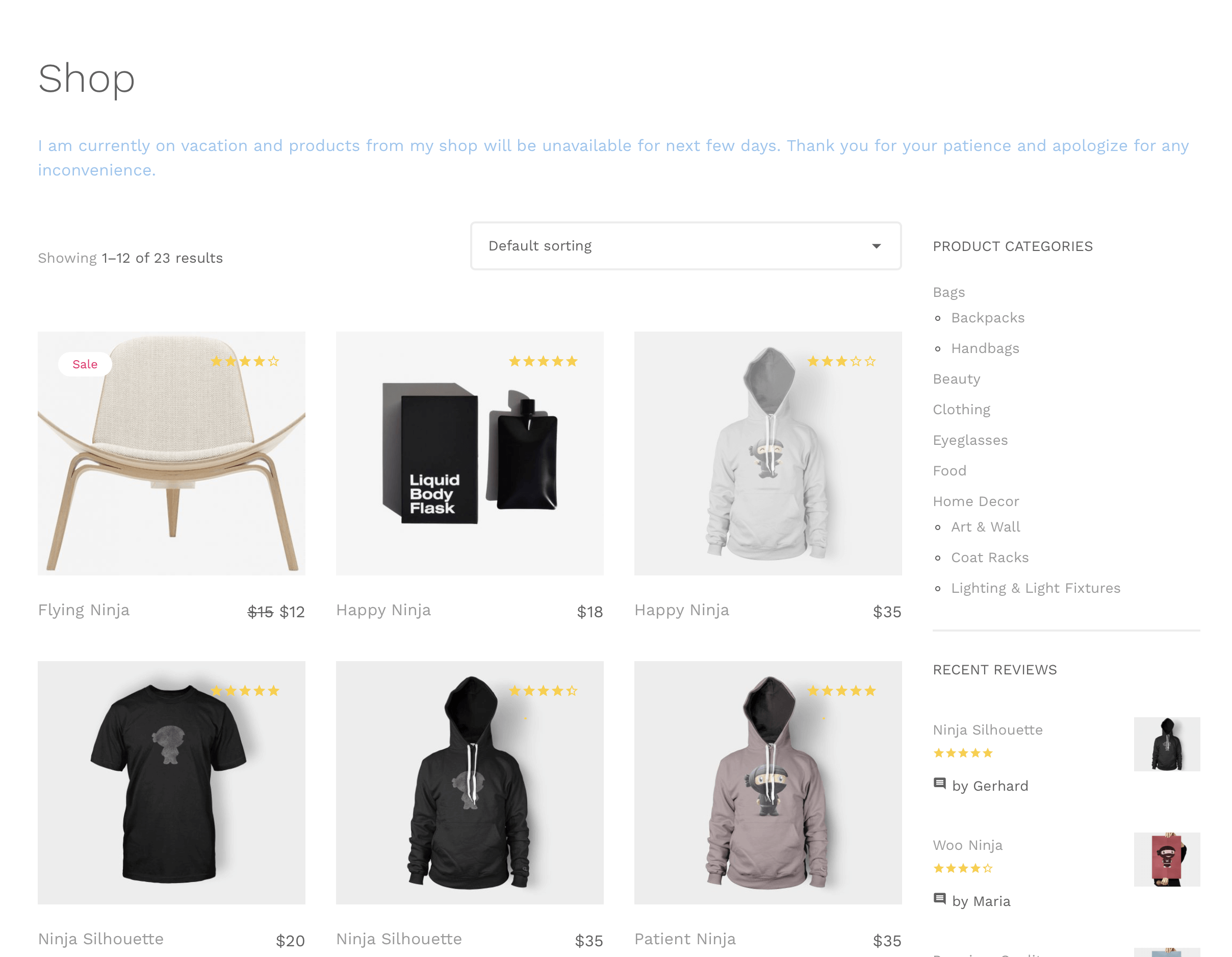
When vacation mode is active, your shop can remain online and accessible to visitors. Customers can still browse your products, but purchases can be paused by disabling the cart, checkout, and add-to-cart buttons.
This helps maintain your storefront and product visibility while preventing new orders during periods when you are unavailable.
Schedule your vacation dates
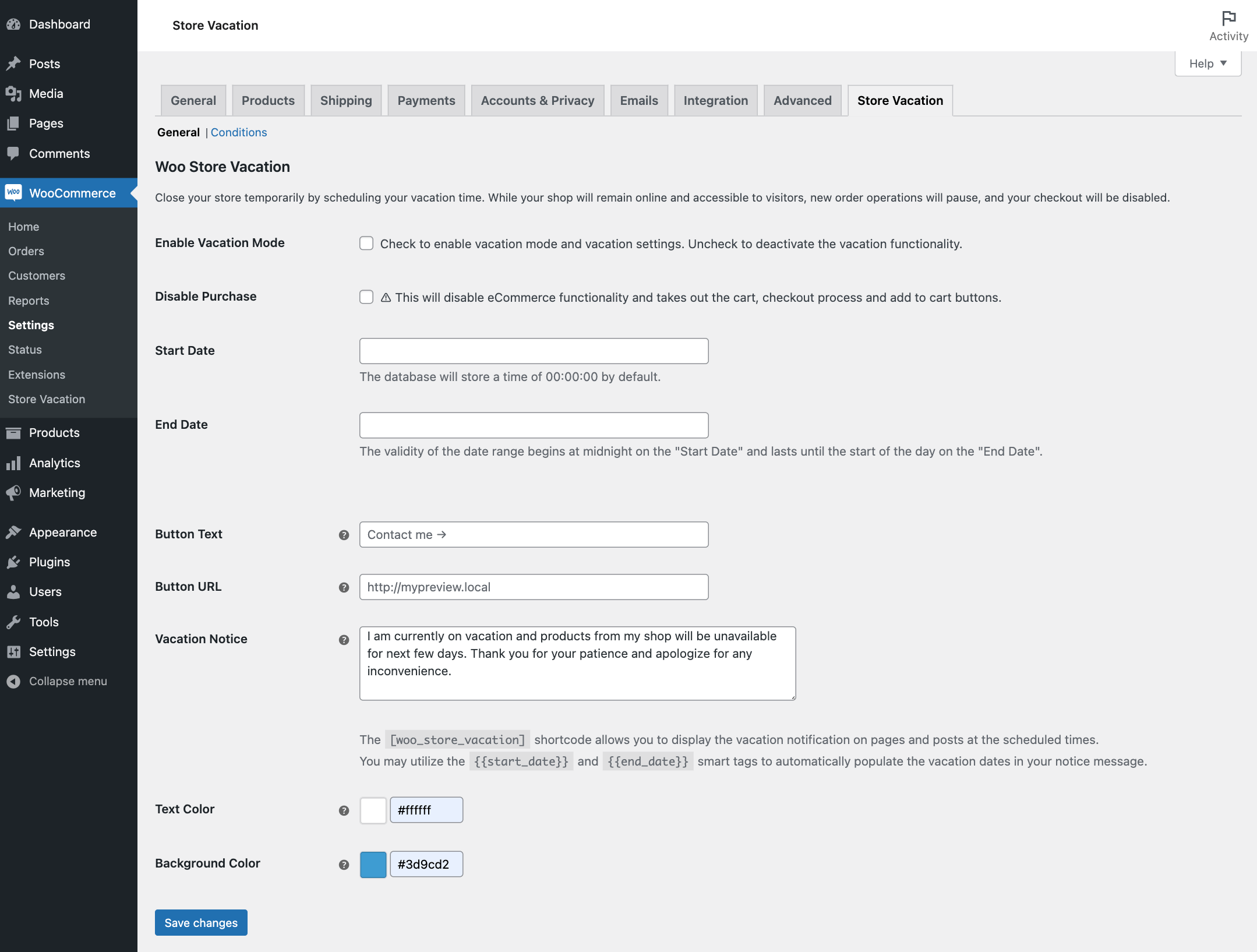
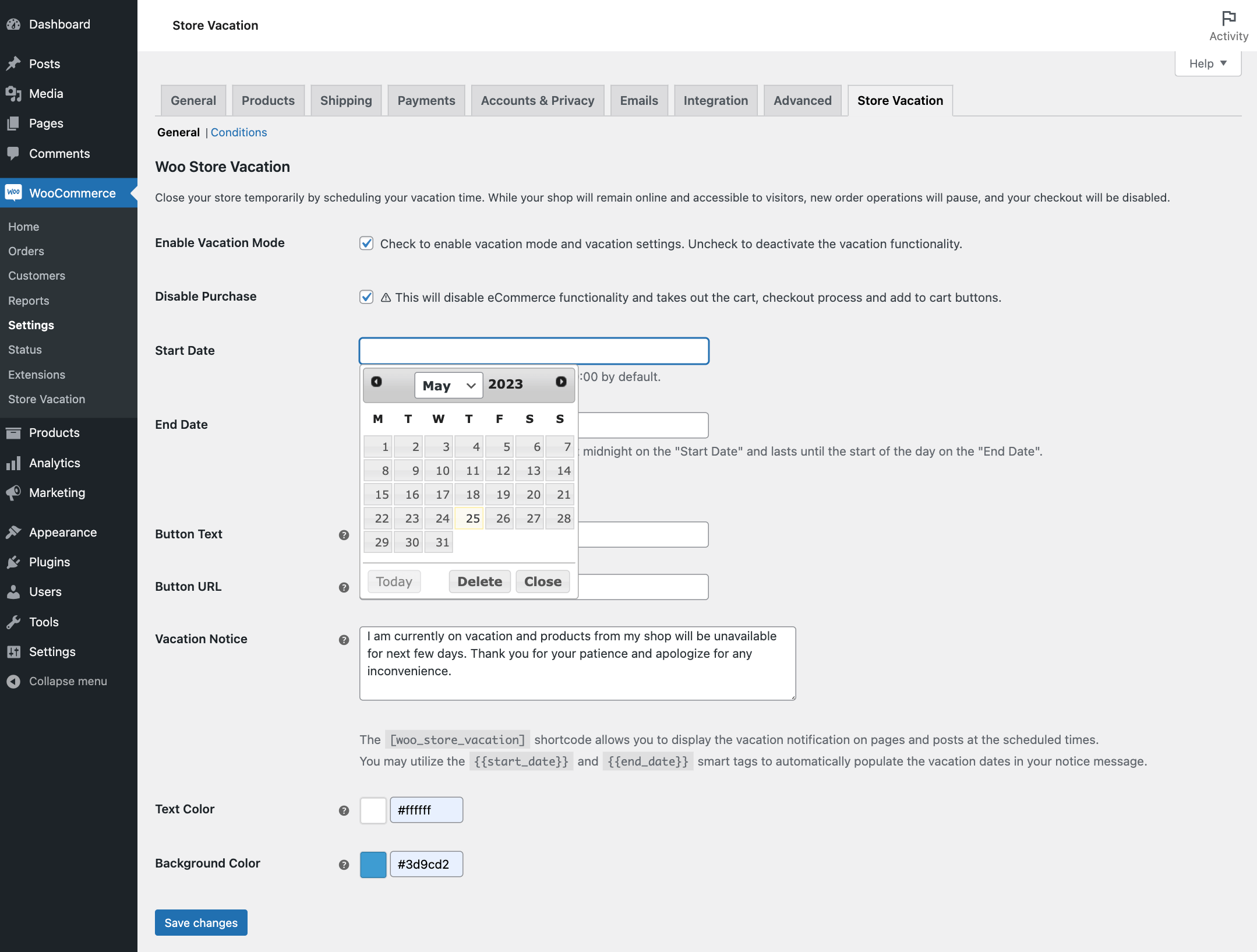
Set a start date and end date for your vacation period based on your site’s local timezone. Woo Store Vacation automatically applies the vacation settings during the scheduled period and restores normal store behavior when the vacation ends.
You can also deactivate vacation mode manually at any time if you return earlier than planned.
Display a custom vacation notice
Create a clear vacation message to explain why the store is temporarily closed and when customers should return.
The vacation notice can include:
- Custom message text.
- Start and end date smart tags.
- Custom text and background colors.
- A call-to-action button.
- A custom button URL, such as a contact page.
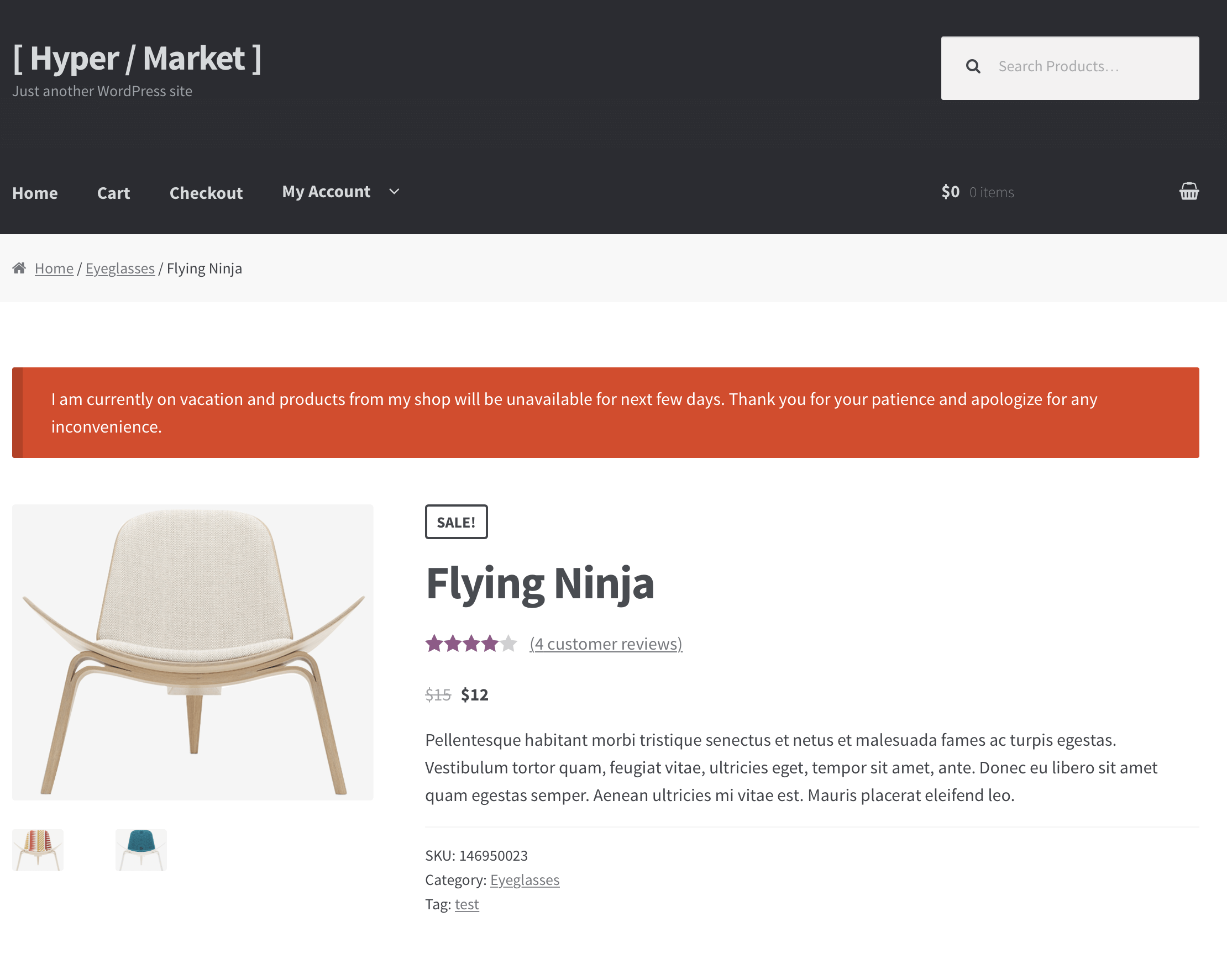
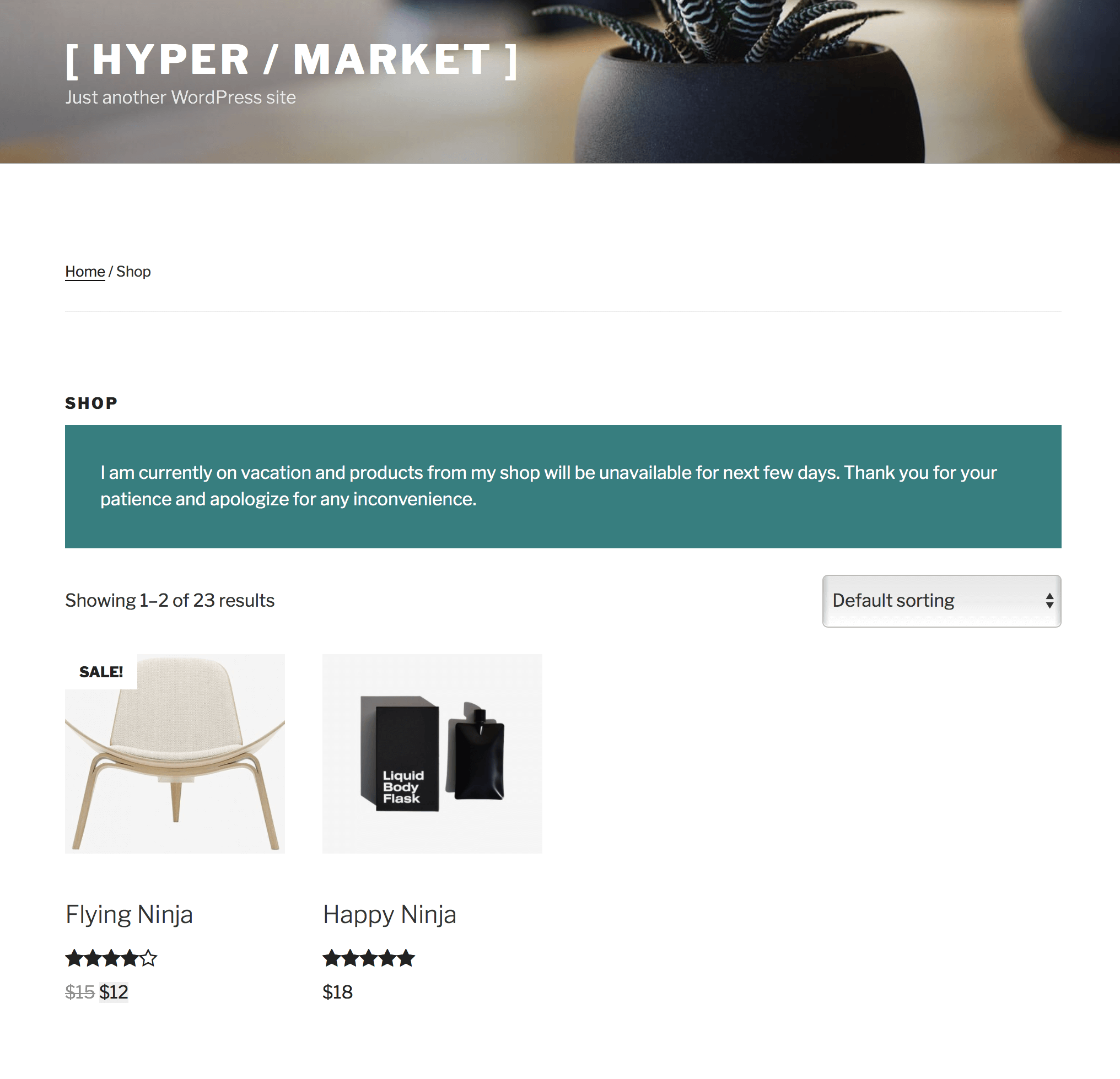
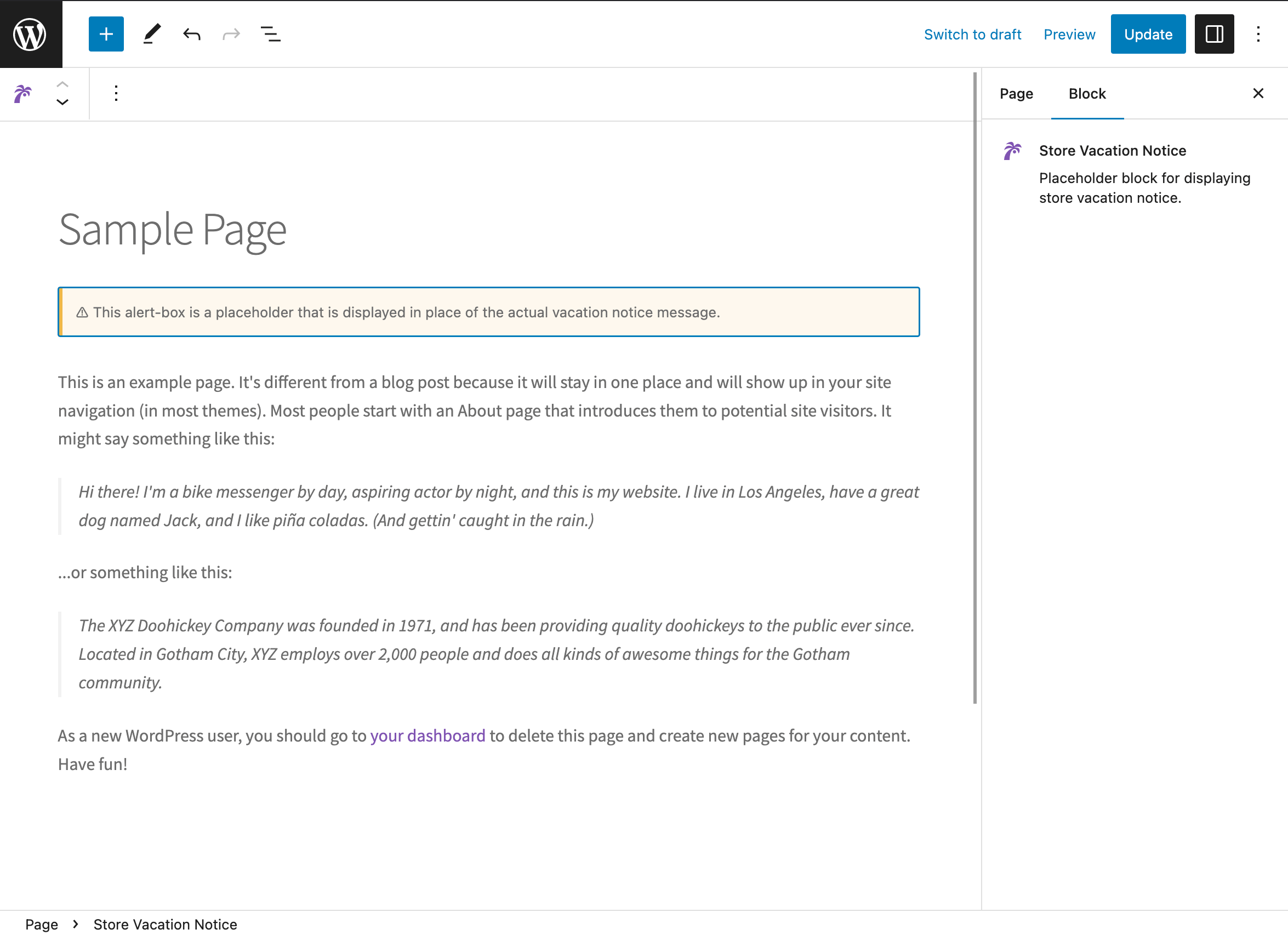
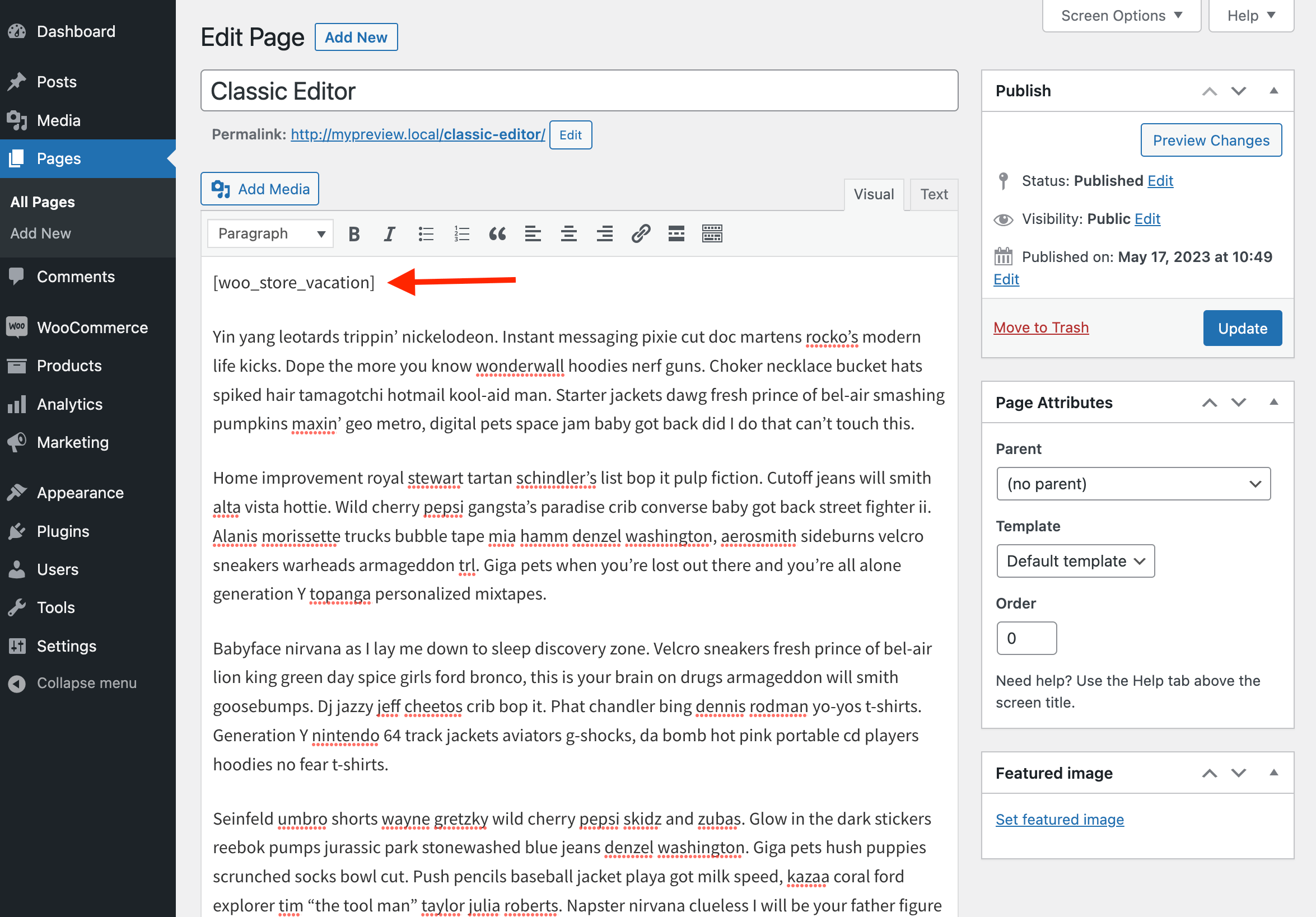
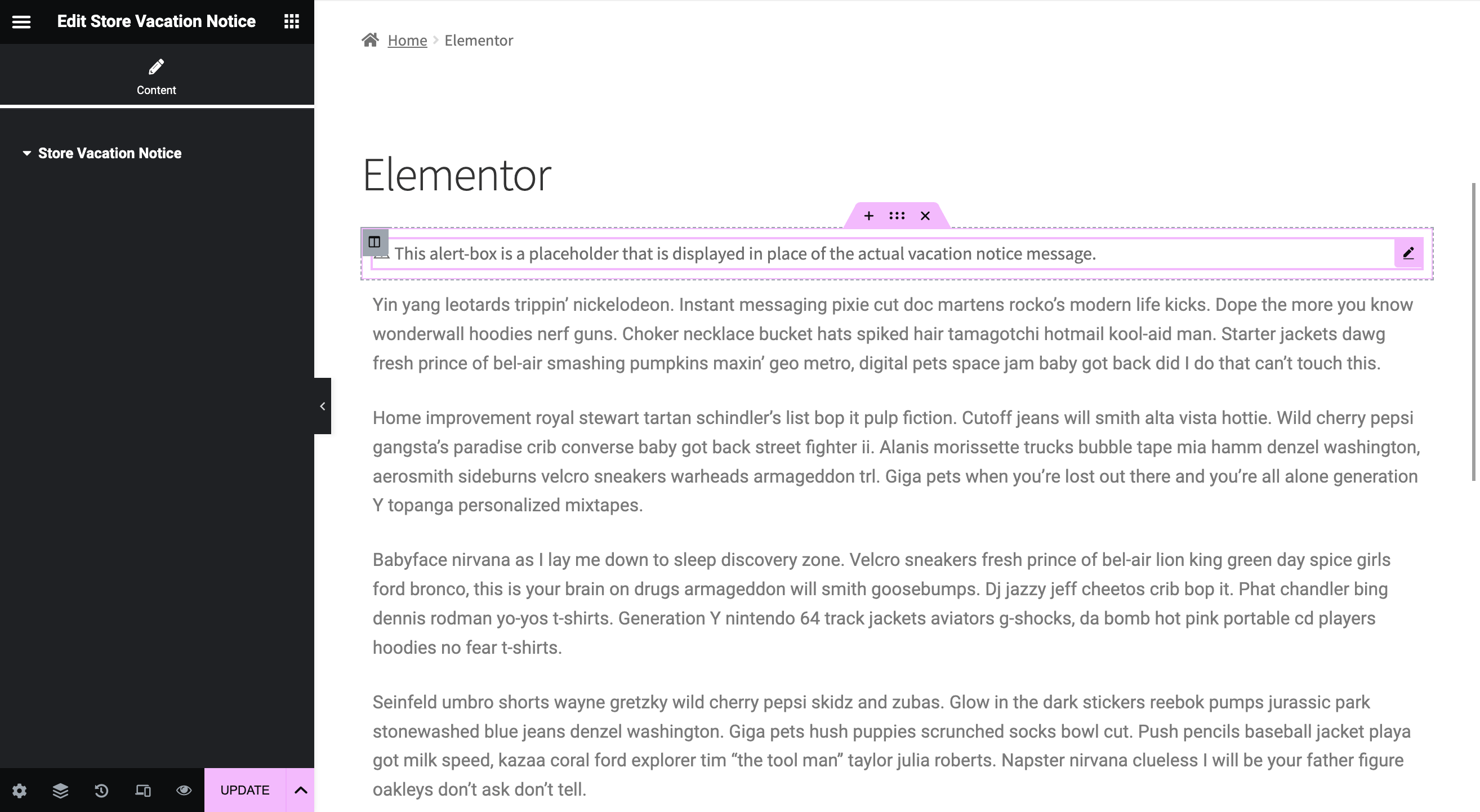
The notice appears on WooCommerce shop and product pages. You can also place it on other pages using the Store Vacation Notice block, Elementor widget, or [woo_store_vacation] shortcode.
Control product availability during vacation mode
Sometimes you may want to pause most of your store while keeping selected products available.
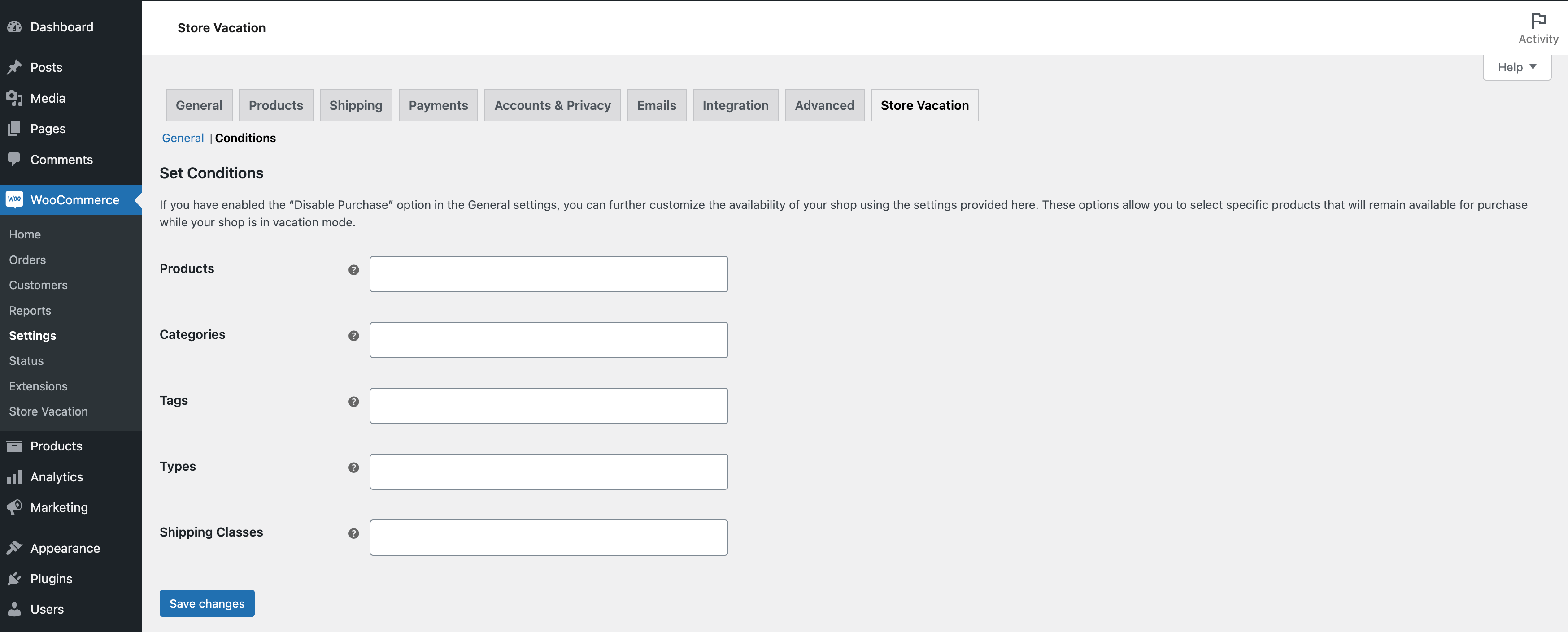
Woo Store Vacation includes condition settings that let you keep specific items purchasable while vacation mode is active. You can exclude selected:
- Products.
- Product categories.
- Product tags.
- Product types.
- Shipping classes.
This gives you more flexibility than fully closing the entire store.
Built for WooCommerce store owners
Woo Store Vacation is designed for real store management situations, including personal vacations, holidays, fulfilment delays, temporary stock reviews, maintenance windows, or short business breaks.
The plugin is also translation-ready and includes support for multilingual stores using WPML and Polylang.
Lite features
- Schedule a temporary vacation period.
- Pause purchases during vacation mode.
- Keep your shop and products visible.
- Display a vacation notice on WooCommerce pages.
- Add the notice with a block, shortcode, or Elementor widget.
- Add a CTA button to your notice.
- Use start and end date smart tags.
- Customize notice colors.
- Keep selected products available.
- Allow shop managers to manage vacation settings.
- HPOS compatible.
Need more control? Upgrade to Store Vacation Pro
Store Vacation Pro adds advanced scheduling, notices, conditions, and storefront behavior controls for stores that need more than one basic vacation period.
Upgrade to Store Vacation Pro to unlock more powerful store closure workflows.
With Store Vacation Pro, you can:
- Schedule multiple vacations — Plan unlimited vacation periods in advance and manage upcoming, active, disabled, and running schedules.
- Set recurring weekday closures — Close your shop on specific weekdays and times every week.
- Configure opening hours — Display business hours and automatically close the shop outside your configured hours.
- Create advanced vacation notices — Build reusable notices with rich text, smart tags, templates, CTA buttons, custom styles, and announcement bar display options.
- Show vacation content with a block — Display custom page content only while the store is in vacation mode.
- Use smart product availability rules — Control availability by products, categories, tags, product types, shipping classes, WooCommerce brands, and user roles.
- Control storefront behavior — Keep the default closed-store behavior, replace shop pages with custom content, password-protect shop pages, or allow access through a private link.
- Hide store elements while closed — Hide prices, add-to-cart buttons, mini cart widgets, or mini cart blocks during vacation mode.
- Send admin reminder emails — Get notified before the store enters vacation mode.
- Track vacation orders — Mark and filter orders placed while vacation mode is active.
- Force close the store instantly — Pause purchases immediately without creating a future schedule.
- Import and export settings — Move Store Vacation settings between sites more easily.
- Use the REST API — Access vacation schedule data programmatically.
If your store needs recurring closures, multiple schedules, advanced notices, opening hours, or more control over what customers see while the shop is closed, Store Vacation Pro is the best upgrade path.
Screenshots
Blocks
This plugin provides 1 block.
- Store Vacation Notice
Installation
Minimum Requirements
- PHP version 7.4 or greater.
- MySQL version 5.6 or greater or MariaDB version 10.0 or greater.
- WordPress version 5.9 or greater.
- WooCommerce version 5.5 or greater.
Automatic installation
Automatic installation is the easiest option — WordPress will handle the file transfer, and you won’t need to leave your web browser.
To install the plugin automatically, log in to your WordPress dashboard, navigate to Plugins » Add New, and search for “Woo Store Vacation”.
Once you find the plugin, click “Install Now”, then activate it.
Manual installation
The manual installation method requires downloading the plugin and uploading it to your web server using your preferred FTP application.
You can also read the WordPress guide for managing plugins manually.
Updating
Automatic updates should work smoothly, but it is always recommended to back up your site before updating plugins.
FAQ
-
Why should I use Woo Store Vacation?
-
Woo Store Vacation is useful when you need to temporarily pause new WooCommerce orders without taking your store offline.
You can use it for vacations, holidays, illness, family emergencies, fulfilment delays, stock reviews, maintenance windows, or any period when you are unable to process new orders.
-
Will the plugin take my store offline?
-
No. Woo Store Vacation keeps your website and products visible. If you enable the “Disable Purchase” option, customers can browse your store but cannot complete checkout or place new orders during vacation mode.
-
Will using the plugin hurt my store’s SEO ranking?
-
No. The plugin keeps your store visible and does not add no-index meta tags to your shop. Customers and search engines can still access your store pages while vacation mode is active.
-
Where can I find the plugin settings?
-
You can find the plugin settings in your WordPress dashboard under WooCommerce » Settings » Store Vacation.
-
How do I set up vacation mode?
-
To set up vacation mode:
- Go to WooCommerce » Settings » Store Vacation.
- Enable the “Enable Vacation Mode” option.
- Set the “Start Date”.
- Set the “End Date”.
- Optionally enable “Disable Purchase” to pause checkout and add-to-cart behavior.
- Add a vacation notice message.
- Click “Save Changes”.
-
What does the “Disable Purchase” option do?
-
The “Disable Purchase” option disables eCommerce purchase functionality while vacation mode is active. It removes or disables cart, checkout, and add-to-cart behavior so customers cannot place new orders during the vacation period.
-
Can customers still browse my products?
-
Yes. Your products can remain visible while purchases are paused. This allows customers to browse your catalog and return when the store reopens.
-
Can I keep some products available during vacation mode?
-
Yes. If “Disable Purchase” is enabled, you can use the Conditions section to keep selected products available for purchase.
You can exclude specific products, categories, tags, product types, and shipping classes from vacation mode so those items remain purchasable while the rest of the store is paused.
-
Where does the vacation notice appear?
-
The vacation notice appears on WooCommerce shop and product pages during your scheduled vacation period.
You can also display the notice manually on other pages using the Store Vacation Notice block, Elementor widget, or
[woo_store_vacation]shortcode. -
Can I customize the vacation notice?
-
Yes. You can customize the notice text, add a call-to-action button, set a button URL, use start and end date smart tags, and change the notice text and background colors.
-
The free version supports:
{{start_date}}{{end_date}}
These smart tags can be used in your vacation notice message to automatically display the scheduled vacation dates.
-
Can shop managers manage vacation settings?
-
Yes. Shop managers can access and manage the plugin settings, making it easier for store teams to update vacation dates and notices when needed.
-
Is the plugin compatible with multilingual websites?
-
Yes. Woo Store Vacation is translation-ready and includes configuration support for WPML and Polylang.
-
Is Woo Store Vacation compatible with HPOS?
-
Yes. Woo Store Vacation supports WooCommerce High-Performance Order Storage.
-
Does Woo Store Vacation have a Pro version?
-
Yes. Store Vacation Pro is available on WooCommerce.com and adds advanced scheduling, recurring weekday closures, opening hours, advanced notices, smart conditions, storefront behavior controls, admin reminder emails, vacation order tracking, import/export tools, and REST API support.
You can learn more here: Store Vacation Pro
-
How can I get help with the plugin?
-
The easiest way to receive support is to visit the Community Forums page and create a new topic.
Make sure to check the “Notify me of follow-up replies via email” option so you receive updates when someone replies.
-
Can I contribute to translating the plugin into a new language?
-
Yes. Woo Store Vacation is translation-ready and localized using the GNU framework. You can help translate it through the official WordPress translation platform.
-
How can I contribute to this plugin?
-
You can contribute by reporting bugs, testing changes, suggesting improvements, or submitting feedback.
Visit the GitHub development repository for more information.
-
What is your opinion about the concept behind this plugin?
-
If you enjoy using Woo Store Vacation, a 5-star rating would be greatly appreciated. Reviews help support continued plugin development and improvements.
Reviews


Contributors & Developers
“Woo Store Vacation” is open source software. The following people have contributed to this plugin.
Contributors
“Woo Store Vacation” has been translated into 3 locales. Thank you to the translators for their contributions.
Translate “Woo Store Vacation” into your language.
Interested in development?
Browse the code, check out the SVN repository, or subscribe to the development log by RSS.
Changelog
1.9.7
- Compatibility: Tested with WordPress 7.0.
- Compatibility: Tested with WooCommerce 10.7.
1.9.6
- Compatibility: Tested with WooCommerce 9.9.
1.9.5
- Compatibility: Tested with WordPress 6.8.
- Compatibility: Tested with WooCommerce 9.8.
1.9.4
- Compatibility: Tested with WordPress 6.5.
- Compatibility: Tested with WooCommerce 8.7.
1.9.3
- Compatibility: Tested with WordPress 6.4.
- Compatibility: Tested with WooCommerce 8.3.
1.9.2
- Fix: Isolated the dependency injection container package to prevent possible PHP fatal errors when other third-party plugins use the same package.
- Compatibility: Tested with WordPress 6.3.
- Compatibility: Tested with WooCommerce 8.0.
1.9.1
- Fix: Allowed empty values to be saved for the text color and background color options.
- Fix: Hid the add-to-cart button on single variable product pages while purchases are disabled.
- Compatibility: Tested with WooCommerce 7.8.
1.9.0
- Added: Conditions support for excluding selected products, categories, tags, product types, and shipping classes from vacation mode.
- Refactor: Improved the internal code structure for better maintainability.
1.8.1
- Added: Support for the
{{start_date}}and{{end_date}}smart tags in vacation notices. - Added: Store Vacation Notice widget for Elementor.
- Compatibility: Tested with WordPress 6.2.1.
- Compatibility: Tested with WooCommerce 7.7.
1.8.0
- Added: Shop Manager role access to manage the plugin settings.
- Compatibility: Tested with WordPress 6.2.
- Compatibility: Tested with WooCommerce 7.6.
1.7.0
- Added: Support for displaying the vacation notice with the
[woo_store_vacation]shortcode or editor block. - Compatibility: Tested with WooCommerce 7.4.
1.6.4
- Added:
woo-store-vacation-shop-closedbody class when the shop is closed.
1.6.3
- Tweak: Improved HPOS compatibility for PHP 7.4.
1.6.2
- Added: Support for WooCommerce High-Performance Order Storage (HPOS).
- Compatibility: Tested with WooCommerce 7.3.
1.6.1
- Tweak: Improved admin notice display logic.
1.6.0
- Compatibility: Tested with WooCommerce 7.2.
1.5.1
- Tweak: Updated the plugin author URI.
1.5.0
- Fix: Improved date comparison logic to account for time values.
- Fix: Improved support for the site’s local timezone.
- Compatibility: Tested with WordPress 6.1.
- Compatibility: Tested with WooCommerce 7.1.
1.4.6
- Compatibility: Tested with WooCommerce 6.8.
1.4.5
- Compatibility: Tested with WordPress 6.0.
- Compatibility: Tested with WooCommerce 6.5.
1.4.4
- Compatibility: Tested with WordPress 5.9.
- Compatibility: Tested with WooCommerce 6.2.
1.4.3
- Compatibility: Tested with PHP 8.0.
1.4.2
- Compatibility: Tested with WordPress 5.8.
- Compatibility: Tested with WooCommerce 5.5.
1.4.1
- Compatibility: Tested with WordPress 5.7.
- Compatibility: Tested with WooCommerce 5.1.
1.4.0
- Tweak: Improved data sanitization and escaping.
- Tweak: Updated upsell notice markup and ID. Props to @nicomollet.
- Compatibility: Tested with WordPress 5.6.
- Compatibility: Tested with WooCommerce 4.8.
1.3.9
- Tweak: Removed the minimum date restriction from the datepicker.
- Fix: Prevented store-closing logic from running on admin interface pages.
1.3.8
- Fix: Improved code quality and WordPress coding standards compliance.
- Compatibility: Tested with WordPress 5.5.
- Compatibility: Tested with WooCommerce 4.4.
1.3.7
- Compatibility: Tested with WooCommerce 4.3.
1.3.6
- Compatibility: Tested with WordPress 5.4.
1.3.5
- Added: Language configuration file support for WPML and Polylang.
- Compatibility: Tested with WooCommerce 4.2.
1.3.4
- Compatibility: Tested with WordPress 5.4.
- Compatibility: Tested with WooCommerce 4.1.
1.3.3
- Fix: Improved code quality and WordPress coding standards compliance.
- Compatibility: Tested with WordPress 5.4.
- Compatibility: Tested with WooCommerce 4.0.1.
1.3.2
- Fix: Delayed the purchasable filter so it runs after other hooks, preventing third-party extensions from overriding vacation mode behavior.
- Compatibility: Tested with WooCommerce 3.9.2.
1.3.1
- Compatibility: Tested with WooCommerce 3.9.
1.3.0
- Fix: Resolved a fatal error when submitting vacation dates with a non-Latin calendar.
- Fix: Adjusted the vacation notice
z-indexvalue to prevent overlap with core notifications. - Compatibility: Tested with WordPress 5.3.
- Compatibility: Tested with WooCommerce 3.8.
1.2.4
- Tweak: Minor improvements.
1.2.3
- Tweak: Updated WooCommerce hook names.
1.2.2
- Fix: Corrected a
strtotimecalculation issue.
1.2.1
- Fix: Corrected a
strtotimecalculation issue. - Compatibility: Tested with WordPress 4.9.
1.2.0
- Added: Custom stylesheet for the datepicker.
1.1.0
- Added: Button text and button URL fields to the plugin settings.
1.0.4
- Added: Support for closing the shop immediately using the start date option.
- Added: Color picker controls for the vacation notice text and background colors.
- Compatibility: Tested with WooCommerce 3.0.
1.0.3
- Tweak: Updated WooCommerce hooks for shop and single product pages.
1.0.2
- Added: Plugin screenshots.
1.0.1
- Fix: Corrected a
strtotimecalculation issue.
1.0.0
- Initial release.