

Description
This plugin serves as an interface for WordPress users to seamlessly view and submit dynamic forms created on the Zippy Form Builder. This integration with Zippy Form Builder allows users to harness the power of a dedicated form creation platform while seamlessly embedding and managing these forms within their WordPress websites.
Key Features
-
Form Management in WordPress Dashboard: After configuring the API URL and License Key, all forms with associated shortcodes are listed in the Zippy Form page in your WordPress dashboard.
-
Form Display Interface: This plugin provides an intuitive interface within WordPress, allowing users to easily showcase forms created on Zippy Form Builder on their pages or posts.
-
Form Submission Integration: Users can submit forms directly from your WordPress interface, with the collected data securely transmitted to Zippy Form Builder for centralized processing.
Getting Started
To get started with your plugin, follow these steps:
-
Install the Plugin:
Install the plugin through the WordPress plugins screen directly, or upload the plugin to the/wp-content/pluginsdirectory. -
Configure Zippy Form Builder Integration:
- Obtain an API URL and License Key from Zippy Form Builder.
- In your WordPress admin dashboard, navigate to the plugin settings page.
-
View and Manage Forms:
- Once configured, go to the Zippy Form page in your WordPress dashboard.
- You will see a list of all forms along with their associated shortcodes.
- Use these shortcodes to easily embed forms into your pages or posts.
Usage of Google reCAPTCHA Service
This plugin utilizes the Google reCAPTCHA service to add CAPTCHA protection to forms, helping prevent spam submissions. Google reCAPTCHA is a third-party service provided by Google.
Third-Party Service Information
- Service: Google reCAPTCHA
- Purpose: Adding CAPTCHA protection to forms
- Link: Google reCAPTCHA
- Terms of Use: Google reCAPTCHA Terms of Service
- Privacy Policy: Google Privacy Policy
Usage of Stripe.js for Payment Forms
This plugin utilizes Stripe.js to handle payment forms securely. Stripe.js is a third-party service provided by Stripe.
Third-Party Service Information
- Service: Stripe.js
- Purpose: Securely handle payment forms
- Link: Stripe
- Terms of Use: Stripe Terms of Service
- Privacy Policy: Stripe Privacy Policy
Uncompressed Resources
JavaScript:
- File:
zippy-form/public/js/choices.min.js
You can access the uncompressed JavaScript file on GitHub: Link to GitHub Repository
Screenshots


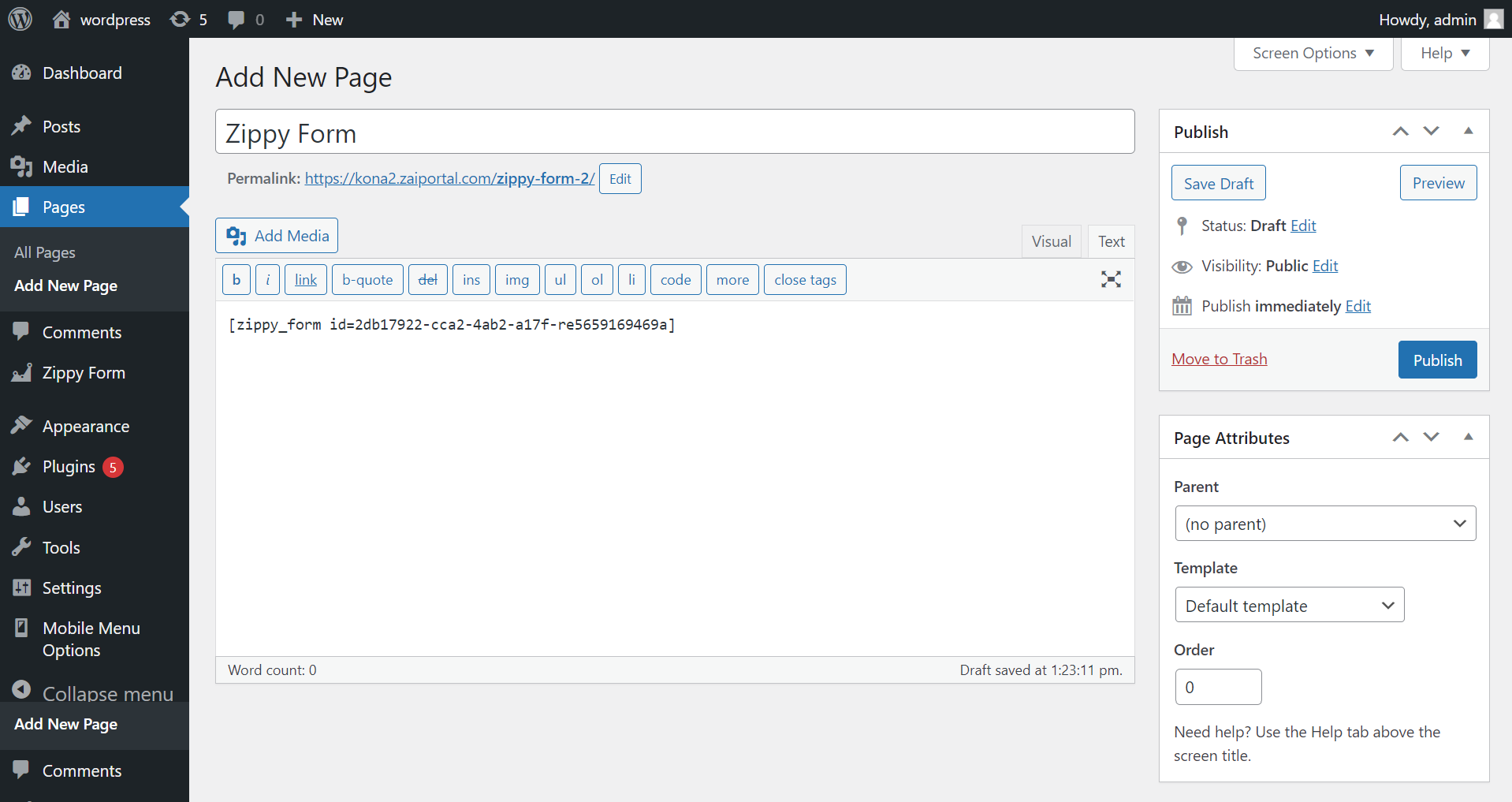
Reviews
There are no reviews for this plugin.
Contributors & Developers
“Zippy Form” is open source software. The following people have contributed to this plugin.
Contributors
Translate “Zippy Form” into your language.
Interested in development?
Browse the code, check out the SVN repository, or subscribe to the development log by RSS.